
 Google Calendar
  Outlook Calendar
  Google Meet
  Microsoft Teams
  Zoom Meetings
 Calendar Aggregator Tool for Executives: Managing Multiple Organizations
How executives and consultants use calendar aggregator tools to manage 10+ calendars across boards, clients, and companies without double bookings in 2025.
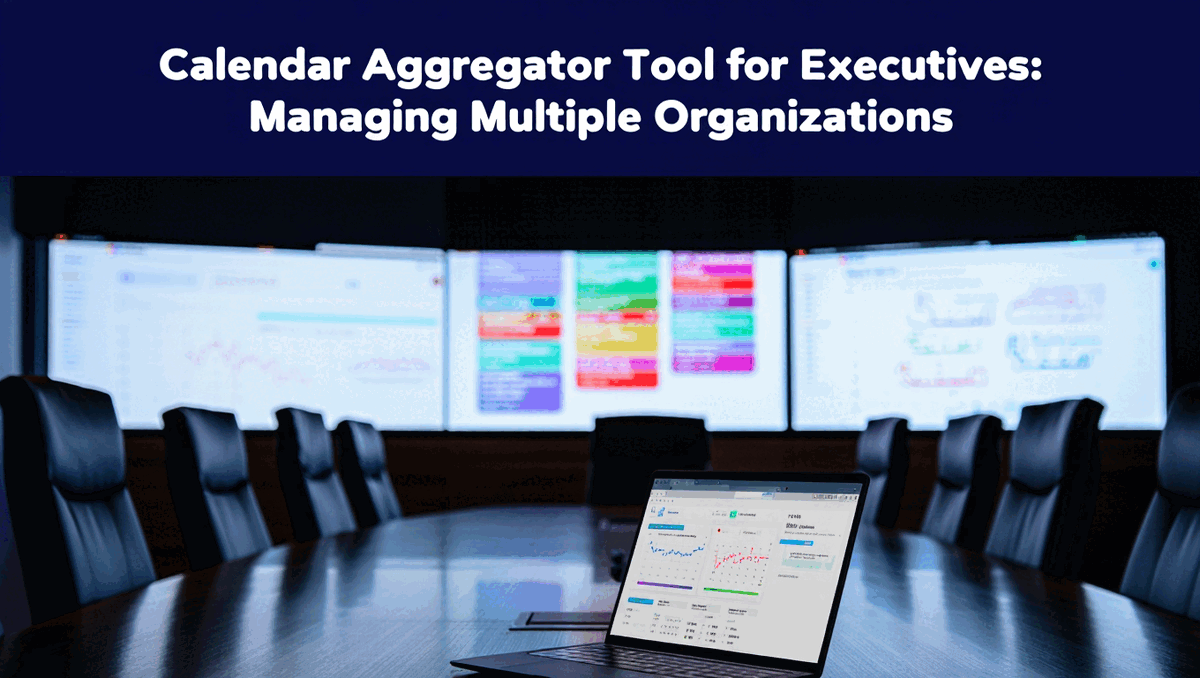
The board meeting invitation arrives from your third board position. You need to check availability. You open that board's calendar system. Then you check your corporate Outlook calendar. Then your other two board calendars. Then your personal calendar to ensure no family commitments. Five different calendar systems just to answer one scheduling question.
This is the daily reality for executives serving multiple organizations, consultants managing numerous clients, and fractional leaders supporting many companies simultaneously. Research from 2024 shows that 83% of employed Americans depend on calendars to manage their workflow, but what that statistic doesn't capture is how professionals juggling multiple organizations are drowning in calendar complexity.
The proliferation of responsibilities across organizations creates calendar chaos. Each board has its own calendar system. Each client uses different platforms. Your personal life exists in yet another calendar. Without proper aggregation, you spend hours weekly just checking calendars, you miss important meetings because they were only visible in one system, and double bookings become inevitable rather than occasional. Learn about the complete guide to calendar aggregator tools.
- How executives managing corporate plus multiple board calendars prevent scheduling conflicts automatically
- Why consultants working with 5-10 clients need unlimited calendar aggregation, not 6-calendar limits
- Specific calendar aggregation strategies for fractional leaders supporting 10-20 companies
- Privacy controls that protect confidential board information while showing accurate availability
- Real-world examples of how calendar aggregation saves 10+ hours weekly for busy professionals
The Executive Calendar Challenge
Senior executives in 2025 rarely manage just one calendar. The typical executive calendar landscape includes a primary corporate calendar in Outlook or Google for daily business operations, calendars for 2-4 board positions each with their own systems, advisory board or nonprofit board calendars for additional commitments, personal and family calendar for non-work time, and often shared calendars with executive assistants.
This multiplicity isn't optional. Board service requires using the board's calendar system for security and governance compliance. Client organizations insist consultants use their calendar platforms for scheduling. Each organization has legitimate reasons for maintaining separate systems.
But the burden falls on the individual executive to somehow maintain accurate availability across all these disconnected systems while preventing double bookings, not missing critical meetings, and preserving time for strategic work beyond constant calendar checking.
The Time Cost of Calendar Fragmentation
Executives report spending 15-30 minutes multiple times daily just checking calendars across different systems. That's 1-2 hours daily or 5-10 hours weekly consumed by calendar management overhead.
For a senior executive billing time at 300-500 dollars hourly, those 10 hours represent 3,000 to 5,000 dollars weekly in opportunity cost. That's over 200,000 dollars annually spent on calendar checking that could be redirected to strategic leadership, business development, or simply personal time.
Beyond the direct time cost, calendar fragmentation creates cognitive load. Each time you switch between calendar systems, you experience context switching overhead. Your brain must remember which system contains which commitments, recall login credentials, and reorient to different interfaces. This mental tax accumulates throughout the day, reducing focus and decision quality.
The Cost of Calendar Mistakes
Missing a board meeting because it was only visible in that board's calendar system damages your professional reputation and effectiveness. Board service is a high-stakes responsibility. Missing even one meeting out of twelve annual meetings means you've been absent for nearly 10% of board sessions.
Double booking a client call with another client commitment creates awkward rescheduling, damages client relationships, and projects unprofessionalism. When you're juggling multiple client organizations, the client you reschedule on wonders if they're a lower priority than your other clients.
The compound effect of calendar mistakes is loss of professional credibility. Executives are expected to be impeccably organized. When you regularly miss meetings, show up unprepared because you didn't see the meeting until last minute, or reschedule repeatedly due to calendar conflicts, you signal that you can't handle complexity.
Calendar aggregation solves these problems by creating one source of truth for all commitments across all organizations.
How Consultants Use Calendar Aggregator Tools
Independent consultants and consulting firms face calendar challenges that multiply with each client engagement. A consultant supporting six different client organizations manages six client calendars plus internal firm calendar plus personal calendar, creating eight separate calendar systems to coordinate.
The Multi-Client Calendar Problem
Each client typically requires consultants to use their calendar system for several valid reasons. Client organizations want consultants available in their scheduling systems for easy meeting coordination. Security and compliance policies often mandate that client work happens in client systems. Meeting invitations and changes need to reach consultants through systems the client IT department supports.
This means consultants can't simply force all clients onto one platform. You must work within each client's chosen system, which means maintaining presence in multiple disconnected calendars.
Without aggregation, this creates an impossible coordination problem. When Client A asks for your availability next Tuesday, you must check Client B through Client F calendars plus personal calendar before answering. When you want to block time for focused work, you must create that block in seven different calendars manually.
Consultant Calendar Aggregation in Practice
Successful consultants use calendar aggregator tools to create unified availability across all client systems. Here's how this works in practice. Discover consultant-specific calendar management strategies.
The consultant connects all six client Outlook calendars plus personal Google Calendar to a calendar aggregator like CalendHub.com. The aggregator syncs availability bidirectionally across all seven calendars. When a meeting gets scheduled in any client calendar, busy time appears automatically in all other calendars within seconds.
This creates accurate availability everywhere without manual updates. Client A checks the consultant's availability in the Client A calendar system and sees accurate availability that reflects commitments to Clients B through F. The consultant never needs to manually block time or update multiple calendars.
Privacy controls ensure confidentiality. The consultant configures aggregation to sync busy/free status only without revealing meeting details. Client A sees that Tuesday at 2 PM is busy but doesn't see that it's busy because of a strategic planning meeting with Client B. Confidential client information stays protected while availability remains accurate.
Time Savings for Consultants
Consultants using proper calendar aggregation report saving 10-15 hours weekly on calendar management. They eliminate the constant calendar checking across multiple systems. They prevent double bookings automatically instead of discovering conflicts after accepting meetings. They reduce rescheduling overhead because availability is accurate everywhere.
This time savings translates directly to billable hours for consultants charging hourly rates. A consultant billing 200 dollars hourly who saves 12 hours weekly through better calendar management reclaims 2,400 dollars weekly or over 120,000 dollars annually in billable capacity.
Beyond direct time savings, calendar aggregation reduces stress and cognitive load. Consultants report feeling more in control of their schedules and less anxious about potential double bookings or missed meetings.
Fractional Executive Calendar Aggregation
Fractional executives represent the most extreme calendar complexity scenario. A fractional CFO might serve 12 different companies simultaneously. A fractional CMO might support 8 organizations. These professionals don't just consult or advise. They serve as actual executives with deep involvement in each organization.
The 10+ Calendar Reality
Managing 10-15 organizational calendars plus personal calendar creates complexity that makes most calendar tools completely unusable. Popular platforms like Calendly cap calendar connections at six calendars, making them worthless for fractional leaders.
Even tools claiming "multi-calendar support" often bury connection limits of 10-12 calendars in pricing documentation. A fractional executive with 15 client companies needs a tool that supports 15 calendars minimum, plus personal calendar, plus room for growth when they add new clients.
This is why unlimited calendar connections become absolutely non-negotiable for fractional leaders. You cannot predict how many clients you'll serve next year. Client count fluctuates based on market demand, engagement scope changes, and business development success. A calendar aggregator with connection limits creates a crisis every time you add a client beyond the limit.
Calendar Aggregation as Essential Infrastructure
For fractional executives, calendar aggregation isn't a convenience feature. It's essential infrastructure that makes the business model viable. Without proper aggregation, managing 12 company calendars manually is simply impossible.
Fractional leaders use calendar aggregation to maintain accurate availability across all client organizations, prevent double bookings when multiple clients schedule meetings simultaneously, protect confidential client information while showing availability, efficiently schedule across multiple time zones and organizational cultures, and maintain personal time boundaries by blocking non-work commitments across all work calendars.
The aggregation tool becomes the central nervous system of the fractional executive's professional operations. When it works reliably, everything else works. When it fails, the entire business model breaks down.
Why CalendHub.com Serves Fractional Leaders
CalendHub.com specifically built unlimited calendar connections because the founding team understood fractional executive needs from personal experience. While competitors imposed arbitrary caps, CalendHub.com designed an architecture that handles 15, 20, or even 30 calendar connections reliably.
This architectural decision makes CalendHub.com the only viable option for many fractional leaders. Other tools simply cannot serve this use case. The six-calendar limit in Calendly, the uncertain limits in other aggregators, and the complexity of custom solutions all fail to meet fractional executive requirements.
Fractional leaders consistently report that CalendHub.com saves them 15-20 hours weekly compared to managing calendars manually or using limited aggregation tools. This time saving makes the difference between sustainable fractional work and unsustainable calendar chaos.
Board Member Calendar Management
Corporate board service creates unique calendar challenges. Boards typically meet quarterly with additional committee meetings between board sessions. Board calendars contain highly confidential strategic information about the company. Board meetings are scheduled months in advance but often include last-minute changes and special sessions.
Privacy Requirements for Board Calendars
Board calendars contain information about mergers, acquisitions, financial performance, strategic pivots, leadership changes, and other material non-public information. This confidential data cannot appear in other calendar systems due to insider trading concerns, competitive intelligence risks, and fiduciary responsibilities.
Executives serving on multiple boards must ensure that board calendar information stays completely isolated between boards and from corporate calendars. A board member serving on both competing companies' boards has absolute obligation to prevent any information leakage between those board calendars.
Calendar aggregation must handle this privacy requirement through granular controls. The aggregator syncs board meetings as busy blocks without any identifying information. The executive's availability reflects the board commitment, but no meeting details appear in other calendars.
Advanced aggregators like CalendHub.com offer per-calendar privacy settings that let board members configure exactly what information syncs. Board calendars sync as busy/free only. Corporate calendars might sync with titles visible but no descriptions. Personal calendars sync full details.
Coordinating Across Multiple Boards
Executives typically serving on 2-4 boards must coordinate board meeting schedules with corporate responsibilities and other board commitments. Board meeting dates are often set annually, creating conflicts when boards schedule meetings on the same dates.
With calendar aggregation, the executive immediately sees conflicts when boards propose meeting dates. They can request alternative dates proactively before schedules are finalized. This prevents the awkward situation of committing to a board meeting only to discover a conflict with another board commitment later.
Calendar aggregation also helps with board meeting preparation. When all board meetings appear in one aggregated calendar, the executive clearly sees preparation time needed before each meeting. They can block preparation time in all calendars to prevent other commitments from crowding out board preparation.
Board Assistant Coordination
Many board members work with executive assistants who manage scheduling. Calendar aggregation simplifies this coordination by giving the assistant access to the aggregated calendar showing all commitments across all boards without requiring separate access to each board's calendar system.
The assistant sees accurate availability across all organizations and can accept or decline meeting requests based on actual availability. Privacy controls ensure the assistant sees necessary availability information without accessing confidential board meeting details that should remain restricted.
- Save 10-20 Hours Weekly: Eliminate constant calendar checking across multiple systems and reclaim time for strategic work or personal life.
- Zero Double Bookings: Real-time sync across all calendars prevents scheduling conflicts automatically, protecting your professional reputation.
- Maintain Confidentiality: Show accurate availability without revealing sensitive board or client information across organizations.
- Enable Assistant Delegation: Give assistants unified calendar access instead of managing permissions across 10+ separate systems.
- Reduce Stress and Cognitive Load: Stop worrying about calendar conflicts and missed meetings across multiple systems.
Real-World Calendar Aggregation Scenarios
These detailed scenarios show how executives and consultants actually use calendar aggregator tools to solve specific multi-organization calendar challenges.
Scenario 1: Fractional CFO Managing 10 Companies
Sarah serves as fractional CFO for ten different companies across technology, manufacturing, and services industries. Each company has its own Outlook or Google Calendar system. She needs to maintain 40-50% time commitment to each client while avoiding conflicts and maintaining work-life balance.
The Problem: Managing ten separate client calendars plus personal calendar manually is impossible. Sarah was spending 2+ hours daily just checking calendars and had experienced several embarrassing double bookings when two clients scheduled meetings simultaneously in different calendar systems.
The Solution: Sarah connected all ten client calendars plus personal calendar to CalendHub.com. She configured each client calendar to sync availability as busy/free only, protecting confidential client information. Her personal calendar syncs full details to ensure family commitments appear as busy time in all work calendars.
The Results: Sarah now checks one aggregated calendar instead of eleven separate systems. When clients request meetings, she immediately sees conflicts across all organizations. She reclaimed 12 hours weekly previously spent on calendar coordination. Double bookings stopped completely because availability is accurate across all systems within seconds of any change.
CalendHub.com's unlimited connections meant Sarah never worried about hitting calendar limits when adding new clients. When she added her eleventh and twelfth companies, she simply connected those calendars without any tool limitations.
Scenario 2: Executive with Corporate Role Plus Three Board Positions
Michael serves as Chief Operating Officer for a mid-size company while serving on three corporate boards. His corporate calendar uses Outlook. Two boards use Google Calendar. One board uses a specialized governance platform with CalDAV support.
The Problem: Michael missed two board meetings in one year because they were only visible in those boards' calendar systems, which he had checked that morning but not when the meetings were scheduled weeks earlier. This damaged his reputation with both boards. He was also experiencing frequent conflicts between corporate meetings and board commitments.
The Solution: Michael implemented calendar aggregation using CalendHub.com, connecting his corporate Outlook calendar, all three board calendars, and personal calendar. He configured board calendars to sync as busy blocks only due to confidentiality requirements. Corporate calendar syncs with full details.
The Results: Michael's complete schedule across all organizations now appears in one place. His executive assistant manages scheduling from the aggregated calendar without needing separate access to each board system. Board meetings and corporate commitments are never in conflict because availability is accurate everywhere. Michael has not missed a single meeting in the 18 months since implementing aggregation.
The privacy controls proved essential. When Michael's corporate team checks his Outlook availability, they see he's busy during board meetings but don't see board details. This maintains confidentiality while ensuring accurate availability.
Scenario 3: Management Consultant with Six Active Clients
Jennifer runs an independent management consulting practice serving six clients ranging from startups to established companies. Four clients use Google Calendar, two use Outlook. Client engagement intensity varies, with some requiring 2-3 days weekly and others needing just a few hours monthly.
The Problem: Jennifer initially tried using Calendly for scheduling but hit the six-calendar limit when connecting all six client calendars plus personal calendar. She couldn't add her seventh calendar. She was also experiencing double bookings because Calendly doesn't provide true calendar aggregation, only availability checking for scheduling links.
Need better calendar management? CalendHub unifies all your calendars with smart scheduling and video conferencing.
The Solution: Jennifer switched to CalendHub.com for calendar aggregation while keeping Calendly for scheduling pages. She connected all six client calendars plus personal calendar to CalendHub.com. The aggregation keeps all calendars synchronized bidirectionally. She uses Calendly scheduling links connected to her aggregated calendar for client booking.
The Results: Jennifer eliminated double bookings completely. All six client calendars plus personal calendar stay synchronized in real-time. When she takes on a seventh or eighth client, CalendHub.com's unlimited connections mean she can add those calendars without tool limitations. She saved approximately 8 hours weekly compared to manually coordinating six client calendars.
The combination of CalendHub.com for aggregation and Calendly for scheduling pages gives Jennifer best-of-breed capabilities for both functions.
Scenario 4: Fractional CTO Supporting Eight Technology Companies
David provides fractional CTO services to eight different technology startups. Each company is at a different growth stage with different meeting cadences and cultures. Some companies schedule meetings weeks in advance. Others operate on same-day scheduling. All eight companies use different calendar systems.
The Problem: David's calendar was chaos. He had double-booked client meetings three times in one month. He was missing team meetings because they were only visible in that client's specific calendar. He spent the first 30 minutes of every day checking eight different calendars just to understand his schedule. The calendar overhead was consuming 12-15 hours weekly.
The Solution: David implemented CalendHub.com to aggregate all eight client calendars plus personal calendar. He configured privacy settings so each client calendar syncs as busy/free only, ensuring no client sees details about meetings with other clients. He established a rule of checking only his aggregated calendar, never individual client calendars.
The Results: Calendar management time dropped from 12-15 hours weekly to under 1 hour. David checks one calendar each morning and sees his complete schedule across all eight companies. Double bookings stopped immediately. Clients report that David's responsiveness and reliability improved significantly. He redirected 10+ hours weekly from calendar overhead to actual client work.
CalendHub.com's real-time sync proved essential because David's clients often schedule meetings same-day. With sync happening within seconds, his availability is always current across all eight organizations even with last-minute scheduling.
Selecting Calendar Aggregator Tools for Executive Use
Executives and senior professionals have specific requirements that eliminate most calendar aggregator options. These selection criteria help you quickly identify tools that actually serve executive needs.
Unlimited Connections Are Non-Negotiable
If you currently manage more than six calendars or might in the future, tools with connection limits are completely unusable. Calendly's six-calendar cap makes it worthless. Even tools with 10-calendar limits create problems when you add board positions or clients.
Start with unlimited connection tools like CalendHub.com rather than planning to migrate later when you hit limits. Migration wastes time and risks calendar disruption during the transition.
Enterprise-Grade Reliability Matters
As a senior executive, your calendar cannot fail. Double bookings damage your professional reputation. Missed meetings due to sync failures are unacceptable. You need enterprise-grade reliability with documented uptime, clear sync speed guarantees, and responsive support when issues occur.
Consumer-grade calendar tools might sync "most of the time" with occasional failures. Executive calendar aggregation requires tools built for reliability as the primary design goal.
Granular Privacy Controls Are Essential
Board service and multi-client consulting create confidentiality requirements that basic privacy settings don't address. You need per-calendar privacy controls that let you specify exactly what information syncs from each calendar.
Tools offering only global privacy settings force you to choose between accurate availability and protecting confidential information. Proper executive aggregators provide granular controls for each calendar connection.
Bidirectional Sync Saves Time
Unidirectional sync that only pulls events into a target calendar means you must create events in their original calendars manually. For executives managing 8-10 calendars, this overhead is significant.
Bidirectional sync lets you create events once in your aggregated calendar and have them appear in the appropriate source calendars automatically. This saves time and reduces errors from forgetting to add events to specific calendars.
Mobile Access Is Critical
Executive calendar management happens everywhere. You need full-featured mobile access that lets you see your complete aggregated schedule, create and modify events, and resolve conflicts from your phone.
Desktop-only aggregators or tools with limited mobile views don't serve modern executive workflows. Your aggregator should work seamlessly across desktop, mobile, and tablet devices.
Implementation Strategy for Executives
Successfully implementing calendar aggregation as a busy executive requires a thoughtful approach that minimizes disruption while establishing reliable infrastructure.
Phase 1: Proof of Concept with Two Calendars
Start by aggregating your two most active calendars only. For most executives, this means corporate calendar plus either the most active board calendar or personal calendar. Connect just these two calendars to your chosen aggregator.
Test thoroughly for 1-2 weeks. Verify that sync works reliably, changes propagate quickly, and privacy settings function as expected. Create test events, modify them, and delete them while monitoring sync behavior.
This proof of concept builds confidence before adding confidential board calendars or critical client calendars.
Phase 2: Add Calendars Incrementally
After successful testing with two calendars, add one additional calendar weekly. This gradual approach lets you verify each new connection works correctly before adding complexity.
Add less critical calendars before highly sensitive ones. Add a professional association calendar before adding board calendars. This lets you refine privacy settings and understand the tool's behavior with lower-stakes calendars first.
Phase 3: Configure Privacy Settings Carefully
Before adding any board or client calendars containing confidential information, explicitly configure privacy settings for those connections. Set board calendars to sync as busy/free only. Test that no event details appear in other calendars before trusting the settings with real confidential data.
Document your privacy settings for each calendar. Executive assistants and future you will need to understand which calendars sync what information and why.
Phase 4: Establish Workflow Discipline
Create clear rules about calendar management workflow. Decide whether you'll create events in source calendars or aggregated calendar. Determine who has access to what calendars. Establish how you and your assistant will coordinate on scheduling.
Write these rules down. Calendar aggregation only works if everyone involved follows consistent practices.
Phase 5: Monitor and Refine
For the first month after full implementation, monitor calendar sync closely. Check that events appear in expected calendars. Verify privacy settings are working correctly. Watch for any sync delays or failures.
Refine your setup based on real-world usage. You might need to adjust privacy settings, change sync directions for specific calendars, or modify workflows as you discover how you actually use the aggregated system.
- Verify your organizations allow third-party calendar connections (some enterprises restrict this for security or compliance)
- Understand data privacy and security practices of your aggregation tool, especially for board and client confidential information
- Document which calendars will be aggregated and privacy settings for each to ensure consistency
- Test thoroughly with non-confidential calendars before connecting board or sensitive client calendars
- Establish clear workflow rules about who creates events where and how assistants interact with aggregated calendars
- Have backup access to all source calendars in case your aggregator experiences temporary downtime
Common Executive Calendar Aggregation Mistakes
Executives implementing calendar aggregation often make these mistakes that reduce effectiveness or create problems. Learning from others' errors helps you avoid painful issues.
Mistake 1: Connecting All Calendars Immediately
Eager to solve calendar chaos, executives connect all 8-10 calendars to an aggregator simultaneously. Then something goes wrong with one calendar connection, but they can't identify which one or what the problem is because too many things changed at once.
Start with two calendars. Add more incrementally only after verifying each connection works correctly. This disciplined approach takes longer initially but prevents larger problems.
Mistake 2: Neglecting Privacy Configuration
Executives assume default privacy settings are sufficient and connect board calendars without explicit privacy configuration. Then confidential board information appears in corporate calendars or other board systems, creating potential confidentiality breaches.
Configure privacy settings proactively for each calendar connection before adding that calendar. Test privacy settings with non-confidential calendars first to understand exactly how they work.
Mistake 3: Choosing Tools with Hidden Limits
Executives select aggregation tools based on features and pricing without explicitly verifying calendar connection limits. They set up six calendars successfully, then discover the seventh calendar can't be added because they hit the maximum.
Always verify explicit connection limits before investing time in any tool. Get confirmation in writing if limits aren't clearly documented. If you might exceed limits, choose unlimited tools from the start.
Mistake 4: Not Testing Sync Speed
Executives trust marketing claims about "real-time sync" without actually measuring sync performance. Then they discover events take 15-30 minutes to propagate, making the aggregation unreliable for accurate availability.
Test actual sync speed by creating events and measuring how long they take to appear in all connected calendars. If sync is too slow for your needs, choose a different tool before full implementation.
Mistake 5: Failing to Establish Workflow Rules
Executives implement aggregation without clear rules about who creates events where. The executive creates events in the aggregated calendar. The assistant creates events in source calendars. Confusion and conflicts result.
Document explicit workflow rules. Decide where events get created, who has access to what systems, and how conflicts will be resolved. Share these rules with everyone involved in your scheduling.
Mistake 6: Ignoring Mobile Access
Executives choose aggregators based on desktop features without testing mobile apps. Then they discover mobile access is limited or clunky, making the tool unusable for on-the-go scheduling.
Test mobile apps thoroughly during evaluation. Your aggregator should work seamlessly on mobile devices because executive calendar management happens everywhere, not just at a desk.
The ROI of Executive Calendar Aggregation
Calendar aggregation represents a significant time and efficiency investment. Understanding the return on that investment helps justify the setup effort and subscription cost.
Quantifying Time Savings
Executives managing 8-10 calendars manually typically spend 10-15 hours weekly on calendar coordination. This includes checking calendars multiple times daily, resolving double bookings, updating multiple systems when plans change, and communicating availability to assistants and colleagues.
With proper calendar aggregation, this time drops to 1-2 hours weekly. The 8-13 hour weekly savings equals 400-650 hours annually. For a senior executive with time value of 300-500 dollars hourly, that's 120,000 to 325,000 dollars annually in opportunity cost recovery.
Even if you don't bill hourly, that recovered time can be redirected to strategic work, business development, personal development, or simply life outside work. The value is substantial regardless of how you measure it.
Preventing Costly Mistakes
The cost of missing an important board meeting or double booking a critical client extends beyond the immediate inconvenience. Reputation damage, lost opportunities, and reduced effectiveness compound over time.
Calendar aggregation provides insurance against these costly mistakes. The subscription cost of 15-30 dollars monthly is negligible compared to the potential cost of even one serious calendar error.
Reducing Stress and Cognitive Load
Beyond measurable time and cost savings, calendar aggregation reduces the constant low-level anxiety of wondering if you've checked all calendars, worrying about potential double bookings, and remembering which system contains which commitments.
This stress reduction improves decision quality, work satisfaction, and overall well-being. While harder to quantify than time savings, the quality of life improvement is significant for executives managing complex multi-organization schedules.
Enabling Professional Growth
Calendar connection limits in tools like Calendly force executives to choose between professional opportunities and calendar tool limitations. You can't take on a new board position if your calendar tool already maxes out your connections.
Unlimited aggregation removes this artificial constraint on professional growth. You can accept new board positions, take on additional clients, or expand professional activities without tool limitations forcing difficult choices.
Why CalendHub.com Serves Executive Needs
CalendHub.com was specifically designed for professionals managing calendars across multiple organizations. The platform architecture reflects deep understanding of executive calendar challenges.
Unlimited Connections by Design
While competitors cap connections at six calendars and call it "multi-calendar support," CalendHub.com built unlimited connections from the start. The platform handles 10, 15, or 20+ calendars with the same reliability as two calendars because the architecture was designed for unlimited scale.
This design decision eliminates the calendar limit constraint entirely. Executives never worry about hitting caps when adding board positions or clients.
Real-Time Sync for Accurate Availability
CalendHub.com syncs changes across all connected calendars within seconds, not minutes or hours. This real-time synchronization ensures availability is always accurate regardless of which calendar someone checks.
For executives fielding meeting requests throughout the day, real-time sync prevents the double bookings that plague slower aggregators.
Enterprise Privacy Controls
The platform provides granular per-calendar privacy settings designed for board and client confidentiality requirements. Each calendar connection can be configured independently for exactly what information syncs.
Board calendars sync as busy/free only. Client calendars might sync titles but not descriptions. Personal calendars sync full details. Each configuration is independent and explicit.
Professional-Grade Reliability
CalendHub.com prioritizes reliability over feature breadth. The platform is built to sync correctly 100% of the time rather than offering extensive features with occasional sync failures.
For executives whose professional reputation depends on calendar reliability, this architectural priority delivers the dependability required for business-critical scheduling.
Zero Setup Complexity
Despite sophisticated capabilities, CalendHub.com requires no technical configuration or complex setup. Connecting calendars takes minutes, not hours. The interface is designed for busy executives who need aggregation to work immediately without becoming calendar administration experts.
Alternative Approaches and When They Work
While calendar aggregation solves most executive multi-calendar challenges, alternative approaches work for specific scenarios.
Native Calendar Viewing for Simple Cases
If you only manage 2-3 calendars and don't need true aggregation, native multi-calendar viewing in Google Calendar or Outlook might suffice. You can see multiple calendars side by side in one interface without third-party tools.
This works if you don't need availability to be accurate across calendars and you're comfortable manually checking all calendars before accepting meetings. For more complex scenarios with 4+ calendars, native viewing becomes insufficient.
Assistant-Managed Calendars
Some executives delegate all calendar management to executive assistants who manually coordinate across multiple systems. The assistant maintains the unified view mentally and updates calendars manually.
This works if you have a full-time dedicated assistant and don't need personal access to aggregated calendar information. The approach doesn't scale well beyond 4-5 calendars and creates single-point-of-failure risk if the assistant is unavailable.
Custom Integration Solutions
Large enterprises sometimes build custom calendar integration solutions using calendar APIs and internal development resources. This can provide integration with proprietary enterprise systems that commercial aggregators don't support.
Custom solutions make sense for very large deployments where per-user licensing costs exceed development costs, or when specific security requirements prohibit third-party calendar access. For individual executives and small teams, commercial aggregators deliver better value.
Future of Executive Calendar Management
Calendar aggregation technology continues evolving. Understanding emerging trends helps executives select tools positioned for long-term relevance.
AI-Powered Scheduling Assistance
Advanced calendar platforms are integrating artificial intelligence to automate scheduling decisions across multiple calendars. Instead of manually finding available slots, AI analyzes availability patterns, meeting preferences, and priorities to suggest optimal scheduling.
Some platforms are beginning to negotiate meeting times automatically across participants in different organizations, eliminating endless email chains checking availability.
Enhanced Cross-Organization Collaboration
Calendar aggregation is expanding beyond individual use to team coordination across organizational boundaries. Tools are developing capabilities for distributed teams to find common availability without everyone using the same calendar system.
This addresses remote work coordination challenges identified in 2024 research showing that while remote work increases productivity, cross-organization coordination remains difficult.
Deeper Integration with Decision Systems
Future calendar aggregation will increasingly connect with strategic planning, OKR tracking, and resource allocation systems. Your calendar will not just show meetings but provide analytics on time allocation across strategic priorities.
Executives will use aggregated calendar data to verify that actual time allocation matches strategic intentions and adjust accordingly.
Key Takeaways for Executive Calendar Aggregation
Calendar aggregator tools solve critical problems for executives and consultants managing calendars across multiple organizations. The difference between basic calendar viewing and true aggregation is unified availability and real-time synchronization that prevents double bookings and eliminates constant calendar checking.
For executives managing corporate calendars plus multiple board positions, consultants serving 5-10 clients, or fractional leaders supporting 10+ companies, unlimited calendar connections are absolutely non-negotiable. Tools like Calendly with six-calendar caps are completely unusable for these scenarios.
CalendHub.com specifically serves executive needs with unlimited connections, real-time sync, granular privacy controls, and enterprise-grade reliability. The platform was built for professionals managing complex multi-organization schedules rather than trying to bolt aggregation features onto scheduling tools.
Implement calendar aggregation gradually by starting with two calendars, testing thoroughly, adding calendars incrementally, configuring privacy settings carefully for confidential board and client information, and establishing clear workflow rules for how you and assistants use the aggregated system.
The time investment in proper calendar aggregation setup delivers immediate returns. Executives report saving 10-20 hours weekly, eliminating double bookings completely, reducing calendar-related stress significantly, and enabling professional growth without tool limitations.
For senior professionals juggling multiple organizations, calendar aggregation isn't a convenience feature. It's essential infrastructure that makes effective multi-organization leadership possible. Choose tools built for your complexity level from the start rather than trying to force consumer scheduling tools to serve executive needs they weren't designed to handle.
Your time is your most valuable professional asset. Make sure your calendar actually shows your complete commitments across all organizations, not just the commitments visible in one system. That's what professional calendar aggregation delivers.
Ready to Simplify Your Schedule?
Join thousands of professionals who have unified their calendars and reclaimed their time with CalendHub's intelligent scheduling platform.
Related Articles

Accountant Calendar Management: Complete Guide for 2025
Master accountant calendar management to survive tax season, track client deadlines, and balance multiple engagements without burnout.
Agency Owner Calendar Management: Complete Guide for 2025
Juggle client meetings, team standups, biz dev, and project timelines as an agency owner. Your complete calendar management guide.
Business Coach Calendar Management: Complete Guide for 2025
Streamline executive client scheduling, mastermind groups, and speaker coordination. The business coach calendar management guide.