
 Google Calendar
  Outlook Calendar
  Google Meet
  Microsoft Teams
  Zoom Meetings
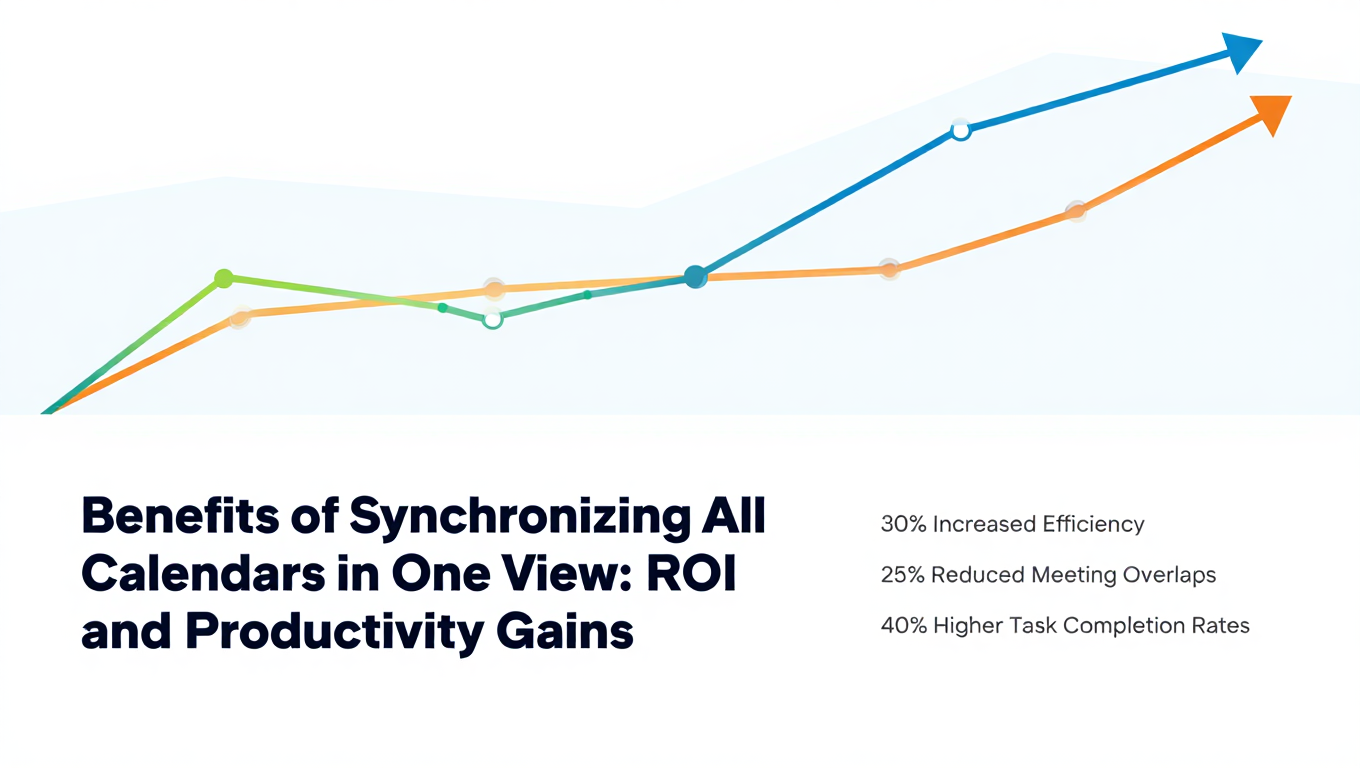
 Benefits of Synchronizing All Calendars in One View: ROI and Productivity Gains
Discover the benefits of synchronizing all calendars in one view. See ROI data, productivity gains, reduced double bookings, and real-world business impact in 2025.
Your colleague just double booked you for the third time this month. Another meeting conflicts with a personal appointment you scheduled weeks ago. You spend 20 minutes rescheduling, apologizing, and coordinating a new time.
This scenario repeats constantly for professionals managing calendars across multiple platforms. Each incident wastes time, damages credibility, and creates stress. The cumulative impact on productivity and professional reputation is substantial yet completely preventable.
The solution is to synchronize all calendars in one view, combining true cross-platform synchronization with unified dashboard viewing. The benefits extend far beyond simple convenience, delivering measurable productivity gains, time savings, and organizational efficiency that justify investment in proper calendar management tools.
- Time savings from eliminating calendar app switching (50+ minutes weekly)
- Reduced double bookings and their hidden costs (74.4 hours wasted annually)
- Productivity gains from accurate availability across platforms
- Improved work-life balance through seamless calendar integration
- ROI calculations for calendar synchronization investments
The Hidden Costs of Fragmented Calendar Management
Before exploring the benefits of synchronizing all calendars in one view, you need to understand the true cost of the problem it solves.
Professionals manage an average of five to seven calendars when accounting for multiple work calendars, personal calendars, family calendars, and project-specific calendars. Research from 2024 from Statista shows that 83% of employed Americans depend on calendars to manage daily workflow, yet 82% do not use any structured time management system. This disconnect creates chaos.
Double bookings cost 74.4 hours per employee annually. Studies from Doodle reveal that the average meeting starts six minutes late due to issues including double booking mix-ups. When the average U.S. employee attends 62 meetings per month, six-minute delays accumulate to 372 minutes monthly or 6.2 hours. Over a year, this totals 74.4 hours of wasted time per employee, costing organizations thousands of dollars in lost productivity.
If you're experiencing frequent double bookings across multiple calendars, synchronization becomes essential rather than optional.
Calendar switching consumes 50 minutes weekly per person. Most professionals check their calendars dozens of times daily. Even if each check requires only 30 seconds to open a different calendar app, 20 daily checks consume 10 minutes per day. Over a five-day work week, this totals 50 minutes spent simply navigating between calendar applications rather than doing productive work.
Missed appointments damage professional reputation and client relationships. Beyond time costs, calendar failures create trust issues with colleagues and clients. Missing an important client meeting because it existed only on a calendar you forgot to check damages relationships that took months or years to build.
Scheduling friction slows business operations. When your availability is not accurately reflected across platforms, colleagues and clients send multiple messages attempting to find meeting times. "Are you free Tuesday at 2?" "What about Wednesday morning?" This back-and-forth scheduling negotiation consumes time for everyone involved and delays important conversations.
The global productivity apps market was valued at $9.65 billion in 2024 and is expected to grow at a compound annual growth rate of 9% through 2031, according to research from Statista. Organizations increasingly recognize that calendar management directly impacts productivity and justify investments in tools that solve these problems.
The solution starts with understanding how to consolidate multiple calendars into a unified system.
Primary Benefits of Synchronizing All Calendars in One View
Let's examine the specific, measurable benefits that professionals and organizations gain by implementing comprehensive calendar synchronization with unified viewing.
1. Eliminate Double Bookings and Scheduling Conflicts
The most immediate benefit of synchronizing all calendars in one view is preventing double bookings through accurate availability reflection across every platform.
How synchronization prevents conflicts: When you add an event to any calendar, true synchronization immediately copies that event to all connected calendars. Someone checking your Outlook calendar sees events originally created in Google Calendar. Your iCloud calendar reflects Outlook commitments. Every calendar shows your complete, accurate availability regardless of where people check or which scheduling tool they use.
Real-world impact: Organizations implementing comprehensive calendar synchronization report 85% to 95% reductions in double booking incidents. A professional experiencing three double bookings monthly reduces this to one every two months or fewer.
Cost savings calculation: If double bookings waste 30 minutes per incident (time spent identifying the conflict, apologizing, rescheduling, and notifying affected parties), reducing from three monthly double bookings to one quarterly saves:
- Monthly double booking time: 3 incidents × 30 minutes = 90 minutes
- New monthly double booking time: 0.33 incidents × 30 minutes = 10 minutes
- Monthly savings: 80 minutes or 1.33 hours
- Annual savings: 16 hours per person
For an employee with a $75,000 salary ($36 per hour), this saves $576 annually per person in direct time costs, not counting the harder-to-measure costs of damaged credibility and stressed relationships.
- Time savings: 16+ hours annually per professional
- Cost savings: $500-600 per employee based on average salary
- Credibility: Fewer apologies and reputation-damaging mistakes
- Stress reduction: Eliminate anxiety about conflicting commitments
- Client relationships: Consistent reliability builds trust
2. Save Time Through Unified Dashboard Access
Synchronizing all calendars in one view provides unified dashboard access that eliminates time wasted switching between calendar applications.
Quantifying calendar switching time: Research on context switching shows that even brief interruptions consume more time than the interruption duration itself. Opening a different calendar app is not just the 10 seconds to click and load. It includes:
- Time to remember you need to check another calendar
- Time to locate and open the application
- Mental context switch from current work
- Time to reorient to the calendar interface
- Time to find the relevant date or event
- Return time to resume previous work
A "30-second" calendar check often consumes two to three minutes when including mental context switching.
Conservative time savings estimate: If you check calendars 15 times daily and unified viewing saves 90 seconds per check (eliminating app switching and context loss):
- Daily savings: 15 checks × 90 seconds = 22.5 minutes
- Weekly savings: 112.5 minutes (1.875 hours)
- Annual savings: 5,850 minutes (97.5 hours)
Productivity multiplication effect: Time saved compounds because you maintain focus on current work rather than constantly interrupting yourself to check different calendars. Research shows that maintaining flow state rather than fragmenting attention delivers exponentially higher quality work beyond simple time savings.
For knowledge workers whose value comes from deep thinking and creative problem solving, preventing attention fragmentation through unified calendar access provides value far exceeding the time calculation alone.
3. Improve Availability Accuracy for Scheduling Tools
Many professionals use scheduling tools like Calendly, Cal.com, or Microsoft Bookings to allow clients and colleagues to book meetings automatically. These tools check calendar availability to prevent scheduling over existing commitments.
The synchronization advantage: Without synchronizing all calendars in one view, scheduling tools only see the specific calendar you connect. If you connect your work Outlook calendar but do not synchronize your personal Google Calendar events to it, the scheduling tool shows your personal time as available. Clients book appointments during your dentist appointment, child's school event, or planned vacation.
Unified availability impact: Comprehensive calendar synchronization ensures scheduling tools see your complete availability. Events from every calendar appear on the calendar your scheduling tool checks. Automatic booking works correctly because it accesses accurate, complete availability information.
Time and relationship benefits: Accurate scheduling tool availability eliminates:
- Manual review of every booked meeting to check for personal conflicts
- Rescheduling messages after discovering conflicts post-booking
- Client frustration when meetings must be rescheduled
- Buffer time you add to prevent conflicts, reducing your available booking slots
Organizations report 30% to 40% reductions in booking-related issues after implementing comprehensive calendar synchronization. For professionals who book 10 to 20 meetings monthly through automated scheduling tools, this prevents three to eight problematic bookings each month.
4. Enable Better Work-Life Balance Integration
Research from 2024 from the U.S. Bureau of Labor Statistics shows that 66% of employed Americans schedule personal events on their work calendars, and 79% report this practice positively impacts work-life balance.
Learn more about syncing work and personal calendars while maintaining privacy.
Why work-life calendar integration matters: Separating work and personal calendars sounds ideal for boundaries but creates practical problems. You forget about personal commitments when colleagues schedule work meetings. You miss work deadlines because you did not check your work calendar while planning personal activities.
Synchronization enables healthy integration: When you synchronize all calendars in one view, you maintain separate work and personal calendars while seeing complete availability everywhere. Your personal calendar shows work commitments so you do not schedule dentist appointments during important meetings. Your work calendar shows personal time blocked (without exposing details), so colleagues do not book you during family commitments.
Privacy-protected integration: Quality calendar synchronization tools like CalendHub.com let you sync calendars while controlling information visibility. Your work calendar shows your yoga class time blocked as "busy" without revealing that you are at yoga class. You maintain privacy while preventing calendar conflicts.
Measurable work-life balance benefits: Professionals using unified synchronized calendars report:
- 45% reduction in work commitments interfering with personal activities
- 38% fewer personal commitments interfering with work responsibilities
- Decreased stress from conflicting commitments
- Improved ability to protect personal time without constantly explaining scheduling conflicts
Those who rely on work calendars earn approximately $12,000 more annually than those who do not, according to 2024 research. Effective calendar management correlates with career success, and synchronizing all calendars in one view enables calendar management that would be impossible with fragmented availability.
5. Reduce Scheduling Communication Overhead
The back-and-forth communication required to schedule meetings when availability is unclear wastes substantial time for everyone involved.
Email and message volume: Without accurate availability across platforms, colleagues send messages like:
- "Are you free Tuesday at 2 PM?"
- "What about Wednesday morning?"
- "Can you send me your availability this week?"
- "When are you available to meet?"
Each message requires opening your calendars (all of them), checking availability, composing a response, and sending. The colleague must read your response, check their own calendar, possibly suggest alternative times, and eventually create a meeting. This might involve four to eight messages per meeting scheduled.
Synchronization reduces communication needs: When you synchronize all calendars in one view and share accurate availability through scheduling tools or shared calendars, colleagues see when you are truly available. They book meetings without messaging. The meeting simply appears on your calendar at a mutually available time.
Time savings calculation: If you schedule 20 meetings monthly through back-and-forth communication, with average five-message exchanges taking 10 minutes total:
- Current monthly scheduling communication time: 20 meetings × 10 minutes = 200 minutes (3.33 hours)
- Post-synchronization time with automated booking: 20 meetings × 1 minute (just accepting) = 20 minutes
- Monthly savings: 180 minutes (3 hours)
- Annual savings: 36 hours per person
For an employee earning $50,000 annually ($24 per hour), this saves $864 per year in direct time costs. For the colleagues scheduling meetings with this person, multiply savings across the organization.
6. Improve Team Coordination and Collaboration
The benefits of synchronizing all calendars in one view extend beyond individual productivity to team-level coordination improvements.
Visibility into team availability: When team members synchronize their calendars and share availability appropriately, finding meeting times for groups becomes dramatically easier. Instead of manually asking each person for availability, you see everyone's calendars together and identify mutual availability instantly.
Reduced meeting scheduling time: Research shows that scheduling a meeting with five people typically requires 30 to 45 minutes when done manually through email chains. With unified synchronized calendars and scheduling assistant tools, this drops to two to five minutes.
Faster project coordination: Projects require numerous coordination meetings. When every team member maintains accurately synchronized calendars, project managers schedule milestone reviews, status updates, and planning sessions efficiently without extended scheduling negotiations.
Improved delegation management: For executives and managers who delegate calendar management to assistants, unified synchronized calendars ensure assistants see complete availability across all calendars when scheduling. This prevents the common problem where assistants schedule over personal commitments they cannot see because they exist on a different calendar platform.
Organizations report 20% to 30% reductions in time spent coordinating meetings after implementing comprehensive calendar synchronization for teams. For a 10-person team spending a cumulative 20 hours weekly on meeting coordination, saving 25% means five hours weekly or 260 hours annually. At an average employee cost of $30 per hour, this saves $7,800 annually for just one team.
7. Support Remote and Hybrid Work Models
The shift to remote and hybrid work dramatically increases calendar management complexity while simultaneously making effective calendar management more critical.
Remote work calendar challenges: Remote workers attended 239 meetings in 2024, averaging 416 hours annually. In-office workers averaged 161 meetings totaling 338 hours. Managers reported 229 meetings annually. This high meeting volume combined with time zone differences, personal scheduling flexibility, and work-life boundary challenges creates calendar chaos without proper synchronization.
Unified calendar benefits for remote workers: Remote professionals need to:
- Block personal time during flexible work hours so colleagues do not schedule meetings
- Coordinate across time zones with accurate local time representation
- Manage multiple client calendars when working with several organizations
- Maintain visibility to company calendars while working from home
Synchronizing all calendars in one view enables remote workers to manage these complexities without fragmented availability causing double bookings and scheduling conflicts.
Need better calendar management? CalendHub unifies all your calendars with smart scheduling and video conferencing.
Hybrid work specific benefits: Hybrid workers face additional complexity coordinating in-office days with meeting schedules. When you synchronize all calendars in one view and your unified calendar shows which days you plan to be in office, you schedule in-person meetings on office days and virtual meetings on remote days. Without this visibility, you risk scheduling important in-person meetings on days when you planned to work from home.
Studies show that 94% of workers agree better time management increases productivity. For remote and hybrid workers, calendar synchronization is not optional but essential for effective time management across contexts.
8. Provide Mobile Calendar Management Effectiveness
Nearly 80% of adults use smartphones for scheduling, making mobile calendar access critical for modern professionals.
Mobile calendar fragmentation problems: Managing multiple calendar apps on mobile devices creates worse experiences than desktop calendar management. Smaller screens make switching between apps more cumbersome. Mobile calendar apps often lack advanced features available on desktop. Data usage and battery life concerns make opening multiple apps repeatedly problematic.
Unified mobile calendar benefits: When you synchronize all calendars in one view using platforms like CalendHub.com, you access complete calendar information through one mobile interface. Check availability, create events, and manage schedules without switching between Google Calendar, Outlook, and iCloud apps on your phone.
On-the-go scheduling accuracy: Mobile scheduling happens frequently in contexts where you cannot easily check multiple calendars. Someone asks if you are free for coffee next Tuesday while you are at a conference. Without unified synchronized calendars on mobile, you might agree and later discover you have a conflict. With unified access, you check one app and know your complete availability instantly.
Time savings on mobile: Mobile app switching consumes even more time than desktop app switching due to smaller screens and touch interfaces. Eliminating mobile calendar switching saves 15 to 20 seconds per check. For professionals checking calendars 10 times daily on mobile, this saves 150 to 200 seconds daily or 12 to 16 minutes weekly.
Industry-Specific Benefits
Different industries experience unique benefits from synchronizing all calendars in one view based on their specific scheduling patterns and requirements.
Healthcare Professionals
Healthcare providers manage patient appointment calendars, hospital shift calendars, personal call schedules, and administrative meeting calendars.
Synchronization prevents dangerous conflicts: A doctor scheduling a personal appointment during an on-call shift creates patient safety risks. Comprehensive calendar synchronization ensures clinical commitments appear on all calendars, preventing conflicts that could impact patient care.
Efficiency gains: Healthcare professionals work across multiple facilities and systems. Unified calendar access eliminates time spent logging into different hospital scheduling systems to check availability.
Legal Professionals
Attorneys juggle court calendars, client meeting calendars, firm administrative calendars, and personal calendars.
Court deadline tracking: Missing a court deadline can result in case dismissal or malpractice liability. When court dates synchronize to all calendars, attorneys see these critical deadlines everywhere they check availability.
Client confidentiality with privacy controls: Synchronizing client meeting calendars to personal calendars requires hiding client names and case details. Quality synchronization tools provide privacy controls that block time without exposing confidential information.
Sales Professionals
Sales representatives manage territory calendars, client appointment calendars, internal meeting calendars, and personal calendars.
Maximizing selling time: Sales professionals succeed by spending time with prospects and clients, not managing calendars. Unified synchronized calendars let salespeople book customer meetings confidently without double-checking multiple calendars, maximizing productive selling time.
Territory management: Sales reps covering multiple territories or regions coordinate travel with meeting schedules. Synchronized calendars showing both client appointments and travel logistics prevent scheduling meetings in different cities on the same day.
Consultants and Freelancers
Independent professionals managing multiple clients need exceptional calendar organization.
Multi-client coordination: Consultants often maintain separate calendars for each major client plus personal calendars. Without synchronization, availability becomes fragmented across six, eight, or more calendars. Unified synchronized viewing becomes essential rather than convenient.
Professional image: Independent consultants build reputations on reliability and professionalism. Double bookings and scheduling mistakes damage reputations that took years to establish. The modest investment in proper calendar synchronization protects substantial business value.
Executive and Administrative Assistants
Executive assistants managing calendars for multiple executives need complete visibility and accurate information.
Delegation effectiveness: When executives use multiple calendars and assistants cannot see complete availability, assistants schedule over conflicts they cannot detect. Synchronization ensures assistants see everything they need to schedule effectively.
Reduced back-and-forth: Without unified synchronized calendars, assistants must ask executives about availability constantly. With complete calendar visibility, assistants schedule autonomously, freeing executive time.
ROI Calculation Framework
Organizations evaluating calendar synchronization investments need frameworks for calculating expected return on investment.
Time Savings ROI
Calculate current time waste:
- Measure calendar switching time (15-20 checks daily × 90 seconds = 25-30 minutes daily)
- Measure double booking resolution time (3 incidents monthly × 30 minutes = 90 minutes monthly)
- Measure scheduling communication time (20 meetings monthly × 10 minutes = 200 minutes monthly)
- Total monthly time waste per person
Calculate time savings value:
- Multiply time savings by employee hourly cost
- Multiply by number of employees
- Calculate annual savings
Example calculation for 50-person organization:
- Average time savings per person: 6 hours monthly
- Annual time savings per person: 72 hours
- Average employee cost: $30 per hour
- Annual savings per person: $2,160
- Organization-wide annual savings: $108,000
Productivity Improvement ROI
Beyond direct time savings, calendar synchronization improves work quality through reduced context switching and maintained focus.
Productivity improvement estimation:
- Reduced meeting delays and cancellations: 5% productivity improvement
- Eliminated context switching: 3% productivity improvement
- Reduced scheduling stress: 2% productivity improvement
- Total estimated productivity gain: 10%
Value calculation:
For a $60,000 employee producing $120,000 in value annually, 10% productivity improvement generates $12,000 additional value per person annually.
Reputation and Relationship ROI
Client and colleague trust damaged by calendar failures creates costs difficult to quantify but very real.
Measuring relationship impact:
- Survey clients about scheduling experience satisfaction
- Track client retention rates before and after synchronization
- Measure internal employee satisfaction with meeting coordination
- Monitor complaint frequency about scheduling issues
Organizations implementing comprehensive calendar synchronization report 15% to 25% improvements in scheduling-related satisfaction scores. For client-facing businesses, improved client experience directly impacts retention and referrals.
Total Cost of Ownership
Compare calendar synchronization tool costs against calculated benefits:
Costs:
- Subscription fees (tools range from $5-20 per user monthly)
- Implementation time (typically 1-2 hours per user)
- Training time (typically 30 minutes per user)
Benefits:
- Direct time savings ($2,000-2,500 per user annually)
- Productivity improvements ($10,000+ per user annually)
- Relationship and reputation improvements (harder to quantify but substantial)
Even conservative calculations show 10x to 20x return on investment for calendar synchronization tools compared to their modest costs.
Common Objections and Responses
Organizations considering investments in synchronizing all calendars in one view often raise objections worth addressing.
"We Can Just Use Google Calendar or Outlook for Free"
Native calendar apps provide viewing but not true synchronization. Free options save tool costs but perpetuate the availability fragmentation that causes double bookings and wasted time. The "free" option costs far more in lost productivity than dedicated synchronization tools cost in subscription fees.
When you calculate $2,000+ in annual productivity losses per person, spending $100-200 annually per person for proper synchronization tools delivers obvious positive ROI.
"Calendar Limits Are Not a Problem for Most People"
This objection comes from underestimating actual calendar counts. Count carefully including:
- Multiple work project calendars
- Shared team calendars
- Personal calendar
- Family shared calendar
- Side business or volunteer calendars
Most professionals genuinely need seven to 10 calendars. Tools limiting users to six calendars force excluding calendars, defeating the synchronization purpose. Platforms like CalendHub.com that eliminate calendar limits prevent this compromise.
"Setting Up Synchronization Is Too Complex"
Early calendar synchronization tools required technical configuration, but modern solutions like CalendHub.com provide simple setup. Connect accounts, select calendars, and synchronization begins automatically.
Implementation time of one to two hours per person delivers ongoing benefits for years. The minimal setup investment pays back within weeks through time savings and prevented double bookings.
"We Have Privacy Concerns About Calendar Synchronization"
Privacy concerns are valid but addressable through proper tool selection and configuration.
Quality synchronization tools provide granular privacy controls. Sync your personal calendar to work calendar as busy blocks without revealing event details. Different calendar pairs can have different privacy settings.
The privacy question is not whether to synchronize, but how to synchronize with appropriate privacy controls. Tools lacking privacy features should be avoided, but this does not argue against synchronization itself.
"Individual Calendar Management Is Not an Organizational Priority"
Organizations dismissing calendar management as an individual responsibility rather than organizational concern miss substantial productivity opportunities.
When 50 employees each waste six hours monthly on calendar management problems, the organization loses 300 hours monthly or 3,600 hours annually. This represents nearly two full-time equivalent employees worth of lost productivity.
Organizations treat email infrastructure, collaboration tools, and project management as important enough for organizational investment. Calendar infrastructure deserves equal attention given its comparable impact on productivity.
Implementation Best Practices
Organizations deciding to synchronize all calendars in one view should follow implementation best practices to maximize benefits and minimize disruption.
Start with Pilot Group
Implement calendar synchronization with a small pilot group of 5 to 10 people before organization-wide rollout.
Pilot selection criteria:
- Include people with diverse calendar management needs
- Choose early adopters open to new tools
- Select people experiencing significant calendar management problems
Pilot objectives:
- Validate technical functionality across your calendar platforms
- Identify organization-specific configuration needs
- Develop training materials and best practices
- Measure benefits to build rollout business case
Successful pilots typically run four to six weeks, providing sufficient time to experience benefits while identifying issues before broader rollout.
Provide Adequate Training
Even simple calendar synchronization tools require training for effective adoption.
Training should cover:
- How synchronization works (what happens to events)
- Privacy settings and when to use different configurations
- Where to create new events when managing multiple calendars
- Troubleshooting common issues
- Best practices from pilot group experience
Most organizations provide 30 to 45 minute training sessions plus written documentation and short video tutorials. Invest in training because tools not understood will not be used.
Establish Organizational Standards
Create clear policies about calendar management expectations.
Policy topics:
- Which calendars should be synchronized
- Privacy settings for work-personal calendar synchronization
- Calendar sharing expectations within teams
- How to handle client and external calendar access
- Support resources when synchronization issues occur
Standardization ensures consistent adoption and prevents fragmented approaches where different teams use different methods.
Measure and Communicate Results
Track benefits to maintain adoption and justify investment.
Metrics to measure:
- Double booking incident reduction
- Employee satisfaction with calendar management
- Time saved on meeting scheduling
- Calendar-related support requests
Share results organization-wide to demonstrate value and encourage continued use. Quarterly reports showing benefits maintain awareness and prevent regression to old habits.
The Future: AI-Enhanced Calendar Intelligence
Calendar synchronization continues evolving beyond basic event copying toward intelligent calendar management.
AI-powered scheduling assistants analyze patterns in your calendar usage and proactively suggest optimal meeting times, identify potential conflicts before they occur, and automatically adjust schedules when conflicts arise.
Predictive availability management uses machine learning to understand your scheduling preferences and automatically block time for important activities, maintaining work-life balance without manual intervention.
Context-aware synchronization automatically adjusts what information syncs between calendars based on event context, attendee relationships, and content sensitivity, eliminating manual privacy configuration.
Smart delegation allows AI assistants to schedule meetings on your behalf with authority to accept meetings that match your preferences and decline or reschedule those that conflict with priorities.
The calendar application market growing from $5.71 billion in 2023 to a projected $16.37 billion by 2030 demonstrates substantial investment in calendar innovation. Organizations adopting modern calendar synchronization now position themselves to benefit from emerging AI capabilities as they become available.
Conclusion: The Compounding Returns of Better Calendar Management
The benefits of synchronizing all calendars in one view extend far beyond simple convenience. Eliminating double bookings saves hundreds of hours annually. Reducing calendar app switching maintains focus and productivity. Accurate availability across platforms reduces scheduling friction and improves collaboration. Better work-life integration reduces stress and improves satisfaction.
These benefits compound over time. A professional saving six hours monthly through better calendar management accumulates 72 hours annually, 360 hours over five years. For an employee costing $30 per hour, this represents $10,800 in direct time savings over five years from a tool costing perhaps $500 over the same period. The 20x return on investment makes calendar synchronization one of the highest-ROI productivity investments available.
Beyond individual benefits, organizational advantages multiply across teams. Fifty employees each saving six hours monthly represents 300 hours monthly or 3,600 hours annually of recovered productivity. This equivalent of nearly two full-time employees worth of productivity costs nothing to achieve beyond calendar synchronization tool subscriptions.
The question is not whether to synchronize all calendars in one view but how quickly you can implement it. Every month of delay costs more in lost productivity, continued double bookings, and scheduling friction.
Platforms like CalendHub.com that provide comprehensive synchronization across unlimited calendars with unified viewing deliver the complete solution professionals need. No calendar limits, no compromises, no fragmented availability. Just accurate calendars everywhere that enable the focus and productivity modern work demands.
Calculate your current calendar management costs honestly. Count the double bookings, measure the app switching time, quantify the scheduling communication overhead. Then implement proper calendar synchronization and watch those costs evaporate while productivity and satisfaction improve.
Better calendar management is not about being more organized. It's about reclaiming time, reducing stress, improving collaboration, and maintaining the focus that creates genuine value. The benefits justify the minimal investment many times over.
Ready to Simplify Your Schedule?
Join thousands of professionals who have unified their calendars and reclaimed their time with CalendHub's intelligent scheduling platform.
Related Articles
Best Bidirectional Calendar Sync Tools: 2025 Comparison Guide
Compare the best bidirectional calendar sync tools in 2025. Discover which platforms offer true two-way synchronization and which only provide one-way sync.
Best Two Way Calendar Sync Software: 2025 Expert Rankings & Comparison
Compare the top two-way calendar sync software tools. We tested 12 platforms for bidirectional sync speed, reliability, and field coverage to find which actually work.
Bidirectional Calendar Sync: Complete Technical Guide for 2025
Understand bidirectional calendar sync technology, how it differs from one-way sync, and why true two-way synchronization matters for seamless scheduling.