
 Google Calendar
  Outlook Calendar
  Google Meet
  Microsoft Teams
  Zoom Meetings
 Cal.com vs CalendHub: Which Tool Fits Your Work Style in 2025?
Discover which calendar tool works better for your specific needs. Compare Cal.com vs CalendHub for consultants, executives, teams, and freelancers.
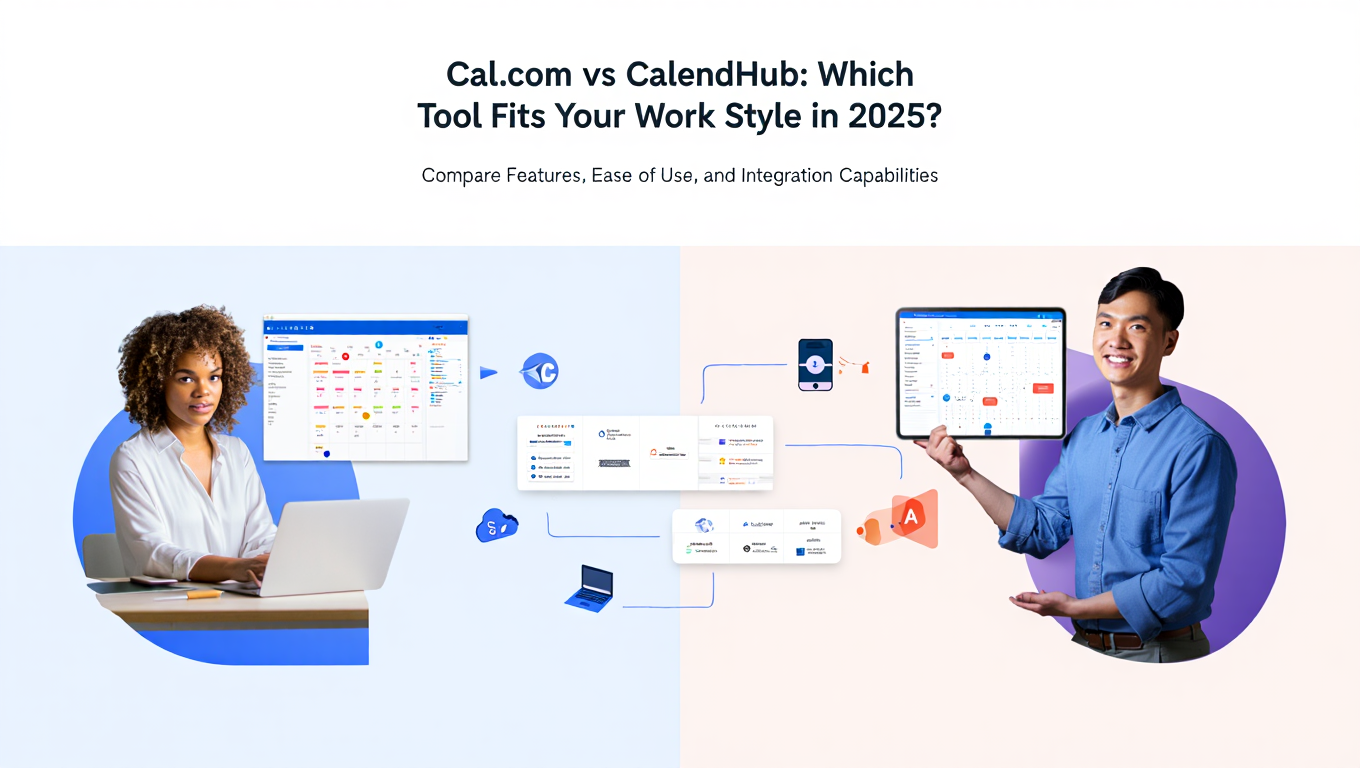
Your colleague recommends Cal.com for its open-source flexibility. Your networking group swears by CalendHub for managing multiple client calendars. You just need to know which one actually works for someone in your exact situation managing five client accounts, two side projects, and a family schedule.
The global appointment scheduling software market grew to $546.1 million in 2025 and is projected to reach $1.52 billion by 2032. Yet most comparison articles ignore the critical question: which tool fits your actual work style? Generic feature lists do not help when you need to know whether Cal.com or CalendHub works better for your specific role as a fractional CMO, independent consultant, or portfolio professional. Compare Cal.com vs CalendHub features in detail.
- Which tool works better for fractional executives managing 8+ client calendars
- How consultants should choose between Cal.com vs CalendHub
- Whether startups need Cal.com's features or CalendHub's simplicity
- When enterprises should pick Cal.com over CalendHub
- Real user profiles showing exactly who benefits from each platform
Understanding Your Calendar Complexity Profile
Before comparing Cal.com vs CalendHub for specific use cases, assess your calendar complexity profile. This determines which tool architecture matches your needs better.
Simple Calendar Profile (1 to 3 Calendars)
You manage one work calendar, possibly a personal calendar, and maybe a shared team or family calendar. Total of three or fewer separate calendar accounts.
Characteristics:
- Single primary organization or employer
- Calendar switching is occasionally annoying but not debilitating
- Scheduling link for external bookings is the main pain point
- Native calendar apps (Google Calendar or Outlook) handle most needs adequately
Best Tool Choice: Cal.com free plan provides everything you need without cost. CalendHub's unified calendar management features would be overkill for your scenario.
Moderate Calendar Profile (4 to 6 Calendars)
You manage multiple calendar accounts across a few organizations. Perhaps two work calendars from different roles, a personal calendar, a shared team calendar, and a family calendar.
Characteristics:
- Work spans 2 to 3 organizations or significant roles
- Calendar switching happens multiple times daily
- Some double-booking incidents occur despite careful manual checking
- Spending 20 to 30 minutes daily just checking what meetings are coming up
Best Tool Choice: This is the decision point. If scheduling customization matters more, choose Cal.com. If unified calendar visibility matters more, choose CalendHub.
Complex Calendar Profile (7 to 12 Calendars)
You serve multiple organizations simultaneously as a consultant, fractional executive, or portfolio professional. Each organization provides its own calendar system.
Characteristics:
- Fractional work across 4+ companies or significant consulting clients
- Constant calendar app switching throughout the day
- Regular double-booking despite attempts to manually coordinate
- 45+ minutes daily wasted on calendar coordination and conflict checking
Best Tool Choice: CalendHub. The unified calendar interface becomes non-negotiable at this complexity level. Cal.com's scheduling features cannot compensate for lacking a master calendar view.
Extreme Calendar Profile (13+ Calendars)
You manage calendar accounts for 10+ organizations, multiple roles, various personal calendars, and shared team or family calendars.
Characteristics:
- Highly fractional work model or extensive board service
- Impossible to manually track all calendars effectively
- Multiple double-bookings weekly without automated tools
- Calendar management consumes 1+ hours daily
Best Tool Choice: CalendHub exclusively. No other option effectively handles this extreme complexity. Cal.com provides unlimited connections but lacks the unified interface that makes managing 15+ calendars actually practical.
Cal.com vs CalendHub for Fractional Executives
Fractional executives face unique calendar challenges. Serving as part-time CFO, CMO, or COO for multiple companies means managing separate calendar accounts for each client while maintaining personal and administrative calendars.
Fractional Executive Calendar Challenges
The typical fractional executive manages 5 to 10 client calendars plus personal calendars. Each client company provides an email address and expects that calendar to reflect accurate availability. Clients should not see other client names or meeting details due to confidentiality. Yet the executive needs a master view showing all commitments across every client.
Research shows that 50% of executives attend 6 to 15 meetings weekly, spending up to 15 hours in meetings or phone calls. For fractional executives serving multiple companies, that meeting load multiplies across every client relationship.
How Cal.com Handles Fractional Executive Needs
Cal.com connects all client calendars successfully and checks them for conflicts when new meetings are scheduled. The unlimited calendar connection feature works well here. Clients book time through your scheduling link, and Cal.com prevents double-booking by checking every connected calendar.
However, you still need to open each company's calendar app separately to see your complete schedule. A fractional CFO with eight clients must check eight separate calendar applications to plan their day. Cal.com handles the scheduling intake but not daily calendar management.
The open-source flexibility offers potential value for fractional executives who want custom integrations with specific CRM or billing systems. Technical fractional executives might deploy self-hosted Cal.com to maintain complete control over client data.
How CalendHub Handles Fractional Executive Needs
CalendHub provides the unified calendar interface that fractional executives desperately need. All eight client calendars, plus personal and administrative calendars, consolidate into a single master view.
Color coding distinguishes which company each meeting belongs to without exposing confidential information to the wrong parties. The fractional executive sees their complete schedule in one place and can quickly identify available time slots without mentally tracking eight separate calendars.
Automatic conflict detection works continuously. When Client A schedules a meeting directly in their calendar system, CalendHub immediately identifies conflicts with Client B commitments and alerts the executive.
The mobile app delivers full feature parity, recognizing that fractional executives manage calendars throughout the day from various locations, not just at a desk.
Verdict for Fractional Executives
Winner: CalendHub for most fractional executives managing 5+ client calendars.
The unified calendar interface solves the actual daily problem that fractional work creates. While Cal.com's scheduling features work well, they cannot compensate for spending 45+ minutes daily switching between eight different calendar apps.
Exception: Choose Cal.com if you have specific technical requirements like self-hosting for data security, custom integrations with fractional CFO platforms, or compliance mandates that require on-premise deployment.
- Time Recovery: Automated calendar management saves executives 5.2 hours per week on average
- Reduced Conflicts: Eliminate double-booking across client calendars
- Professional Image: Never miss client meetings due to calendar confusion
- Stress Reduction: Proper calendar tools cut work stress by 34%
- Scalability: Take on additional fractional roles without calendar chaos
Cal.com vs CalendHub for Independent Consultants
Independent consultants face similar but slightly different calendar challenges than fractional executives. The consulting relationship structure affects optimal tool selection.
Retainer Consultant Scenario
You maintain ongoing retainer relationships with 3 to 5 clients. Each provides company email access and expects regular availability. You also manage your consulting business calendar, personal calendar, and administrative calendars.
Calendar Count: 5 to 8 separate accounts Primary Challenge: Unified visibility across multiple client calendars while maintaining professional scheduling for new prospect calls
Cal.com vs CalendHub: This scenario favors CalendHub because the retainer model creates complexity similar to fractional executives. You need to see all client commitments in one view to manage ongoing relationships effectively. The unified calendar interface provides more daily value than Cal.com's scheduling customization.
Project-Based Consultant Scenario
You work with clients on defined projects with clear start and end dates. Most coordination happens with a single primary client at a time. New projects require extensive scheduling during intake.
Calendar Count: 2 to 4 calendars (current client, prospects, personal, business) Primary Challenge: Professional scheduling experience for prospect intake and client onboarding
Cal.com vs CalendHub: This scenario favors Cal.com because scheduling link customization matters more than unified calendar management. With fewer simultaneous clients, calendar switching is manageable. Cal.com's free plan combined with its extensive booking page customization serves project-based consultants well.
Fractional Consultant Scenario
You provide ongoing fractional services to multiple clients simultaneously, similar to fractional executives but typically at lower time commitments per client.
Calendar Count: 6 to 12 calendars Primary Challenge: Managing numerous overlapping client relationships with clear separation between accounts
Cal.com vs CalendHub: This scenario strongly favors CalendHub. The calendar complexity mirrors fractional executives. Without unified calendar visibility, managing 10 client calendars becomes impossible. Cal.com's features cannot overcome the lack of a master calendar interface. Read how to manage multiple work calendars effectively.
Verdict for Independent Consultants
Choose CalendHub if:
- You maintain 4+ simultaneous client relationships
- Clients provide separate calendar accounts you must monitor
- You spend significant time switching between calendar apps daily
- Double-booking across client calendars happens regularly
Choose Cal.com if:
- You work with 1 to 2 clients at a time on defined projects
- Professional scheduling links for prospect intake are your priority
- Your calendar complexity stays below 4 accounts
- Free or low-cost scheduling is important and you can manage calendars manually
Cal.com vs CalendHub for Startup Teams
Early-stage startups need scheduling tools that scale with growth without breaking budgets. The Cal.com vs CalendHub decision depends on team size, coordination needs, and technical capabilities.
Technical Startup (Engineering-Heavy Team)
Your startup has multiple developers comfortable with self-hosting and customization. You need scheduling infrastructure that integrates with your custom CRM and internal tools.
Team Size: 5 to 15 people Technical Capability: High Primary Need: Customizable scheduling integrated into existing workflows
Cal.com vs CalendHub: Cal.com wins decisively here. The open-source model allows your developers to customize scheduling logic, integrate with proprietary systems, and self-host to reduce costs. At 10 users, self-hosting Cal.com for free beats paying $120 monthly for CalendHub subscriptions that lack customization.
The startup can deploy Cal.com on existing infrastructure, modify the codebase for specific needs, and maintain complete control over scheduling data.
Non-Technical Startup (Marketing, Design, Service-Based)
Your startup lacks in-house developers. You need simple tools that work immediately without technical setup or ongoing maintenance.
Team Size: 3 to 10 people Technical Capability: Low Primary Need: Professional scheduling without technical overhead
Need better calendar management? CalendHub unifies all your calendars with smart scheduling and video conferencing.
Cal.com vs CalendHub: Cal.com still wins for most non-technical startups, but for different reasons. The free tier provides unlimited scheduling for individual team members. While CalendHub offers unified calendar management, early startups typically have simpler calendar needs that native Google Calendar or Outlook can handle.
Cal.com Teams plan at $15/user/month provides round-robin scheduling and routing forms if the startup needs lead distribution. That is comparable to CalendHub's $12/month but with more team-specific features.
Exception: If your startup model involves team members managing multiple client calendars (like an agency), CalendHub becomes more attractive.
Startup Verdict
Choose Cal.com if:
- You have technical team members who can customize or self-host
- Team scheduling features like round-robin and routing forms matter
- Free or low-cost tools are critical in early stages
- Individual team members manage simple calendar needs
Choose CalendHub if:
- Team members each manage 5+ client calendars (agency model)
- Calendar complexity rather than team scheduling is the pain point
- You prioritize unified calendar visibility over scheduling customization
Cal.com vs CalendHub for Enterprise Teams
Enterprise requirements introduce compliance, security, and scale considerations that startups do not face. The Cal.com vs CalendHub comparison shifts significantly in enterprise contexts.
Enterprise Teams Requiring Compliance
Large organizations in healthcare, finance, or regulated industries need HIPAA compliance, SOC2 certification, SAML SSO, and enterprise security features.
Cal.com Fit: The Organizations plan at $37/user/month provides HIPAA compliance, SOC2 certification, SAML SSO, white labeling, and custom domains. Cal.com specifically targets enterprise compliance needs with appropriate certifications and features.
CalendHub Fit: Lacks enterprise compliance certifications, SAML SSO, or white labeling. The platform serves individual professionals well but does not target enterprise compliance requirements.
Winner: Cal.com exclusively. Enterprise compliance eliminates CalendHub from consideration for regulated industries.
Enterprise Teams Requiring Data Sovereignty
Global enterprises with data residency requirements need control over where calendar and scheduling data resides.
Cal.com Fit: Self-hosting allows enterprises to deploy Cal.com on infrastructure in specific regions or countries. Complete control over data location ensures compliance with regional data protection regulations.
CalendHub Fit: SaaS-only model with no control over data location. While secure, it cannot accommodate strict data residency mandates.
Winner: Cal.com exclusively. Data sovereignty requirements necessitate self-hosting capabilities that only Cal.com provides.
Enterprise Teams Needing Scale
Large sales teams with 100+ schedulers need cost-effective solutions that maintain performance at scale.
Cal.com Fit: At $15/user/month for Teams or $37/user/month for Organizations, the per-user costs are $1,500 to $3,700 monthly for 100 users. Self-hosting reduces ongoing costs but requires infrastructure and maintenance investment.
CalendHub Fit: At $12/month per user, 100 users would cost $1,200 monthly. However, CalendHub lacks enterprise features and may not provide volume pricing for large deployments.
Winner: Depends on specific requirements. Self-hosted Cal.com potentially offers lower costs at scale but requires technical resources. Cloud-hosted solutions cost similarly, with the decision hinging on team features versus calendar management priorities.
Enterprise Verdict
Choose Cal.com if:
- HIPAA, SOC2, or other compliance certifications are requirements
- Data sovereignty mandates require self-hosted infrastructure
- SAML SSO or enterprise authentication integration is needed
- White labeling or extensive customization is important
- Round-robin scheduling and routing forms are critical for sales teams
Choose CalendHub if:
- Individual team members each manage 8+ calendars across multiple organizations
- Calendar complexity rather than compliance is the primary challenge
- No regulatory requirements mandate self-hosting or specific certifications
Cal.com vs CalendHub for Freelancers and Solopreneurs
Freelancers and solopreneurs need cost-effective solutions that project professionalism without complexity.
Freelancer with Simple Needs
You manage one business calendar and one personal calendar. Clients should book discovery calls without email back-and-forth. Budget is tight.
Calendar Count: 2 accounts Primary Need: Professional booking experience at lowest cost
Winner: Cal.com free plan. No cost, unlimited bookings, professional appearance. CalendHub's $12/month provides features you do not need for two calendars.
Freelancer with Multiple Client Accounts
You work with 5+ clients who each provide access to their company calendar systems for coordination. You need to track all client calendars plus personal and business calendars.
Calendar Count: 7+ accounts Primary Need: Unified visibility across all client calendars
Winner: CalendHub. The moderate monthly cost is justified by significant time savings. At 7+ calendars, manual switching becomes debilitating. The unified interface provides immediate ROI through recovered time and prevented double-bookings.
Solopreneur Building a Service Business
You are growing a coaching, consulting, or service business. Professional appearance matters. You anticipate adding team members eventually.
Calendar Count: 2 to 4 accounts initially Primary Need: Scalable solution that grows with business
Winner: Cal.com. Start with the free plan for simple needs. Upgrade to Teams plan when you add staff. Round-robin scheduling and routing forms support growth better than CalendHub's individual focus.
Exception: If your business model involves managing many client calendars (like project management across multiple clients), CalendHub's calendar-first approach provides more value.
Freelancer Verdict
Choose Cal.com if:
- You manage 3 or fewer calendar accounts
- Free scheduling meets your needs
- You plan to build a team requiring round-robin scheduling
- Professional booking page customization matters for your brand
Choose CalendHub if:
- You manage 5+ client calendar accounts simultaneously
- Time spent switching calendars is measurably significant
- Unified calendar visibility matters more than scheduling customization
- You work solo without near-term plans for team scheduling features
Cal.com vs CalendHub for Portfolio Professionals
Portfolio professionals build careers spanning multiple part-time roles, board positions, advisory work, and passion projects. Calendar complexity scales rapidly.
Portfolio Professional Calendar Reality
A typical portfolio career might include 3 nonprofit board positions, 2 advisory roles, 1 part-time teaching position, consulting clients, and personal commitments. Each board, company, or institution provides its own calendar system.
This creates 8 to 12 separate calendar accounts that must all stay synchronized. Double-booking across commitments damages your professional reputation. Missing a board meeting due to calendar confusion is unacceptable.
Research shows that smart calendar management increases productivity by 23% and reduces work stress by 34%. For portfolio professionals juggling numerous commitments, proper calendar infrastructure is not optional.
Cal.com for Portfolio Professionals
Cal.com connects all your calendars and prevents double-booking when people schedule through your booking links. The unlimited calendar connections work well for portfolio careers.
However, planning your week requires opening separate calendar apps for each board, advisory role, and commitment. You mentally piece together your complete schedule from fragmented sources. The scheduling infrastructure works, but daily calendar management remains manual.
The free plan provides adequate functionality if cost is a primary concern. Scheduling link customization allows different booking pages for different professional contexts.
CalendHub for Portfolio Professionals
CalendHub consolidates all board calendars, advisory calendars, teaching calendars, client calendars, and personal calendars into a single unified view. You see your complete professional portfolio schedule in one interface.
Color coding distinguishes commitments without exposing confidential information across contexts. The board calendar does not reveal client names, and vice versa. Yet you maintain complete visibility over your aggregated commitments.
Automatic conflict detection works continuously. When a board schedules an emergency meeting, CalendHub immediately flags conflicts with advisory commitments or client meetings.
Mobile apps recognize that portfolio professionals manage calendars throughout the day from multiple locations and contexts.
Portfolio Professional Verdict
Winner: CalendHub for most portfolio professionals managing 6+ separate organizational commitments.
The unified calendar interface directly addresses the calendar complexity that portfolio careers create. While Cal.com handles scheduling well, it cannot overcome the daily friction of managing 10 separate calendar applications.
The $12 monthly cost is recovered quickly through time savings and prevented scheduling conflicts. Portfolio professionals typically earn enough across their various roles that calendar infrastructure costs are trivial compared to time value.
Exception: Choose Cal.com if you maintain simple calendar needs despite portfolio work, require self-hosting for specific compliance reasons, or genuinely prefer free tools and can tolerate manual calendar coordination.
Common Decision-Making Mistakes
Mistake 1: Choosing Based on Recommendations Without Assessing Your Profile
Your colleague loves Cal.com, so you sign up without considering that they manage 2 calendars while you manage 9. Tool recommendations only matter if your calendar complexity profiles match.
Solution: Complete the calendar complexity assessment first. Count your actual calendar accounts before evaluating any tool.
Mistake 2: Prioritizing Price Over Time Value
Cal.com's free plan saves $144 yearly compared to CalendHub. But if you waste 1 hour weekly switching between calendars, that is 52 hours annually. If your time is worth more than $3 per hour, CalendHub provides positive ROI.
Solution: Calculate your time value and actual calendar management time. Compare the cost difference to time savings value.
Mistake 3: Overvaluing Features You Will Not Use
Cal.com's open-source flexibility seems valuable until you realize you will never self-host or modify code. You pay attention and setup costs for capabilities you never leverage.
Solution: Focus on features you will actually use in your real workflow, not theoretical capabilities.
Mistake 4: Underestimating Calendar Growth
You manage 3 calendars today and choose based on current needs. Six months later, you take on 2 advisory roles and add 3 more calendars. Your tool choice now creates problems.
Solution: Consider your professional trajectory. Calendar needs typically grow rather than shrink. Choose tools that accommodate likely growth.
Mistake 5: Ignoring Your Technical Comfort Level
Cal.com self-hosting looks attractive for cost savings until you realize you lack skills to manage PostgreSQL, Node.js servers, and ongoing maintenance.
Solution: Honestly assess your technical capabilities. Self-hosting requires genuine technical skills, not just enthusiasm.
- Count your total calendar accounts across all contexts
- Determine your calendar complexity profile (simple, moderate, complex, extreme)
- Identify whether unified calendar viewing or scheduling customization matters more daily
- Assess technical capabilities if considering self-hosting
- Match your profile to the tool architecture that serves it best
Making Your Cal.com vs CalendHub Decision
The Cal.com vs CalendHub comparison ultimately comes down to matching tool architecture to your actual work style and calendar complexity.
CalendHub excels for:
- Fractional executives managing 5+ client calendars
- Consultants with ongoing retainer relationships across multiple clients
- Portfolio professionals juggling numerous organizational commitments
- Anyone spending 30+ minutes daily switching between calendar applications
- Professionals prioritizing unified calendar visibility over scheduling customization
Cal.com excels for:
- Technical teams requiring self-hosting and code customization
- Enterprises needing compliance certifications like HIPAA or SOC2
- Teams requiring round-robin scheduling and routing forms
- Freelancers with simple needs who want free professional scheduling
- Project-based consultants working with 1 to 2 clients at a time
- Organizations with data sovereignty requirements
Both tools work well for:
- Professionals needing unlimited calendar connections beyond competitor limits
- Users requiring professional scheduling pages with custom branding
- Anyone needing automatic conflict detection across multiple calendars
- Multi-platform environments mixing Google, Outlook, and Apple calendars
The market data supports investing in proper calendar infrastructure. The appointment scheduling software market is growing at 15.7% annually, reaching $546.1 million in 2025 and projected to hit $1.52 billion by 2032. This growth reflects measurable productivity improvements from effective calendar management.
Research confirms that automated calendar tools save executives 5.2 hours per week on average, smart calendar management increases productivity by 23%, and proper calendar tools reduce work stress by 34%. The question is not whether calendar infrastructure delivers value, but which tool matches your specific situation.
For power users managing 7+ calendars, CalendHub's unified interface typically provides the best ROI. For technical teams or those with simple free scheduling needs, Cal.com's flexibility and pricing work better.
Conclusion
Choosing between Cal.com vs CalendHub depends entirely on your specific work style, calendar complexity, and technical requirements. Generic recommendations miss the point.
Fractional executives, consultants managing multiple retainer clients, and portfolio professionals with numerous organizational commitments overwhelmingly benefit from CalendHub's unified calendar interface. At 7+ calendars, the daily time savings justify the modest monthly cost many times over.
Technical teams, enterprises with compliance needs, and freelancers with simple calendar scenarios find better value in Cal.com's flexibility, features, and free tier options.
The critical insight is understanding that calendar software serves fundamentally different purposes. Cal.com optimizes for scheduling customization and flexibility. CalendHub optimizes for calendar management across numerous accounts. Your primary daily need determines which architecture serves you better.
Rather than asking which tool is universally better, ask which tool matches your specific calendar complexity profile, work style, and daily workflow. That question has a clear answer once you understand your actual requirements.
Count your calendar accounts. Assess your daily calendar management time. Identify whether unified calendar viewing or scheduling customization matters more. Then choose the tool that actually solves your specific calendar challenges rather than forcing your needs to fit tool limitations.
Ready to Simplify Your Schedule?
Join thousands of professionals who have unified their calendars and reclaimed their time with CalendHub's intelligent scheduling platform.
Related Articles
Best Apps to View All Calendars in One Place (2025 Review)
Compare the top apps for viewing all calendars in one place. Detailed reviews of features, limits, and pricing to help you choose the right solution.
Best Apps to View All Calendars Together: 2025 Comparison
Compare the best apps and tools to view all calendars together. Detailed analysis of features, limits, pricing, and which solution fits your needs.
Best Calendar Aggregator Tools Ranked for 2025
Compare the top calendar aggregator tools in 2025. See which platforms offer unlimited connections, real-time sync, and true aggregation for professionals.