
 Google Calendar
  Outlook Calendar
  Google Meet
  Microsoft Teams
  Zoom Meetings
 CalendHub vs Notion Calendar: Management Platform vs Beautiful Viewer in 2026
CalendHub vs Notion Calendar compared. Unlimited calendar management versus beautiful calendar viewing in 2026.
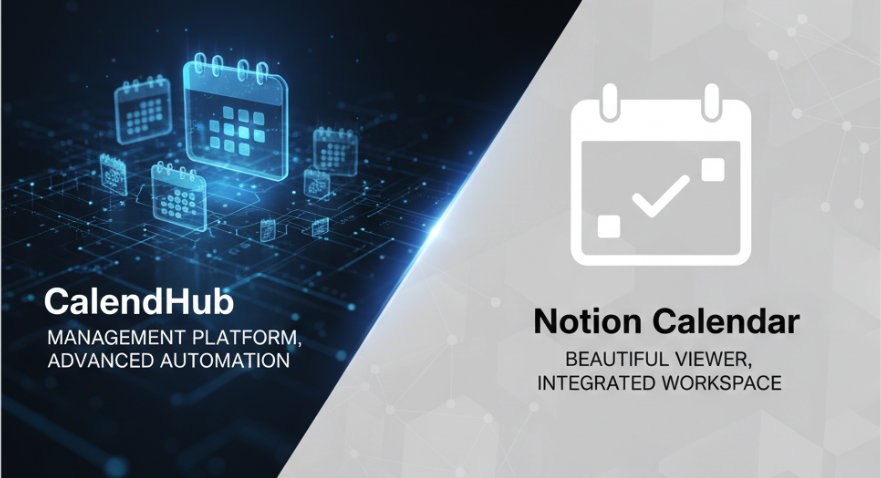
Notion Calendar is the kind of app that makes you want to reorganize your entire life. Formerly known as Cron, Notion acquired it in 2022 and turned it into the calendar companion for their wildly popular workspace platform. The interface is gorgeous. The keyboard shortcuts are snappy. The Notion integration is seamless. You can overlay multiple Google calendars and see them all in one beautifully designed view. It feels like the calendar app that Google Calendar should have been.
But there's a difference between a beautiful calendar viewer and a calendar management platform. CalendHub.com occupies the second category. It connects unlimited calendars across Google, Outlook, iCloud, and Exchange, provides real-time conflict detection, and includes professional scheduling pages. Notion Calendar is free and beautiful. CalendHub is $9.99 per month and built for complexity. Let's figure out which one matches your actual needs.
- CalendHub strength. Unlimited calendar connections across all platforms with conflict detection and scheduling pages
- Notion Calendar strength. Gorgeous free calendar viewer with deep Notion workspace integration
- Best for multi-calendar management. CalendHub
- Best for Notion users who want a beautiful calendar. Notion Calendar
CalendHub vs Notion Calendar at a Glance
| Feature | CalendHub | Notion Calendar |
|---|---|---|
| Calendar Connections | Unlimited, all platforms | Multiple Google + Outlook accounts |
| Unified Calendar View | Yes, cross-platform | Yes, within supported platforms |
| Cross-Platform Sync | Google, Outlook, iCloud, Exchange | Google Calendar, Outlook |
| Conflict Detection | Real-time, all calendars | Visual overlap only |
| Scheduling Pages | Professional booking pages | No |
| Notion Integration | No | Deep, native integration |
| Time Blocking | Basic | Excellent, drag-and-drop |
| Keyboard Shortcuts | Standard | Extensive, power-user focused |
| Mobile Apps | Full-featured | iOS and Android |
| Pricing | $9.99/mo | Free (included with Notion) |
| Target User | Multi-calendar professionals | Notion users, productivity enthusiasts |
Where CalendHub Wins
True cross-platform calendar support. Notion Calendar supports Google Calendar and has added Outlook support, but it doesn't connect to iCloud calendars or standalone Exchange servers. If you're an Apple user with iCloud calendars or your organization runs Exchange without Office 365 migration, Notion Calendar can't see those events. CalendHub connects to all major calendar platforms without restrictions. Google, Outlook, iCloud, Exchange. All of them, unlimited accounts on each.
Real-time conflict detection is active, not passive. Notion Calendar shows you when events overlap visually. You can see that two events occupy the same time slot if you're looking at the right view. But it doesn't proactively alert you to conflicts or detect them across calendars that might not be visible in your current view. CalendHub.com monitors all your connected calendars continuously and alerts you the moment a conflict appears. This is the difference between seeing a problem when you happen to look and being told about a problem the moment it occurs.
Professional scheduling pages are included. Notion Calendar doesn't offer scheduling links or booking pages. If you want people to book time with you, you need a separate tool entirely. CalendHub includes professional scheduling pages as part of the platform. You manage your calendars and your scheduling in the same place, which means your booking availability automatically reflects your complete calendar picture across all connected accounts.
Calendar management is the core mission. CalendHub was designed from day one as a calendar management platform. Every feature serves the goal of giving professionals visibility and control across complex calendar ecosystems. Notion Calendar was designed as a beautiful calendar companion for the Notion workspace. The primary mission is enhancing the Notion experience, not solving the multi-organization calendar management problem.
No ecosystem dependency. Notion Calendar works best when you're already a Notion user. Its killer feature is the integration with Notion databases, projects, and pages. If you don't use Notion, a significant portion of Notion Calendar's value disappears. CalendHub is a standalone platform with no dependency on any other product. It works for you regardless of which productivity tools you use.
For a deeper look at calendar management platforms designed for complex multi-calendar needs, see our guide on the best calendar consolidation apps.
Where Notion Calendar Has Strengths
Notion Calendar earned its devoted following by doing several things exceptionally well.
The interface is genuinely beautiful. This isn't superficial praise. The design quality of Notion Calendar is meaningfully better than most calendar apps. Events are rendered cleanly. Colors are thoughtful. The layout adapts intelligently to different screen sizes and event densities. For people who spend hours looking at their calendar every day, aesthetic quality isn't a luxury. It's a daily quality-of-life improvement.
Keyboard shortcuts make power users faster. Notion Calendar inherited Cron's excellent keyboard navigation. Create events, navigate between days and weeks, switch views, and manage calendars without touching the mouse. For users who think in keyboard shortcuts, this efficiency compounds throughout the day into meaningful time savings.
Notion workspace integration is seamless. If you live in Notion, the calendar integration is transformative. You can see Notion database items with dates directly on your calendar. Meeting notes from Notion appear alongside calendar events. You can create Notion pages from calendar events with one click. This bidirectional connection between your calendar and your knowledge base eliminates the context switching that happens when these tools are separate.
Time blocking with drag-and-drop. Notion Calendar makes it easy to block time on your calendar by dragging and dropping. You can visually allocate your day, moving blocks around until the schedule feels right. For professionals who practice time blocking as a productivity method, the interaction model is intuitive and fast.
It's free. Notion Calendar is included with any Notion account, including the free tier. For Notion users, there's zero additional cost. This makes it the obvious choice for anyone who uses Notion and needs a better calendar experience than the default Google or Outlook web interfaces provide.
Need better calendar management? CalendHub unifies all your calendars with smart scheduling and video conferencing.
Multi-account overlay works well within its supported platforms. You can connect multiple Google accounts and overlay all their calendars in a single view. For professionals with several Google Workspace accounts across organizations, this overlay feature provides consolidated visibility without switching between accounts.
Calendar Viewer vs Calendar Manager
The key distinction between these tools is the difference between viewing calendars and managing calendars.
Notion Calendar is a viewer. It takes your existing calendars and presents them in a beautiful, functional interface. It overlays them, lets you navigate them efficiently, and connects them to your Notion workspace. But the management layer is thin. There's no automated conflict detection. There's no scheduling infrastructure. There's no deep multi-platform reconciliation. It shows you your calendars better than your default calendar app. That's valuable, but it's not management.
CalendHub is a manager. It doesn't just display your calendars. It actively monitors them for conflicts, provides scheduling pages that reflect availability across all connected accounts, and handles the coordination challenges that arise when your calendars span many organizations and platforms. The display is functional rather than beautiful. But the management capabilities go deeper.
This distinction matters because the problems people face with calendars are different.
If your problem is "my default calendar app is ugly and I want something better," Notion Calendar is the answer. It turns calendar viewing into a pleasant experience.
If your problem is "I manage twelve calendars across eight organizations and I keep getting double-booked because conflicts between calendars go undetected," CalendHub.com is the answer. It turns calendar management into a controlled process.
Some professionals have both problems. They want a beautiful viewing experience AND robust management capabilities. Unfortunately, no single tool excels at both today. The choice depends on which problem causes more pain.
Pricing Comparison
Notion Calendar Pricing
- Free. Included with any Notion account. Multiple Google Calendar accounts, Outlook support, Notion integration, time blocking, keyboard shortcuts
CalendHub Pricing
- Standard Plan ($9.99/month). Unlimited calendar connections across all platforms, unified calendar view, real-time conflict detection, professional scheduling pages, mobile apps with full feature parity, priority support
Notion Calendar's "free" pricing is genuinely compelling for Notion users. But if you need iCloud or Exchange support, scheduling pages, or real-time conflict detection across many calendars, "free" doesn't cover those needs. CalendHub at $9.99 per month fills the gaps that Notion Calendar's free offering leaves open.
For Notion users with simple calendar needs, the value proposition is clear. Notion Calendar is free, beautiful, and integrated with the tool you already use. Paying $9.99 per month for CalendHub only makes sense if you have calendar management needs that Notion Calendar doesn't address.
For professionals with complex, multi-platform calendar situations, the $9.99 per month for CalendHub is justified by features Notion Calendar simply doesn't offer. Real-time conflict detection, scheduling pages, and full cross-platform support deliver value that a beautiful viewer can't replicate.
Which Should You Choose?
Choose Notion Calendar if you're a Notion user with straightforward calendar needs on Google and Outlook. If you already live in Notion, use primarily Google Calendar and Outlook, and want a gorgeous calendar interface that connects to your workspace, Notion Calendar is the obvious choice. It's free, it's beautiful, and the Notion integration adds genuine workflow value. If your calendar complexity is moderate, three to five calendars across Google and maybe one Outlook account, Notion Calendar handles that well.
Choose CalendHub if you manage many calendars across multiple platforms and need active management. If you've got calendars on iCloud and Exchange in addition to Google and Outlook, if you need real-time conflict detection across all of them, and if professional scheduling pages are part of your workflow, CalendHub addresses needs that Notion Calendar doesn't touch. The unlimited connections and cross-platform support were designed for the level of complexity that calendar viewers can't manage.
Consider your platform mix. If all your calendars are on Google, Notion Calendar's multi-account overlay might be sufficient. If your calendars span Google, Outlook, iCloud, and Exchange, CalendHub's universal platform support becomes essential.
For related reading on managing complex multi-calendar setups, our guide on the unified calendar view explores the full range of options.
Conclusion
Notion Calendar and CalendHub represent two different answers to two different calendar problems.
Notion Calendar is the best-looking calendar app available today. Its design quality, keyboard shortcuts, and Notion integration make it a joy to use for anyone in the Notion ecosystem. As a calendar viewer, it's exceptional. As a free product, it's hard to argue against trying it.
CalendHub.com is a calendar management platform designed for professionals whose calendar complexity has outgrown what any viewer can handle. Unlimited connections across all major platforms, real-time conflict detection, and professional scheduling pages. At $9.99 per month, it's the tool you need when beautiful isn't enough and you need capable.
If you want your calendar to look amazing, use Notion Calendar. If you need your calendars to work together seamlessly across organizations and platforms, use CalendHub. And if you're lucky enough to have simple needs and a Notion account, enjoy the beautiful free option while it fits.
Ready to Simplify Your Schedule?
Join thousands of professionals who have unified their calendars and reclaimed their time with CalendHub's intelligent scheduling platform.
Related Articles
Best Apps to View All Calendars in One Place (2025 Review)
Compare the top apps for viewing all calendars in one place. Detailed reviews of features, limits, and pricing to help you choose the right solution.
Best Apps to View All Calendars Together: 2025 Comparison
Compare the best apps and tools to view all calendars together. Detailed analysis of features, limits, pricing, and which solution fits your needs.
Best Calendar Aggregator Tools Ranked for 2025
Compare the top calendar aggregator tools in 2025. See which platforms offer unlimited connections, real-time sync, and true aggregation for professionals.