
 Google Calendar
  Outlook Calendar
  Google Meet
  Microsoft Teams
  Zoom Meetings
 CalendHub vs Picktime: Unlimited Calendar Management vs Free Booking in 2026
CalendHub vs Picktime compared. Unlimited calendar management versus completely free appointment booking in 2026.
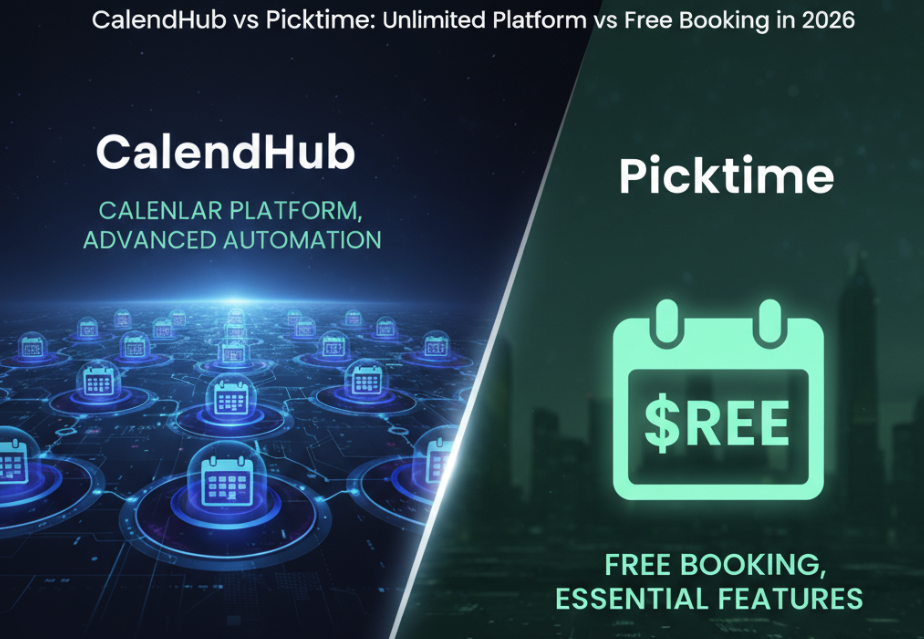
Picktime is the scheduling tool that makes you double-check the pricing page. Free for basic use. Not "free with so many restrictions it's unusable" free. Actually free. Booking page, staff management, multiple locations, Google Calendar sync, invoicing. All without pulling out a credit card. For small businesses and freelancers watching every dollar, Picktime is a genuinely attractive option.
But free tools make trade-offs, and Picktime's trade-offs show up in calendar management. The platform syncs with Google Calendar and handles basic availability checking. It doesn't connect to Outlook, iCloud, or Exchange. It doesn't provide a unified view of all your calendars. It doesn't detect conflicts across multiple accounts. CalendHub.com handles all of these things with unlimited calendar connections for $9.99 per month. The question isn't whether CalendHub does more. It obviously does. The question is whether the "more" is worth $9.99 per month for your specific situation.
- CalendHub strength. Unlimited calendar connections with unified cross-platform visibility and real-time conflict detection
- Picktime strength. Completely free booking software with staff management, multiple locations, and invoicing
- Best for multi-calendar management. CalendHub
- Best for free appointment booking. Picktime
CalendHub vs Picktime at a Glance
| Feature | CalendHub | Picktime |
|---|---|---|
| Calendar Connections | Unlimited, all platforms | Google Calendar only |
| Unified Calendar View | Yes | No |
| Cross-Platform Sync | Google, Outlook, iCloud, Exchange | Google Calendar only |
| Conflict Detection | Real-time, all calendars | Within Picktime schedule only |
| Booking Page | Professional scheduling pages | Free booking page |
| Staff Management | Individual-focused | Yes, multiple staff |
| Multiple Locations | No | Yes |
| Invoicing | No | Yes, basic |
| Class Booking | No | Yes |
| Mobile Apps | Full-featured | Mobile-responsive web |
| Pricing | $9.99/mo | Free / Premium available |
| Target User | Multi-calendar professionals | Budget-conscious small businesses |
Where CalendHub Wins
Full cross-platform calendar support. This is the most significant capability gap. Picktime syncs with Google Calendar. Period. If you have Outlook calendars from client organizations, iCloud calendars for personal and family use, or Exchange accounts from corporate environments, Picktime doesn't see any of those events. CalendHub connects to all major calendar platforms with no restrictions on the number of accounts. Every calendar, every platform, all managed in one place.
The unified calendar view transforms daily workflow. Picktime shows you your Picktime bookings. It doesn't show you the meeting your client added to their Outlook calendar, the school event on your iCloud calendar, or the team standup on your second Google Workspace account. CalendHub.com pulls every event from every connected calendar into a single view. You stop checking multiple apps and start seeing everything at once.
Real-time conflict detection across all calendars. Picktime prevents double-bookings within its own system. If two clients try to book the same slot, Picktime handles that. But it doesn't detect conflicts between your Picktime bookings and events on calendars it doesn't monitor. CalendHub watches all your calendars continuously and catches conflicts regardless of which platform they originate from.
Dedicated mobile apps. CalendHub provides native mobile apps with complete feature parity. Your unified view, conflict alerts, and scheduling management work natively on your phone. Picktime offers a mobile-responsive website but not dedicated mobile apps.
Calendar management depth. CalendHub's entire product focuses on making multi-calendar life manageable. The unified view, unlimited connections, and conflict detection represent a depth of calendar management capability that free booking tools can't match.
Where Picktime Has Strengths
Picktime's strengths are practical, budget-friendly, and genuinely useful for the businesses it targets.
It's free for a remarkable amount of functionality. Picktime's free tier includes booking pages, staff scheduling, multiple locations, Google Calendar sync, invoicing, and class booking. Most competitors gate at least some of these features behind paid plans. Picktime gives you the full toolkit without cost. For a new business watching expenses, this financial accessibility removes one more barrier to getting operational.
Multi-location support is included. If you operate from more than one location, Picktime handles it. Clients can select their preferred location during booking, and the system manages availability per location. Many scheduling tools restrict multi-location features to premium tiers. Picktime includes it for free.
Staff management without per-seat pricing. Add multiple staff members and manage their individual availability without paying per-user fees. For small businesses with a few employees, this avoids the per-seat costs that make other scheduling tools expensive as the team grows.
Invoicing is built in. Picktime includes basic invoicing, so you can bill clients directly through the platform. It's not a full accounting system, but for straightforward service billing, it eliminates the need for a separate invoicing tool.
Class and group booking. Beyond one-on-one appointments, Picktime supports class bookings where multiple clients sign up for the same session. Fitness studios, group tutoring, workshops, and classes are all supported within the booking system.
Need better calendar management? CalendHub unifies all your calendars with smart scheduling and video conferencing.
No credit card required, ever. For the free tier, Picktime doesn't ask for a credit card during signup. There's no trial period that expires, no surprise charges, and no "you need to upgrade to continue" walls. The free tier is genuinely free for ongoing use.
Picktime's "free" model means limited development resources compared to well-funded competitors. Feature updates, platform support expansion, and integration depth may progress slower. The calendar integration is limited to Google Calendar partly because supporting additional platforms requires significant engineering investment.
Free Booking vs Paid Calendar Management
This comparison forces a clear cost-benefit analysis.
Picktime saves money. Zero dollars per month for a booking system with staff management, multiple locations, and invoicing. For small businesses where every dollar matters, this cost savings is real and meaningful. A yoga instructor spending $50 per month on a scheduling tool can redirect that budget elsewhere. Picktime delivers the core booking functionality at no cost.
CalendHub saves time and prevents problems. $9.99 per month for unlimited calendar connections, unified visibility, and conflict detection. For professionals managing complex calendar situations, this cost is trivially small compared to the time saved checking multiple calendar apps and the problems avoided by catching conflicts early. A double-booked meeting with a client can cost far more in reputation and revenue than $9.99 per month.
The cost-benefit equation depends entirely on your situation.
If you run a small service business with one or two Google calendars and straightforward booking needs, Picktime at $0 delivers everything you need. Spending $9.99 per month on CalendHub adds capabilities you won't use.
If you manage many calendars across multiple platforms and organizations, CalendHub at $9.99 per month delivers capabilities Picktime can't provide at any price. The unified view and cross-platform conflict detection solve problems that Picktime's Google-only integration leaves exposed.
Some professionals genuinely need both. A personal trainer who runs classes at multiple locations (Picktime) and also consults for three corporate clients with their own calendar systems (CalendHub) might use both tools together. Picktime manages the booking side for $0. CalendHub.com manages the calendar side for $9.99. Total cost under $10 per month for both.
Pricing Comparison
Picktime Pricing
- Free Plan. Booking page, staff management, multiple locations, Google Calendar sync, invoicing, class booking, customer database
- Premium Plan (varies). Additional features, priority support, advanced customization
CalendHub Pricing
- Standard Plan ($9.99/month). Unlimited calendar connections across all platforms, unified calendar view, real-time conflict detection, professional scheduling pages, mobile apps, priority support
The pricing comparison is straightforward. Picktime is free. CalendHub is $9.99 per month. The question is simple. Do you need the calendar management capabilities that CalendHub provides? If yes, $9.99 per month is a modest investment. If no, Picktime's free booking system handles your scheduling needs without cost.
Which Should You Choose?
Choose Picktime if you need free booking software and your calendar needs are simple. If you run a service business, need staff scheduling and multi-location support, and your calendar ecosystem is limited to Google Calendar, Picktime gives you an impressive amount of functionality for nothing. The free tier is genuinely useful, not just a trial-in-disguise.
Choose CalendHub if you manage multiple calendars across platforms and need unified visibility. If your calendars span Google, Outlook, iCloud, and Exchange, and you need to see everything in one place with real-time conflict detection, CalendHub delivers capabilities that Picktime doesn't offer. The $9.99 per month cost is justified by the daily time savings and conflict prevention.
Your calendar platform mix is the deciding factor. If all your calendars are on Google, Picktime's integration might be sufficient for availability checking. If your calendars span multiple platforms, CalendHub's universal support becomes essential. Count your calendars, check which platforms they're on, and the answer becomes clear.
For a broader view of calendar management options, our guide on the best multiple calendar management software explores the full range of tools available.
Conclusion
Picktime and CalendHub represent opposite ends of the scheduling and calendar management spectrum.
Picktime is a generous free booking platform that gives small businesses real functionality without cost. Staff management, multiple locations, invoicing, class booking, and Google Calendar integration. All free. For businesses where budget matters and calendar complexity is low, Picktime is an outstanding value.
CalendHub.com is a calendar management platform that handles the complexity Picktime wasn't designed for. Unlimited connections across all major platforms, unified visibility of every event, and real-time conflict detection. At $9.99 per month, it serves professionals whose calendar situations demand more than a Google-only sync can provide.
Free is great when free does enough. When your calendar complexity outgrows what free provides, $9.99 per month is a modest investment for peace of mind. Know where you fall on that spectrum, and the right tool is obvious.
Ready to Simplify Your Schedule?
Join thousands of professionals who have unified their calendars and reclaimed their time with CalendHub's intelligent scheduling platform.
Related Articles
Best Apps to View All Calendars in One Place (2025 Review)
Compare the top apps for viewing all calendars in one place. Detailed reviews of features, limits, and pricing to help you choose the right solution.
Best Apps to View All Calendars Together: 2025 Comparison
Compare the best apps and tools to view all calendars together. Detailed analysis of features, limits, pricing, and which solution fits your needs.
Best Calendar Aggregator Tools Ranked for 2025
Compare the top calendar aggregator tools in 2025. See which platforms offer unlimited connections, real-time sync, and true aggregation for professionals.