
 Google Calendar
  Outlook Calendar
  Google Meet
  Microsoft Teams
  Zoom Meetings
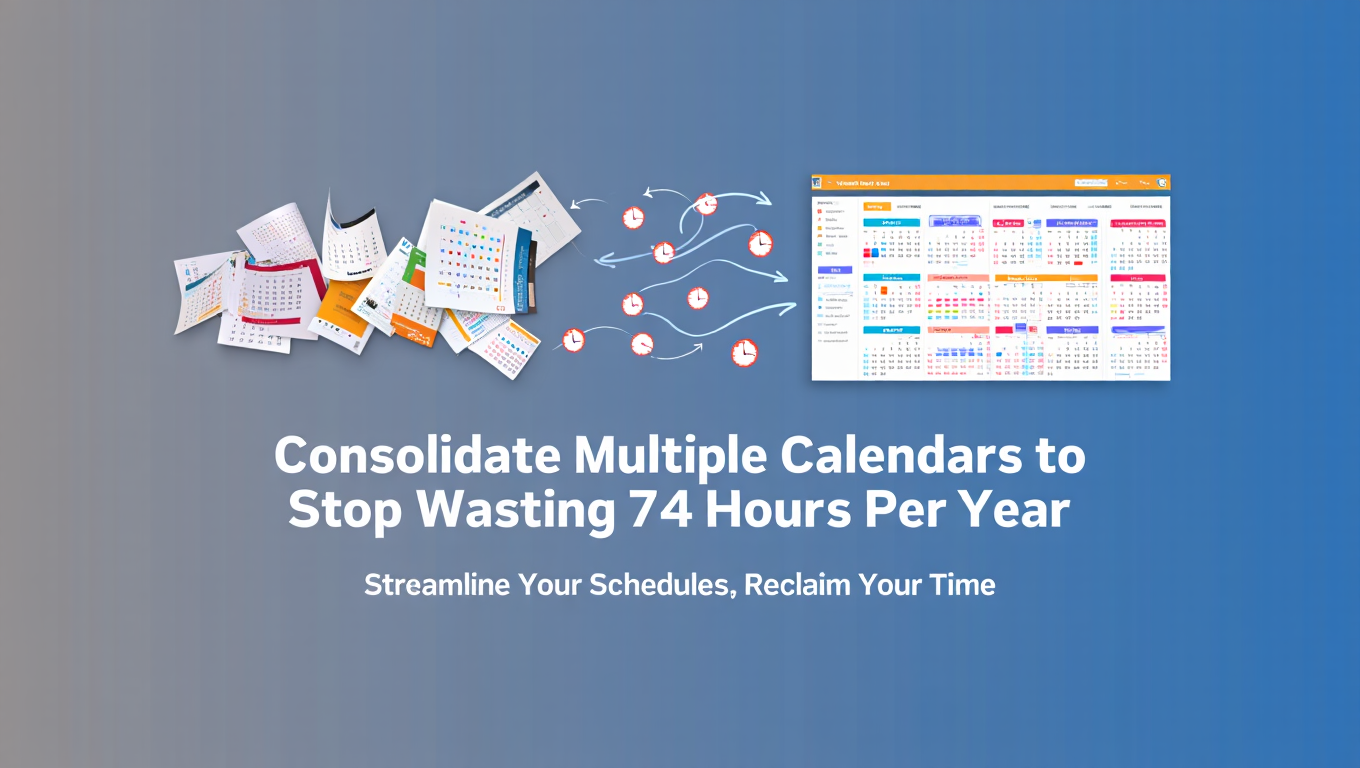
 Consolidate Multiple Calendars to Stop Wasting 74 Hours Per Year
Managing multiple calendars wastes 6+ hours monthly. Learn why calendar consolidation delivers massive ROI for consultants, executives, and fractional leaders.
It's 9:47 AM. You just finished a client call that ran seven minutes over because you couldn't find the meeting link buried in your Outlook calendar. Now you're frantically checking three different calendars trying to figure out if you're free at 2 PM for an urgent request. You finally determine you're available, send the confirmation, and then remember the team meeting that's in a fourth calendar you forgot to check. Now you're double booked, reputation damaged, and you've burned 20 minutes you'll never get back.
This isn't a bad day. This is every day when you manage multiple calendars without proper consolidation.
- 74.4 hours wasted per year just switching between calendar apps
- 40% productivity loss from context switching between platforms
- 25% of professionals experience double bookings in their first year
- Meetings start 6 minutes late on average due to scheduling confusion
- Only 20% of professionals feel in control despite using calendar tools
If you're a consultant juggling five client calendars, an executive overseeing multiple business units, or a fractional leader balancing several companies, calendar fragmentation isn't just annoying. It's actively destroying your productivity, damaging your professional reputation, and costing you thousands of dollars in lost time.
The solution is to consolidate multiple calendars into one unified system. Not just viewing them together, but true consolidation that creates a single source of truth for your entire schedule. Let's examine why this matters and what it means for your bottom line.
The Real Problem with Managing Multiple Calendars
Understanding the true cost of calendar fragmentation requires looking beyond the obvious frustrations. The damage runs deeper than you realize.
The Cognitive Load Crisis
Every time you switch from Google Calendar to Outlook to iCloud to check your availability, your brain pays a switching cost. Research confirms that context switching between applications reduces productivity by 40%. This isn't just about the seconds it takes to open different apps. It's about the mental effort of reorienting yourself each time.
When you check your first calendar and see you're free at 2 PM, your brain starts planning around that availability. Then you check the second calendar and discover a conflict. Now your brain must abandon that planning and start over. Check a third calendar and find another conflict. Start planning again. By the time you've verified availability across five calendars, you've burned significant mental energy that could have gone toward actual work.
This cognitive load compounds throughout the day. If you check availability five times daily across four calendars, that's 20 context switches. Over a month, that's 400 switches. No wonder 88% of professionals use calendars but only 20% feel in control of their time.
The Trust Erosion Problem
When you double book meetings because you forgot to check one calendar, you don't just reschedule. You damage trust. The client or colleague on the receiving end doesn't know you manage seven different calendars. They just know you apparently don't have your act together.
This perception matters enormously for consultants, fractional executives, and professionals whose personal brand is their business. Your calendar management directly reflects your professional competence. Calendar chaos signals disorganization, even if the truth is that you're simply overwhelmed by fragmented systems.
Research shows that 25% of professionals managing multiple calendars experience double bookings within their first year. Each double booking requires damage control, apologies, rescheduling coordination, and relationship repair. The time cost is substantial, but the reputation cost is often more damaging.
The Opportunity Cost of Delayed Responses
When someone asks if you're available for a meeting, how long does it take you to respond confidently? If you need to check five calendars before answering, you're probably taking 10 to 15 minutes to verify availability and send a response.
During that delay, the person asking might move forward with someone else. The opportunity to speak at a conference, join a lucrative project, or consult with a high-value client can slip away while you're playing calendar detective.
For executives, delayed responses to internal scheduling requests signal that you're either not interested or too disorganized to manage your calendar. Neither perception serves your leadership brand well.
The Compounding Effect of Microinefficiencies
Checking multiple calendars before responding to a scheduling request wastes 10 minutes. Looking up a meeting that's in a different calendar than you expected takes 3 minutes. Finding the video link buried in the wrong calendar costs another 2 minutes. Each instance seems trivial.
But these microinefficiencies compound. If you experience just three calendar-related delays per day, that's 15 minutes daily. Over a month, that's 5.5 hours. Over a year, that's 66 hours of productive time lost to calendar fragmentation.
When you factor in the context switching cost mentioned earlier, professionals managing multiple calendars lose approximately 74 hours per year just navigating their scheduling infrastructure. That's nearly two full work weeks spent on calendar administration instead of meaningful work.
For a consultant billing $200 per hour, that's $14,800 in lost revenue annually. For an executive making $150,000 per year, that's roughly $5,300 in productivity loss. The ROI calculation for calendar consolidation becomes obvious when you quantify the problem accurately.
Why Traditional Solutions Fall Short for Professionals
Understanding why most professionals remain trapped in calendar chaos despite wanting to solve it requires examining the limitations of conventional approaches.
The Illusion of Multi-Calendar Viewing
Most calendar platforms let you view multiple calendars simultaneously. Google Calendar shows all your Google calendars with color coding. Outlook offers overlay mode to stack calendars on top of each other. Apple Calendar displays multiple iCloud calendars together.
This seems like consolidation, but it's actually just enhanced viewing. You still face several critical limitations.
First, these viewing features only work within their respective ecosystems. Google Calendar can't natively show your Outlook calendars alongside Google calendars without manual iCal subscriptions. Outlook can't automatically display your client's Google calendars. You end up needing to use multiple apps anyway, defeating the purpose.
Second, even when you manually subscribe to external calendars via iCal links, those subscriptions are typically read-only. You can see the events, but you can't edit them. If you need to reschedule something or add an event to a client's calendar, you must switch to that calendar's native app. Once again, you're context switching.
Third, multi-calendar viewing doesn't solve the availability calculation problem. When someone asks if you're free at 3 PM, you still need to visually scan multiple overlapping calendars to determine if that time is truly available. This is error-prone, especially when managing five, ten, or fifteen calendars.
The Scheduling Tool Limitation Problem
Many professionals turned to scheduling automation tools like Calendly to reduce calendar coordination overhead. These tools certainly help with inbound scheduling requests. Instead of email tennis to find meeting times, you share a scheduling link and let others book available slots.
However, scheduling tools aren't calendar consolidation solutions. They check your calendars to prevent double bookings when others schedule with you, but they don't consolidate your calendars for your own use.
More critically, most scheduling tools impose arbitrary limits on how many calendars you can connect. Calendly, for instance, limits users to 6 calendar connections even on premium plans. This might work for someone with a simple calendar structure, but it's completely inadequate for consultants managing multiple client calendars, fractional executives overseeing several businesses, or professionals wearing many hats.
When you hit that 6-calendar limit, you're forced to choose which calendars to connect and which to manually track separately. This defeats the entire purpose of automation. You're back to checking calendars manually, risking double bookings, and burning time on calendar administration.
The 6-calendar limit reveals that these tools were designed for professionals with relatively simple scheduling needs, not for the power users who need calendar consolidation most desperately.
The Manual Sync Trap
Some professionals attempt to solve multi-calendar management by manually blocking time across calendars. When they get a meeting request in one calendar, they manually create blocked time in all their other calendars to prevent double bookings.
This approach works in theory but fails in practice due to the sheer volume of manual work required. If you manage six calendars and receive ten meeting updates per day, you need to manually update 60 calendar entries daily. It's unsustainable.
Manual syncing also creates version control problems. When a meeting time changes, you must remember to update the blocked time in all the other calendars. Miss one update and you're back to double booking territory. The mental overhead of tracking which calendars have been updated for which meetings recreates the cognitive load problem you were trying to solve.
The Privacy and Permission Complexity
Corporate IT policies, client security requirements, and personal privacy preferences create a web of constraints around calendar sharing. You might be willing to consolidate your calendars, but your client's Google Workspace admin won't allow their calendar to sync with external tools. Your corporate Outlook calendar has sharing restrictions. Your personal calendar has information you don't want exposed.
Most consolidation approaches don't handle these nuanced permission requirements well. You end up with partial consolidation, where some calendars sync properly while others require manual checking. This hybrid approach still leaves you juggling multiple systems.
- Bidirectional synchronization across all calendar platforms in real-time
- Unlimited calendar connections without arbitrary caps
- Unified master calendar view with complete visibility
- Intelligent availability calculation across all calendars simultaneously
- Granular privacy controls for different calendar sources
- Professional scheduling built on top of true consolidation
The Business Case for Consolidating Multiple Calendars
When you quantify the costs of calendar fragmentation and the benefits of proper consolidation, the ROI becomes undeniable. Let's examine the specific returns for different professional scenarios.
For Consultants Managing Multiple Client Calendars
Consultants typically manage separate calendars for each client engagement, plus their own business calendar and personal calendar. A consultant with five clients easily manages seven to ten calendars.
Without consolidation, the typical consultant experiences:
- 15-20 minutes daily checking calendars before confirming availability (75-100 minutes weekly)
- 2-3 double bookings per quarter requiring 30-45 minutes each to resolve
- 1-2 missed meetings per year due to checking the wrong calendar
- Delayed responses to new opportunity inquiries while verifying schedule
Time cost: 85 hours per year At $200/hour billing rate: $17,000 in lost productivity Plus reputation damage from scheduling errors: Immeasurable
With proper calendar consolidation that brings all client calendars into one unified view, you eliminate essentially all of this waste. You see your true availability instantly, confirm new meetings in seconds, and never double book because the system checks all calendars automatically.
Annual ROI: $17,000 in recovered productive time, plus:
- Faster response times leading to more converted opportunities
- Enhanced professional reputation from flawless calendar management
- Reduced stress and cognitive load throughout each day
- Ability to confidently take on additional clients without calendar chaos
If calendar consolidation enables you to accept even one additional client project worth $10,000 because you can reliably manage your schedule, the ROI multiplies dramatically.
For Executives Overseeing Multiple Business Units
Senior executives typically manage a corporate calendar, calendars for each business unit they oversee, board calendars, personal calendars, and often calendars for philanthropic or advisory roles. Managing 8-12 calendars is common at this level.
Without consolidation, the typical executive experiences:
- Executive assistant spending 30-45 minutes daily coordinating calendars (3.75-5.6 hours weekly)
- 4-6 scheduling conflicts per quarter requiring last-minute rescheduling
- Delayed executive decision-making due to difficulty finding available meeting times
- Missed strategic opportunities due to calendar complexity
Cost per year:
- EA time (at $75,000 salary): $4,100 in calendar coordination overhead
- Executive time: 40 hours managing calendar issues personally
- Opportunity cost: 1-2 missed board seats or advisory roles worth $50,000-$100,000
With calendar consolidation, the executive and their assistant work from one unified calendar view. Availability is instantly clear, scheduling happens in minutes instead of hours, and the executive appears more accessible and organized to all stakeholders.
Annual ROI: $4,100+ in direct time savings, plus:
- Dramatically improved executive accessibility and responsiveness
- Enhanced professional brand as an organized, effective leader
- Recovered strategic thinking time previously lost to calendar chaos
- Ability to accept additional high-value opportunities
For Fractional Leaders Managing Multiple Companies
Fractional executives, CFOs, CTOs, and other fractional roles typically work with three to six companies simultaneously. Each company has its own calendar system, team calendars, and meeting culture. Managing 10-15 calendars is standard.
Without consolidation, the typical fractional leader experiences:
- 20-30 minutes daily reconciling calendars before making commitments
- 3-4 double bookings per month due to checking wrong calendars
- Constant anxiety about missing meetings
- Difficulty taking on additional fractional roles due to calendar complexity
Time cost: 95 hours per year At fractional executive rates of $250-350/hour: $23,750-$33,250 in lost productivity Plus: Reputation damage and inability to scale to additional clients
Need better calendar management? CalendHub unifies all your calendars with smart scheduling and video conferencing.
Calendar consolidation transforms the fractional leader's operational capacity. With all company calendars unified, you can reliably manage multiple concurrent engagements without scheduling errors. This operational excellence becomes a competitive advantage.
Annual ROI: $25,000+ in recovered time, plus:
- Ability to confidently take on an additional fractional client
- Enhanced reputation leading to premium positioning and rates
- Reduced stress and decision fatigue throughout each week
- Professional presentation that justifies premium fractional rates
If consolidation enables you to add one more fractional engagement worth $60,000 annually, the ROI is substantial even accounting for the cost of professional consolidation tools.
For Professionals Experiencing Rapid Growth
Ambitious professionals constantly add calendars as they expand their portfolio. You join a board. You start a side business. You take on a consulting project. Each new commitment adds another calendar to your collection.
What starts as manageable with three calendars becomes overwhelming with seven. By the time you're managing ten calendars, you're spending more time administrating your schedule than executing your work.
The inflection point where calendar chaos begins damaging your professional growth varies by individual, but research and experience suggest it occurs around five to six calendars. Beyond that threshold, you need systematic consolidation or you'll start declining opportunities simply because you can't manage the scheduling complexity.
The growth constraint equation:
Without consolidation, calendar management overhead scales linearly with the number of calendars. Going from 5 calendars to 10 calendars doubles your calendar administration time. This creates a ceiling on how many professional commitments you can realistically manage.
With proper consolidation, calendar management overhead remains essentially constant regardless of how many calendars you add. Whether you manage 5 calendars or 15 calendars, you spend the same minimal time checking availability and confirming meetings because you're always working from one unified view.
This is why calendar consolidation isn't just a productivity tool. It's a growth enabler.
- Time Savings: 70-95 hours recovered annually across all professionals
- Revenue Impact: $15,000-$35,000 in recovered productive time based on role
- Growth Capacity: Ability to accept 1-2 additional high-value engagements
- Reputation Protection: Elimination of double bookings and missed meetings
- Stress Reduction: Freedom from constant calendar anxiety
- Professional Brand: Enhanced perception as organized and reliable
What Separates Good Consolidation from Great Consolidation
Not all calendar consolidation solutions deliver equal value. Understanding what distinguishes truly effective consolidation helps you avoid investing in solutions that only partially solve the problem.
Real-Time Bidirectional Sync
Good consolidation shows you events from multiple calendars in one view. Great consolidation syncs changes in both directions instantly. When you reschedule a meeting in your consolidated view, that change appears in the source calendar immediately. When someone updates an event in a source calendar, you see that update in your consolidated view right away.
This bidirectional sync eliminates the need to switch between calendars for editing. You manage everything from your unified calendar interface, knowing that changes propagate automatically.
Many calendar subscription methods only offer one-way sync. You see external calendar events, but you can't edit them. This forces you back into the pattern of switching between apps, which defeats the purpose of consolidation.
Unlimited Calendar Connections
Good consolidation works within the limits of your chosen tool. Great consolidation removes limits entirely so the tool scales with your professional growth.
This distinction matters enormously. Tools like Calendly cap calendar connections at 6 calendars. This arbitrary limit forces you to choose which calendars to connect and which to manually manage. For consultants with multiple clients, fractional leaders managing several companies, or executives overseeing various business units, a 6-calendar limit is completely inadequate.
Calendar-first platforms like CalendHub.com take a fundamentally different approach by offering unlimited calendar connections. Whether you manage 6 calendars today or 16 calendars next year, the system accommodates your needs without forcing compromises.
This scalability transforms how you think about professional opportunities. Without calendar limits, you can confidently accept that additional client, join that board, or take on that fractional role knowing your calendar infrastructure will handle the added complexity.
Intelligent Availability Calculation
Good consolidation displays multiple calendars so you can visually determine availability. Great consolidation automatically calculates your true availability across all calendars simultaneously.
When someone asks if you're free at 3 PM Thursday, you shouldn't need to visually scan five overlapping calendars looking for conflicts. The system should instantly know whether that time is available across every calendar you've connected.
This intelligent availability calculation becomes critical when you manage 10+ calendars. Visual scanning doesn't scale. You'll miss conflicts, resulting in double bookings. Automated availability checking eliminates this risk completely.
Professional Scheduling Integration
Good consolidation solves your personal calendar viewing problem. Great consolidation also streamlines how others schedule time with you.
Calendar consolidation should include professional scheduling features that check all your calendars automatically when others try to book time with you. This prevents the scenario where your scheduling link checks six calendars but you actually manage ten, leading to bookings over meetings that exist in the other four calendars.
When scheduling integrates with comprehensive calendar consolidation, you can confidently share availability knowing the system considers your complete schedule across all professional and personal commitments.
Privacy and Selective Sharing
Good consolidation gives you an all-or-nothing choice about calendar visibility. Great consolidation offers granular control over what information from each calendar is visible and to whom.
You might want your team to see that you're busy from 2-3 PM without revealing that you're interviewing at another company. You might want clients to see blocked time without showing that you're meeting with their competitor. You might want your consolidated view to show full meeting details while your public availability only shows free/busy status.
Professional consolidation tools provide this level of privacy control. You decide what each calendar reveals to different audiences while maintaining complete personal visibility across everything.
Calendar-First vs. Scheduling-First Philosophy
Good consolidation treats calendar viewing as a feature of a scheduling tool. Great consolidation treats comprehensive calendar management as the foundation, with scheduling as a complementary feature.
This philosophical difference shapes product design in meaningful ways. Scheduling-first tools like Calendly prioritize making it easy for others to book time with you. Calendar management is secondary, which explains limits like the 6-calendar cap. The product isn't built for professionals who need extensive calendar consolidation.
Calendar-first platforms like CalendHub.com reverse this priority. The core value proposition is consolidating all your calendars into one unified system that you use every day. Professional scheduling is included, but it's built on top of comprehensive calendar consolidation rather than being the primary purpose.
For professionals managing 10+ calendars, this difference determines whether a tool actually solves your problem or just partially addresses one aspect of it.
The Strategic Advantage of Mastering Calendar Consolidation
Beyond the direct productivity and financial returns, proper calendar consolidation creates strategic advantages that compound over time.
Professional Scalability
When your calendar infrastructure scales effortlessly, you can pursue opportunities that would otherwise be operationally impossible. The fractional executive who can reliably manage six concurrent client relationships commands premium rates. The consultant who flawlessly coordinates multiple projects simultaneously builds reputation and referrals. The executive who maintains perfect availability visibility projects competence and control.
Calendar consolidation removes scheduling complexity as a constraint on professional growth. This is particularly valuable during inflection points when accepting new opportunities would overwhelm your existing calendar management approach.
Reduced Decision Fatigue
Every time you need to check multiple calendars, you're making a series of micro-decisions. Which calendar do I check first? Did I check that one already? Is this time free across all calendars? Should I double-check again to be sure?
These micro-decisions create decision fatigue that accumulates throughout the day. When you consolidate multiple calendars into one source of truth, you eliminate dozens of daily micro-decisions. This preserved decision-making capacity becomes available for meaningful strategic decisions rather than calendar administration.
Enhanced Professional Presence
How you manage your calendar signals your professional competence to everyone who interacts with your schedule. Rapid responses to scheduling requests signal responsiveness and organization. Flawless availability accuracy demonstrates attention to detail. Absence of double bookings reflects operational excellence.
Calendar consolidation directly enhances these signals. When you can instantly confirm availability because you have unified calendar visibility, you appear more professional, more organized, and more competent. This perception compounds over time as clients, colleagues, and collaborators consistently experience excellent calendar interactions.
Competitive Differentiation
In crowded professional services markets, operational excellence becomes a differentiator. The consultant who never double books, always responds quickly to scheduling requests, and seamlessly manages complex multi-client engagements stands out from competitors struggling with calendar chaos.
Calendar consolidation contributes to this competitive differentiation. It's not the primary reason clients choose you, but it's part of the professional polish that reinforces their decision. The fractional executive who can reliably manage six companies simultaneously justifies premium rates partly through demonstrated operational capacity.
Long-Term Sustainability
Professional burnout often results from operational friction rather than the work itself. When you spend 20 minutes daily fighting calendar chaos, that frustration accumulates. When you experience regular double bookings requiring damage control, that stress compounds. When you're constantly anxious about missing meetings, that tension persists.
Calendar consolidation eliminates this specific source of professional friction. You reclaim mental energy, reduce daily frustration, and remove calendar anxiety from your psychological burden. This contributes meaningfully to long-term career sustainability.
The professionals who build 20-year consulting practices or sustain multiple fractional roles for decades aren't necessarily more talented. They've often simply eliminated operational friction that causes others to burn out. Calendar consolidation is one specific intervention with outsized impact on professional sustainability.
Choosing a Calendar Consolidation Approach That Scales With You
The right time to consolidate multiple calendars was yesterday. The second-best time is today. Here's how to select an approach that serves you now and scales with your future growth.
Assess Your Current Calendar Complexity
Count every calendar you actively check. Include client calendars, business calendars, personal calendars, shared team calendars, and any other scheduling sources that affect your availability. Be comprehensive in this inventory.
If you count five or fewer calendars and they're all within the same platform, you might succeed with built-in calendar viewing features. If you count six or more calendars, especially across multiple platforms, you need dedicated consolidation tools.
Project Your 12-Month Calendar Growth
Consider the professional opportunities you're pursuing. Are you taking on additional clients? Joining boards? Starting new businesses? Each new commitment typically adds at least one calendar to your management burden.
If you're currently at five calendars and expect to grow to eight or ten, choosing a solution with a 6-calendar limit would require migrating to a new platform mid-year. Better to select a scalable solution now.
Prioritize Bidirectional Sync
If you need to actively manage events across multiple calendars, not just view them, bidirectional synchronization is non-negotiable. Read-only calendar subscriptions might seem acceptable initially, but they quickly become frustrating when you need to reschedule meetings or add events.
Verify that any consolidation tool you consider offers true bidirectional sync, not just calendar viewing with subscriptions.
Verify Cross-Platform Support
List every calendar platform you use: Google Calendar, Microsoft Outlook, Office 365, iCloud, and any specialized business applications. Ensure your chosen consolidation approach supports all of them with actual integrations, not just manual iCal subscriptions.
Platform support determines whether you achieve complete consolidation or just partial consolidation with some calendars still requiring manual checking.
Consider Implementation Effort vs. Ongoing Value
Manual calendar management requires zero setup but maximum ongoing effort. Calendar subscriptions require moderate setup and modest ongoing effort. Professional consolidation tools require initial setup but minimal ongoing effort.
For professionals managing multiple calendars long-term, the ROI clearly favors tools with higher upfront setup effort but dramatically reduced ongoing friction. An hour spent properly configuring calendar consolidation returns hundreds of hours over the following year.
Evaluate Unlimited Capacity Solutions
For consultants, fractional executives, and ambitious professionals, the most critical question is whether your chosen solution accommodates unlimited calendar growth. Arbitrary limits create future migration headaches.
Unlike Calendly's 6-calendar limit, calendar-first platforms like CalendHub.com provide unlimited calendar connections specifically because they're built for professionals with complex scheduling needs. CalendHub consolidates all your calendars into one unified master calendar, offers true bidirectional synchronization, and includes professional scheduling features designed for power users managing 10, 15, or even 20+ calendars.
When you're building a consulting practice, scaling fractional engagements, or expanding executive responsibilities, your calendar infrastructure shouldn't constrain your growth. Choose solutions that scale infinitely with your professional trajectory.
- 2-4 calendars, same platform: Use built-in calendar viewing features
- 4-6 calendars, mixed platforms: Consider calendar subscriptions or basic consolidation tools
- 7+ calendars: Require professional consolidation with unlimited connections
- Need to edit across calendars: Mandate bidirectional sync capability
- Growing calendar portfolio: Prioritize unlimited scalability
- Managing client/company calendars: Need privacy controls and selective sharing
Taking Action on Calendar Consolidation
Understanding the problem and the solution is valuable only if you implement. Here's your roadmap to move from calendar chaos to consolidated control.
Immediate Actions:
Document your complete calendar inventory right now. Open a note and list every calendar affecting your schedule. Include the platform, purpose, and rough number of events per week. This comprehensive list reveals the true scope of what you're managing.
Calculate your personal calendar management cost. Estimate the minutes you spend daily checking calendars, verifying availability, and coordinating schedules. Multiply by your hourly value. The resulting annual cost becomes your budget for calendar consolidation solutions.
This Week:
Evaluate your calendar complexity against the decision framework provided. Determine whether your needs are basic, moderate, or advanced. Be honest about whether basic solutions will actually work or if you're just hoping to avoid investing in proper tools.
If you manage seven or more calendars, research professional consolidation platforms built for complex scheduling needs. Compare feature sets, particularly around unlimited calendar connections, bidirectional sync, and cross-platform support.
For consultants managing 10+ calendars or professionals whose scheduling complexity exceeds typical tools, consider that CalendHub.com was built specifically for your use case. With unlimited calendar consolidation, true unification in one master calendar, and professional scheduling integrated on top of comprehensive calendar management, CalendHub addresses the exact problems that generic scheduling tools ignore.
This Month:
Implement your chosen consolidation solution completely. Connect all your calendars, configure privacy settings, test bidirectional sync, and verify that availability calculation works across all sources.
Run parallel systems for one week while you build confidence. Continue checking your old individual calendars while also using your new consolidated view. Verify that everything syncs correctly before fully committing.
After confirming accuracy, switch completely to your consolidated calendar as your single source of truth. Stop the habit of checking individual calendar sources. Trust your consolidated system or identify and fix why you don't trust it yet.
Ongoing:
Block five minutes every Friday afternoon to review your consolidated calendar for the next two weeks. This regular review builds confidence in your consolidation system and catches any sync issues early.
As you add new professional commitments, integrate those calendars immediately rather than temporarily managing them separately. Calendar consolidation only works if it remains comprehensive.
The time you've spent managing calendar chaos over the past year is gone. But you can prevent wasting another 74 hours this year. The difference between professionals who manage multiple calendars and professionals who consolidate multiple calendars is the difference between constant frustration and systematic control.
You've built a professional portfolio complex enough to require multiple calendars. Now build the calendar infrastructure that matches your success.
Ready to Simplify Your Schedule?
Join thousands of professionals who have unified their calendars and reclaimed their time with CalendHub's intelligent scheduling platform.
Related Articles
Best Apps to View All Calendars in One Place (2025 Review)
Compare the top apps for viewing all calendars in one place. Detailed reviews of features, limits, and pricing to help you choose the right solution.
Best Apps to View All Calendars Together: 2025 Comparison
Compare the best apps and tools to view all calendars together. Detailed analysis of features, limits, pricing, and which solution fits your needs.
Best Calendar Aggregator Tools Ranked for 2025
Compare the top calendar aggregator tools in 2025. See which platforms offer unlimited connections, real-time sync, and true aggregation for professionals.