
 Google Calendar
  Outlook Calendar
  Google Meet
  Microsoft Teams
  Zoom Meetings
 Freelancer Multiple Business Calendar Sync: Complete 2025 Guide
Master freelancer multiple business calendar sync across unlimited clients. Stop double bookings and manage 5-10 business calendars efficiently.
You're juggling five different clients this week. Each one has their own Google Workspace, their own meeting cadence, and their own expectations about your availability. Meanwhile, you're trying to protect personal time, avoid double bookings, and maintain the professional image that keeps clients coming back. Sound familiar?
Most freelancers average 4.5 clients per month according to 2024 industry data, and that number is climbing as the freelance economy surges toward $8.39 billion by 2025. But here's the problem: your calendar system probably wasn't built for this reality. Managing freelancer multiple business calendar sync across 5, 10, or even more client calendars requires a fundamentally different approach than traditional employee scheduling.
- Why traditional calendar tools fail freelancers with multiple businesses
- How to sync unlimited client calendars without manual updates
- Proven workflows that eliminate double bookings across all calendars
- Real solutions for freelancer multiple business calendar sync challenges
- How to maintain professional boundaries while staying available
What Is Freelancer Multiple Business Calendar Sync
Freelancer multiple business calendar sync is the process of automatically coordinating availability across multiple client calendars, personal schedules, and business platforms simultaneously. Unlike traditional calendar management where you might sync two calendars together, freelancers need to manage 5 to 10 separate business calendars at once without creating conflicts or requiring hours of manual updates.
This goes beyond simple calendar integration. When you work with multiple clients as a freelancer, each client often has their own calendar system. You might have Client A on Google Workspace, Client B on Microsoft 365, Client C using their own corporate calendar, plus your personal calendar for life events, and separate calendars for different services you offer. Freelancer multiple business calendar sync means all these calendars stay coordinated automatically, showing accurate availability without double bookings.
The fundamental challenge is that most scheduling tools were built for employees with one company calendar or small businesses with a handful of team members. Freelancers operate in a completely different reality where calendar complexity scales with client count, not company size.
Why Traditional Calendar Tools Fail Freelancers
The freelance economy has grown dramatically, with 76.4 million freelancers in the United States alone as of 2024. That number is projected to reach 86.5 million by 2027, representing more than half the total labor force. Yet most calendar and scheduling tools still cater to traditional employment models.
The Multiple Account Problem
Here's where things get messy. You land a new client who uses Google Workspace, and they add you to their organization. Great, except now you have a separate Google account for their calendar. Then Client B brings you on with their Microsoft 365 setup. Now you're logging in and out of multiple accounts just to check availability.
Traditional solutions tell you to manually sync these calendars, which means setting up individual sync connections between each pair of calendars. If you have four client calendars plus your personal calendar, that's not five sync connections. It's actually twelve different synchronizations to keep everything coordinated. This manual approach breaks down fast when you're managing freelancer multiple business calendar sync at scale.
The Calendly Limitation
Many freelancers discover Calendly's critical limitation too late. The platform restricts users to six connected calendars maximum. This might work fine for a traditional employee checking one work calendar and one personal calendar, but it completely falls apart for freelancers juggling multiple businesses.
According to Calendly's own community forums, managing multiple businesses requires creating entirely separate Calendly accounts with different email addresses. You cannot use one email address for two organizations. This means paying for multiple subscriptions, managing multiple logins, and maintaining separate scheduling links for different client contexts. For freelancers working with 5, 10, or more different client organizations, this becomes impossible to scale.
The bigger issue is philosophical. Calendly was designed for companies scheduling with external people, not for independent professionals who ARE the business across multiple client contexts simultaneously.
Manual Update Treadmill
Without proper freelancer multiple business calendar sync, you end up in a constant cycle of manual updates. Book a meeting with Client A, then immediately open Client B's calendar to block that time, then update Client C's calendar, then your personal calendar. Miss one update and you're double booked.
Research shows that 60% of freelancers struggle with irregular work patterns, and manual calendar updates compound this challenge. Every meeting change becomes a multi-step process. Client reschedules? That's four or five calendar updates instead of one automatic sync.
- Double bookings when manual updates are missed
- Hours wasted updating multiple calendars separately
- Calendar tool limits that cap connected accounts
- Professional embarrassment from scheduling conflicts
- Inability to show accurate availability to all clients
How Freelancer Multiple Business Calendar Sync Actually Works
Effective freelancer multiple business calendar sync requires three core capabilities that most traditional tools don't provide together.
Unlimited Calendar Connections
The foundation is connecting unlimited calendars without arbitrary restrictions. You need the ability to add Client 1, Client 2, Client 3, and keep scaling as your freelance business grows. Platforms like CalendHub.com offer unlimited calendar connections specifically because they understand the freelancer reality.
This isn't just about connecting more calendars. It's about the architecture being built for professionals who operate across multiple business contexts simultaneously. Each client relationship should have its own calendar representation without forcing you into separate accounts or hitting platform limits.
True Multi-Directional Sync
Most calendar sync is bidirectional, meaning Calendar A syncs with Calendar B. That works fine until you add Calendar C, D, and E. Then you need a different approach.
True freelancer multiple business calendar sync works multi-directionally. When you accept a meeting in any connected calendar, that time block automatically appears across all your other calendars. Change a meeting in Client A's calendar, and the update propagates everywhere automatically. Cancel something, same thing happens.
CalendHub.com handles this by treating all your connected calendars as a unified availability pool. Instead of managing twelve individual sync connections for five calendars, you connect each calendar once and the platform handles the rest. Book time anywhere, it blocks everywhere.
Intelligent Conflict Prevention
The sync engine needs to do more than copy events. It needs to actively prevent double bookings by checking real-time availability across all connected calendars before allowing new bookings.
When a client tries to schedule time with you, the system should check every connected calendar instantly, not just one primary calendar. If you're already booked with Client A from 2pm to 3pm, that time slot should automatically be unavailable when Client B looks at your schedule, even if Client B is looking at a completely different scheduling link or calendar system.
Setting Up Freelancer Multiple Business Calendar Sync
Let me walk you through the practical setup that actually works for managing multiple client calendars as a freelancer.
Step 1: Audit Your Current Calendar Situation
Start by listing every calendar you currently use or need to check. This typically includes personal calendars for life events, individual calendars for each major client or project, platform-specific calendars if clients have added you to their Google Workspace or Microsoft 365, and service-specific calendars if you offer different types of work.
Most freelancers discover they're actually managing 6 to 12 different calendars when they do this audit. That's normal for the freelance reality, but it immediately shows why tools with connection limits don't work.
Step 2: Choose a Sync Platform Built for Freelancers
This is where most freelancers make the wrong choice by selecting tools designed for traditional businesses. Look for platforms that explicitly support unlimited calendar connections, provide multi-directional sync, and offer conflict prevention across all connected calendars.
CalendHub.com was specifically built for this use case. You can connect every client calendar you have without hitting limits, and the platform automatically keeps them all synchronized. More importantly, when clients book time with you, the system checks all your calendars for conflicts, not just one primary calendar.
Alternative tools like OneCal offer similar unlimited calendar support at premium pricing tiers, typically around thirty dollars per user per month. The key is ensuring the platform can scale with your client count without forcing you into multiple accounts or subscriptions.
Step 3: Connect Each Calendar Once
The setup process should be straightforward. Connect your personal Google Calendar, connect Client A's Google Workspace calendar where they added you, connect Client B's Outlook calendar, connect your business Gmail calendar, and continue through your entire list.
With proper freelancer multiple business calendar sync, you only connect each calendar one time. The platform handles all the cross-synchronization automatically. This is fundamentally different from traditional tools where you'd need to set up individual sync rules between each pair of calendars.
Step 4: Configure Sync Preferences and Privacy
Not every calendar event needs to sync everywhere with full details. Configure what information transfers between calendars. Personal appointments might only need to block time as "Busy" on client calendars without sharing event titles or descriptions.
Set up separate views for different contexts. Your personal calendar view shows everything with full details. Client-facing availability shows blocked times but protects private information. This separation is critical for maintaining professional boundaries while managing freelancer multiple business calendar sync across multiple businesses.
Step 5: Create Client-Specific Scheduling Links
Generate individual scheduling links for different clients or services. Each link should check all your connected calendars for availability but can have different meeting types, durations, and branding appropriate for that client relationship.
This is where platforms like CalendHub.com excel for freelancers. You might have one scheduling link for Client A with their specific meeting types and your availability windows for that project. Client B gets a different link with their meeting options and your committed time blocks for their work. Both links check the same unified calendar availability to prevent conflicts.
- Time Savings: Eliminate hours of manual calendar updates each week
- Zero Double Bookings: Automatic conflict prevention across all calendars
- Professional Image: Always show accurate availability to every client
- Scalability: Add new clients without changing your workflow
- Peace of Mind: Trust your system instead of constant manual checking
Advanced Freelancer Calendar Management Strategies
Once you have basic freelancer multiple business calendar sync working, these advanced strategies help you optimize scheduling across multiple clients.
Time Blocking by Client or Project
Color code your calendars by client or project type. This visual organization makes it immediately obvious when you're overcommitted to one client or when you need to balance work across different projects. Research shows that dividing tasks based on deadlines and importance is essential when managing multiple clients.
Block focused work time first, before accepting meetings. Many freelancers make the mistake of letting meetings dictate their schedule, then trying to fit actual work into the gaps. Instead, schedule your high-value work time as "busy" blocks first, then allow clients to book around those protected periods.
Setting Realistic Availability Windows
You don't need to be available all the time for every client. Define specific availability windows for different types of work or different clients. You might accept Client A meetings only on Mondays and Wednesdays, while Client B can book Tuesdays and Thursdays.
This prevents calendar fragmentation where you end up with one meeting at 9am, another at 11am, another at 3pm, with no meaningful work blocks in between. Group similar activities together using your scheduling links to offer appropriate time slots for each client context.
The Buffer Time Technique
Always build buffer time between meetings. Back-to-back scheduling across multiple clients sounds efficient but leads to burnout fast. Configure your freelancer multiple business calendar sync to automatically include 15 or 30-minute buffers between bookings.
Platforms like CalendHub.com allow you to set these buffers in your scheduling preferences. If a client books the 2pm slot, the system automatically marks 1:45 to 2:00 as unavailable to prevent another client from booking right up against that meeting.
Managing Different Time Zones
Freelancers working with clients across multiple time zones face an additional complexity layer. Your calendar system needs to handle time zone conversions automatically and display availability correctly regardless of where your client is located.
Need better calendar management? CalendHub unifies all your calendars with smart scheduling and video conferencing.
Make sure your freelancer multiple business calendar sync platform shows client-appropriate times in scheduling links. When a New York client looks at your availability, they should see Eastern time slots. When a California client books, they see Pacific times. Both bookings should still check your unified calendar to prevent conflicts in your actual working hours.
Regular Calendar Maintenance
Schedule a weekly calendar review, typically Friday afternoon or Monday morning. Scan the coming week across all client calendars looking for potential issues. Are any clients over-scheduled? Do you have adequate focused work time? Are personal commitments properly blocked?
This 15-minute weekly review catches issues before they become problems. It's also your opportunity to update recurring availability if client needs have shifted or to adjust your scheduling links based on workload changes.
Common Freelancer Calendar Sync Mistakes to Avoid
Even with good tools, freelancers make predictable mistakes that undermine their freelancer multiple business calendar sync efforts.
Mistake 1: Not Blocking Personal Time
Your personal calendar needs to sync with client calendars, but many freelancers skip this step. They manually try to "remember" when they have personal commitments when scheduling client work. This leads to double bookings between life and work.
Add personal appointments, workouts, school pickups, and everything else to your synced calendar system. Mark them as "busy" or "private" so they block time on client-facing availability without sharing private details. CalendHub.com and similar platforms let you control privacy settings while still preventing scheduling conflicts.
Mistake 2: Accepting Manual Calendar Invites
A client emails asking for a meeting and suggests a time. You check your calendar, see you're free, and accept. Except you only checked one calendar, and you're actually already booked with a different client at that time.
Always route meeting requests through your scheduling system, even for existing clients. Your freelancer multiple business calendar sync only works if all bookings flow through the system that checks all calendars. Send clients your scheduling link instead of manually coordinating times via email.
Mistake 3: Using Different Tools for Different Clients
Some freelancers try to accommodate client preferences by using whatever scheduling tool each client wants. Client A likes Calendly, Client B uses Microsoft Bookings, Client C has their own system. You end up managing three different platforms that don't talk to each other.
This defeats the entire purpose of freelancer multiple business calendar sync. You need one central system that connects all your calendars and provides your availability regardless of which client is booking. Clients can still use their preferred communication methods, but the actual scheduling should flow through your unified system.
Mistake 4: Not Setting Boundaries
Without clear boundaries, clients will book time whenever they want, leading to fragmented days with no focused work blocks. Your calendar system should encode your boundaries automatically.
Define your working hours and stick to them across all clients. If you don't work weekends, don't offer weekend availability in your scheduling links just because one high-value client requested it. The freelancer multiple business calendar sync system should enforce your boundaries consistently across all client relationships.
Mistake 5: Forgetting to Sync Immediately
Some calendar platforms have sync delays, updating every 15 minutes or every hour. For active freelancers, that's too slow. Book a meeting with Client A at 2pm, and Client B might see that slot as available if they check before the sync runs.
Choose platforms that sync in real-time or near-real-time. CalendHub.com processes availability checks instantly across all connected calendars, ensuring accurate availability regardless of when clients book. This eliminates the sync delay problem entirely.
Freelancer Multiple Business Calendar Sync Tools Comparison
Let's examine the actual tools available for freelancer multiple business calendar sync and how they stack up for managing multiple client calendars.
Calendar Connection Limits by Platform
The connection limit is your first filter. If a platform caps calendars at six or fewer, it's not viable for serious freelancer multiple business calendar sync across many clients.
Sync Capabilities Comparison
Not all calendar sync is created equal. Some platforms offer one-way sync, meaning events copy from Calendar A to Calendar B, but changes in Calendar B don't update Calendar A. This doesn't work for freelancers who need true multi-directional synchronization.
CalendHub.com provides true multi-directional sync where changes in any connected calendar propagate to all others automatically. OneCal offers similar functionality but requires setting up what they call "hub and spoke" connections. Traditional tools like Google Calendar require manual setup of individual sync rules between each calendar pair.
The critical test is this scenario. You have five client calendars connected. Client A reschedules a meeting directly in their calendar system. Does that change automatically appear in all your other calendars to free up that time slot? With proper freelancer multiple business calendar sync, the answer should be yes immediately.
Pricing for Freelancer Use Cases
Free plans typically come with significant limitations that become problematic for professional freelancer multiple business calendar sync. Calendly's free plan restricts you to one event type, making it impossible to offer different meeting options to different clients. The visible branding and lack of customization also hurt professional image.
CalendHub.com offers freelancer-appropriate pricing that scales with your business without hitting calendar connection limits. This is more cost-effective than paying for multiple Calendly accounts or premium tiers on platforms that charge per calendar connection.
Consider your actual cost per client. If you're paying for three separate scheduling accounts to work around calendar limits, that's triple the subscription cost just to do basic freelancer multiple business calendar sync. Platforms built for unlimited calendars eliminate this multiplication problem.
How CalendHub Solves Freelancer Calendar Challenges
CalendHub.com was specifically designed to address the exact problems freelancers face with multiple business calendar sync.
Unlimited Client Calendar Support
Connect every client calendar you have without restrictions. As you take on new clients, simply add their calendar to your CalendHub.com account. There's no point where you hit a limit and need to create a second account or upgrade to a different tier just to add more calendars.
This unlimited approach reflects the freelancer reality where your calendar complexity scales with client count, not company size. You might start with three clients and five calendars, then grow to ten clients and fifteen calendars over time. Your calendar system should grow with you seamlessly.
Intelligent Multi-Calendar Sync
When you connect calendars to CalendHub.com, the platform treats them as a unified availability pool rather than separate entities requiring individual sync connections. This architectural difference matters significantly at scale.
Add a meeting to any connected calendar, and CalendHub.com automatically blocks that time across all your other calendars. Cancel or reschedule anywhere, and the change propagates everywhere. This happens in real-time without manual intervention or sync delays.
Professional Scheduling Experience
Each client gets a scheduling link customized for their context, but all links check your complete availability across every connected calendar. Client A sees meeting types relevant to their project and can book within appropriate time windows. Client B gets different options matching their needs. Both bookings prevent conflicts with your other commitments automatically.
The client-facing experience looks professional and branded to your business, without visible calendar complexity on the backend. Clients don't need to know you're managing fifteen different calendars. They just see accurate availability and easy scheduling.
Privacy and Boundary Protection
CalendHub.com lets you control what information syncs between calendars. Personal appointments can block time as "busy" on client calendars without revealing details. Confidential client work shows availability blocks to other clients without exposing project names or specifics.
This privacy layer is essential for freelancer multiple business calendar sync because you need to coordinate availability without violating client confidentiality or sharing personal information inappropriately across business contexts.
Real-World Freelancer Calendar Sync Scenarios
Let's walk through how effective freelancer multiple business calendar sync handles common situations that trip up traditional approaches.
Scenario 1: Landing a New Client Mid-Month
You sign a new client on Wednesday. They use Microsoft 365 and add you to their organization calendar. With traditional tools, you'd now need to manually sync this new calendar with all your existing calendars, set up conflict prevention rules, and update your scheduling links.
With CalendHub.com, you simply connect the new client's calendar to your account. The platform immediately includes it in your unified availability pool. Past meetings you've already scheduled with other clients automatically show as blocked time in this new calendar. Future bookings check this calendar along with all your others. Setup time is measured in minutes, not hours.
Scenario 2: Client Reschedules at Last Minute
Client A emails that your 2pm Thursday meeting needs to move to 3pm. They make the change directly in their calendar system. With manual calendar management, you'd need to remember to update Client B's calendar, Client C's calendar, and your personal calendar to reflect the change.
Proper freelancer multiple business calendar sync handles this automatically. Client A changes their calendar, the sync propagates the cancellation and new booking across all your connected calendars, and the 2pm slot becomes available again for other bookings while 3pm gets blocked. You never manually update anything.
Scenario 3: Multiple Clients Want Same Time Slot
Your scheduling links are public, meaning theoretically two clients could try to book the same time simultaneously. Client B starts filling out your booking form for the 10am Tuesday slot. While they're typing meeting details, Client C submits a booking for that same 10am slot and hits confirm first.
CalendHub.com processes Client C's booking first, immediately marking 10am as unavailable across all calendars. When Client B tries to confirm seconds later, the system recognizes the conflict and shows them the slot is no longer available, prompting them to choose a different time. This real-time conflict prevention works because all bookings check the unified availability pool instantly.
Scenario 4: Balancing Work and Personal Life
You've got client meetings scheduled Monday, Wednesday, and Friday. On Tuesday, you need to take your car for service from 9am to 11am. Without proper system integration, you might manually avoid scheduling during that window, or worse, forget about it and accept a client meeting that conflicts.
Add the car service to your personal calendar marked as "busy." Your freelancer multiple business calendar sync automatically makes that 9am to 11am window unavailable across all client-facing scheduling links. Clients checking your availability see other open slots but can't book during your personal commitment. The appointment details stay private, but the time block prevents conflicts.
Measuring Calendar Sync Success
How do you know if your freelancer multiple business calendar sync is actually working effectively? Track these specific metrics.
Double Booking Frequency
Count how many times per month you experience scheduling conflicts where you're booked in two places at once. With manual calendar management, freelancers typically average 2 to 4 double bookings monthly according to industry research. Proper automated sync should reduce this to zero.
If you're still experiencing any double bookings after implementing freelancer multiple business calendar sync, something in your system isn't working correctly. Either calendars aren't actually syncing, there's a delay in updates, or clients are bypassing your scheduling system.
Time Spent on Calendar Management
Track weekly hours spent updating calendars, checking availability, and coordinating schedules. Before automation, freelancers typically spend 3 to 5 hours weekly on calendar administration. After implementing effective sync, this should drop to less than 30 minutes for weekly review.
The time savings compound significantly. Five hours per week equals 260 hours per year spent manually managing calendars. That's more than six full work weeks that could be spent on billable client work instead.
Client Satisfaction with Scheduling
Pay attention to client feedback about scheduling ease. Are clients commenting that booking time with you is straightforward? Or are they frustrated by availability confusion and scheduling friction?
Professional, conflict-free scheduling builds client trust. When clients can reliably book time with you without back-and-forth emails or scheduling mistakes, it reinforces your professional image and makes them more likely to continue the relationship.
Calendar Coverage Completeness
Audit whether all your calendars are actually connected and syncing. It's easy to add a new client calendar but forget to connect it to your sync system, creating a gap where conflicts can occur.
Monthly verification ensures comprehensive coverage. List every calendar you checked in the past week, then confirm each one is connected to your freelancer multiple business calendar sync platform. Missing calendars are missing conflict prevention.
The Future of Freelancer Calendar Management
The freelance economy continues growing rapidly, with projections showing 86.5 million freelancers in the United States by 2027. Calendar management tools must evolve to match this shifting workforce reality.
AI-Powered Scheduling Optimization
Emerging calendar platforms are incorporating artificial intelligence to not just prevent conflicts but optimize scheduling patterns. AI could analyze which clients you work with most effectively at which times, suggest optimal meeting distribution to prevent burnout, and automatically propose schedule adjustments when you're overcommitted.
For freelancer multiple business calendar sync, AI could learn your preferences across different clients and automatically configure scheduling rules that balance workload, protect focused time, and maintain healthy boundaries without manual setup.
Deeper Integration with Project Management
Calendar sync is becoming tightly coupled with project management platforms. As freelancers track client work in tools like Asana, Notion, or Trello, calendar integration can automatically schedule task time based on project deadlines and workload.
This integration means your freelancer multiple business calendar sync doesn't just prevent meeting conflicts but also ensures adequate time allocation for actual project delivery across all your clients.
Cross-Platform Communication Sync
Future calendar platforms may integrate directly with communication tools to automatically sync availability based on your Slack status, email response patterns, or messaging activity. If you're deep in focused work for Client A, the system could automatically show you as unavailable for Client B bookings during that window.
This contextual availability goes beyond simple calendar blocking to understand your actual working state across all client contexts simultaneously.
Taking Action on Freelancer Calendar Sync
You now understand why traditional calendar tools fail for freelancer multiple business calendar sync and what actually works for managing unlimited client calendars effectively.
Here's your immediate action plan. First, audit your current calendar situation and list every calendar you're currently managing. Count them honestly, you probably have more than you initially thought. Second, evaluate whether your current tools can actually handle that many calendars without limits or workarounds. If you're hitting limits, using multiple accounts, or manually syncing, your current approach won't scale. Third, choose a platform built specifically for freelancer multiple business calendar sync with unlimited calendar support.
CalendHub.com eliminates the calendar connection limits, manual sync complexity, and double booking risks that plague freelancers managing multiple businesses. Connect all your client calendars once, and let the platform handle the synchronization automatically while you focus on delivering excellent work.
The freelance economy is growing, and your calendar system should support that growth rather than limit it. Proper freelancer multiple business calendar sync isn't optional when you're managing multiple clients professionally. It's the foundation that makes everything else possible.
Stop fighting with calendar limits and manual updates. Get your scheduling infrastructure right, and watch how much easier it becomes to scale your freelance business across as many clients as you can serve.
Ready to Simplify Your Schedule?
Join thousands of professionals who have unified their calendars and reclaimed their time with CalendHub's intelligent scheduling platform.
Related Articles
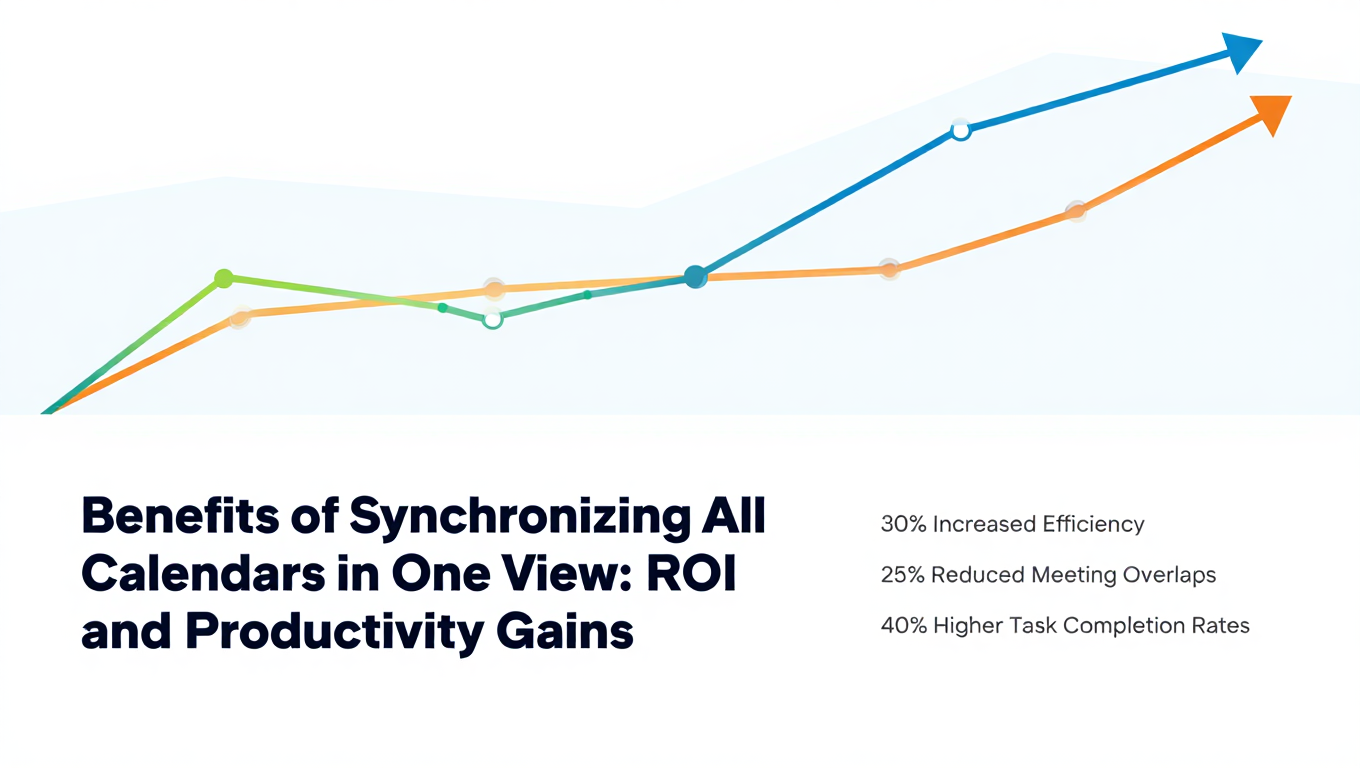
Benefits of Synchronizing All Calendars in One View: ROI and Productivity Gains
Discover the benefits of synchronizing all calendars in one view. See ROI data, productivity gains, reduced double bookings, and real-world business impact in 2025.
Best Bidirectional Calendar Sync Tools: 2025 Comparison Guide
Compare the best bidirectional calendar sync tools in 2025. Discover which platforms offer true two-way synchronization and which only provide one-way sync.
Best Two Way Calendar Sync Software: 2025 Expert Rankings & Comparison
Compare the top two-way calendar sync software tools. We tested 12 platforms for bidirectional sync speed, reliability, and field coverage to find which actually work.