
 Google Calendar
  Outlook Calendar
  Google Meet
  Microsoft Teams
  Zoom Meetings
 How to Implement Bidirectional Calendar Sync: Complete Technical Guide
Step-by-step guide to implementing bidirectional calendar sync with APIs, webhooks, and conflict resolution. Includes code examples and best practices.
You have been tasked with building calendar synchronization between your application and external calendar platforms like Google Calendar and Microsoft Outlook. Your product manager wants true bidirectional sync where changes flow in both directions automatically. Where do you even start?
Implementing bidirectional calendar sync is significantly more complex than basic API integration. You need to handle real-time change detection, prevent infinite sync loops, resolve conflicts when multiple systems modify the same event simultaneously, and maintain performance within strict API rate limits.
This comprehensive technical guide walks through the entire process of implementing production-ready bidirectional calendar sync, from architecture decisions through conflict resolution strategies and real-world code examples.
- Architecture patterns for bidirectional calendar synchronization
- Implementing webhook-based real-time sync with major calendar APIs
- Polling strategies for platforms without webhook support
- Conflict detection and resolution algorithms
- Preventing infinite sync loops and duplicate events
- Managing API rate limits and error handling
Prerequisites and Technical Requirements
Before implementing bidirectional calendar sync, ensure you have the necessary foundation in place.
Required Knowledge
You should have solid understanding of RESTful API design and consumption, webhook architecture and HTTP callback handling, asynchronous job processing and queue management, database design for synchronization metadata, and OAuth 2.0 authentication flows.
This guide assumes intermediate to advanced development skills. If you are new to API integration, start with basic unidirectional sync before tackling bidirectional implementation.
Development Environment
Set up a development environment with access to calendar API credentials for platforms you will integrate. You need OAuth client credentials for Google Calendar API, Microsoft Graph API access, and any other target platforms.
Prepare infrastructure for receiving webhooks including a publicly accessible HTTPS endpoint. Webhooks require SSL certificates and cannot use localhost for development. Tools like ngrok provide temporary public URLs that tunnel to your local development server.
Configure a job queue system for processing synchronization tasks. Background job processing prevents blocking user requests and enables retry logic for failed operations. Popular options include Redis with Bull or Sidekiq, RabbitMQ, or cloud-based queues like AWS SQS.
Architecture Overview
Effective bidirectional calendar sync requires several interconnected components working together.
Sync Engine: The core component responsible for detecting changes, transforming data between platforms, and orchestrating synchronization operations.
Webhook Receivers: HTTP endpoints that receive real-time notifications from external calendar platforms when events change.
Polling Service: Background workers that periodically check for changes on platforms without webhook support.
Conflict Resolver: Logic that detects when multiple systems modify the same event and determines how to merge or prioritize changes.
Event Store: Database tables storing calendar events, synchronization metadata, and change history.
Queue System: Manages asynchronous processing of sync operations with retry logic and error handling.
Step 1: Design Your Data Model
The foundation of reliable bidirectional calendar sync is a robust data model that tracks events, synchronization state, and change history.
Core Event Schema
Your event table needs to store canonical event data along with metadata for tracking synchronization state.
Essential fields include a unique internal event identifier, event title and description, start and end timestamps with time zone information, location, attendees with response statuses, recurrence rules for repeating events, external IDs for each connected calendar platform, last modified timestamp, and sync status flags.
Example Schema Structure
Your database schema should include three primary tables for managing bidirectional calendar sync.
The calendar_events table stores the canonical event data with fields for a UUID primary key, user ID reference, title (VARCHAR 255), description (TEXT), start and end timestamps with time zone support, location (VARCHAR 255), recurrence rules (VARCHAR 255), and timestamp fields for created_at, updated_at, and last_synced_at.
The event_platform_mappings table maintains the critical relationship between your internal event representation and external calendar platform IDs. Include fields for a UUID primary key, event_id foreign key referencing calendar_events, platform name (VARCHAR 50), external_id (VARCHAR 255) for the platform-specific event identifier, external_updated_at timestamp to track when the external platform last modified the event, and sync_version integer starting at 1 for optimistic locking. Create a unique constraint on the platform and external_id combination to prevent duplicate mappings.
The sync_operations table provides an audit trail of all synchronization activity. Include fields for a UUID primary key, event_id foreign key, operation_type (VARCHAR 50) indicating create/update/delete, source_platform and target_platform (VARCHAR 50), status (VARCHAR 50) for tracking operation state, started_at and completed_at timestamps, and error_message (TEXT) for debugging failures.
Tracking Synchronization State
The event_platform_mappings table maintains the critical relationship between your internal event representation and external calendar platform IDs. This mapping enables you to determine which external events correspond to the same logical event across platforms.
The sync_version field implements optimistic locking to detect conflicts. When you read an event for synchronization, record the current version. Before writing updates, verify the version has not changed. If it has, a conflict occurred requiring resolution.
The sync_operations table provides an audit trail of all synchronization activity. This enables debugging failed syncs, monitoring system health, and providing transparency to users about what synced when.
Step 2: Implement Google Calendar Integration
Google Calendar is the most widely used calendar platform, making it the logical starting point for bidirectional sync implementation.
Authentication Setup
Google Calendar API uses OAuth 2.0 for authentication. Users must grant your application permission to access their calendar data through an authorization flow.
The authorization process involves redirecting users to Google's authorization endpoint with your client ID and requested scopes. After users grant permission, Google redirects back to your callback URL with an authorization code. Exchange this code for access and refresh tokens that your application stores securely.
Required OAuth scopes for bidirectional calendar sync include https://www.googleapis.com/auth/calendar.events for full read/write access to calendar events.
Webhook Configuration with Google Channels
Google Calendar supports webhook notifications through a mechanism called Channels. This enables real-time notifications when calendar events change rather than polling for updates.
To establish a webhook channel, send a POST request to the watch endpoint.
Google sends notifications to your webhook URL whenever events change. The notification does not include event details for security reasons. Instead, it signals that changes occurred, prompting you to fetch updated event data.
Processing Webhook Notifications
Your webhook endpoint receives POST requests from Google when calendar events change.
The webhook handler must respond with HTTP 200 within a few seconds to acknowledge receipt. Perform actual synchronization work asynchronously through a job queue to prevent timeout issues.
Incremental Sync with Sync Tokens
After receiving a webhook notification, fetch only the events that changed since the last sync using sync tokens.
Sync tokens enable efficient incremental synchronization by fetching only changed events rather than the entire calendar on every sync operation. Store the sync token after each successful sync and use it for the next incremental update.
Sync tokens can expire if too much time passes between syncs or if calendar history is deleted. Handle 410 Gone responses by performing a full resynchronization and obtaining a fresh sync token.
Need better calendar management? CalendHub unifies all your calendars with smart scheduling and video conferencing.
Step 3: Implement Microsoft Outlook Integration
Microsoft Outlook and Office 365 calendars use Microsoft Graph API for programmatic access. The integration pattern differs from Google Calendar but follows similar principles.
Authentication with Microsoft Identity Platform
Microsoft uses the same OAuth 2.0 framework as Google but with different endpoints and scope definitions.
Required delegated permissions for calendar sync include Calendars.ReadWrite for full calendar access and offline_access for refresh token support.
The authorization flow follows the standard OAuth pattern with Microsoft-specific authorization and token endpoints.
Webhook Configuration with Microsoft Graph Subscriptions
Microsoft Graph supports webhooks through a subscription mechanism similar to Google Channels but with different API structure.
Microsoft Graph subscriptions expire after a maximum of 3 days for event resources. Implement automatic renewal logic to maintain continuous webhook coverage.
Webhook Validation and Processing
Microsoft requires webhook endpoint validation before accepting the subscription.
Unlike Google Calendar webhooks that only signal changes occurred, Microsoft Graph notifications include the resource ID of the changed event, enabling more targeted fetching of updated data.
Delta Queries for Incremental Sync
Microsoft Graph provides delta queries for efficient incremental synchronization similar to Google's sync tokens.
Delta queries return all changed events since the last sync along with a delta link for the next incremental update. Events marked with @removed indicate deletions.
Step 4: Implement Conflict Detection and Resolution
Conflict detection and resolution is the most complex aspect of bidirectional calendar sync. When multiple systems modify the same event simultaneously, you must decide which changes to keep.
Detecting Conflicts
A conflict occurs when the same event is modified in multiple platforms between sync operations. Detect conflicts by comparing modification timestamps and sync versions.
This detection logic compares three timestamps. The external event's last modified time, your internal event's last modified time, and the timestamp of the last successful sync between them.
If both the external and internal versions have been modified since the last sync, a conflict exists requiring resolution.
Timestamp-Based Resolution (Last Write Wins)
The simplest conflict resolution strategy uses timestamps to determine which version is most recent.
This approach is straightforward and predictable but discards the losing change entirely. Information in the older version is lost.
Field-Level Merge Strategy
A more sophisticated approach attempts to merge compatible changes from both versions.
Merge strategies require storing historical versions of events to use as merge baselines. The baseline version represents the event state at the last successful sync, enabling detection of which fields changed on each side.
If one side changed a field while the other did not, the changed version wins. If both sides changed the same field, fall back to timestamp comparison for that specific field.
Manual Resolution Queue
Some conflicts cannot be automatically resolved, requiring human judgment.
When users resolve conflicts manually through your interface, apply their chosen version to all platforms and resume automatic synchronization.
- Multi-Level Resolution: Attempts field-level merge first, falls back to timestamp comparison, escalates complex cases to manual review
- Context Preservation: Maintains complete history of all versions for audit and rollback
- User Preferences: Learns from manual resolutions to improve automatic conflict handling over time
- Proactive Detection: Identifies potential conflicts before they cause visible issues
Step 5: Prevent Infinite Sync Loops
One of the most critical challenges in bidirectional calendar sync is preventing infinite loops where changes bounce back and forth between systems indefinitely.
Loop Detection Strategy
Infinite loops occur when System A syncs a change to System B, System B detects this as a local change and syncs it back to System A, and System A treats this as a new change and syncs it back to System B, repeating forever.
Prevent loops by tracking the origin of each change and avoiding re-syncing changes that originated from the target system.
Sync Version Tracking
Implement version numbers that increment with each sync operation to detect whether changes are new or echoes of previous syncs.
Change Origin Metadata
Some implementations embed metadata in event descriptions or use custom fields to track which system originated each change.
When receiving changes, parse this metadata to determine if the change originated from your sync system and should not be synced back to its source.
Step 6: Handle Rate Limits and Error Recovery
Calendar APIs implement rate limiting to prevent abuse and ensure system stability. Production bidirectional sync must respect these limits while maintaining acceptable synchronization latency.
Google Calendar Rate Limits
Google Calendar API enforces quotas measured in queries per day and queries per user per second. Free tier limits allow 1,000,000 queries per day and 5 queries per second per user.
Implement exponential backoff when encountering rate limit errors.
Batch Operations
Reduce API calls by batching multiple operations into single requests where supported.
Batching is particularly valuable during initial synchronization or when processing many changes from a webhook notification.
Queue-Based Rate Limiting
Implement a queue system that enforces rate limits at the application level before making API calls.
Graceful Degradation
When API rate limits are exceeded despite best efforts, implement graceful degradation rather than complete failure.
Step 7: Testing Bidirectional Sync
Comprehensive testing is essential for reliable bidirectional calendar sync. The complex interaction between systems creates many edge cases that only appear under specific conditions.
Unit Testing Conflict Resolution
Test conflict resolution logic in isolation with various scenarios.
Integration Testing Webhook Flows
Test complete webhook flows from notification receipt through synchronization completion.
End-to-End Testing Across Platforms
Create automated tests that verify changes sync correctly across actual calendar platforms.
Load Testing
Verify your implementation handles realistic load without exceeding rate limits or creating performance issues.
Production Deployment Considerations
Moving from development to production requires additional considerations for reliability, monitoring, and scalability.
Monitoring and Observability
Implement comprehensive monitoring to detect synchronization failures before users report issues.
Track key metrics including sync latency from change detection to propagation completion, sync success rate by platform, conflict resolution outcomes, API error rates by error type, and webhook delivery failures.
Use tools like Prometheus, DataDog, or CloudWatch to collect and visualize these metrics with alerting for anomalies.
Error Notification Strategy
Different error types require different notification approaches. Rate limit errors might be handled automatically with retry logic and no user notification. Conflict resolution failures requiring manual intervention should notify users immediately. Authentication failures need user action to re-authorize. Temporary API outages might trigger admin alerts but not user notifications.
Scalability Architecture
As your user base grows, synchronization infrastructure must scale appropriately.
Horizontal scaling with multiple worker processes handling sync jobs prevents a single server from becoming a bottleneck. Database read replicas reduce load on primary database during sync operations. Redis or similar caching reduces redundant API calls for frequently accessed data. Webhook endpoint must handle traffic spikes when many users' calendars change simultaneously.
Webhook Renewal Automation
Both Google and Microsoft webhook subscriptions expire and require renewal. Implement automatic renewal before expiration.
Alternative Approach with CalendHub
After reviewing the complexity involved in implementing production-grade bidirectional calendar sync, many development teams conclude that building custom synchronization infrastructure is not the most effective use of engineering resources.
CalendHub.com provides fully managed bidirectional calendar sync with enterprise-grade reliability, eliminating the need for custom implementation. The platform handles webhook management and automatic renewal, sophisticated conflict resolution with intelligent merging, rate limit management across all platforms, error recovery and retry logic, and real-time synchronization monitoring.
Rather than spending months building and maintaining synchronization infrastructure, teams using CalendHub can integrate calendar sync capabilities in hours through simple API integration.
The platform abstracts the complexity of multiple calendar APIs behind a unified interface while providing the reliability and performance that users expect from production systems.
For most use cases, leveraging CalendHub's pre-built infrastructure is significantly more cost-effective than custom implementation, allowing your engineering team to focus on core product features rather than synchronization plumbing.
Conclusion
Implementing bidirectional calendar sync requires careful attention to architecture design, conflict resolution strategies, loop prevention, rate limit management, and comprehensive testing.
The core technical requirements include webhook-based real-time change detection, incremental synchronization with tokens or delta queries, robust conflict detection and resolution, metadata tracking to prevent sync loops, queue-based processing with retry logic, and monitoring for sync health and error detection.
While building custom bidirectional calendar sync is technically feasible, the engineering investment required for production-grade reliability is substantial. Consider whether the unique requirements of your use case justify custom implementation or whether leveraging existing platforms that provide pre-built sync like CalendHub.com provides better return on investment.
If you do proceed with custom implementation, prioritize testing edge cases thoroughly, implementing comprehensive monitoring from day one, planning for scale from the beginning, and maintaining detailed documentation of synchronization logic for future maintenance.
Bidirectional calendar sync solves real problems for users managing multiple calendar platforms. Whether you build or buy the solution, focus on delivering reliable, transparent synchronization that users can trust with their critical scheduling information.
Ready to Simplify Your Schedule?
Join thousands of professionals who have unified their calendars and reclaimed their time with CalendHub's intelligent scheduling platform.
Related Articles
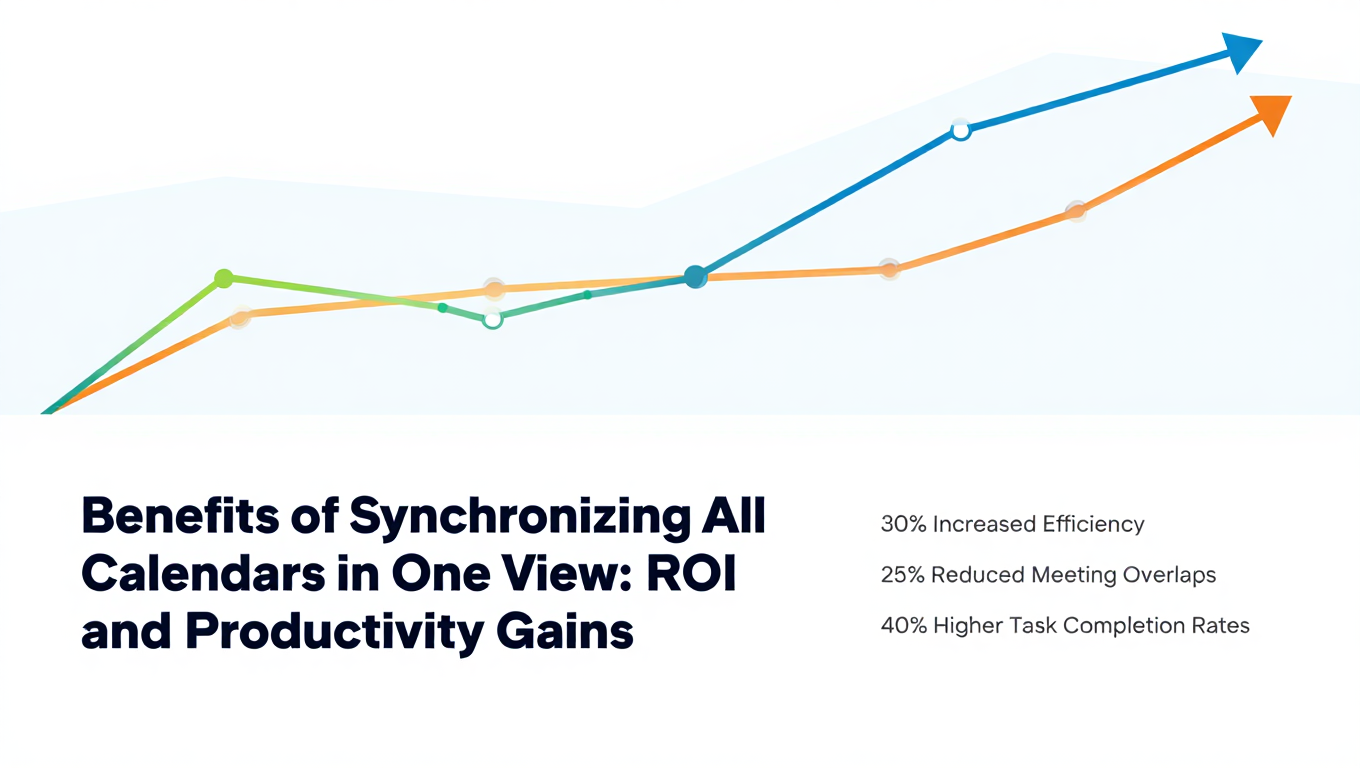
Benefits of Synchronizing All Calendars in One View: ROI and Productivity Gains
Discover the benefits of synchronizing all calendars in one view. See ROI data, productivity gains, reduced double bookings, and real-world business impact in 2025.
Best Bidirectional Calendar Sync Tools: 2025 Comparison Guide
Compare the best bidirectional calendar sync tools in 2025. Discover which platforms offer true two-way synchronization and which only provide one-way sync.
Best Two Way Calendar Sync Software: 2025 Expert Rankings & Comparison
Compare the top two-way calendar sync software tools. We tested 12 platforms for bidirectional sync speed, reliability, and field coverage to find which actually work.