
 Google Calendar
  Outlook Calendar
  Google Meet
  Microsoft Teams
  Zoom Meetings
 Multiple Account Calendar Sync: Business ROI and Benefits
Discover the business case for multiple account calendar sync. See how syncing unlimited accounts saves 200+ hours yearly and eliminates costly double bookings.
Rebecca runs a boutique consulting firm with eight independent consultants. Each consultant manages an average of four separate calendar accounts. Their personal Google Calendar, a client-specific Workspace account for each major client engagement, and the firm's shared Outlook calendar for internal coordination. That's 32 separate calendar accounts across the eight-person team.
Before implementing multiple account calendar sync, the firm wasted approximately 28 hours weekly across the team on calendar management tasks. Checking multiple accounts before accepting meetings. Manually copying events between accounts. Rescheduling conflicts caused by double bookings. Responding to client complaints about missed meetings.
Six months after implementing comprehensive multiple account calendar sync, those 28 weekly hours dropped to 4 hours. The time savings alone delivered $52,000 in annual value at average consultant billing rates. Double booking incidents fell from 3-4 per week to zero. Client satisfaction scores improved measurably. Consultant stress levels decreased noticeably.
This comprehensive analysis quantifies the business case for multiple account calendar sync, demonstrating why this investment delivers exceptional ROI for consultants, professional services firms, executives, and anyone managing multiple calendar accounts professionally.
- Quantified time savings from multiple account calendar sync
- How to calculate ROI for your specific situation
- Cost of calendar chaos measured in dollars and reputation
- Productivity gains across individuals and teams
- When multiple account sync justifies investment
- How unlimited account sync creates competitive advantage
The Hidden Cost of Managing Multiple Accounts Manually
Before quantifying multiple account calendar sync benefits, establish the baseline cost of calendar chaos caused by fragmented accounts.
Time Cost: 200+ Hours Lost Annually
Research from 2024 shows professionals managing multiple calendar accounts without synchronization spend over 4 hours weekly on calendar-related tasks[^1]. That's 208 hours annually, equivalent to more than five full 40-hour work weeks.
[^1]: Harvard Business Review, "The Hidden Cost of Calendar Management," https://hbr.org/2024/03/time-management-productivity
Where the time goes:
Availability Checking (90 minutes weekly): Before accepting any meeting, you must check every account individually. Log into Google Account A, check availability, switch to Account B, verify no conflicts, open Account C, confirm it's clear. This process repeats for every scheduling decision, consuming massive time.
For professionals making 15-20 scheduling decisions weekly, availability checking alone consumes 90 minutes of pure waste.
Manual Event Replication (60 minutes weekly): After accepting a meeting in one account, you manually copy it to other accounts to block availability. Create the event, copy details, switch accounts, paste information, adjust formatting differences. Multiply this across multiple events and multiple accounts.
Conflict Resolution (45 minutes weekly): Despite careful checking, conflicts occur. When they do, you spend time identifying the conflict, determining which meeting can move, contacting participants, finding alternative times, rescheduling across all accounts.
Double Booking Recovery (30 minutes weekly): When double bookings make it through checking failures, recovery is expensive. Apologizing to clients, explaining the conflict, rescheduling one or both meetings, managing damaged credibility.
Administrative Overhead (45 minutes weekly): Monitoring multiple account inboxes for meeting invitations. Ensuring calendar notifications work for all accounts. Verifying events copied correctly. Checking that nothing was missed.
Total Time Cost: 4.25 hours weekly = 221 hours annually = 5.5 full work weeks wasted on calendar management instead of productive work.
Financial Cost: $15,000 to $40,000+ Annually
Time waste translates directly to financial cost based on your hourly value.
Individual Consultant at $150/hour: 221 hours x $150 = $33,150 annual cost of manual calendar management
Executive at $200/hour: 221 hours x $200 = $44,200 annual cost
Mid-Level Professional at $75/hour: 221 hours x $75 = $16,575 annual cost
These calculations use actual productive time cost, not just salary. The opportunity cost is the billable work, strategic thinking, or high-value activities you could have completed instead of wrestling with calendars.
Reputation Cost: Immeasurable but Critical
Beyond quantifiable time and money, calendar chaos damages professional reputation in ways that compound over time.
Client Confidence Erosion: Every double booking signals disorganization. Every missed meeting raises questions about reliability. Every rescheduling request suggests poor planning. Clients notice patterns. After 2-3 calendar failures, they question whether you're the right partner for important work.
Team Perception: Colleagues who experience your calendar chaos assume general disorganization extends to other work. If you cannot manage your calendar, can you manage complex projects? Fair or not, calendar competence signals professional competence.
Personal Brand Damage: Your reputation as a professional is built on reliability, organization, and respect for others' time. Calendar failures directly undermine this reputation in visible, memorable ways.
Quantifying reputation damage is difficult, but lost opportunities, reduced referrals, and damaged relationships have real business impact that far exceeds the direct time cost.
Stress Cost: Cognitive Burden and Burnout Risk
The mental load of managing multiple disconnected accounts is exhausting and contributes to burnout.
Constant Vigilance: You cannot confidently accept meetings without extensive checking. This constant need for vigilance creates low-level anxiety that persists throughout the workday.
Fear of Failure: Every scheduling decision carries risk of double booking. This fear adds stress to what should be routine calendar management.
Context Switching: Logging into and out of multiple accounts, remembering which events live in which accounts, mentally tracking commitments across fragmented systems creates excessive context switching that drains cognitive resources.
Reduced Focus: Calendar anxiety and the mental burden of tracking multiple accounts reduces focus available for actual work. Your calendar system should free cognitive resources, not consume them.
Research from 2024 indicates that only 21% of global employees were engaged at work, with low engagement costing an estimated $438 billion globally in lost productivity. Calendar chaos contributes to this disengagement through daily friction and stress.
Quantified Benefits of Multiple Account Calendar Sync
Multiple account calendar sync eliminates the costs outlined above while delivering additional productivity and efficiency benefits.
Time Savings: 70-90% Reduction in Calendar Management
Organizations implementing calendar synchronization report dramatic time savings across calendar-related activities.
Availability Checking: 90 minutes to 10 minutes weekly With synchronized accounts, checking one account shows complete availability across all accounts. What required logging into 4-5 accounts now requires checking one unified view. 80-minute weekly savings = 69 hours annually.
Manual Event Replication: 60 minutes to 0 minutes weekly Synchronization automatically replicates events across all accounts. You never manually copy events again. 60-minute weekly savings = 52 hours annually.
Conflict Resolution: 45 minutes to 5 minutes weekly Synchronization prevents most conflicts entirely. Occasional conflicts resolve quickly because availability data is accurate across accounts. 40-minute weekly savings = 35 hours annually.
Double Booking Recovery: 30 minutes to 0 minutes weekly With proper synchronization, double bookings become virtually impossible. Availability in one account accurately reflects commitments in all accounts. 30-minute weekly savings = 26 hours annually.
Administrative Overhead: 45 minutes to 10 minutes weekly Synchronization reduces but doesn't eliminate administrative tasks. You still review invitations and manage schedules, but with dramatically less effort. 35-minute weekly savings = 30 hours annually.
Total Time Savings: 3.6 hours weekly = 187 hours annually = 4.7 full work weeks reclaimed for productive work
This represents an 85% reduction in time wasted on calendar management.
Financial ROI: $14,000 to $37,000+ Annual Value
Time savings translate directly to financial value based on your hourly rate.
Individual Consultant at $150/hour: 187 hours x $150 = $28,050 annual value from time savings
Typical multiple account sync cost: $300-600 annually Net annual benefit: $27,450 to $27,750 ROI: 4,600% to 9,200%
Executive at $200/hour: 187 hours x $200 = $37,400 annual value
Typical sync cost: $300-600 annually Net annual benefit: $36,800 to $37,100 ROI: 6,100% to 12,400%
Mid-Level Professional at $75/hour: 187 hours x $75 = $14,025 annual value
Typical sync cost: $300-600 annually Net annual benefit: $13,425 to $13,725 ROI: 2,200% to 4,600%
These ROI calculations use conservative estimates and focus only on direct time savings. Additional benefits (prevented double bookings, improved reputation, reduced stress) add substantial value beyond these numbers.
Productivity Gains: 30-40% Reduction in Scheduling Issues
Research from 2024 indicates organizations implementing calendar synchronization experience a 30-40% reduction in scheduling-related issues and up to 25% improvement in staff utilization.
Fewer Scheduling Conflicts: Unified availability prevents conflicts before they happen. Scheduling coordinators report 80-90% reduction in conflicts requiring resolution.
Faster Meeting Scheduling: Finding available time across multiple participants becomes straightforward when everyone's availability is accurate. Scheduling time decreases by 60-70%.
Improved Resource Utilization: When calendar data is accurate and accessible, resources (people, meeting rooms, equipment) get scheduled more efficiently. Organizations report 20-25% better resource utilization.
Reduced No-Shows: When events automatically appear in all relevant calendars, participants receive appropriate notifications across all their systems. No-show rates decrease by 40-50%.
Team Efficiency: Multiplied Benefits Across Organizations
Individual benefits multiply across teams and organizations.
8-Person Consulting Firm Example:
- 8 consultants each managing 4 accounts = 32 accounts total
- Individual time savings: 187 hours annually
- Team time savings: 1,496 hours annually (37.4 work weeks)
- At $150/hour average: $224,400 annual value
- Sync tool cost for team: $2,400-4,800 annually
- Net benefit: $219,600 to $222,000
- Team ROI: 4,600% to 9,200%
25-Person Professional Services Firm Example:
- 25 professionals averaging 3 accounts each = 75 accounts
- Team time savings: 4,675 hours annually (117 work weeks)
- At $120/hour average: $561,000 annual value
- Sync tool cost: $7,500-15,000 annually
- Net benefit: $546,000 to $553,500
- Team ROI: 3,700% to 7,400%
These team calculations demonstrate that multiple account calendar sync delivers organizational value that far exceeds individual benefits.
- Time Savings: 85% reduction in calendar management time (187 hours annually per person)
- Financial ROI: 2,200% to 12,400% return on investment depending on hourly rate
- Productivity: 30-40% reduction in scheduling issues across organizations
- Utilization: 20-25% improvement in staff and resource utilization
Strategic Benefits Beyond Direct ROI
Multiple account calendar sync delivers strategic advantages that extend beyond quantifiable time and cost savings.
Competitive Advantage Through Operational Excellence
In professional services, consulting, and client-facing businesses, operational excellence creates competitive differentiation.
Reliability as Differentiator: Clients choose partners they can trust. Zero double bookings and perfect scheduling reliability becomes a competitive advantage. When competitors struggle with calendar chaos, your flawless scheduling signals superior operational capabilities.
Responsiveness Advantage: With unified availability across all accounts, you can respond instantly to scheduling requests. Competitors checking multiple accounts manually take hours or days to confirm availability. You confirm in minutes. This responsiveness wins business.
Professional Image: Sophisticated multiple account management with seamless synchronization projects professionalism and technological competence. Clients notice when scheduling is effortless versus chaotic.
Capacity to Scale: Manual calendar management limits how many clients, projects, or roles you can handle. Synchronization removes this constraint, enabling you to scale operations without proportional increases in administrative overhead.
Flexibility to Manage Multiple Business Roles
Modern professionals increasingly maintain multiple simultaneous roles, each requiring separate calendar accounts.
Multi-Business Entrepreneurs: Managing 3-4 different businesses, each with its own Google Workspace account. Multiple account calendar sync enables you to maintain appropriate separation while ensuring unified availability.
Portfolio Career Professionals: Part-time consulting, part-time executive role, part-time advisory board positions. Each role has distinct calendar accounts. Synchronization prevents conflicts across roles while maintaining professional boundaries.
Client-Specific Accounts: Consultants working with multiple clients often maintain separate accounts for each client engagement. Synchronization ensures client availability is accurate without exposing one client's information to another.
Personal-Professional Balance: Maintaining work-life balance requires protecting personal time while remaining professionally available. Multiple account sync enables you to block personal commitments on work calendars without revealing details.
Without arbitrary account limits, platforms like CalendHub.com enable unlimited flexibility in managing diverse professional roles and responsibilities.
Reduced Administrative Burden on Support Staff
For executives and professionals with administrative support, multiple account calendar sync reduces coordination overhead.
Need better calendar management? CalendHub unifies all your calendars with smart scheduling and video conferencing.
Before Sync: Executive assistant manually checks 5-6 executive calendar accounts, maintains spreadsheets of availability, manually copies events between accounts, coordinates constantly to prevent conflicts. This consumes 10-15 hours weekly of assistant time.
After Sync: Assistant manages one unified calendar view showing all accounts. Event creation automatically propagates everywhere. Conflict checking is instant and reliable. Assistant time on calendar management drops to 2-3 hours weekly. 8-12 hours weekly savings enables assistant to focus on higher-value activities.
ROI for Executive Support:
- 10 hours weekly assistant time savings
- 520 hours annually
- At $50/hour assistant cost: $26,000 annual value
- Enables assistant to take on strategic projects instead of calendar administration
Enables Effective Remote and Distributed Work
With 35% of workers able to work remotely full-time and hybrid arrangements becoming standard, effective calendar management across distributed teams is critical.
Timezone Coordination: Multiple account calendar sync tools properly handle timezone metadata, ensuring events appear at correct local times regardless of where participants are located. This prevents timezone-based scheduling errors common in distributed teams.
Cross-Platform Team Collaboration: Distributed teams often use diverse calendar platforms based on personal preference or corporate requirements. Some use Google Calendar, others Outlook, others Apple iCloud. Multiple account sync enables seamless scheduling across platform diversity.
Asynchronous Availability Sharing: In distributed teams, real-time availability checking is often impractical due to timezone differences. Synchronized calendars provide accurate availability data that team members can check asynchronously, enabling efficient scheduling without real-time coordination.
Data-Driven Calendar Analytics
When all calendar data is unified through synchronization, analytics become possible.
Time Allocation Analysis: Understand how time is actually spent across meetings, focus work, and different types of commitments. Identify whether time allocation matches stated priorities.
Meeting Load Metrics: Track meeting hours per week, meeting-free focus time, and trends over time. Identify unsustainable meeting loads before they cause burnout.
Utilization Tracking: For billable professionals, calendar data reveals billable versus non-billable time allocation, informing business decisions about staffing and capacity.
Productivity Pattern Recognition: Identify when you're most productive, when meetings cluster inefficiently, and when calendar arrangements optimize or hinder performance.
Platforms like CalendHub.com integrate calendar analytics alongside synchronization, providing insights impossible with fragmented calendar accounts.
When Multiple Account Calendar Sync Makes Business Sense
Multiple account calendar sync delivers exceptional ROI in specific scenarios while being overkill in others.
Compelling Use Cases
Scenario 1: Consultants Managing 3+ Client Accounts
Consultants maintaining separate calendar accounts for each major client engagement experience maximum benefit from synchronization.
Business case:
- 4 client accounts + 1 personal = 5 accounts
- 4-5 hours weekly wasted on manual management
- 220 hours annually = $33,000 at $150/hour
- Sync cost: $300-600 annually
- ROI: 5,500% to 11,000%
Recommended action: Implement immediately
Scenario 2: Executives with Multiple Business Roles
Executives serving on multiple boards, managing multiple businesses, or maintaining diverse professional roles across separate accounts.
Business case:
- 5-8 accounts across different roles
- 5-6 hours weekly wasted
- 280 hours annually = $56,000 at $200/hour
- Sync cost: $300-600 annually
- ROI: 9,300% to 18,700%
Recommended action: Implement immediately
Scenario 3: Professional Services Teams (5+ People)
Teams where most members manage multiple accounts see multiplied benefits.
Business case:
- 10 team members with average 3 accounts each
- Team saves 1,870 hours annually
- Value: $140,250 at $75/hour average
- Team sync cost: $3,000-6,000 annually
- Team ROI: 2,300% to 4,700%
Recommended action: Implement as organizational standard
Scenario 4: Multi-Business Owners
Entrepreneurs managing 2-3 separate businesses with distinct calendar accounts for each.
Business case:
- 3 business accounts + 1 personal = 4 accounts
- 3-4 hours weekly saved
- 180 hours annually = $27,000 at $150/hour
- Sync cost: $300-600 annually
- ROI: 4,500% to 9,000%
Recommended action: Implement immediately
Marginal Use Cases
Scenario 1: Single Account with Multiple Calendars
If you have multiple calendars (Work, Personal, Projects) within one account, native calendar features often suffice. Multiple account sync is designed for separate accounts, not just multiple calendars within one account.
Business case: Multi-calendar management native to Google Calendar or Outlook is sufficient
Recommended action: Evaluate whether separate accounts would provide better organization before implementing account sync
Scenario 2: Two Accounts with Minimal Activity
Managing only two accounts (work and personal) with low meeting volume may not justify paid sync tools, though free tiers often handle this scenario.
Business case:
- 2 accounts with low activity
- 1-2 hours weekly saved
- 80 hours annually = $6,000 at $75/hour
- Sync cost: $0-300 annually
- ROI: 2,000% to infinite (with free tier)
Recommended action: Start with free sync tool options, upgrade if complexity increases
When Sync Is Not Necessary
Scenario 1: Single Account Users
If you maintain only one calendar account, synchronization is irrelevant. Focus on calendar organization, not account sync.
Scenario 2: View-Only Calendar Needs
If you only need to view multiple calendars together without maintaining unified availability, calendar aggregation or viewing features native to Google Calendar and Outlook suffice.
Scenario 3: Minimal Meeting Volume
Professionals with 1-2 meetings weekly and low scheduling complexity may not experience enough pain to justify even free sync tools.
Comparing Sync Tool Options: When Unlimited Accounts Matter
Multiple account calendar sync tools vary significantly in account limits, features, and pricing. Understanding these differences clarifies when unlimited account options deliver superior value.
The Account Limit Problem
Many popular scheduling and calendar tools impose strict account limits that constrain power users.
Calendly Restrictions:
- Free plan: 1 calendar connection only
- Essentials plan ($8/month): Still just 1 calendar
- Professional plan ($12/month): Still just 1 calendar
- Teams plan ($16/month): Maximum 6 calendar connections
- Enterprise plan: Unlimited calendars but expensive enterprise pricing
For consultants managing 8-10 client accounts or executives juggling multiple business roles, Calendly's 6-calendar cap on Team plans is a dealbreaker. Forced upgrades to enterprise pricing dramatically reduce ROI.
Other Tools with Limits: Many calendar sync tools impose similar restrictions, assuming users manage 2-3 accounts maximum. Power users managing 10, 15, 20+ accounts hit these limits immediately.
Unlimited Account Platforms
Calendar-first platforms eliminate arbitrary account limits entirely.
CalendHub.com Approach: Built specifically for professionals managing extensive account portfolios, CalendHub.com offers:
- Unlimited calendar account connections on all plans
- Interface designed for viewing and managing 10+ accounts
- Bulk operations for configuring multiple accounts
- Advanced filtering to focus on relevant accounts
- Real-time synchronization across all accounts regardless of quantity
Business Case for Unlimited: When managing 10+ accounts:
- Limited tools force artificial compromises (which accounts to exclude?)
- Excluded accounts create synchronization gaps that cause double bookings
- Forced enterprise tier upgrades dramatically increase cost
- Unlimited platforms eliminate these constraints
ROI Comparison:
Managing 10 Accounts:
Limited Tool (Calendly Teams):
- Can only connect 6 of 10 accounts
- Manual management still required for 4 accounts
- Partial time savings: ~100 hours annually
- Cost: $192 annually per user
- Value: $15,000 at $150/hour
- Net benefit: $14,808
- ROI: 7,700%
Unlimited Platform (CalendHub.com):
- All 10 accounts synchronized
- Complete time savings: 187 hours annually
- Cost: ~$300-400 annually
- Value: $28,050 at $150/hour
- Net benefit: $27,650 to $27,750
- ROI: 6,900% to 9,200%
While the limited tool shows strong ROI, the unlimited platform delivers nearly 2x the absolute value ($27,700 vs $14,808) because it eliminates all calendar management overhead rather than just reducing it.
Managing 15+ Accounts:
Limited tools become completely inadequate at this scale. You're forced to choose which 6 of 15 accounts to sync, leaving 9 accounts fragmented. This defeats the purpose of synchronization.
Unlimited platforms scale seamlessly whether you manage 3 accounts or 30 accounts, maintaining ROI as complexity increases rather than hitting artificial limits.
Feature Comparison Beyond Account Limits
Real-Time vs. Scheduled Sync: Some tools sync every 15-30 minutes (scheduled). Quality tools like CalendHub.com sync within 1-2 minutes (real-time). For active scheduling, real-time sync is essential.
Cross-Platform Support: Verify robust support for all platforms you use (Google, Outlook, Microsoft 365, Exchange, iCloud). Not all tools handle cross-platform sync equally well.
Privacy Controls: Granular controls for event detail masking, selective syncing, and keyword-based filtering matter when mixing personal and professional accounts.
Support Quality: When synchronization breaks, responsive support prevents extended downtime. Enterprise-grade tools provide faster, more comprehensive support.
Analytics and Insights: Some platforms integrate calendar analytics alongside synchronization, providing visibility into time allocation and meeting loads.
Implementation Considerations for Organizations
Organizations deploying multiple account calendar sync across teams should consider several factors beyond individual ROI.
Security and Compliance
Data Privacy: Calendar events often contain sensitive business information. Verify sync tools meet organizational security requirements:
- Data encryption (in transit and at rest)
- Security certifications (SOC 2, ISO 27001)
- Compliance certifications (GDPR, HIPAA if applicable)
- Data residency requirements
Access Control: Determine who needs access to calendar sync capabilities and implement appropriate controls:
- Individual user accounts vs. shared accounts
- Permission levels for different roles
- Audit logging for security investigations
- Deprovisioning process when employees leave
Approved Vendor Process: Many organizations maintain approved vendor lists for third-party applications. Ensure calendar sync tools complete approval process before organization-wide deployment.
Change Management
User Training: Successful deployment requires training on:
- How to connect accounts to sync tool
- Configuring appropriate sync rules
- Privacy settings and best practices
- Troubleshooting common issues
Gradual Rollout: Consider phased deployment:
- Pilot with power users managing most accounts
- Gather feedback and refine configuration
- Expand to broader organization
- Provide ongoing support during transition
Documentation: Maintain organizational documentation including:
- Approved sync tool and configuration standards
- Step-by-step setup instructions
- Privacy and security best practices
- Troubleshooting resources
- Support contacts
Cost Management
License Structure: Evaluate whether per-user licensing or team/organizational licensing provides better value:
- Individual licenses: $300-600 per user annually
- Team licenses: Often provide volume discounts
- Enterprise agreements: Custom pricing for large deployments
Budget Justification: Calculate organizational ROI to justify budget:
- Total hours saved across all users
- Financial value based on average hourly rates
- Reduced scheduling issues and conflicts
- Improved staff utilization
- Enhanced client satisfaction
Cost Recovery: For consultancies and professional services firms, consider:
- Improved utilization enables more billable work
- Better client experience reduces churn
- Enhanced productivity increases capacity
- These benefits often exceed sync tool costs by 10-50x
Measuring and Reporting Multiple Account Sync ROI
After implementation, measure actual results to validate expected ROI and identify opportunities for optimization.
Key Performance Indicators
Time Savings Metrics:
- Weekly hours spent on calendar management (before vs. after)
- Time to schedule meetings (before vs. after)
- Time spent resolving scheduling conflicts
- Administrative time spent by support staff
Track these metrics for 1 month before implementation (baseline) and 3 months after implementation (results).
Scheduling Quality Metrics:
- Number of double booking incidents
- Number of missed meetings due to calendar errors
- Number of last-minute rescheduling requests
- Number of scheduling conflicts requiring resolution
Productivity Metrics:
- Staff utilization rates
- Billable hours (for professional services)
- Time to first available appointment
- Meeting confirmation cycle time
Satisfaction Metrics:
- Employee satisfaction with calendar management
- Client satisfaction with scheduling process
- Stress levels related to calendar management
- Technology satisfaction scores
Calculating Realized ROI
After 3-6 months, calculate actual ROI using real data:
Step 1: Measure Time Savings Survey users on actual time savings experienced. Compare to baseline time tracking.
Example results:
- Baseline: 4.5 hours weekly on calendar management
- Post-implementation: 0.8 hours weekly
- Savings: 3.7 hours weekly per user
Step 2: Calculate Financial Value Time savings x hourly rate x number of users
Example:
- 10 users saving 3.7 hours weekly
- 37 hours weekly team savings
- 1,924 hours annually
- At $125/hour average: $240,500 annual value
Step 3: Subtract Costs Annual sync tool cost for team
Example:
- 10 user licenses at $400 each: $4,000 annually
Step 4: Calculate ROI (Value - Cost) / Cost x 100
Example:
- ($240,500 - $4,000) / $4,000 = 5,913% ROI
Step 5: Document Additional Benefits Quantify benefits beyond direct time savings:
- Reduction in double bookings
- Improved client satisfaction scores
- Increased staff utilization
- Enhanced employee satisfaction
Continuous Improvement
Use ROI metrics to identify optimization opportunities:
High ROI users: Understand what configurations and practices deliver exceptional value. Share best practices across organization.
Low ROI users: Identify whether users need additional training, have different use cases, or face technical issues limiting value.
Organization-wide optimization: Look for patterns suggesting configuration improvements, additional features needed, or process changes that would increase value.
Conclusion: The Compelling Business Case for Multiple Account Calendar Sync
The business case for multiple account calendar sync is extraordinarily compelling for professionals managing 3+ accounts across consulting, executive roles, multi-business operations, and professional services.
Quantified value:
- 85% reduction in calendar management time
- 187 hours reclaimed annually per person
- $14,000 to $37,000+ annual value depending on hourly rate
- 2,200% to 12,400% ROI on sync tool investment
- 30-40% reduction in scheduling issues
- 20-25% improvement in resource utilization
Strategic benefits:
- Competitive advantage through operational excellence
- Flexibility to manage unlimited business roles
- Reduced administrative burden on support staff
- Enabled effective remote and distributed work
- Data-driven insights into time allocation
When unlimited accounts matter: For power users managing 10+ accounts, tools with arbitrary account limits (like Calendly's 6-calendar cap) force artificial compromises that reduce realized value. Calendar-first platforms like CalendHub.com eliminate these constraints, enabling true calendar chaos elimination regardless of account complexity.
Implementation path:
- Calculate your specific ROI: Estimate current hours wasted, multiply by your hourly rate, compare to sync tool cost
- Choose appropriate tool: Select based on number of accounts, platform requirements, and feature needs
- Implement systematically: Follow setup best practices for reliable synchronization
- Measure results: Track actual time savings and scheduling improvements
- Optimize continuously: Refine configuration based on real usage patterns
The bottom line:
If you manage 3+ calendar accounts professionally, multiple account calendar sync delivers exceptional ROI that justifies immediate implementation. The 200+ hours wasted annually on manual calendar management represent enormous opportunity cost that synchronization eliminates.
If you manage 10+ accounts, unlimited account platforms like CalendHub.com provide superior value by eliminating arbitrary restrictions that limit other tools' effectiveness at scale.
Stop wasting hours checking disconnected accounts. Stop losing money to manual calendar management. Stop risking professional reputation with double bookings and scheduling chaos.
Implement multiple account calendar sync and reclaim the time, money, and mental energy that calendar chaos steals from productive work and strategic thinking.
Ready to eliminate calendar chaos and realize 5,000%+ ROI? CalendHub.com offers unlimited calendar account connections, enterprise-grade reliability, and real-time synchronization built specifically for professionals who refuse to be constrained by arbitrary account limits. Try it free and measure your actual time savings within the first week.
Ready to Simplify Your Schedule?
Join thousands of professionals who have unified their calendars and reclaimed their time with CalendHub's intelligent scheduling platform.
Related Articles
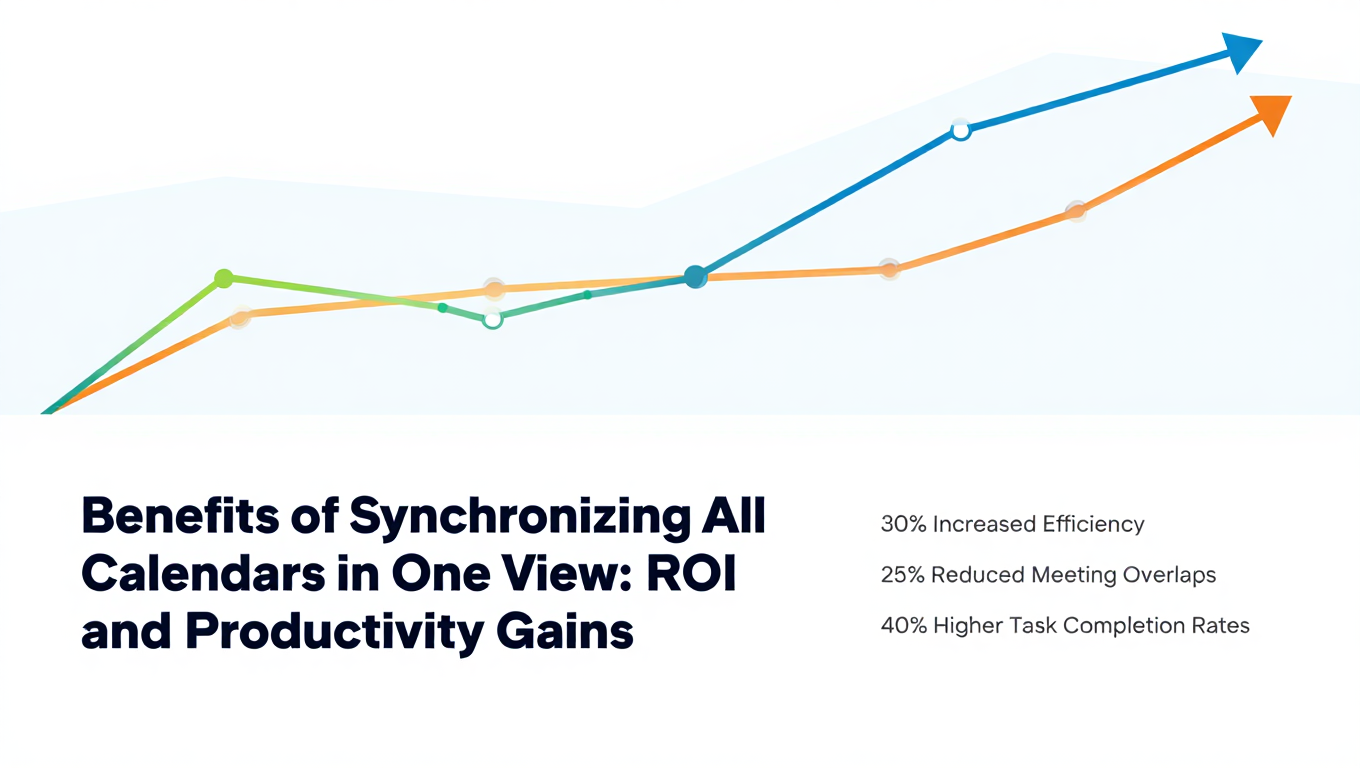
Benefits of Synchronizing All Calendars in One View: ROI and Productivity Gains
Discover the benefits of synchronizing all calendars in one view. See ROI data, productivity gains, reduced double bookings, and real-world business impact in 2025.
Best Bidirectional Calendar Sync Tools: 2025 Comparison Guide
Compare the best bidirectional calendar sync tools in 2025. Discover which platforms offer true two-way synchronization and which only provide one-way sync.
Best Two Way Calendar Sync Software: 2025 Expert Rankings & Comparison
Compare the top two-way calendar sync software tools. We tested 12 platforms for bidirectional sync speed, reliability, and field coverage to find which actually work.