
 Google Calendar
  Outlook Calendar
  Google Meet
  Microsoft Teams
  Zoom Meetings
 Too Many Calendars to Check? Stop the Chaos With This Solution
Stop wasting hours checking multiple calendars. Learn how to consolidate your schedule into one unified view and reclaim 4+ hours every week in 2025.
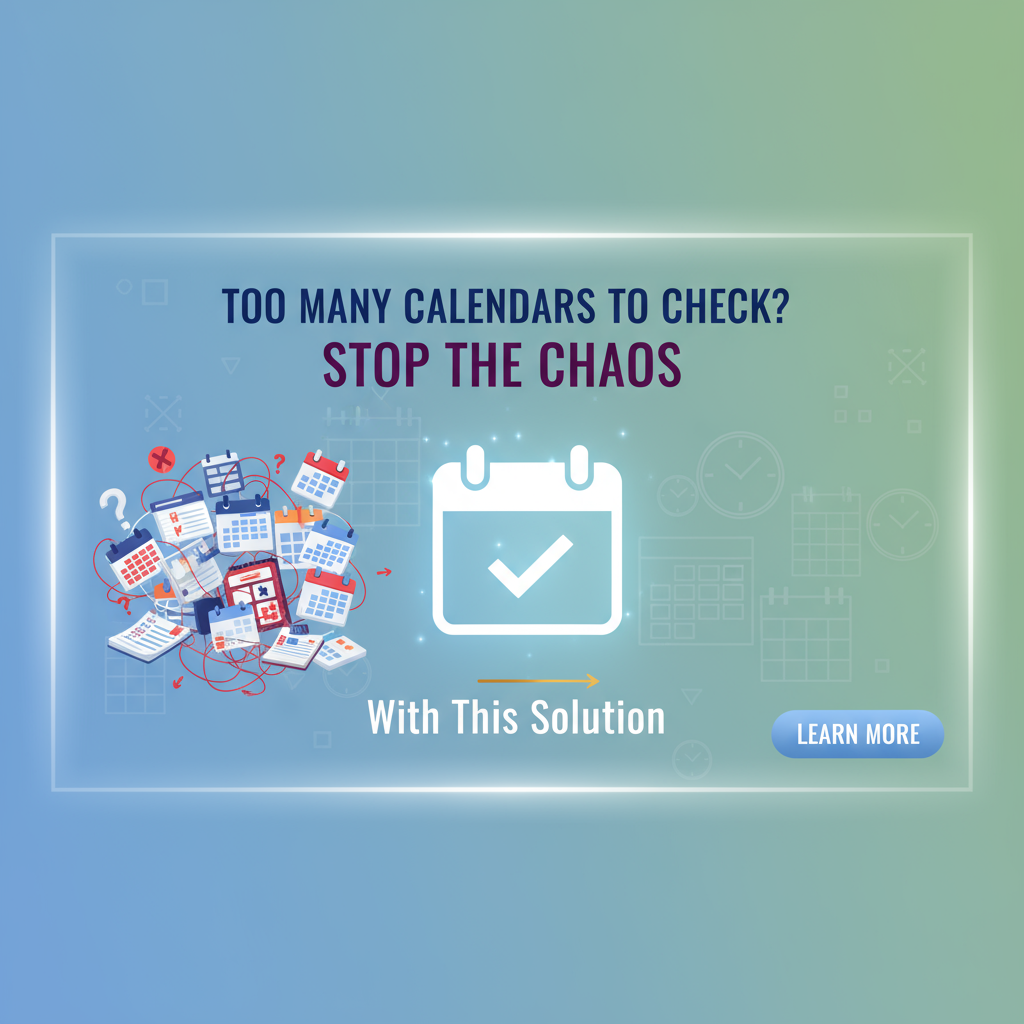
You open your work calendar. Then your personal Google Calendar. Then iCloud for family events. Then the shared team calendar. Then back to work because you might have missed something.
By the time you have checked all your calendars, 15 minutes have vanished. You do this ritual three to five times per day, every single day. The constant calendar hopping is exhausting, and you know you are wasting time.
If you have too many calendars to check, you are not alone. Research from RescueTime shows that workers toggle between applications roughly 1,200 times each day, wasting nearly four hours each week just reorienting themselves after switching apps. When you multiply that across everyone checking multiple calendars daily, the productivity drain becomes staggering. Learn about the time wasted checking calendars and how to recover it.
The solution is not better calendar discipline or more sophisticated checking routines. The answer is eliminating the need to check multiple calendars in the first place.
- Why checking multiple calendars wastes 4+ hours weekly
- The hidden costs of calendar context switching
- How unified calendar views eliminate checking entirely
- Step-by-step strategies to consolidate your calendars
- How to prevent double bookings across platforms
Why Checking Multiple Calendars Wastes So Much Time
The average person now manages calendars across multiple platforms. You might have a work Outlook calendar, a personal Google Calendar, an iCloud calendar for family coordination, and shared calendars for volunteer activities or side projects.
Every time you need to schedule something or check your availability, you face a decision tree. Which calendars do I need to check? Did I remember to look at all of them? Is that family event on the personal calendar or the shared one?
The Real Cost of Calendar Checking
Research from 2024 reveals alarming statistics about how much time we lose to calendar management. The average Google Calendar user maintains three separate calendars. When you factor in work calendars on different platforms, many professionals juggle five or more calendar sources daily.
Here is what that calendar checking habit actually costs you.
Time Per Check: Opening each calendar app, waiting for it to load, scanning for conflicts, and mentally tracking information takes approximately three minutes per calendar. If you check five calendars, that is 15 minutes per session.
Frequency: Most people check their calendars three to five times daily. Some professionals check even more frequently during busy scheduling periods.
Weekly Total: At three checks daily across five calendars, you spend 225 minutes per week just looking at calendars. That equals 3.75 hours of pure calendar checking time before you even schedule a single event.
But the waste goes deeper than just the minutes spent switching between apps.
Context Switching Destroys Productivity
Every time you switch from one calendar app to another, you experience what researchers call context switching. Studies show that context switching can consume up to 40% of productive time and reduces workplace efficiency significantly.
On average, people take nine and a half minutes to get back into a productive workflow after switching between digital apps. That means your quick calendar check does not just cost you the three minutes you spent looking. It costs you an additional ten minutes of disrupted focus as your brain reorients to whatever you were doing before.
A 2022 study published by Harvard Business Review found that the average digital worker toggles between applications and websites nearly 1,200 times per day. Each toggle creates friction. Each switch burns mental energy. Each interruption fragments your attention.
When you check five different calendar apps, you are not making five quick checks. You are creating five context switches that collectively derail your concentration and drain cognitive resources.
What Is a Unified Calendar and Why It Solves This Problem
A unified calendar is a single, consolidated view that combines events from multiple calendars like your Google, Outlook, and iCloud calendars into one always up-to-date interface. Instead of hopping between five different apps, you see your complete schedule at a glance.
Think of it as a master dashboard for your time. Every meeting, appointment, family event, and commitment appears in one place regardless of which platform originally hosted it.
How Unified Calendars Work
Unified calendar solutions connect to all your existing calendar accounts through secure integrations. They pull event data from each source and display everything together in a single view. When someone adds an event to any of your connected calendars, it appears automatically in your unified view.
The synchronization happens in real time. Unlike older calendar subscription methods that update every 24 to 48 hours, modern unified calendar platforms refresh frequently, ensuring you always see the most current version of your schedule.
Platforms like CalendHub.com offer instant calendar integration across all major providers without complex setup procedures. You connect your accounts once, and your unified view stays current automatically. See the best calendar aggregator tools compared.
The Immediate Benefits
Elimination of Calendar Hopping: You never open multiple calendar apps again. Everything lives in one interface.
Prevention of Double Bookings: When you see all commitments together, scheduling conflicts become impossible to miss. No more accidentally booking a work meeting during your daughter's recital because they lived on separate calendars.
Reduced Context Switching: Instead of five app switches per calendar check, you make zero switches. Your unified calendar becomes your single source of truth.
Mental Clarity: Your brain no longer needs to maintain a mental map of which events live where. The cognitive load drops dramatically.
Time Reclaimed: Those 3.75 hours per week spent checking calendars? You get them back for actual productive work or personal time.
- Time Savings: Reclaim 4+ hours weekly previously wasted on calendar checking
- Zero Double Bookings: See all commitments instantly across all platforms
- Reduced Stress: End the anxiety of wondering if you missed something
- Better Decisions: Make scheduling choices with complete information
- Team Coordination: Share unified views for seamless collaboration
Step-by-Step Guide to Stop Checking Multiple Calendars
Transitioning from calendar chaos to unified simplicity requires a systematic approach. Follow these steps to consolidate your calendars and eliminate the checking habit forever.
Step 1: Audit Your Current Calendar Situation
Before you can fix the problem, you need to understand its full scope.
Make a complete list of every calendar you currently maintain. Include work calendars, personal calendars, shared family calendars, project-specific calendars, subscription calendars for holidays or sports schedules, and any other calendar sources you reference regularly.
For each calendar, note which platform hosts it. Is it Google Calendar, Outlook, Apple Calendar, or something else? Understanding the technical landscape helps you choose the right consolidation approach.
Estimate how many times per day you check each calendar. You will likely discover you are checking some calendars multiple times while others get checked less frequently, but all of them still demand your attention.
Calculate your weekly time investment in calendar checking. Multiply the number of calendars by checks per day by three minutes per check, then multiply by seven days. The total will probably shock you.
Step 2: Choose Your Unified Calendar Solution
Several approaches exist for creating a unified calendar view. Your choice depends on your technical comfort, platform preferences, and specific needs.
Native Platform Solutions: If all your calendars live within the same ecosystem, you might use built-in features. Google Calendar allows you to view multiple Google calendars together. Outlook offers similar functionality for multiple Outlook calendars. However, these solutions typically work only within their own platforms and cannot bridge different calendar providers.
Calendar Aggregation Tools: Several dedicated services specialize in unified calendar views. CalendHub.com provides instant calendar integration across all major platforms without configuration hassles. Other options include CalendarBridge for calendar syncing and OneCal for real-time synchronization across Google, Outlook, and iCloud.
All-in-One Workspace Solutions: Tools like ClickUp integrate calendar functionality alongside project management features. These work well if you are already using those platforms for other purposes.
The critical features to evaluate include support for all your calendar platforms, real-time synchronization frequency, ease of initial setup, mobile app availability, and ability to maintain two-way sync so changes in your unified view update the source calendars.
Step 3: Connect All Your Calendar Accounts
Once you have chosen your unified solution, connect every calendar account you identified in your audit.
Start with your primary work calendar since work commitments typically represent the majority of scheduling constraints. Follow the authentication process to grant your unified calendar tool access to read and potentially write events.
Need better calendar management? CalendHub unifies all your calendars with smart scheduling and video conferencing.
Add your personal calendar next. This creates immediate value because you can now see work and personal commitments together, the most common source of scheduling conflicts for professionals.
Connect family or shared calendars. These often hold events that others add without your direct involvement, making them easy to miss when checking calendars separately.
Add any subscription calendars you reference regularly. Holiday calendars, sports team schedules, or school calendars all contribute to your time commitments and deserve visibility in your unified view.
For each connection, verify that events are appearing correctly. Check that past, present, and future events all display properly to confirm the integration is working as expected.
Step 4: Configure Your Unified View for Maximum Clarity
With all calendars connected, optimize how information displays.
Use color coding strategically. Assign distinct colors to different calendar sources so you can tell at a glance whether an event comes from work, personal, family, or other calendars. Consistent color schemes help your brain process information faster.
Set default visibility preferences. You might want some calendars always visible while others appear only when needed. Many unified calendar tools let you toggle calendar visibility without disconnecting them.
Configure notification settings. Since events now appear in your unified view, you may want to adjust notifications on the original calendar platforms to prevent duplicate alerts.
Customize time zone handling if you work across multiple time zones. Unified calendars should display events in your local time zone automatically, but verify this setting to prevent confusion.
Choose your preferred calendar view. Week view works well for most professionals, providing enough context to spot conflicts without becoming overwhelming. Day view helps during busy periods while month view aids long-term planning.
Step 5: Establish New Scheduling Habits
Your unified calendar only delivers value if you actually use it instead of reverting to old checking habits.
Make your unified calendar your new scheduling command center. When someone asks about your availability, open your unified view, not individual calendar apps. When planning your week, consult your unified view. When blocking focus time, add it to your unified view.
If your unified calendar solution supports two-way sync, consider using it for event creation as well. Platforms like CalendHub.com allow you to create events directly in your unified view, automatically placing them in the appropriate source calendar.
Update your bookmarks and shortcuts. Remove individual calendar app bookmarks from your browser favorites. Replace them with a single bookmark to your unified calendar. Change your phone's home screen to feature your unified calendar app instead of multiple calendar apps.
Communicate your new system to others. If colleagues typically send you calendar invites, ensure those invites still reach your connected accounts. If family members share a calendar with you, verify they can continue adding events as before.
Step 6: Audit and Optimize Regularly
After you have used your unified calendar for two weeks, conduct a brief review.
Check whether any calendars are missing from your unified view. Sometimes subscription calendars or newly created shared calendars need to be added manually.
Evaluate whether your color coding system works effectively. Adjust colors if you find yourself struggling to distinguish between calendar sources at a glance.
Look for any events that failed to sync properly. While rare, sync issues occasionally occur with calendar integrations. Identifying and resolving them early prevents missed appointments.
Calculate your time savings. Track how many times you open your unified calendar compared to how many apps you previously checked. The reduction in context switching should be dramatic and immediately noticeable.
- Connecting calendars but continuing to check original apps out of habit
- Not granting proper permissions, resulting in incomplete sync
- Ignoring mobile setup, limiting unified calendar value when away from desk
- Failing to adjust notification settings, leading to alert overload
- Not communicating changes to team members who send calendar invites
Advanced Strategies for Calendar Consolidation
Once you have mastered basic unified calendar usage, these advanced techniques maximize efficiency and prevent common pitfalls.
Create Calendar Hierarchies
Not all calendars deserve equal visibility. Establish a hierarchy that reflects how information supports decision making.
Your primary work calendar should always remain visible since work commitments typically create the hardest scheduling constraints. Your personal calendar comes next, followed by family calendars, then optional calendars like holidays or subscriptions.
Many unified calendar solutions allow you to layer calendars with different opacity levels. Make critical calendars solid while rendering optional ones semi-transparent. This creates visual hierarchy without hiding information completely.
Use Calendar Overlays for Team Coordination
If you manage others or coordinate across teams, calendar overlay features become invaluable. Calendar overlays display multiple people's calendars simultaneously, making it easy to identify when everyone is available.
Instead of the old routine of checking your calendar, then checking three teammates' calendars, then going back to verify your availability, you see everything together instantly. Platforms like CalendHub.com excel at this kind of multi-user calendar visualization without requiring everyone to switch tools.
Implement Calendar Blocking in Your Unified View
With all commitments visible together, strategic calendar blocking becomes more effective. You can see the true gaps in your schedule and protect them for focused work.
Block time for deep work, making these blocks as visible and immovable as external meetings. Add buffer time between meetings, especially if meetings appear on different calendars and previously seemed more spaced out than they really were.
Create recurring blocks for regular activities. Exercise time, email processing, weekly planning sessions, and other routine activities deserve calendar protection just like meetings do.
Maintain Calendar Hygiene
Your unified calendar only stays useful if the underlying source calendars remain accurate. Establish practices that keep information current.
Delete past events that no longer provide value. While some people like maintaining calendar history, others find that old events clutter the view. Decide on a retention policy that works for you.
Update recurring events promptly when circumstances change. A recurring meeting that was canceled months ago but still appears on your calendar creates confusion and wastes mental energy.
Remove or hide calendars you no longer need. That project from last year that had its own shared calendar? If the project has ended, disconnect that calendar from your unified view to reduce noise.
Leverage Unified Calendar Analytics
Some unified calendar platforms offer analytics features that help you understand how you spend time. These insights reveal patterns invisible when calendars remain siloed.
You might discover that you actually attend 28 meetings per week when it felt like fewer because they were spread across different calendar platforms. Or you might notice that your personal calendar has almost no entries, suggesting work-life balance concerns.
Use these insights to make intentional changes. If analytics show that 60% of your calendar contains meetings while only 20% contains focused work time, you can take action to rebalance your schedule.
Real-World Results From Unified Calendar Adoption
The benefits of stopping calendar checking are not theoretical. Professionals who have made this transition report measurable improvements in productivity and stress levels.
Time Savings
Research participants who implemented unified calendar solutions reported saving an average of four hours per week previously spent on calendar checking and the context switching it created. For a professional working 50 weeks per year, that represents 200 hours annually, equivalent to five full work weeks.
The time savings come from multiple sources. Direct checking time drops to nearly zero. Context switching penalties disappear. Fewer scheduling mistakes mean less time spent fixing conflicts or apologizing for double bookings.
Reduced Scheduling Conflicts
Before unified calendars, professionals reported an average of one to two double bookings per month. These conflicts created embarrassing situations, forced difficult choices about which commitment to cancel, and damaged professional credibility.
After implementing unified calendar solutions, double bookings essentially disappeared. When you see all commitments together, conflicts become immediately obvious during the scheduling process rather than revealed later through conflicting calendar notifications.
Lower Stress and Mental Load
Multiple studies show that calendar management creates significant cognitive load. The mental effort of tracking which events live where, remembering to check all relevant calendars, and maintaining awareness of potential conflicts consumes mental resources that could support more valuable thinking.
Professionals who adopted unified calendar solutions reported feeling more confident about their schedules and less anxious about potentially missing commitments. The single source of truth eliminated the nagging worry that something might be hiding in a calendar they forgot to check.
Better Work-Life Integration
When work and personal calendars remain separated, the boundaries between them can create problems. Work bleeds into personal time because you did not realize you had a family commitment. Or you schedule a personal appointment during a work meeting you forgot about.
Unified calendars make work-life integration visible and intentional. You can see at a glance when work demands are heavy and protect personal time accordingly. You can identify weeks with lighter work commitments and plan personal activities to take advantage.
The visibility does not eliminate work-life tensions, but it makes them manageable and subject to conscious decision making rather than accidental scheduling conflicts.
Why CalendHub Provides the Simplest Solution
While multiple tools offer calendar consolidation features, CalendHub.com stands out for its focus on simplicity and instant integration.
Traditional calendar consolidation tools often require complex setup procedures, technical knowledge about calendar protocols, and ongoing maintenance as calendar APIs change. CalendHub eliminates this friction by providing instant calendar integration without configuration hassles.
Connect your Google, Outlook, iCloud, and other calendar accounts in minutes rather than hours. The platform handles the technical details automatically, so you focus on using your unified view instead of maintaining it.
CalendHub delivers unified calendar management with zero configuration burden, making it accessible even for users who feel intimidated by technology. If you have too many calendars to check and want to stop the chaos immediately, CalendHub offers the fastest path from calendar overwhelm to calendar clarity.
Taking Action Today
You do not need to live with calendar chaos forever. The solution to having too many calendars to check exists, works reliably, and requires minimal effort to implement.
Start by auditing your current calendar situation. Count how many calendars you check daily and calculate the weekly time investment. The number will probably surprise you and provide motivation for change.
Choose a unified calendar solution that supports all your calendar platforms. CalendHub.com works with all major calendar providers and sets up in minutes, making it an ideal starting point for most professionals.
Connect all your calendar accounts, configure your unified view with clear color coding, and commit to using your unified calendar as your single scheduling reference for at least two weeks. After that trial period, the benefits become so obvious that reverting to multiple calendar checking feels unthinkable.
The hours you reclaim can fund focused work, strategic thinking, professional development, or simply time away from screens. The reduction in stress and mental clutter improves decision making across your entire day.
Stop accepting calendar chaos as inevitable. Implement a unified calendar solution today and transform how you experience time management.
- Audit Your Calendars: List every calendar you currently check and calculate weekly time spent
- Try CalendHub: Set up a unified calendar view across all your platforms in under 10 minutes
- Commit to One View: Use only your unified calendar for two weeks and track the time savings
- Optimize Your Setup: Adjust colors, notifications, and visibility for maximum clarity
- Measure Results: Document the hours reclaimed and stress reduced from eliminating calendar checking
The problem of having too many calendars to check has a straightforward solution. Unified calendar platforms eliminate the need to hop between apps, prevent double bookings through complete visibility, and reclaim hours every week previously lost to calendar management overhead.
Your schedule does not need to live in fragments across multiple platforms. Consolidate your calendars, eliminate the checking habit, and experience what it feels like to have complete schedule clarity in a single glance.
Ready to Simplify Your Schedule?
Join thousands of professionals who have unified their calendars and reclaimed their time with CalendHub's intelligent scheduling platform.
Related Articles
Best Apps to View All Calendars in One Place (2025 Review)
Compare the top apps for viewing all calendars in one place. Detailed reviews of features, limits, and pricing to help you choose the right solution.
Best Apps to View All Calendars Together: 2025 Comparison
Compare the best apps and tools to view all calendars together. Detailed analysis of features, limits, pricing, and which solution fits your needs.
Best Calendar Aggregator Tools Ranked for 2025
Compare the top calendar aggregator tools in 2025. See which platforms offer unlimited connections, real-time sync, and true aggregation for professionals.