
 Google Calendar
  Outlook Calendar
  Google Meet
  Microsoft Teams
  Zoom Meetings
 How to Stop Missing Meetings When Using Different Calendars in 2025
Prevent missed meetings caused by fragmented calendars. Learn proven strategies to consolidate multiple calendars and never miss important meetings again.
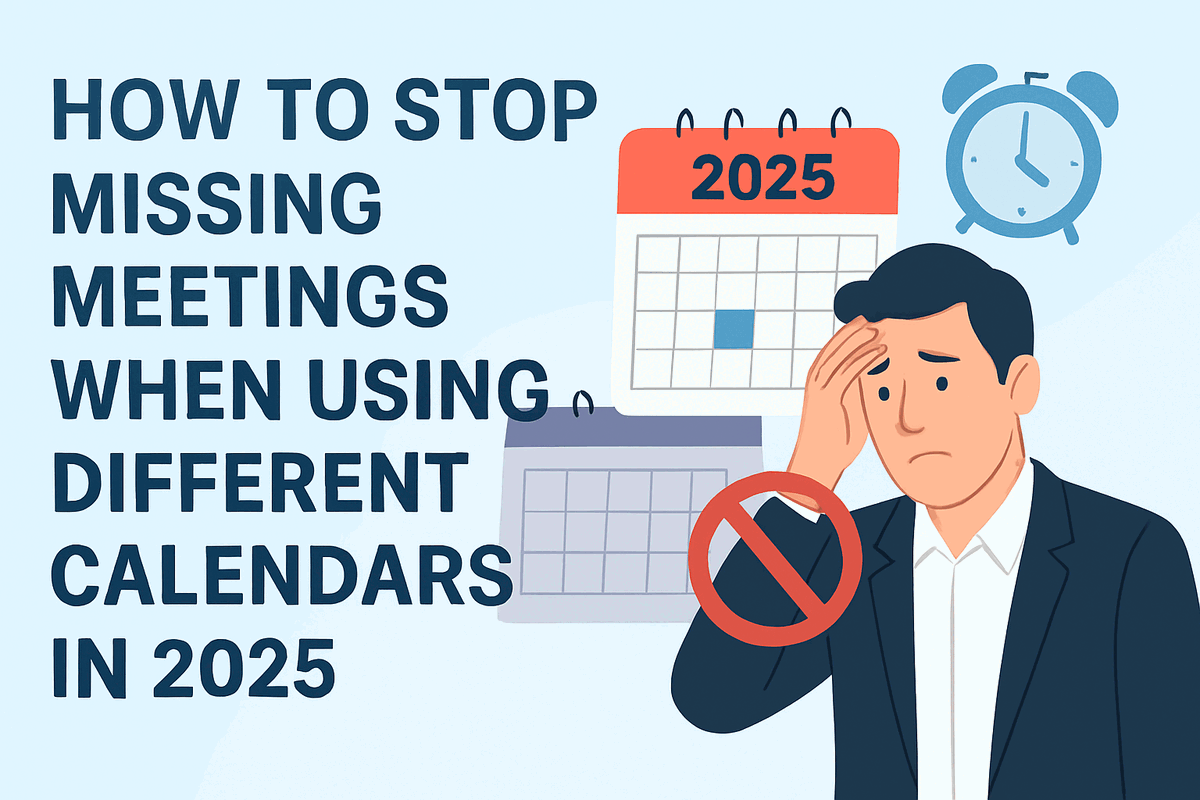
You checked your work calendar before scheduling a dentist appointment. Everything looked clear. But you forgot about the client meeting that was only in your Outlook calendar while you were looking at Google Calendar. Now you are racing to reschedule, apologizing profusely, and wondering how this keeps happening.
This scenario plays out thousands of times daily across professional workplaces. About 1 in 8 employed Americans have missed meetings because of calendar mismanagement according to Statista, and the consequences extend far beyond a simple apology. When you miss meetings different calendars fail to sync, you damage professional relationships, lose career opportunities, and waste valuable time trying to recover from preventable mistakes. Understand the cost of missing meetings to your career.
- Why fragmented calendars cause professionals to miss meetings different calendars create
- The hidden costs of calendar chaos on your career and productivity
- Proven strategies to consolidate multiple calendars into a unified view
- How to implement fail-safe systems that prevent missed meetings
- Technology solutions that eliminate calendar fragmentation forever
Why Do People Miss Meetings When Using Different Calendars?
Missing meetings different calendars create is not about forgetfulness or poor time management. The problem is structural. When your professional life spans multiple calendar platforms, you create blind spots that guarantee scheduling failures.
Most professionals juggle at least three separate calendars. You might have a Google Calendar for personal appointments, an Outlook calendar for work meetings, and an Apple Calendar synced to your phone. Each platform operates independently, showing only a fraction of your true schedule.
The core issue is visibility. When you schedule a meeting while viewing only one calendar, you cannot see conflicts that exist in other calendars. Research shows that teams using multiple scheduling tools that don't sync properly face inevitable discrepancies and double bookings. The platforms were never designed to work together seamlessly.
Remote employees face even greater challenges. Statistics reveal that 13% of remote workers miss meetings compared to 10% of in-office personnel. The difference comes down to calendar fragmentation. Remote workers rely more heavily on digital scheduling across different tools for work, home office maintenance, personal commitments, and family coordination.
The Real Cost When You Miss Meetings Different Calendars Create
The consequences of missing meetings extend far beyond the immediate embarrassment. Research from 2024 shows that 1 in 3 employed Americans reported that missed one-on-one meetings with managers directly affected their growth and performance evaluations.
Your calendar tells a story about how you work, how you prioritize tasks, communicate with colleagues, and make decisions. When you miss meetings different calendars fail to consolidate, you send a clear message about reliability and professionalism.
The financial cost compounds the personal impact. Organizations lose $532 billion annually to meeting-related inefficiencies, with $37 billion specifically attributed to unproductive meetings in the United States. When you miss meetings different calendars create scheduling conflicts for, you contribute directly to this waste while simultaneously damaging client relationships.
A missed meeting with a potential client could cost your company the deal. A missed meeting with your manager might cost you the next promotion. A missed meeting with your team could delay a critical project by weeks. The stakes are real, measurable, and entirely preventable.
Understanding Calendar Fragmentation and Its Impact
Calendar fragmentation happens when your schedule exists in multiple disconnected systems. Each calendar application maintains its own database, and without proper synchronization, they never communicate with each other about conflicts.
The technical challenge is significant. Different calendar platforms use different protocols, data structures, and update mechanisms. Google Calendar uses CalDAV protocol. Microsoft Outlook uses Exchange ActiveSync. Apple Calendar uses iCloud. These systems were built to compete, not collaborate.
When you accept a meeting invitation in Outlook, that event gets stored in Microsoft's servers. Your Google Calendar has no knowledge this meeting exists unless you manually configure synchronization. Even when synchronization is configured, delays between updates create windows where double bookings can occur.
This lag time is where professionals miss meetings different calendars should prevent. You might check your calendar, see availability, and accept a new meeting. But the sync from your other calendar has not completed yet, and suddenly you have a conflict that neither platform warned you about.
The problem multiplies when calendar sharing enters the equation. If team members use different calendar platforms, achieving a unified view of availability becomes nearly impossible. Some colleagues use Google Calendar, others prefer Outlook, and a few stick with iCloud. Scheduling a simple team meeting requires checking multiple systems manually.
How to Prevent Missing Meetings With Multiple Calendars
Preventing missed meetings different calendars create requires a systematic approach that addresses both technical synchronization and personal habits.
Strategy 1: Implement a Unified Calendar View
The most effective solution is consolidating all your calendars into a single, unified interface. Instead of switching between apps and hoping nothing falls through the cracks, you need one central hub that displays every commitment regardless of which platform originally created it.
Modern calendar consolidation tools can aggregate events from Google Calendar, Outlook, iCloud, and other platforms into a single view. When you look at your schedule, you see everything at once. Conflicts become immediately visible, and double bookings become impossible.
CalendHub.com provides exactly this functionality with instant calendar integration across all major platforms. The unified view eliminates the blind spots that cause professionals to miss meetings different calendars would otherwise hide from view.
Strategy 2: Use Real-Time Bidirectional Sync
Basic calendar synchronization is not enough. You need bidirectional sync that updates in real-time across all platforms. When you accept a meeting in Outlook, it should appear in Google Calendar within seconds, not hours.
One-way syncing creates dangerous false confidence. You might see your work calendar events in your personal calendar, but additions to your personal calendar never appear in your work system. This asymmetry guarantees that you will miss meetings different calendars fail to communicate about.
Real-time bidirectional sync means that changes flow immediately in both directions. A meeting accepted on any platform appears everywhere instantly. A cancellation updates all calendars simultaneously. Your availability reflects reality at all times, preventing the scheduling conflicts that lead to missed meetings.
Strategy 3: Establish Single-Source-of-Truth Protocols
Every calendar management system needs clear rules about which platform serves as the primary source of truth. Confusion about where to check your schedule creates the conditions for missing meetings different calendars could prevent.
For example, you might establish that all professional meetings must be accepted in Outlook, while personal appointments go in Google Calendar. Your synchronization tool then ensures both appear in your unified view. The key is consistency. Everyone who manages your calendar must follow the same protocols.
- Primary Platform: Designate one calendar as your primary scheduling interface where you check availability and accept new meetings
- Automatic Sync: Configure bidirectional synchronization to all other calendar platforms you use
- Regular Audits: Check that synchronization is working correctly at least weekly
- Mobile Consistency: Use the same primary calendar app across all your devices
- Team Alignment: Ensure assistants and teammates know which calendar system to check for your true availability
Strategy 4: Configure Proper Mobile Calendar Settings
Mobile devices are the leading cause of calendar synchronization failures. Research consistently shows that professionals who manage calendars from mobile devices experience more corruption, missing appointments, and sync errors than those who primarily use desktop applications.
The problem stems from how mobile apps handle meeting requests. If you accept a meeting invitation before your phone has fully synced with the server, the event might never properly register. If you have multiple calendar apps installed on your phone, they can compete for control and create conflicts.
To prevent missing meetings different calendars on mobile devices create, follow these mobile-specific best practices. First, use only your primary calendar app on mobile devices. Uninstall alternative calendar apps to prevent conflicts. Second, always ensure your phone has a strong internet connection before accepting or declining meeting requests. Third, verify that accepted meetings actually appear in your calendar before closing the invitation.
Strategy 5: Never Move Meeting Requests Before Processing
One of the most common causes of missed meetings involves email rules and folder organization. When you or an automated rule moves a meeting request from your inbox before processing it, many calendar systems fail to register the event properly.
Outlook specifically has a "sniffer" process that must scan incoming meeting requests before you move them to other folders. If you file the email first and respond later, the meeting might never appear in your calendar. You think you accepted it, but your calendar remains blank, guaranteeing that you miss meetings different calendars should have captured.
The solution is simple but requires discipline. Always accept, decline, or tentatively respond to meeting requests immediately upon receipt. Only move the email after processing the calendar action. This ensures that the calendar system properly registers the event before you organize your inbox.
Strategy 6: Limit Who Processes Meeting Requests
Calendar chaos multiplies when multiple people manage the same calendar. If you have an assistant who processes meeting requests while you also respond to invitations, conflicts and missing entries become inevitable.
Establish clear ownership. Either you process all your own meeting requests, or you delegate calendar management completely to an assistant. Never split responsibilities. When two people both accept meetings on your behalf, neither sees the full picture, and you miss meetings different calendars would show if managed by a single person.
Need better calendar management? CalendHub unifies all your calendars with smart scheduling and video conferencing.
If you must share calendar management responsibilities, use calendar sharing features that show pending responses and recently added events. Both parties need visibility into what the other has scheduled to prevent conflicts.
Technology Solutions to Stop Missing Meetings
While personal habits and protocols help, technology provides the most reliable protection against missing meetings different calendars create. The right tools eliminate manual processes and human error from the equation.
Calendar Synchronization Platforms
Dedicated calendar synchronization platforms specialize in connecting disparate calendar systems. Tools like OneCal, SyncGene, and CalendarBridge create persistent connections between Google Calendar, Outlook, iCloud, and other platforms.
These tools use native API connections rather than simple imports. When a meeting is added to any connected calendar, the synchronization service immediately propagates it to all other calendars. Updates happen in real-time, typically within seconds.
The advantage over manual management is consistency. You never have to remember to update multiple calendars. The technology handles synchronization automatically, ensuring your availability is accurate everywhere simultaneously.
Unified Calendar Interfaces
Beyond synchronization, unified calendar interfaces provide a single location to view all your calendars together. Instead of switching between apps, you see work, personal, family, and project calendars in one integrated view.
CalendHub.com delivers this unified experience with powerful calendar aggregation that displays all your calendars from any platform in a familiar, easy-to-use interface. Color coding and layering let you distinguish between different calendar sources while seeing your complete schedule at a glance. This visibility makes it virtually impossible to miss meetings different calendars would otherwise hide.
The unified approach also simplifies scheduling. When someone asks about your availability, you look at one screen and see the truth. No more switching between apps, missing conflicts, and accidentally double booking.
AI-Powered Scheduling Assistants
The newest generation of calendar management tools incorporates artificial intelligence to predict conflicts, suggest optimal meeting times, and automatically handle scheduling tasks. These AI assistants analyze your calendar patterns, learn your preferences, and proactively prevent the situations where you miss meetings different calendars create.
For example, AI scheduling tools can detect when you have back-to-back meetings across different calendars and automatically add buffer time. They can identify when you have scheduling conflicts before you accept a new meeting and warn you about the collision. Some even suggest alternative times based on attendee availability across multiple calendar systems.
While AI scheduling is still evolving, these tools represent the future of calendar management for professionals who cannot afford to miss meetings different calendars might otherwise let slip through.
Creating a Fail-Safe Meeting Management System
Technology alone cannot solve calendar chaos. You need a comprehensive system that combines the right tools with disciplined processes and regular maintenance.
Morning Schedule Review Protocol
Start every workday with a calendar review. Spend five minutes examining your schedule across all platforms to identify conflicts, confirm meeting times, and verify that synchronization is working correctly.
This daily audit catches problems before they cause you to miss meetings different calendars should have prevented. If you spot a discrepancy between your work and personal calendars, you can resolve it immediately rather than discovering the conflict when you are already late to a meeting.
The morning review also serves as mental preparation. You enter each day with complete awareness of your commitments, reducing the likelihood that you forget or overlook meetings even if technical problems occur.
Weekly Synchronization Health Check
Once per week, perform a deeper inspection of your calendar synchronization. Verify that events from one calendar properly appear in all others. Check that recent meetings you accepted via email actually registered in your calendar systems.
Create a test event in each of your calendars and confirm it propagates to all others. This proactive testing identifies synchronization failures before they cause real problems. When you discover that your Google Calendar has stopped syncing to Outlook, you can fix the connection before you miss meetings different calendars would keep separate.
Monthly Calendar System Audit
Every month, review your entire calendar management approach. Are you still using all the calendar platforms you have configured? Have new tools or services created additional calendar fragmentation? Does your synchronization strategy need updating?
This regular audit prevents the gradual accumulation of calendar complexity that leads to missed meetings. As your professional life evolves, your calendar management system must adapt. The monthly review ensures your tools and processes remain aligned with your current needs.
Common Calendar Mistakes That Cause Missed Meetings
Even with good systems, certain mistakes can undermine your efforts to prevent missing meetings different calendars create. Recognizing these pitfalls helps you avoid them.
Mistake 1: Trusting Calendar Apps Without Verification
Never assume your calendar apps are working correctly without regular verification. Synchronization can break silently. You might go weeks without realizing that events stopped flowing between calendars until you miss meetings different calendars should have shown you.
Always verify that accepted meetings actually appear in your calendar. Check that canceled meetings disappear from all platforms. Don't trust the technology blindly. Regular verification catches problems early.
Mistake 2: Using Different Calendar Apps on Different Devices
When you use Google Calendar on your laptop, Outlook on your work computer, and Apple Calendar on your phone, you create complexity that guarantees eventual failure. Each device becomes a potential source of conflicts and missed meetings different calendars on different devices generate.
Standardize on a single calendar application across all devices. If you use Google Calendar, use it everywhere. This consistency eliminates device-specific synchronization issues and ensures you always see the same schedule regardless of which device you are using.
Mistake 3: Ignoring Calendar Sharing Permissions
Improper calendar sharing permissions create blind spots where team members cannot see your availability or you cannot see theirs. This leads to scheduling conflicts and missed meetings different calendars would reveal if properly shared.
Review your calendar sharing settings regularly. Ensure that colleagues who need to schedule meetings with you can actually see your availability. Verify that you have appropriate access to team calendars and resources you need to reserve.
Mistake 4: Not Updating Calendars When Plans Change
Calendar discipline requires that you immediately update your schedule when plans change. If you cancel a meeting but forget to remove it from your calendar, that time remains blocked. If you agree to a meeting via text message but forget to add it to your calendar, you will miss the meeting different calendars cannot display if you never entered it.
Treat your calendar as the authoritative source of truth about your time. Every commitment goes in the calendar immediately. Every change gets reflected instantly. This discipline ensures your calendar remains accurate and prevents the confusion that causes missed meetings.
How Remote Workers Can Prevent Missing Meetings
Remote workers face unique challenges with calendar management. Without the physical office environment to provide meeting reminders, remote professionals must rely entirely on their digital systems.
The statistics confirm the challenge. Remote employees are 30% more likely to miss meetings than in-office workers. This difference stems directly from increased calendar complexity. Remote workers manage home responsibilities, personal appointments, and professional commitments all from the same location, often using different calendar systems for each domain.
To prevent missing meetings different calendars create for remote workers, establish clear boundaries between work and personal calendars while maintaining unified visibility. Keep work meetings in your professional calendar system but synchronize everything to a unified view that shows potential conflicts.
Set multiple reminders for important meetings. Remote work eliminates the environmental cues that office workers receive, like seeing colleagues gathering for a meeting. You need your calendar to actively alert you about upcoming commitments.
Use video conferencing integrations that automatically add meeting links to calendar events. When your calendar contains all the information needed to join a meeting, you eliminate the scramble that often causes remote workers to miss meetings different calendars would make even more difficult to track.
CalendHub.com specifically addresses remote work challenges with unified calendar management that works seamlessly across personal and professional scheduling contexts, ensuring remote workers never miss meetings regardless of which system originally created the event.
Establishing Team Calendar Best Practices
Individual calendar discipline only solves part of the problem. When your team uses different calendar platforms, coordination becomes the challenge that causes missed meetings different calendars create at the organizational level.
Teams need shared calendar protocols that everyone follows. Start by standardizing on a primary calendar platform for all team scheduling. If your organization uses Microsoft 365, everyone should manage team meetings through Outlook. If you use Google Workspace, Google Calendar becomes the standard.
This does not mean individuals cannot use other calendars for personal scheduling. It means that for team coordination, everyone checks and updates the same system. This consistency eliminates the scenario where half the team sees a meeting invitation while the other half misses it because they use a different platform.
Implement shared team calendars for resources like conference rooms, equipment, and key personnel. When everyone can see what resources are available and when, scheduling conflicts decrease dramatically. You cannot miss meetings different calendars would hide if everyone operates from shared visibility.
The Future of Calendar Management in 2025
Calendar technology continues to evolve rapidly. The trends for 2025 point toward increased automation, better artificial intelligence, and more seamless integration across platforms.
AI-powered scheduling assistants are becoming sophisticated enough to handle most routine scheduling tasks autonomously. These systems can analyze availability across multiple calendars, suggest optimal meeting times, send invitations, and handle rescheduling automatically. As these tools mature, the technical barriers that cause professionals to miss meetings different calendars create will diminish.
Calendar platforms are also improving their native integration capabilities. Google and Microsoft have both announced enhanced interoperability features that make synchronization more reliable and real-time. While competition between platforms remains fierce, market pressure is forcing better collaboration and data portability.
The most significant trend is the shift toward unified calendar experiences. Rather than trying to make individual platforms work together, new services create abstraction layers that sit above all your calendars and provide a single interface for everything. This architectural approach fundamentally solves the fragmentation that causes missed meetings different calendars currently generate.
Taking Action: Your Next Steps
You now understand why professionals miss meetings different calendars create and how to prevent this costly problem. The question is implementation. Knowledge without action changes nothing.
Start with a calendar audit. List every calendar platform you currently use. Document what types of events go into each calendar. Identify where synchronization gaps exist that could cause you to miss meetings different calendars fail to share.
Next, choose your consolidation strategy. Will you implement calendar synchronization to connect your existing platforms? Will you adopt a unified calendar interface that displays everything together? Will you simplify by reducing the number of calendar platforms you use? The best solution depends on your specific situation, but doing nothing guarantees continued problems.
- Audit Current State: Document all calendar platforms you use and what goes in each
- Identify Gaps: Find where synchronization fails or does not exist
- Choose Solution: Select calendar consolidation approach that fits your needs
- Implement Technology: Set up synchronization tools or unified calendar interface
- Establish Protocols: Define which calendar serves as primary and how you will manage updates
- Train Stakeholders: Ensure everyone who schedules meetings with you understands the new system
- Test Thoroughly: Verify synchronization works correctly before relying on it
- Schedule Reviews: Set recurring reminders for daily, weekly, and monthly calendar system checks
The professionals who advance in their careers are those who master the fundamentals. Calendar management is fundamental. When you consistently show up prepared for every meeting, you build a reputation for reliability that opens doors. When you miss meetings different calendars prevent you from tracking, you damage that reputation in ways that are difficult to repair.
The technology exists today to eliminate calendar chaos completely. CalendHub.com provides unified calendar management that consolidates all your scheduling into a single, reliable interface. You can implement a solution this week that prevents you from ever missing meetings different calendars might otherwise hide from view.
Your calendar is too important to leave to chance. Take control of your schedule, implement a robust calendar management system, and never miss another meeting because of calendar fragmentation. Your career depends on showing up.
Ready to Simplify Your Schedule?
Join thousands of professionals who have unified their calendars and reclaimed their time with CalendHub's intelligent scheduling platform.
Related Articles
Best Apps to View All Calendars in One Place (2025 Review)
Compare the top apps for viewing all calendars in one place. Detailed reviews of features, limits, and pricing to help you choose the right solution.
Best Apps to View All Calendars Together: 2025 Comparison
Compare the best apps and tools to view all calendars together. Detailed analysis of features, limits, pricing, and which solution fits your needs.
Best Calendar Aggregator Tools Ranked for 2025
Compare the top calendar aggregator tools in 2025. See which platforms offer unlimited connections, real-time sync, and true aggregation for professionals.