
 Google Calendar
  Outlook Calendar
  Google Meet
  Microsoft Teams
  Zoom Meetings
 Virtual Assistant Calendar Management: Complete Guide for 2025
Master multi-client calendar management as a VA. Prevent conflicts, manage time zones, and keep every executive on track.
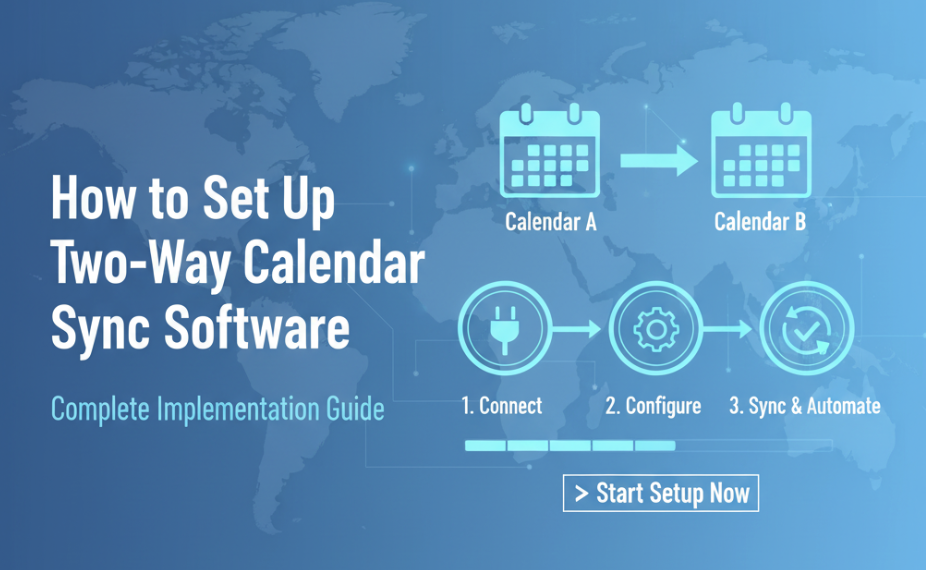
It's 7:30 AM and you're already triaging scheduling emergencies. Your first client, a startup CEO in San Francisco, just asked you to move his investor call to Thursday. But Thursday is when your second client, a consultant in London, has a standing mastermind group. You manage both their calendars, and the scheduling tool you used for the consultant is different from the one the CEO prefers. While you're figuring this out, your third client texts asking why their 2 PM meeting invite shows the wrong time zone. It's not even 8 AM yet.
If you're a virtual assistant managing calendars for multiple executives, this kind of morning is painfully familiar. You're not managing one busy person's schedule. You're managing 10 to 25 calendars across multiple clients, platforms, and time zones simultaneously. Every client thinks their calendar is your only priority, and one mistake on any of those calendars reflects directly on your professional reputation.
What You'll Learn
- Why virtual assistants face the most extreme calendar management challenges of any profession
- The critical mistakes that lead to cross-client scheduling conflicts
- A systematic approach to managing 10-25 calendars without losing your mind
- Time zone management strategies that eliminate errors
- Tools purpose-built for high-volume, multi-client calendar management
Why Virtual Assistant Calendar Management Is Uniquely Challenging
Virtual assistants are the ultimate calendar power users. While most professionals struggle with managing their own 3-5 calendars, VAs are managing other people's calendars, often for multiple clients who don't know about each other and use different platforms.
The complexity is staggering. Each client typically has 2-5 calendars of their own, including a personal calendar, a work calendar, possibly a board or advisory calendar, and shared calendars with their teams. Multiply that by 3-5 clients, and you're looking at 10 to 25 calendars that you need to monitor, update, and keep conflict-free.
The stakes are also higher than most people realize. When you double-book an executive's calendar, it's not just an inconvenience. It can damage their professional relationships, derail business deals, and ultimately cost you the client. Virtual assistants live and die by their scheduling accuracy, and the tools you use determine whether you thrive or burn out.
Platform fragmentation makes it even harder. One client might use Google Workspace. Another uses Outlook. A third has their team on a different platform entirely. You're jumping between ecosystems dozens of times per day, trying to maintain accuracy across all of them.
Common Calendar Problems Virtual Assistants Face
Cross-Client Scheduling Conflicts
This is the nightmare scenario. You're managing calendars for two clients and accidentally schedule something for yourself during a time block you need to be managing a live scheduling situation for another client. Or worse, you're managing shared calendars for two clients who happen to have overlapping professional networks, and a conflict arises that neither client is aware of. When calendars live in separate silos, cross-client conflicts are almost inevitable.
Platform Switching Fatigue
Jumping between Google Calendar, Outlook, Apple Calendar, and various scheduling tools throughout the day creates mental fatigue and increases the likelihood of errors. Every platform has different interfaces, different notification systems, and different ways of handling recurring events. This constant context-switching is one of the biggest sources of mistakes for VAs.
Time Zone Miscalculations
When you're scheduling across multiple time zones for multiple clients, the math gets complicated fast. Your CEO client in New York wants to meet with someone in Tokyo, and you need to find a time that works for both, but your own clock shows Pacific time. One miscalculation means a meeting scheduled at 3 AM for someone, and an angry client asking how it happened.
Keeping Client Calendars Separate and Confidential
You have a professional obligation to keep each client's scheduling information confidential from your other clients. But when you're working across 20+ calendars, the risk of accidentally sharing information or creating visible conflicts across client boundaries is real. You need systems that maintain strict separation while still giving you a unified view.
Need better calendar management? CalendHub unifies all your calendars with smart scheduling and video conferencing.
Scaling Without Dropping Balls
Every new client you take on adds another 2-5 calendars to your workload. Without a scalable system, there's a hard ceiling on how many clients you can serve before the scheduling complexity becomes unmanageable. Most VAs hit this ceiling at 3-4 clients and either plateau or start making errors.
How to Solve Virtual Assistant Calendar Chaos
Step 1. Catalog Every Calendar Across Every Client
Create a master list of every calendar you manage, organized by client. Include the platform each calendar is on, who has access, and what type of events live there. For most VAs managing 3-5 clients, this list will be 10-25 calendars long. If you're dealing with multiple calendar accounts across platforms, this inventory is essential.
Step 2. Build a Unified Command Center
You need one place where you can see every calendar across every client. Not five browser tabs with different calendar apps. One unified dashboard. CalendHub.com is designed for exactly this use case. It connects Google, Outlook, and other calendar platforms into a single view, giving you real-time visibility across all 10-25 calendars without switching between apps.
Step 3. Implement Color-Coding by Client
In your unified view, assign a distinct color family to each client. Client A might be shades of blue (personal, work, and team calendars all in blue variants). Client B might be shades of green. This visual system lets you instantly identify which client a meeting belongs to, reducing the risk of cross-client confusion.
Step 4. Create Client-Specific Time Blocks in Your Own Calendar
Block your own calendar with dedicated time for each client's scheduling management. If Client A is your priority from 8-10 AM and Client B from 10 AM-12 PM, make these blocks visible. This ensures you're not trying to manage active scheduling tasks for multiple clients simultaneously, which is when mistakes happen.
Step 5. Standardize Your Time Zone Protocol
Pick one approach to time zones and stick with it. Many experienced VAs work in UTC internally and convert to local times for client-facing communications. Whatever method you choose, document it and apply it consistently. When you're checking availability for a cross-time-zone meeting, always double-check by converting both directions. This guide on managing multiple calendars covers more advanced time zone strategies.
Step 6. Set Up Conflict Alerts Across All Calendars
Configure your unified calendar to alert you when a new event on any calendar conflicts with an existing event on any other calendar. This cross-calendar conflict detection is your safety net. When a client's team member schedules something that conflicts with a meeting you've already arranged, you'll catch it immediately rather than discovering it five minutes before the meeting.
Step 7. Build Scalable Systems Before You Need Them
Before you take on your next client, make sure your calendar management system can handle the additional load. Document your workflows, create templates for onboarding new client calendars, and test your unified view with the additional calendars before going live. Scaling successfully means having the right infrastructure in place first.
VA Business Breakthrough
A virtual assistant managing calendars for 5 executive clients across 22 total calendars reduced scheduling errors by 85% after implementing a unified calendar system. They were able to take on 2 additional clients without increasing their working hours, directly increasing their revenue by 40%.
Why CalendHub Works for Virtual Assistants
No profession needs unified calendar management more than virtual assistants. Your entire business depends on managing multiple people's schedules flawlessly across different platforms. CalendHub.com was built for this level of complexity.
CalendHub connects calendars from every major platform into one dashboard. Whether your clients use Google, Outlook, or a mix, everything appears in a single, real-time view. Cross-calendar conflict detection means you'll never accidentally double-book across client boundaries.
The real power for VAs is scalability. CalendHub handles 10 calendars with the same ease as 25. As your client roster grows, your calendar management system grows with you, without adding complexity or increasing the risk of errors.
For virtual assistants who are ready to stop checking too many calendars and start managing them from one powerful dashboard, CalendHub is the professional upgrade that transforms your practice.
Scale Your VA Business with Confidence
The difference between a virtual assistant who plateaus at 3 clients and one who thrives with 7 or more comes down to systems. And the most important system in your business is calendar management. When you can manage 25 calendars as confidently as 5, your earning potential becomes virtually unlimited.
Invest in a unified calendar solution, build repeatable processes, and approach every new client knowing that your scheduling infrastructure can handle whatever complexity they bring. That's how you build a VA business that grows sustainably and serves every client with excellence.
Ready to Simplify Your Schedule?
Join thousands of professionals who have unified their calendars and reclaimed their time with CalendHub's intelligent scheduling platform.
Related Articles

Accountant Calendar Management: Complete Guide for 2025
Master accountant calendar management to survive tax season, track client deadlines, and balance multiple engagements without burnout.

Agency Owner Calendar Management: Complete Guide for 2025
Juggle client meetings, team standups, biz dev, and project timelines as an agency owner. Your complete calendar management guide.
Business Coach Calendar Management: Complete Guide for 2025
Streamline executive client scheduling, mastermind groups, and speaker coordination. The business coach calendar management guide.