
 Google Calendar
  Outlook Calendar
  Google Meet
  Microsoft Teams
  Zoom Meetings
 Sync Asana with CalendHub: Complete Integration Guide 2025
Connect Asana task deadlines to CalendHub for one-way calendar sync that keeps projects visible on your schedule.
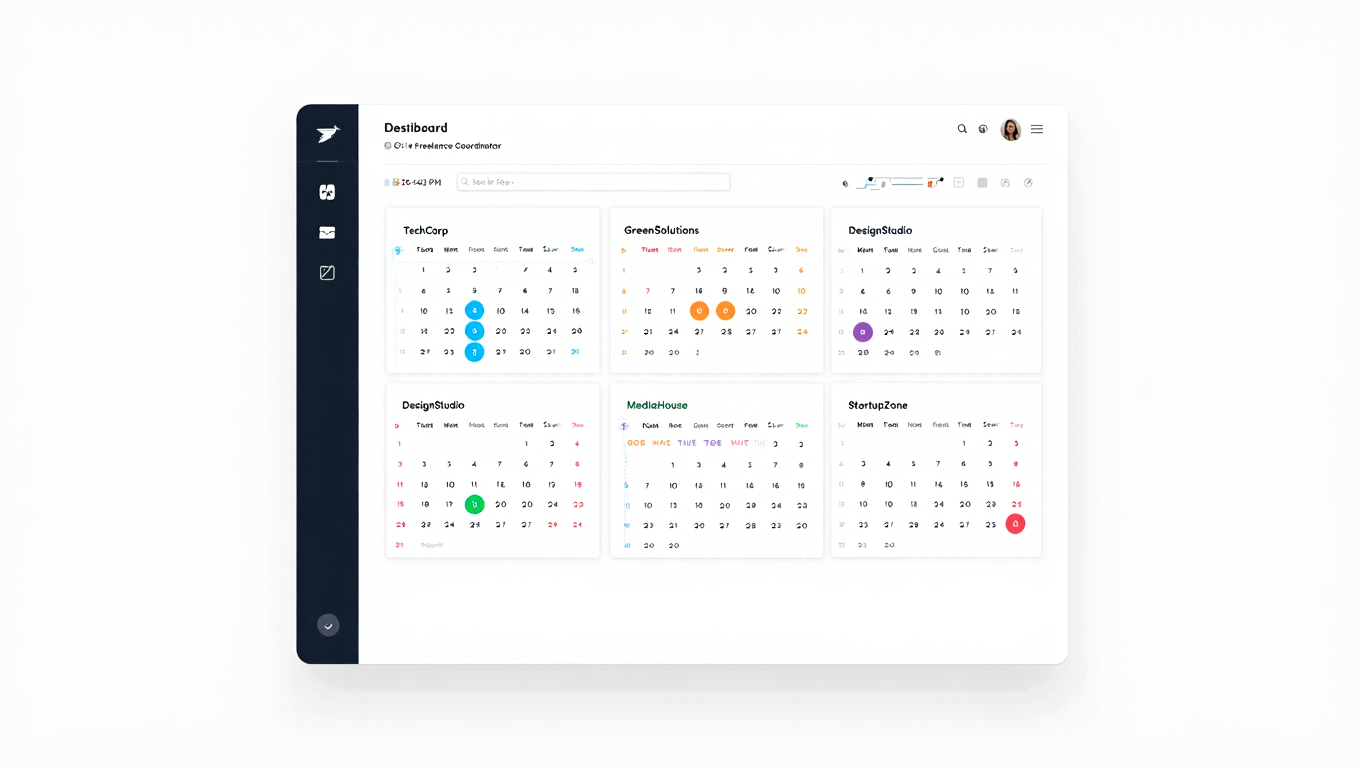
Asana is where teams plan projects, assign tasks, and track progress. It's excellent at keeping work organized, but when deadlines and milestones stay locked inside Asana, they don't factor into your daily calendar planning. You end up with a schedule full of meetings but blind to the project work that needs your attention between those meetings.
Syncing Asana with CalendHub.com brings your task deadlines, project milestones, and key dates directly onto your calendar. This one-way read integration ensures that every important Asana date appears alongside your meetings, personal appointments, and other commitments. You'll finally see the full picture of what's on your plate.
- How to connect Asana projects to CalendHub
- Mapping task due dates and milestones to calendar events
- Filtering which Asana items show up on your calendar
- Troubleshooting Asana-specific sync issues
- Advanced tips for teams balancing Asana tasks with calendar scheduling
Why Sync Asana with Your Calendar?
Most professionals check their calendar multiple times per day but might only open Asana when they intentionally sit down to manage tasks. This creates a blind spot where approaching deadlines aren't visible during routine schedule checks.
Deadlines become visible where you look most. When an Asana task due date shows up on your Google Calendar, Outlook, or Apple Calendar, you see it every time you check your schedule. That product launch date you set three weeks ago won't sneak up on you because it's right there between your 2 PM meeting and your 4 PM call.
Block time for project work. Meetings fill calendars, but project deliverables need time too. When Asana deadlines are on your calendar, you can proactively block focused work time before those deadlines hit. Without this visibility, you end up scrambling the day something is due. For more on managing a complex schedule, check out our guide to syncing multiple calendars.
Align the team on what's actually happening this week. When everyone's Asana deadlines sync to their calendars through CalendHub, managers can see at a glance whether the team has capacity or whether they're overloaded. This makes sprint planning and resource allocation much more realistic.
How to Set Up Asana Integration with CalendHub
The integration pulls task deadlines and milestone dates from Asana and creates calendar events in CalendHub, which then flow to your connected calendar platforms.
Step 1. Sign into CalendHub. Go to CalendHub.com and log in. Ensure you already have at least one calendar platform connected so synced Asana events have somewhere to appear.
Step 2. Open the Integrations section. Navigate to the Integrations page from your CalendHub dashboard.
Step 3. Select Asana. Click the Asana integration option. CalendHub will redirect you to Asana's OAuth authorization page.
Step 4. Authorize CalendHub. Sign into Asana and grant CalendHub permission to access your workspace, projects, and task data. CalendHub requests read access to pull task information into your calendar.
Step 5. Choose the Asana workspace and project. After authorization, CalendHub will display your Asana workspaces and the projects within them. Select the projects whose deadlines you want on your calendar. You can select multiple projects.
Step 6. Map due dates to calendar events. Configure how Asana due dates translate into calendar events. A task with a specific due date becomes a calendar event on that date. If the task has both a start date and due date, CalendHub can create an event that spans the full range.
Step 7. Configure event details. Choose what information flows into the calendar event. The task name typically becomes the event title. You can also include the project name, assignee, task description, and priority level in the event description.
Need better calendar management? CalendHub unifies all your calendars with smart scheduling and video conferencing.
Step 8. Set the destination calendar. Pick which connected calendar should receive Asana events. A dedicated "Asana Deadlines" calendar keeps things organized, or you can send them to your primary calendar for maximum visibility.
Step 9. Test and verify. Create a test task in Asana with a due date set for tomorrow. Within a few minutes, it should appear on your calendar through CalendHub. If it shows up with the correct date and details, the integration is working.
Best Practices for Asana Calendar Sync
Smart configuration prevents your calendar from becoming cluttered with every minor task.
Filter by assignee. If you're in a large Asana workspace, syncing every task from every team member will overwhelm your calendar. Set CalendHub to only sync tasks assigned to you, or tasks from specific projects you're directly involved in.
Sync milestones separately from tasks. Asana milestones represent key project checkpoints. They deserve more calendar prominence than routine tasks. Consider syncing milestones to your primary calendar and tasks to a secondary calendar that you can toggle on and off.
Use sections and tags for smarter filtering. If your Asana projects use sections like "This Sprint" or tags like "High Priority," configure CalendHub to only sync items matching those criteria. This ensures your calendar reflects what's actually active and important.
Review sync settings monthly. Projects come and go. The Asana projects you connected three months ago might be completed now. Periodically review your CalendHub integration settings to remove finished projects and add new ones. For broader calendar organization strategies, read our bidirectional sync complete guide.
This integration is one-way. Asana dates flow to your calendar, but changing an event on your calendar will not update the task in Asana. Always make date changes directly in Asana to keep your project data accurate and your calendar sync reliable.
Common Issues and Troubleshooting
Asana's task structure is straightforward, but a few things can trip up the sync.
Tasks not appearing on calendar. The most common cause is a missing due date. Asana tasks without due dates can't create calendar events. Also verify that CalendHub has access to the specific project containing the task. Asana's permissions are project-level, so you may need to reauthorize if new projects are added.
Completed tasks still showing on calendar. Check your CalendHub filter settings. By default, you'll want to exclude completed tasks from sync. Add a filter for task status to only sync "Incomplete" or "In Progress" tasks. This keeps your calendar clean as work gets done.
Subtasks not syncing. Asana subtasks behave differently from parent tasks in the API. Some integrations only pull top-level tasks by default. If you need subtask due dates on your calendar, check CalendHub's Asana settings for a subtask inclusion option.
Date mismatches between Asana and calendar. Asana stores due dates in UTC. If your calendar timezone differs, events might appear a day off. Verify that CalendHub's timezone setting matches your Asana workspace timezone. This is the most common reason for dates appearing one day early or late.
Too many events cluttering the calendar. If a project has hundreds of tasks, syncing them all creates noise. Tighten your filters to only sync tasks assigned to you, tasks due within the next two weeks, or tasks marked as high priority. Visit our sync troubleshooting guide for more solutions.
Advanced Asana Calendar Integration Tips
These techniques help project-focused teams get maximum value from the integration.
Create time blocks based on Asana estimates. Some teams use custom fields in Asana for estimated task duration. If your tasks include this data, configure CalendHub to create calendar events with matching durations. A task estimated at two hours becomes a two-hour block on your calendar, giving you a realistic view of your workload.
Sync multiple Asana workspaces. If you belong to more than one Asana organization, connect each workspace to CalendHub.com independently. Each workspace can sync to a different calendar, keeping client work separate from internal projects.
Combine Asana sync with meeting calendars. The real power shows when Asana deadlines sit next to your meeting schedule. You'll instantly see when a project deadline falls on a day packed with meetings. This visual overlap helps you plan ahead and push meetings or negotiate deadline extensions before it's too late.
Use Asana project timelines with CalendHub. Asana's Timeline view shows project schedules visually within Asana. When those same dates sync to your calendar through CalendHub, you get a personal timeline view that includes both project work and everything else in your life.
Set up pre-deadline reminders. Configure CalendHub to create reminder events a few days before each Asana deadline. This gives you advance warning and time to course-correct if a task is behind schedule. You can set different lead times for different priority levels.
Syncing Asana with CalendHub turns project deadlines from hidden database entries into calendar events you'll actually see and act on. When every due date lives alongside your meetings and personal commitments, planning your week becomes dramatically clearer. Set up the integration at CalendHub.com and make missed deadlines a thing of the past.
Ready to Simplify Your Schedule?
Join thousands of professionals who have unified their calendars and reclaimed their time with CalendHub's intelligent scheduling platform.
Related Articles
Benefits of Synchronizing All Calendars in One View: ROI and Productivity Gains
Discover the benefits of synchronizing all calendars in one view. See ROI data, productivity gains, reduced double bookings, and real-world business impact in 2025.
Best Bidirectional Calendar Sync Tools: 2025 Comparison Guide
Compare the best bidirectional calendar sync tools in 2025. Discover which platforms offer true two-way synchronization and which only provide one-way sync.

Best Two Way Calendar Sync Software: 2025 Expert Rankings & Comparison
Compare the top two-way calendar sync software tools. We tested 12 platforms for bidirectional sync speed, reliability, and field coverage to find which actually work.