
 Google Calendar
  Outlook Calendar
  Google Meet
  Microsoft Teams
  Zoom Meetings
 All Calendars in One Place: The Complete Solution for 2025
Discover how to consolidate all calendars in one place and eliminate scheduling chaos. Stop juggling multiple calendar apps with this complete guide.
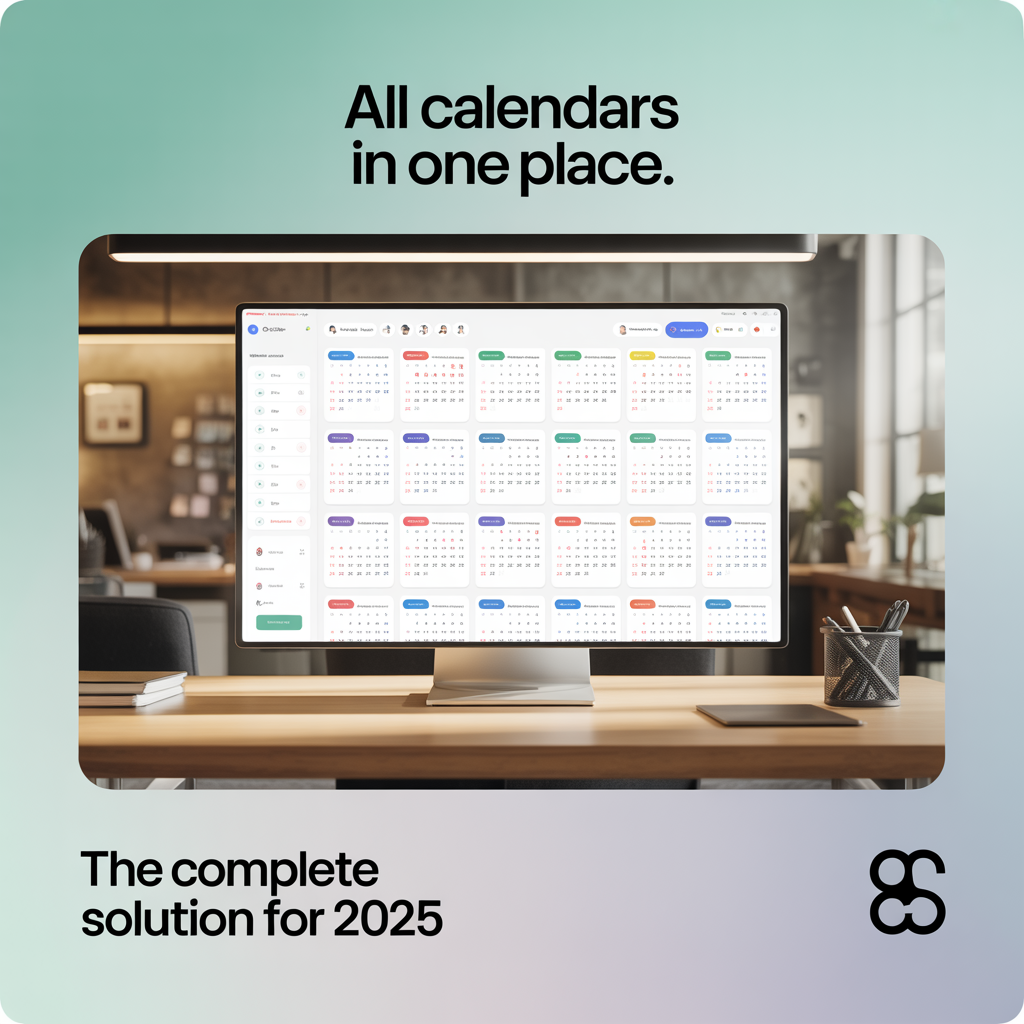
You have a work calendar in Outlook. A personal calendar in Google. Team events in Apple Calendar. Client meetings scattered across three different scheduling tools. Every morning starts the same way. You open five browser tabs, toggle between three apps, and still manage to double book yourself by 10 AM.
This calendar fragmentation problem affects 70% of American professionals who use digital calendars, yet only 20% feel in control of their schedules. The solution is not another productivity hack or time management seminar. You need to see all calendars in one place, creating a single source of truth for your entire schedule.
- Why calendar fragmentation costs professionals 6+ hours weekly in scheduling overhead
- Proven methods to consolidate all calendars in one place without technical complexity
- How unified calendar views prevent double bookings and reduce scheduling stress by 58%
- The limitations of popular tools and why unlimited calendar connections matter
- Step-by-step implementation strategies for professionals managing 5, 10, or 20+ calendars
What Does It Mean to Have All Calendars in One Place?
All calendars in one place means consolidating every scheduling source you use into a single, unified calendar view. Instead of switching between Google Calendar, Outlook, Apple Calendar, and various team scheduling tools, you see every commitment, meeting, and event in one master dashboard.
This unified calendar view refreshes in real time across all connected sources. When someone books you through a client scheduling tool, that appointment instantly appears in your consolidated view alongside your personal errands and work meetings. No manual copying. No spreadsheet tracking. No mental gymnastics trying to remember which calendar holds which commitment.
The benefits go far beyond convenience. According to 2024 research on calendar management productivity from Harvard Business Review, professionals spend an average of 6 hours per week on meeting-related scheduling activities. Calendar fragmentation multiplies this time waste, forcing you to cross-reference multiple platforms before confirming simple availability.
The Real Cost of Calendar Fragmentation
Calendar fragmentation occurs when your events scatter across disconnected platforms, creating what productivity researchers describe as "solving a puzzle without all the pieces." The consequences extend well beyond minor inconvenience.
Double Bookings and Missed Meetings
Without visibility across all calendars, double bookings become inevitable. You accept a client call through your scheduling tool, forgetting about the dentist appointment in your personal calendar. You agree to a team meeting in Outlook, not realizing you already committed to a conference call in Google Calendar. Each conflict damages your professional credibility and creates cascading scheduling problems.
Data from 2024 workplace studies from McKinsey & Company shows that 88% of professionals manage time via calendars, yet calendar fragmentation prevents them from leveraging this investment. The typical employee operates at only 2 hours and 53 minutes of true productivity per workday, with scheduling confusion contributing significantly to this efficiency loss.
Mental Load and Decision Fatigue
The cognitive burden of tracking multiple calendars creates constant background stress. You never fully trust your schedule because you know events might be hiding in another app. Before making any commitment, you must mentally inventory every calendar source, dramatically slowing decision-making and increasing anxiety.
This mental fragmentation compounds throughout the day. Research indicates that 58% of workers now use calendar blocking to protect their time from meetings, but this strategy collapses when you cannot see all calendars in one place. You cannot protect time you do not realize is already committed.
Time Waste and Context Switching
Opening five different calendar apps each morning wastes 10-15 minutes. Checking each platform before scheduling meetings adds another 5 minutes per scheduling decision. Across a typical workweek with 20+ scheduling decisions, calendar fragmentation steals 2-3 hours of productive time.
Beyond raw time loss, context switching between different calendar interfaces disrupts focus and concentration. Each platform uses different visual layouts, color schemes, and navigation patterns. Your brain must constantly adapt, creating unnecessary cognitive friction throughout the day.
How to Get All Calendars in One Place
Consolidating all calendars in one place requires the right approach, not just the right tool. The most effective strategies combine technical integration with workflow optimization to create a truly unified scheduling experience.
Step 1: Audit Your Current Calendar Ecosystem
Before consolidating, identify every calendar source you actively use. This includes obvious platforms like Google Calendar, Outlook, and Apple Calendar, plus less obvious sources such as team collaboration tools with embedded calendars, client scheduling platforms, and shared family calendars.
Create a comprehensive list. Many professionals discover they actively use 7-10 different calendar sources when they actually inventory their complete scheduling ecosystem. Missing even one calendar during consolidation defeats the entire purpose of unification.
For each calendar source, document the following details. What type of events does it contain? Who has access to view or edit it? Does it sync automatically or require manual updates? Which devices or applications can access it? This audit provides the foundation for effective consolidation.
Step 2: Choose Your Unified Calendar Platform
Your unified calendar platform must support truly unlimited calendar connections. This requirement eliminates many popular scheduling tools that impose artificial limits.
Consider Calendly, widely recognized in the scheduling space. Their paid plans limit users to just 6 calendar connections at $16 monthly. For power users managing 10, 15, or 20+ calendars across multiple roles and responsibilities, this restriction makes the platform fundamentally unusable for true unification.
Cal.com takes a different approach, advertising unlimited calendar connections across all pricing tiers. However, implementation complexity and technical requirements create barriers for non-technical users seeking straightforward calendar consolidation.
CalendHub.com positions itself specifically for professionals needing true calendar unification without artificial limits. Unlike scheduling-first platforms that treat calendar aggregation as a secondary feature, CalendHub adopts a calendar-first philosophy designed specifically for users managing extensive calendar ecosystems. The platform supports unlimited calendar connections with zero configuration complexity, making it accessible whether you manage 5 calendars or 50.
Step 3: Connect All Calendar Sources
Modern calendar platforms use two primary connection methods. OAuth authentication provides secure, permission-based access to platforms like Google Calendar, Microsoft Outlook, and Apple iCloud. Internet Calendar Subscription (ICS) feeds enable connections to virtually any calendar supporting standardized formats.
OAuth connections offer the advantage of two-way synchronization. Changes made in your unified calendar view automatically propagate back to the source calendar, maintaining consistency across all platforms. ICS feeds typically provide one-way synchronization, displaying events from the source calendar in your unified view without enabling edits through the consolidated interface.
For maximum coverage, use OAuth connections for your primary calendars and ICS feeds for specialized or read-only calendar sources. This hybrid approach ensures you can see all calendars in one place regardless of their technical capabilities.
Connect calendars methodically, verifying each connection before proceeding to the next. Many professionals rush through this process, missing calendars or creating duplicate connections that clutter their unified view. Take the time to configure each source properly, ensuring correct display names, color coding, and visibility settings.
Step 4: Establish Color Coding and Visual Organization
With all calendars in one place, visual organization becomes critical. Without clear differentiation, your unified calendar view becomes an overwhelming mass of events rather than a clarifying tool.
Implement consistent color coding that makes calendar sources instantly recognizable. Choose colors that align with the nature of each calendar rather than arbitrary preferences. Professional commitments might use blue tones, personal events green tones, and team calendars distinctive accent colors.
Go beyond simple color coding. Use naming conventions that provide context at a glance. Instead of "Personal Calendar," use "Personal - Family & Health." Instead of "Work Calendar," specify "Work - Client Meetings" and "Work - Internal Projects." These descriptive names make scanning your unified view dramatically more efficient.
Configure display density based on your viewing preferences. Some professionals prefer seeing every calendar simultaneously for complete transparency. Others selectively toggle calendar visibility, showing only relevant sources for the current context. Most unified calendar platforms support both approaches, letting you customize your view based on immediate needs.
Step 5: Create Scheduling Workflows That Leverage Unified Views
Having all calendars in one place only provides value when you actually use your unified view for all scheduling decisions. This requires intentional workflow changes that make your consolidated calendar the default reference for all time commitments.
Establish a firm rule. Before accepting any meeting, event, or commitment, check your unified calendar view first. This sounds obvious, but habits prove remarkably persistent. Many professionals continue defaulting to whichever calendar platform the meeting invitation arrived through, defeating the purpose of consolidation.
Configure your unified calendar platform as your default calendar application. On mobile devices, set it as the app that opens when you tap calendar notifications. In desktop environments, make it your browser homepage or pin it as the first tab. Reduce friction to accessing your unified view until checking it becomes automatic.
For scheduling new events, use your unified calendar platform rather than jumping to individual calendar sources. Modern platforms supporting all calendars in one place typically allow creating events on any connected calendar directly from the unified interface. This maintains your single-point-of-reference workflow without sacrificing functionality.
Step 6: Implement Real-Time Synchronization Checks
Even with robust unified calendar platforms, synchronization occasionally encounters issues. A calendar API changes authentication requirements. An ICS feed updates on a delayed schedule. A network interruption prevents real-time updates. Regular synchronization checks catch these problems before they cause scheduling conflicts.
Most calendar consolidation platforms display last synchronization timestamps for each connected calendar. Make checking these timestamps part of your daily routine. If any calendar shows a stale synchronization time, trigger a manual refresh or investigate connection issues.
For critical scheduling periods such as busy conference weeks or back-to-back client days, verify synchronization immediately before and after major scheduling decisions. This extra diligence catches edge cases that automated systems might miss, providing additional protection against double bookings during high-stakes scheduling situations.
Why Calendar Connection Limits Matter
Many professionals assume any calendar platform can consolidate all calendars in one place, only discovering restrictive connection limits after investing time in setup and configuration. Understanding these limitations before choosing your platform saves significant frustration and wasted effort.
The 6-Calendar Problem
Calendly, one of the most recognized names in scheduling software, limits even paid users to 6 calendar connections. For casual users managing a work calendar, personal calendar, and perhaps a shared family calendar, this suffices. For power users, it creates an impossible constraint.
Consider a typical executive managing the following calendar sources. A primary work calendar for their own meetings. A team calendar showing their direct reports' availability. Department-wide calendars for 3-4 different functional areas they oversee. Client-facing calendars for external stakeholder meetings. Personal calendars for family and personal commitments. Shared calendars for board memberships or volunteer leadership positions.
This scenario easily requires 10-15 calendar connections for complete visibility. The 6-calendar limit forces impossible choices. Which calendars do you exclude from your unified view? Which scheduling blind spots do you accept? Which double-booking risks do you tolerate? These compromises eliminate the fundamental benefit of seeing all calendars in one place.
The Power User Reality
According to 2024 workplace research from the Freelancers Union, professionals in leadership positions, client-facing roles, or cross-functional responsibilities typically manage 8-12 active calendar sources. Creative professionals and consultants juggling multiple clients often track 15-20 different calendars simultaneously.
Artificial calendar connection limits reflect a fundamental misunderstanding of these users' needs. Platforms imposing such restrictions design for simple scheduling use cases, not comprehensive calendar management. They assume users need to check availability across a handful of calendars, not maintain complete visibility into a complex scheduling ecosystem.
CalendHub.com removes this constraint entirely. The platform supports unlimited calendar connections because it recognizes that calendar consolidation requirements vary dramatically based on role, industry, and responsibility level. A tool claiming to show all calendars in one place must actually support all calendars, not an arbitrary subset.
Hidden Limitations Beyond Connection Counts
Calendar connection limits represent just one category of restriction that undermines effective calendar consolidation. Understanding these additional limitations helps evaluate whether a platform truly supports unified calendar management.
Need better calendar management? CalendHub unifies all your calendars with smart scheduling and video conferencing.
Some platforms limit the number of events they display from connected calendars. You might connect 6 calendars successfully, only to discover the platform shows only the next 100 upcoming events across all sources. For power users with heavily scheduled calendars, this limitation creates visibility gaps for events beyond the near-term horizon.
Other platforms restrict calendar features based on connection type. OAuth-connected calendars might support full read-write access while ICS-connected calendars remain read-only. If your calendar ecosystem includes sources that only support ICS feeds, you lose the ability to manage those calendars through your unified interface.
Synchronization frequency limitations create another category of problems. Some platforms update calendar connections only every 15 minutes, 30 minutes, or even hourly. These delays introduce risk for rapidly changing schedules where real-time updates prove critical for avoiding conflicts.
- Calendly: 6 calendar maximum on paid plans, scheduling-first orientation
- Cal.com: Unlimited calendars but requires technical setup and configuration
- CalendarBridge: Up to 4 calendars for availability checking on scheduling pages
- CalendHub.com: Unlimited calendars, zero configuration, calendar-first design specifically for power users
Advanced Strategies for Managing All Calendars in One Place
Once you establish basic calendar consolidation, advanced strategies multiply the productivity benefits and create sophisticated scheduling capabilities unavailable with fragmented calendar approaches.
Calendar Layering for Context-Specific Views
True unified calendar platforms support selective calendar visibility, enabling you to create context-specific views from your complete calendar collection. This calendar layering transforms your all calendars in one place implementation from a static dashboard into a dynamic scheduling tool.
Create different calendar layers for different contexts. A "deep work mode" view might show only personal commitments and critical meetings, hiding optional team calendars and organizational events to highlight protected focus time. A "client-facing mode" view displays all client calendars, team resources, and customer commitments while temporarily hiding personal events.
You might establish a "weekly planning view" showing every connected calendar simultaneously for comprehensive scheduling review, then switch to a "daily execution view" displaying only calendars relevant to today's priorities. This flexibility lets you leverage complete calendar visibility when planning while reducing information overload during execution.
Name and save these layered views for one-click access. Most professionals benefit from 4-6 standard calendar views matching their common contexts: comprehensive planning view, focused work view, client engagement view, team coordination view, and personal life view. Creating these presets eliminates the need to manually toggle calendar visibility each time your context changes.
Automated Calendar Rules and Smart Filtering
Advanced unified calendar platforms support automated rules that intelligently process events from all connected calendars, creating sophisticated scheduling capabilities beyond simple event display.
Implement conflict detection rules that automatically flag potential scheduling issues across all calendars in one place. When events overlap across different calendar sources, automated alerts notify you immediately rather than requiring manual conflict detection during visual scanning. This proactive approach catches problems before they impact your schedule.
Create smart filters that highlight specific event types across all connected calendars. Filter for events marked "tentative" to see uncommitted time blocks that might require follow-up. Filter for events without location information to identify meetings needing logistical details. Filter for recurring events to audit ongoing commitments that might need adjustment.
Configure automated categorization rules that process incoming events based on keywords, attendees, or source calendars. Events from specific calendar sources might automatically receive priority flags, color overrides, or categorization tags that enhance your unified calendar view's usability.
Integration with Task Management and Project Tools
Calendar consolidation creates the foundation for broader productivity integration. When you see all calendars in one place, connecting that unified view to task management systems, project tracking tools, and communication platforms multiplies the organizational benefits.
Modern productivity platforms increasingly support bidirectional calendar integration. Tasks with due dates automatically appear on your calendar. Calendar events can generate task checklists for meeting preparation. Project milestones sync as calendar events, ensuring timeline visibility alongside meeting commitments.
This integration transforms your unified calendar from a passive scheduling tool into an active productivity hub. Your all calendars in one place view becomes the central nervous system connecting every aspect of your professional and personal commitments, providing unprecedented visibility into how your time actually allocates across competing priorities.
Evaluate whether your unified calendar platform supports these integrations natively or through connection to automation platforms. The most sophisticated calendar consolidation strategies treat the unified calendar view as the core of a broader productivity ecosystem rather than an isolated scheduling tool.
Mobile-First Calendar Consolidation
For calendar consolidation to deliver its full value, your unified view must work seamlessly across devices. Desktop calendar management handles planning and comprehensive review. Mobile calendar access supports on-the-go scheduling decisions and real-time updates.
According to 2024 digital calendar statistics, 70% of American adults use digital calendars to manage their lives, with mobile calendar access serving as the primary interface for most users. Your all calendars in one place solution must deliver equivalent functionality on mobile devices as it provides on desktop, not a stripped-down subset of features.
Evaluate mobile calendar apps based on their ability to display all connected calendars with the same visual clarity as desktop interfaces. Small screens create design challenges for showing multiple calendar sources simultaneously, but well-designed mobile apps solve these challenges through intelligent interface design and customizable display options.
Test mobile calendar workflows for common scenarios. Can you quickly check availability across all calendars before verbally confirming a meeting? Can you create events on specific connected calendars from your phone? Can you access your saved calendar layer views? Can you manage calendar visibility settings? Mobile functionality gaps undermine consolidation benefits whenever you work away from your desktop.
Common Mistakes When Consolidating Calendars
Understanding common calendar consolidation mistakes helps you avoid predictable pitfalls that undermine unified calendar implementations.
Incomplete Calendar Inventory
The most frequent mistake involves incomplete calendar discovery during the initial audit phase. Professionals identify their obvious calendar sources but miss embedded calendars in collaboration tools, old calendar platforms they occasionally reference, or shared calendars they access but do not actively maintain.
These missing calendars create exactly the visibility gaps that consolidation aims to eliminate. You successfully unify 90% of your scheduling sources, then experience a double booking because you forgot about the shared team calendar embedded in your project management tool. That single missing calendar compromises the entire unified system's reliability.
Take comprehensive calendar inventory before beginning consolidation. Check every application you regularly use for embedded calendar functionality. Review email accounts for calendar invitations that might indicate calendars you participate in but do not directly manage. Ask colleagues about shared calendars relevant to your role.
Over-Complicated Color Coding Systems
In reaction to calendar fragmentation chaos, some professionals create elaborate color coding systems with unique colors for every connected calendar source, event type, priority level, and category. These complex systems prove impossible to remember and maintain, ultimately adding cognitive load rather than reducing it.
Effective color coding uses 5-7 distinct colors maximum, aligned with broad categories that matter for your scheduling decisions. Work versus personal. Your events versus team events. Confirmed versus tentative. Simple, memorable color schemes support quick visual processing. Complex color systems require constant reference to a legend, defeating the purpose of visual organization.
Failing to Update Calendar Connection Credentials
Calendar platforms change authentication requirements. Passwords expire. API tokens need periodic renewal. Connected calendars stop synchronizing when credentials become outdated, creating silent failures that undermine your unified calendar view's reliability.
Make calendar connection health checks part of your weekly review process. Most platforms display connection status for each linked calendar. Green indicators confirm active synchronization. Warning symbols flag authentication issues requiring attention. Addressing these problems proactively prevents gaps in your unified calendar coverage.
Maintaining Parallel Calendar Systems
Perhaps the most self-defeating mistake involves successfully implementing all calendars in one place, then continuing to use individual calendar platforms for actual scheduling decisions. This parallel system approach preserves old habits while adding the overhead of maintaining the unified view.
Successful calendar consolidation requires committing fully to your unified calendar as the single source of scheduling truth. Individual calendar platforms become data sources that feed your unified view, not independent tools you actively use for day-to-day scheduling. This mental shift proves challenging but essential for realizing consolidation benefits.
Choosing the Right Platform for All Calendars in One Place
The calendar consolidation platform you choose fundamentally determines your implementation's success. Key evaluation criteria help identify platforms capable of delivering true unified calendar management.
Unlimited Calendar Connections
As discussed extensively, artificial calendar connection limits eliminate platforms from consideration for power users. Verify not just the advertised connection limit but also any hidden restrictions on event counts, synchronization frequency, or feature availability based on calendar source types.
Calendar-First Design Philosophy
Distinguish between scheduling platforms that offer calendar aggregation as a secondary feature and calendar management platforms designed specifically for consolidation. Scheduling-first tools like Calendly optimize for letting others book time with you. Calendar-first platforms like CalendHub.com optimize for helping you manage your complete scheduling ecosystem.
This design philosophy difference manifests in interface design, feature priorities, and workflow assumptions. Scheduling-first platforms assume you need to check a few calendars for conflicts before sharing availability. Calendar-first platforms assume you live in your unified calendar view, using it dozens of times daily for every scheduling decision.
Technical Accessibility
Some unified calendar platforms require significant technical knowledge for setup and maintenance. They assume users can configure API connections, troubleshoot authentication issues, and manage calendar feeds manually. Others prioritize zero-configuration simplicity, handling technical complexity behind streamlined user interfaces.
Your technical comfort level should guide this evaluation. Cal.com offers powerful calendar consolidation capabilities but expects users to navigate technical configuration. CalendHub.com abstracts technical complexity, making calendar consolidation accessible to users without specialized technical knowledge.
Synchronization Architecture
Understanding how platforms handle calendar synchronization reveals important differences in reliability and performance. Some platforms poll connected calendars on fixed intervals, checking for updates every 15 minutes or every hour. Others use webhook-based architectures that receive immediate notifications when connected calendars change.
Polling-based synchronization creates inherent delays between events appearing in source calendars and displaying in your unified view. Webhook-based synchronization provides near-instant updates, critical for rapidly changing schedules where real-time visibility prevents conflicts.
Mobile Experience Parity
Test whether the platform delivers equivalent functionality on mobile devices as it provides on desktop. Many calendar platforms compromise mobile experiences, offering limited calendar visibility, restricted editing capabilities, or stripped-down interfaces that undermine usability.
Your all calendars in one place solution must work seamlessly wherever you make scheduling decisions. Platforms that deliver robust desktop experiences but weak mobile functionality fail when you need to check availability during phone calls, accept meeting invitations while commuting, or schedule events while traveling.
The CalendHub Advantage for Power Users
CalendHub.com positions itself specifically for professionals who need to truly see all calendars in one place without limitations or compromises. Understanding what differentiates CalendHub helps evaluate whether it matches your calendar consolidation requirements.
Zero Calendar Limits
CalendHub supports unlimited calendar connections across all plans. Whether you manage 5 calendars or 50, the platform accommodates your complete calendar ecosystem without artificial restrictions. This unlimited approach reflects CalendHub's fundamental design principle that calendar consolidation cannot have arbitrary boundaries.
Calendar-First, Not Scheduling-First
While competitors focus primarily on scheduling tools that happen to aggregate calendars, CalendHub adopts a calendar-first philosophy. The platform exists to help you manage your complete scheduling ecosystem, with features and interfaces designed around the assumption that your unified calendar view serves as your central scheduling hub.
This calendar-first approach influences every design decision. Interface layouts optimize for quick scanning across many calendars. Color coding and visual organization tools support managing extensive calendar collections. Mobile experiences maintain full functionality rather than compromising features.
True Unified Dashboard
CalendHub creates a single master calendar view that unifies every connected source. This goes beyond simply displaying multiple calendars side by side. The unified dashboard intelligently consolidates events, highlights conflicts, surfaces important commitments, and provides comprehensive visibility into your complete schedule.
Advanced filtering and layering tools let you create context-specific views from your unified calendar collection. Show all calendars simultaneously for comprehensive planning. Hide optional calendars during focused work periods. Create custom views matching your different professional contexts and personal needs.
Accessible Implementation
Unlike platforms requiring technical configuration expertise, CalendHub prioritizes zero-configuration simplicity. Calendar connections use straightforward authentication flows that non-technical users navigate easily. The platform handles synchronization complexity behind clean interfaces that focus on scheduling rather than technical troubleshooting.
This accessibility matters because calendar consolidation should reduce complexity, not introduce new technical burdens. CalendHub makes seeing all calendars in one place achievable for any professional, regardless of technical background.
Measuring Calendar Consolidation Success
Implementing all calendars in one place creates measurable improvements across multiple productivity dimensions. Tracking these metrics validates your consolidation investment and identifies areas for workflow refinement.
Reduction in Double Bookings
Count scheduling conflicts before and after calendar consolidation. Most professionals experience 12-15 preventable conflicts monthly with fragmented calendars. Effective calendar consolidation should reduce this to 1-2 conflicts monthly, typically caused by factors beyond calendar visibility like miscommunication or last-minute changes.
Time Savings in Scheduling Decisions
Track how long checking availability requires before calendar consolidation versus after. Fragmented calendars force you to open multiple applications, mentally cross-reference schedules, and verify conflicts across sources. This process takes 3-5 minutes per scheduling decision. Unified calendars reduce availability checks to 15-30 seconds.
With 20-30 scheduling decisions weekly, this time savings accumulates to 60-90 minutes weekly, or 50-75 hours annually. For professionals where time directly correlates to revenue, this time savings delivers immediate return on calendar consolidation investment.
Decreased Scheduling-Related Stress
While harder to quantify than time metrics, reduced scheduling anxiety represents a significant quality-of-life improvement. The 2024 calendar productivity research showing that only 20% of professionals feel in control of their schedules despite 88% using calendars highlights the stress calendar fragmentation creates.
Monitor your subjective stress levels related to scheduling. After effective calendar consolidation, you should feel confident accepting commitments, trust your schedule completely, and experience significantly reduced anxiety about potential conflicts or missed events.
Improved Meeting Preparation Time
With all calendars in one place, you gain better visibility into your complete daily schedule. This comprehensive view enables more effective meeting preparation, as you can quickly see what commitments precede and follow each meeting, allocate appropriate preparation time, and avoid over-scheduling yourself.
Track how often you arrive at meetings unprepared or need to reschedule due to insufficient preparation time. Unified calendar views improve preparation workflow by providing context that isolated calendar sources obscure.
Taking Action: Your Next Steps
You understand why calendar fragmentation undermines productivity, how to consolidate all calendars in one place, and what to look for in unified calendar platforms. Implementation requires deliberate action, not just theoretical knowledge.
Immediate Actions (This Week)
Conduct your complete calendar inventory. Document every calendar source you actively use or occasionally reference. Include obvious platforms like Google Calendar and Outlook plus embedded calendars in project tools, client portals, and collaboration platforms. This comprehensive list guides your consolidation strategy.
Evaluate your calendar connection requirements. Count how many calendar sources you identified during your inventory. If you need 7 or more calendar connections, eliminate platforms with arbitrary limits from consideration. Your unified calendar solution must actually support all your calendars.
Short-Term Implementation (This Month)
Select your unified calendar platform based on your specific requirements. For power users managing 10+ calendars, platforms like CalendHub.com offering unlimited connections without technical complexity provide the most viable solution. For users with simpler needs, alternatives with connection limits might suffice.
Connect all identified calendars to your chosen platform. Work methodically through your inventory, verifying each connection and configuring appropriate display settings. Implement your color coding system and create initial calendar layer views matching your common contexts.
Long-Term Optimization (This Quarter)
Transition your scheduling workflows to use your unified calendar as the single source of truth. This habit change requires conscious effort but proves essential for realizing consolidation benefits. Before accepting any commitment, consult your unified view. When creating events, use your consolidated platform.
Monitor metrics that indicate consolidation success. Track double bookings, time spent on scheduling decisions, and your subjective stress related to calendar management. These measurements validate your implementation and highlight areas requiring workflow adjustment.
The journey from calendar fragmentation to unified calendar management transforms how you relate to your schedule. Instead of juggling multiple incomplete views, you maintain complete visibility. Instead of constant anxiety about potential conflicts, you experience confident control. Instead of wasting hours weekly on scheduling overhead, you reclaim that time for meaningful work.
Professional calendar management in 2025 requires seeing all calendars in one place. The tools, strategies, and platforms exist to make this vision reality. The question is not whether calendar consolidation works, but when you will stop accepting fragmentation and claim the productivity benefits unified calendar management delivers.
Your schedule is too important to manage across five different apps. Your time is too valuable to waste resolving preventable double bookings. Your peace of mind matters too much to tolerate constant scheduling anxiety.
Consolidate your calendars. Create your unified view. Take control of your schedule. The transformation starts with a single decision to stop juggling and start unifying.
Ready to Simplify Your Schedule?
Join thousands of professionals who have unified their calendars and reclaimed their time with CalendHub's intelligent scheduling platform.
Related Articles
How Consultants Should Merge Multiple Google Calendars in 2025
The complete guide for consultants managing 5-15+ client Google Workspace accounts. Learn calendar merging strategies that prevent double bookings across all clients.
Google Calendar Merge Not Working? Fix These 12 Common Problems
Troubleshoot Google calendar merge issues with expert solutions. Fix sync failures, duplicates, authentication errors, and Google Workspace restrictions.
Proven Strategies to Manage Multiple Work Calendars in 2025
Executive strategies for managing multiple work calendars effectively. Learn time management frameworks, calendar workflows, and professional best practices.