
 Google Calendar
  Outlook Calendar
  Google Meet
  Microsoft Teams
  Zoom Meetings
 Calendar Aggregator Tool: Complete Guide for 2025
Learn what a calendar aggregator tool is, how it works, and why professionals managing multiple calendars need unified calendar consolidation in 2025.
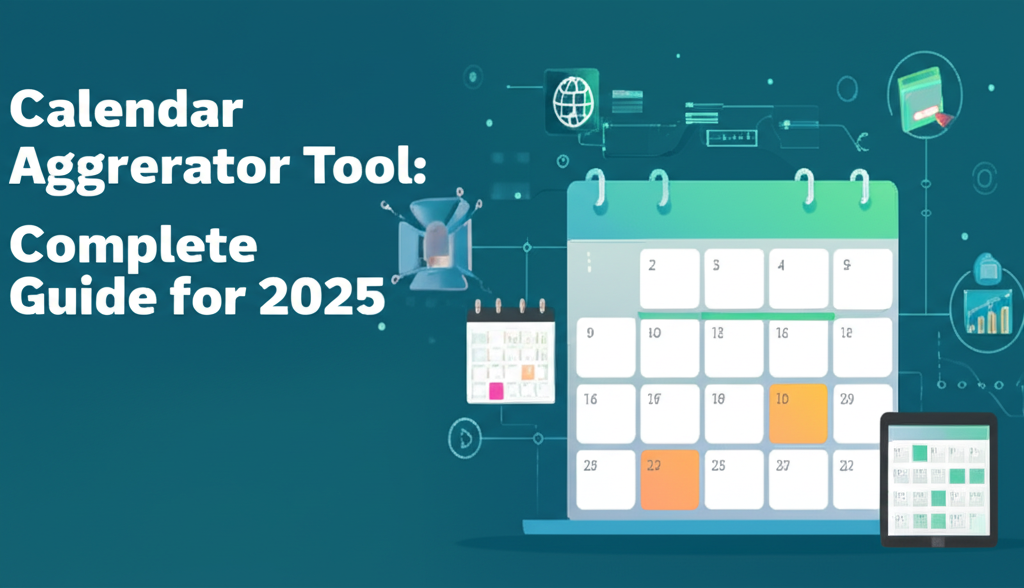
You open Google Calendar to check your morning schedule. Then you switch to Outlook for your consulting client. Then you open iCloud to see your personal appointments. By 9 AM, you have already checked three different calendars just to understand what your day looks like.
This calendar chaos is exactly what calendar aggregator tools solve. In 2025, with 83% of employed Americans depending on calendars to manage their workflow and professionals juggling work, client, and personal schedules across multiple platforms, the ability to see everything in one place is no longer a luxury. It's a necessity.
- What calendar aggregation actually means and how it differs from simple viewing
- How calendar aggregator tools work under the hood with real-time syncing
- Key features that separate basic tools from powerful aggregation platforms
- Why unlimited calendar connections matter for consultants and executives
- How to choose the right aggregation solution for your specific needs
What Is a Calendar Aggregator Tool?
A calendar aggregator tool is a software platform that combines multiple calendars from different sources into a single, unified view while maintaining real-time synchronization across all connected accounts.
Unlike simple calendar viewing tools that just let you see multiple calendars side by side, true aggregation involves importing, merging, and synchronizing event data from various calendar services like Google Calendar, Microsoft Outlook, iCloud Calendar, and others into one consolidated interface. When you create or modify an event in any connected calendar, a proper aggregator updates all other calendars automatically to reflect your accurate availability.
Think of it as the difference between looking at multiple maps on your desk versus having one master map that shows all the information from every source in real time. The latter gives you the complete picture instantly, without switching contexts or missing critical information.
Why Calendar Aggregation Matters in 2025
The modern professional calendar landscape has changed dramatically. Research from 2024 from the U.S. Bureau of Labor Statistics shows that 70% of adults now rely on digital calendars to manage their lives, with 57% of remote workers reporting they're more productive specifically because they can better manage their time without office distractions.
But here's the problem. Most professionals don't just have one calendar anymore.
Consultants work with multiple client organizations, each with their own calendar system. Executives manage corporate calendars, board meeting schedules, and personal commitments. Fractional leaders juggle calendars across three, four, or even ten different companies simultaneously. The U.S. Bureau of Labor Statistics found in their 2024 remote work productivity research that miscommunication in remote teams was one of the biggest management concerns, and conflicting calendar information is a major contributor to this problem.
Without aggregation, you face three critical challenges:
Double bookings become inevitable. When your availability isn't reflected across all calendars in real time, clients and colleagues will book meetings that conflict with commitments in other systems.
Calendar checking becomes a full-time job. Professionals report spending 15-20 minutes multiple times per day just checking different calendar systems to understand their schedule and availability.
Opportunities get missed. When you can't see your complete schedule at a glance, important meetings get forgotten, preparation time gets squeezed, and you show up unprepared or not at all.
Calendar aggregation solves these problems by giving you one source of truth for your entire schedule, regardless of how many organizations or calendar systems you work with.
How Calendar Aggregator Tools Work
Calendar aggregation happens through a sophisticated process of connection, synchronization, and real-time updates. Understanding this process helps you evaluate tools and troubleshoot issues when they arise.
Connection and Authentication
Calendar aggregator tools connect to your various calendar services through secure authentication protocols, typically OAuth 2.0 for services like Google and Microsoft. When you add a calendar connection, you grant the aggregator permission to read events from that calendar and, depending on the tool, write events back to it.
The tool accesses your calendar through API connections or by subscribing to ICS feeds, which are standardized calendar formats that any system can read. Most modern calendar services provide both options, though API connections typically offer more reliable real-time syncing.
Event Import and Synchronization
Once connected, the aggregator imports existing events from all your calendar sources. This initial import creates a complete picture of your schedule by pulling in event titles, times, locations, attendees, descriptions, and other metadata.
The sophistication of this import process varies significantly between tools. Basic aggregators might only pull event titles and times. Advanced platforms like CalendHub.com import complete event details while respecting privacy settings you configure.
After the initial import, ongoing synchronization keeps everything current. Most aggregators check for changes every few minutes, though some offer true real-time syncing that updates within seconds of a change in any connected calendar.
Bidirectional vs. Unidirectional Sync
Calendar aggregators use one of two synchronization approaches:
Unidirectional sync pulls events from multiple source calendars into one target calendar but doesn't write changes back to the sources. This creates a master view but means you still need to create events in their original calendars.
Bidirectional sync both imports events from source calendars and writes changes back to those calendars. When you create an event in your aggregated view, it appears in the appropriate source calendars. When you modify an event, those changes propagate to all connected calendars.
Bidirectional sync is more powerful but also more complex to implement correctly. It requires careful conflict resolution when the same event is modified in multiple places simultaneously.
Privacy and Information Control
Advanced calendar aggregators give you granular control over what information syncs between calendars. You might sync your client calendar to show busy/free status without revealing meeting details. You might sync personal appointments as "Busy" blocks to prevent work meetings from being scheduled during family time.
Platforms like CalendHub.com let you configure these privacy settings per calendar connection, so your personal events remain private while your professional availability stays accurate across all systems.
Key Features to Look for in Calendar Aggregator Tools
Not all calendar aggregators are created equal. When evaluating tools, focus on these critical capabilities that separate basic viewing tools from powerful aggregation platforms.
Unlimited Calendar Connections
This is where most calendar tools reveal their limitations. Popular scheduling platforms like Calendly cap calendar connections at just six calendars on their paid plans, with free users limited to a single connection. For consultants working with five different clients, executives serving on multiple boards, or fractional leaders supporting eight companies simultaneously, a six-calendar limit makes the tool useless.
True calendar aggregator tools designed for power users offer unlimited calendar connections. CalendHub.com specifically built their platform without arbitrary limits because they understood that professionals managing complex schedules need to connect 10, 15, or even 20+ calendars without hitting artificial caps.
When evaluating tools, ask directly about calendar connection limits. Many tools advertise "multi-calendar support" but bury the actual limit in their pricing documentation.
Real-Time Synchronization
Calendar aggregation only works if changes propagate quickly. Tools that sync every 30 minutes leave you vulnerable to double bookings because your availability isn't current when someone checks it.
Look for aggregators that update within 1-5 minutes of any change, or ideally offer real-time syncing measured in seconds. The sync speed should be clearly documented, not vaguely described as "regular updates."
Test this before committing. Create a test event in one calendar and measure how long it takes to appear in your aggregated view and other connected calendars.
Cross-Platform Compatibility
Your calendar aggregator needs to work with all the systems you actually use, not just the popular ones. At minimum, look for robust support for Google Calendar, Microsoft Outlook/Office 365, and Apple iCloud Calendar, as these cover the vast majority of professional calendar systems.
If you work with organizations using specialized systems, verify compatibility before selecting a tool. Some aggregators also support CalDAV connections, which provides compatibility with almost any calendar system that follows open standards.
Selective Sync and Privacy Controls
You don't want every detail from every calendar exposed everywhere. Professional calendar aggregators offer granular control over what information syncs and how it appears.
Key privacy features include the ability to sync events as busy/free blocks only, selectively hide event details like titles and descriptions, exclude specific calendars from specific sync destinations, and apply different privacy rules to different calendar connections.
CalendHub.com provides these controls because they understand that consultants need to show accurate availability to clients without revealing details about other client meetings or personal appointments.
Conflict Detection and Prevention
Smart calendar aggregators actively watch for scheduling conflicts across all connected calendars and alert you before you create double bookings. The best tools prevent conflicts entirely by checking availability across all calendars before confirming new meetings.
This feature becomes critical when you're managing many calendars. Without automated conflict detection, you're relying on your memory and manual checking, which inevitably fails.
Mobile and Desktop Access
Calendar management happens wherever you are. Your aggregator should offer full-featured mobile apps for iOS and Android, not just limited mobile views of a desktop website. You need to see your complete aggregated schedule, create events, and manage conflicts from your phone.
Desktop access should include both web applications and, ideally, native desktop apps for Mac and Windows that integrate with your operating system's notification and scheduling features.
Common Use Cases for Calendar Aggregation
Calendar aggregator tools serve specific professional scenarios where managing multiple separate calendars creates real problems. Understanding these use cases helps you evaluate whether aggregation solves your specific challenges.
Consultants Working with Multiple Clients
Independent consultants typically maintain separate calendars for each client organization they serve. A consultant supporting four clients has four Outlook or Google calendars, each containing meetings, deadlines, and commitments for that client.
Without aggregation, the consultant must check all four calendars before accepting any new meeting. They risk double booking when Client A schedules a meeting that conflicts with an existing Client B commitment. They waste 20-30 minutes daily just reviewing calendars to understand their schedule.
Calendar aggregation gives the consultant one unified view showing all client commitments. When Client A requests a meeting, the consultant immediately sees conflicts with other clients. Their availability reflects commitments across all organizations, preventing double bookings automatically.
Executives Managing Corporate and Board Calendars
Senior executives often serve on multiple boards while maintaining their primary corporate responsibilities. Each board typically has its own calendar system for meetings, reviews, and strategic sessions.
Need better calendar management? CalendHub unifies all your calendars with smart scheduling and video conferencing.
An executive serving on three boards while leading their own company manages four separate calendars. Important board meetings get missed because they were only visible in that board's specific calendar system. Preparation time gets squeezed because the executive didn't see the board meeting when planning their week.
Calendar aggregation consolidates all board calendars with corporate commitments. The executive sees their complete obligations across all organizations in one place. Their assistant can manage scheduling across all calendars without needing separate access to each system.
Fractional Leaders Supporting Multiple Companies
Fractional executives and leaders represent the most complex calendar challenge. A fractional CFO might serve eight different companies simultaneously, each with their own calendar system, meeting cadences, and scheduling culture.
Managing eight separate calendars manually is simply impossible. Double bookings are guaranteed. Important meetings get forgotten. The fractional leader spends hours weekly just on calendar management instead of delivering value to their clients.
These professionals need true unlimited calendar aggregation. Tools with six-calendar limits are useless. Platforms like CalendHub.com that support unlimited connections become essential infrastructure for fractional leaders to operate effectively.
Teams Coordinating Across Multiple Organizations
Some teams work across organizational boundaries. A project team might include members from a primary company, a consulting firm, a technology vendor, and a client organization. Each person has their own organizational calendar, but the team needs to coordinate meetings across all four organizations.
Calendar aggregation at the team level lets you see availability across organizations. The project manager can find times that work for team members across all four companies without endless email threads checking availability.
This becomes even more valuable in 2025 with hybrid and remote work. The U.S. Bureau of Labor Statistics research from 2024 found a positive relationship between remote work and productivity, but that productivity only materializes when teams can coordinate effectively despite being distributed across different organizations and time zones.
How Calendar Aggregation Differs from Calendar Viewing
Many tools claim to offer calendar aggregation but actually only provide multi-calendar viewing. Understanding this distinction helps you select tools that deliver real aggregation value.
Calendar Viewing
Calendar viewing tools let you see multiple calendars simultaneously in one interface. You might see your Google Calendar and Outlook calendar side by side in the same application, with events color-coded by source.
This is useful for seeing everything at once, but it doesn't create true aggregation. Events stay in their original calendars only. Your availability in Google Calendar doesn't reflect your Outlook commitments. When someone checks your Google Calendar availability to schedule a meeting, they see you as available during times when you have Outlook commitments.
Calendar viewing solves the convenience problem of opening multiple applications, but it doesn't solve the availability problem of having your schedule scattered across disconnected systems.
Calendar Aggregation
True calendar aggregation creates a unified schedule where events from all sources are merged into a single, coherent view. More importantly, changes propagate across all connected calendars to keep availability accurate everywhere.
When you're busy in your client's Outlook calendar, that busy time appears in your personal Google Calendar. When someone checks your availability in any calendar system, they see your actual availability across all calendars, not just the availability in that one system.
Aggregation tools typically create this unified view by writing events to a target calendar. A consultant might aggregate four client Outlook calendars into their personal Google Calendar, so their personal calendar reflects all client commitments. This makes their availability accurate when personal contacts check their Google Calendar to schedule meetings.
Advanced aggregation platforms like CalendHub.com go further by maintaining bidirectional sync across all calendars. Events created in any connected calendar appear in all others. This eliminates the need to designate one "target" calendar and keeps every system current regardless of where changes originate.
Choosing the Right Calendar Aggregator Tool
Selecting a calendar aggregator requires evaluating your specific needs against tool capabilities. Start by answering these critical questions.
How Many Calendars Do You Actually Need to Aggregate?
Count every calendar you currently maintain across all organizations, personal accounts, and specialized systems. Include calendars you share with teams or family members if you need to see those commitments when evaluating your availability.
If your count exceeds six calendars, immediately eliminate tools with connection limits. Calendly and similar scheduling-focused platforms won't work for your needs. Focus on true aggregation platforms built for power users like CalendHub.com that offer unlimited connections.
What Level of Privacy Control Do You Need?
Determine whether you need to selectively hide information from specific calendars when aggregating. Consultants typically need to sync client calendars as busy/free only without revealing meeting details to other clients. Executives might need to hide board meeting details while still blocking that time.
If you need granular privacy controls, verify the tool offers per-calendar privacy settings before committing. Basic aggregators often sync all event details everywhere, which creates confidentiality issues in professional contexts.
Do You Need Bidirectional or Unidirectional Sync?
Unidirectional sync works if you're comfortable creating all events in their original calendars and just want a unified view. This is simpler and has fewer potential conflicts.
Bidirectional sync is more powerful but requires a more sophisticated tool. You need this if you want to create events once in your aggregated view and have them appear in the appropriate source calendars automatically.
What's Your Budget for Calendar Management?
Calendar aggregator pricing varies dramatically. Simple viewing tools might be free or under 10 dollars monthly. Professional aggregation platforms with unlimited connections, privacy controls, and bidirectional sync typically range from 15 to 30 dollars monthly.
Calculate the time you currently spend managing multiple calendars manually. If you're spending 30 minutes daily checking calendars and resolving conflicts, that's 2.5 hours weekly or 10 hours monthly. Even at modest consulting rates, those 10 hours cost hundreds of dollars. A 20 dollar monthly aggregation tool pays for itself immediately.
- Eliminate Double Bookings: Real-time sync across all calendars prevents scheduling conflicts automatically, saving hours of rescheduling time and embarrassment with clients.
- Reduce Calendar Management Time: See your complete schedule in one place instead of checking 5-10 different calendar systems multiple times daily.
- Improve Professional Reliability: Never miss important meetings because they were only visible in one calendar system you forgot to check.
- Enable Effective Delegation: Give assistants access to your aggregated calendar instead of managing permissions across multiple organizational systems.
- Maintain Privacy While Showing Availability: Share accurate availability without revealing confidential meeting details across organizations.
Setting Up Calendar Aggregation Successfully
Once you've selected a calendar aggregator tool, proper setup ensures you get maximum value without creating confusion or sync issues.
Start with Two Calendars
Don't attempt to aggregate all your calendars at once. Start by connecting your two most important calendars to the aggregation tool. This lets you verify the sync works correctly, understand the tool's interface, and configure privacy settings before adding complexity.
Test the sync by creating events in both calendars and confirming they appear correctly in your aggregated view within the expected timeframe. Verify that changes to events propagate correctly and deletions sync properly.
Configure Privacy Settings Before Adding Sensitive Calendars
Set up your privacy and information hiding rules using test calendars or less sensitive calendars first. Once you understand how privacy controls work, then add calendars containing confidential client or board information.
Most sync problems happen because events with sensitive information appear where they shouldn't. Configuring privacy controls proactively prevents these issues rather than trying to fix exposure after it happens.
Add Calendars Gradually
After successfully aggregating two calendars, add one additional calendar at a time. This incremental approach makes it easy to identify and fix problems with specific calendar connections rather than trying to troubleshoot issues across many calendars added simultaneously.
For professionals managing 10+ calendars, this gradual addition might take a week. That's time well invested compared to creating a sync mess by connecting everything at once without verification.
Verify Sync Direction and Behavior
Explicitly test what happens when you create, modify, and delete events in different calendars. Confirm that the sync direction matches your expectations. If you expected bidirectional sync but events created in your aggregated view don't appear in source calendars, you need to adjust settings or contact support.
Understanding sync behavior prevents confusion and lost events when you start relying on the aggregated view for daily scheduling.
Set Up Mobile Access Immediately
Configure mobile apps for your calendar aggregator right away. Calendar management happens on the go, and you need your complete aggregated schedule accessible from your phone. Test that mobile sync works as expected and that you can create and modify events from mobile devices.
Advanced Calendar Aggregation Strategies
Once basic aggregation is working, these advanced strategies maximize the value you get from unified calendar management.
Color Coding by Calendar Source
Use color coding to instantly identify which organization or context each event comes from in your aggregated view. Most aggregators preserve or let you assign colors based on source calendar.
This visual distinction helps you quickly understand your day at a glance. All events from Client A appear in blue, Client B in green, personal commitments in purple. You can immediately see if your day is heavy with one client or balanced across multiple commitments.
Creating Buffer Time Automatically
Use your calendar aggregator to automatically create buffer time between meetings. Some tools support rules like "add 15 minutes after every meeting" which creates gaps for preparation, travel, or mental transition between commitments.
These buffers prevent back-to-back meeting marathons that leave no time for actual work. Research from 2024 shows that 74% of workers find not having a commute makes their day more productive, but only if that saved time gets used for focused work rather than additional meetings.
Aggregating Shared Team Calendars
Beyond your personal calendars, aggregate relevant team and group calendars to see team commitments in your unified view. This helps you schedule around team events and understand when team members are occupied with other commitments.
Be selective about which shared calendars you aggregate. Adding too many team calendars clutters your view with information that doesn't affect your personal availability.
Using Aggregation for Time Tracking
Your aggregated calendar creates a complete record of how you spend time across all professional commitments. Some professionals use calendar aggregation data for time tracking and client billing by exporting calendar data and analyzing time allocation.
While dedicated time tracking tools offer more features, calendar aggregation provides a baseline record of scheduled time that can inform time tracking and productivity analysis.
Common Calendar Aggregation Challenges and Solutions
Even with the best tools, calendar aggregation can encounter issues. These common challenges have straightforward solutions.
Duplicate Events Appearing
Sometimes the same event appears multiple times in your aggregated view. This typically happens when an event exists in multiple source calendars and the aggregator imports it from each source without recognizing it's the same event.
Solution: Configure your aggregator to designate one calendar as the primary source for shared events. If you and a colleague both have the same meeting on your calendars, sync only one person's calendar to your aggregated view to prevent duplication.
Sync Delays Creating Conflicts
If sync happens too slowly, someone might schedule a meeting during time that recently became unavailable but hasn't synced yet. This creates the double bookings you were trying to prevent.
Solution: Choose aggregators with fast sync intervals of 5 minutes or less. For critical scheduling periods, manually trigger sync if your tool offers that option, or check all source calendars directly before accepting important meetings.
Privacy Leaks Across Organizations
Confidential meeting details from one organization accidentally appear in another organization's calendar system, creating potential confidentiality breaches.
Solution: Review and tighten privacy settings immediately. Configure affected calendars to sync as busy/free only without event details. Consider which calendars truly need bidirectional sync versus unidirectional viewing in your aggregated system only.
Calendar Connection Breaking
Periodically, connections between your aggregator and source calendars stop working, usually due to authentication token expiration or password changes in the source system.
Solution: Monitor your aggregator for connection warnings and reconnect calendars promptly when issues occur. Most tools email you when connections fail. Some organizations require calendar connections to be reauthorized periodically for security, so plan to verify and refresh connections quarterly.
- Verify your organization allows third-party calendar connections (some enterprises restrict this for security)
- Understand your tool's data privacy and security practices, especially for confidential client or board information
- Have a backup plan for accessing original calendars if your aggregator experiences downtime
- Document which calendars are aggregated and how, so others helping with scheduling understand the system
- Test thoroughly with non-critical calendars before aggregating calendars containing important commitments
The Future of Calendar Aggregation
Calendar aggregation technology continues evolving rapidly. Understanding emerging trends helps you select tools positioned for long-term relevance.
AI-Powered Scheduling Assistance
Advanced calendar platforms are integrating artificial intelligence to automate scheduling decisions. Instead of manually finding available time slots across multiple calendars, AI assistants analyze your availability patterns, meeting preferences, and priorities to suggest optimal scheduling.
Some tools are beginning to negotiate meeting times automatically by analyzing availability across all participants' aggregated calendars and proposing times that work for everyone, eliminating the endless email chains of availability checking.
Deeper Integration with Task Management
The line between calendar management and task management is blurring. Modern aggregators increasingly integrate task deadlines and project milestones with calendar events, showing both scheduled commitments and work that needs to happen in a unified timeline.
This integration helps with realistic scheduling by showing not just when you're in meetings but when you need focused time for specific deliverables across all your projects and clients.
Enhanced Cross-Organization Collaboration
Calendar aggregation is expanding beyond individual use to team and cross-organization coordination. Platforms are developing capabilities for teams spread across multiple organizations to find common availability without everyone using the same calendar system.
This addresses one of the biggest remote work challenges identified in 2024 research. Teams are productive when remote, but coordination across organizations and time zones remains difficult. Better aggregation tools help solve this coordination challenge.
Why CalendHub.com Built Unlimited Calendar Aggregation
Most calendar tools approach aggregation as an afterthought feature added to scheduling platforms. CalendHub.com took the opposite approach, building true calendar aggregation as the foundation.
The platform was specifically designed for professionals who manage many calendars across multiple organizations. While competitors like Calendly cap connections at six calendars, CalendHub.com offers unlimited calendar connections because the team understood that consultants, executives, and fractional leaders actually need to aggregate 10, 15, or 20+ calendars.
The platform provides the granular privacy controls professionals need to maintain confidentiality across organizations while ensuring availability accuracy everywhere. Real-time synchronization keeps all calendars current within seconds of any change, preventing the double booking problems that plague slower sync tools.
For professionals who have outgrown basic scheduling tools and need true enterprise-grade calendar aggregation without enterprise complexity or cost, CalendHub.com delivers the unlimited connections and sophisticated features that make managing multiple calendars actually manageable.
Key Takeaways for Calendar Aggregation Success
Calendar aggregator tools solve real problems for professionals managing schedules across multiple organizations and calendar systems. The difference between basic calendar viewing and true aggregation is the unified availability and real-time synchronization that prevents double bookings and eliminates constant calendar checking.
When evaluating aggregation tools, prioritize unlimited calendar connections if you manage more than six calendars, real-time or near real-time synchronization for availability accuracy, granular privacy controls for maintaining confidentiality, and proven reliability with the specific calendar systems you use.
Start aggregation gradually by connecting two calendars first, testing sync behavior thoroughly, configuring privacy settings proactively, and only then adding additional calendars incrementally. This approach prevents problems and builds confidence in your aggregated system.
The time investment in setting up proper calendar aggregation pays immediate dividends. If you're currently spending 30 minutes daily managing multiple calendars manually, aggregation saves 10+ hours monthly that you can redirect to actual productive work or personal time.
For professionals managing complex multi-organization schedules, calendar aggregation isn't a convenience feature. It's essential infrastructure that makes effective time management possible. Choose tools built for your complexity level rather than trying to force scheduling-focused platforms to work for use cases they weren't designed to handle.
Your calendar is your most valuable professional tool. Make sure it actually shows your complete schedule across all your commitments, not just the commitments in one system. That's what calendar aggregation delivers.
Ready to Simplify Your Schedule?
Join thousands of professionals who have unified their calendars and reclaimed their time with CalendHub's intelligent scheduling platform.
Related Articles
AI Meeting Notes: Boost Productivity by 10 Hours Per Week in 2025
Discover how AI-powered meeting notes eliminate manual note-taking, improve meeting outcomes, and reclaim 10+ hours weekly. Complete implementation guide with proven strategies.
Mobile Calendar Consolidation App Guide: iPhone & Android 2025
Discover the best mobile calendar consolidation apps for iOS and Android. Manage all your calendars on the go with these powerful smartphone solutions.
How to Manage Multiple Work Calendars: Complete Guide 2025
Master managing multiple work calendars across platforms. Stop double bookings, save 4+ hours weekly, and maintain professional scheduling without chaos.