
 Google Calendar
  Outlook Calendar
  Google Meet
  Microsoft Teams
  Zoom Meetings
 Calendar Webhook Integration Use Cases: Real-World Implementation Patterns
Discover powerful calendar webhook integration use cases for CRM automation, team notifications, workflow triggers, and real-time scheduling systems.
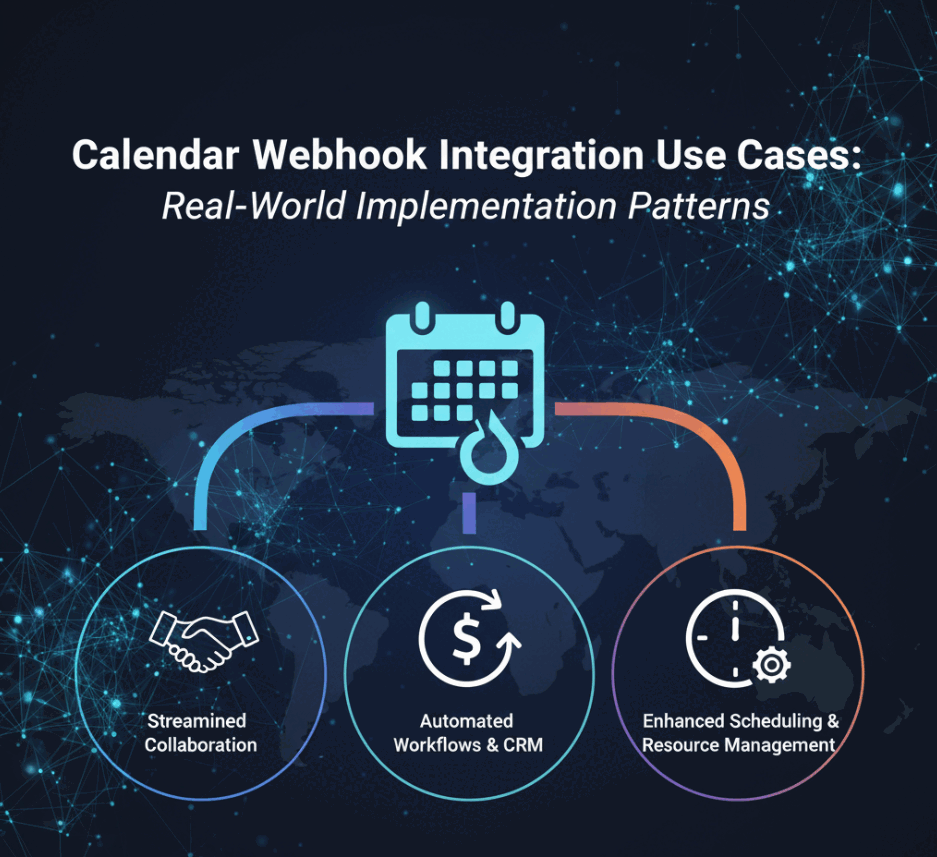
The moment a prospect books a sales call, your CRM updates automatically. When a client reschedules a meeting, your entire team receives instant Slack notifications. As soon as an interview is scheduled, your applicant tracking system creates candidate records and triggers email sequences. These scenarios represent just a fraction of what calendar webhook integration enables.
Calendar webhook integration powers real-time automation across countless business workflows. Unlike traditional approaches that check for calendar changes every few minutes, webhooks deliver instant notifications the moment events occur. This real-time capability opens possibilities for responsive, intelligent systems that react to scheduling activities as they happen.
- CRM automation patterns that eliminate manual calendar data entry
- Team notification workflows for instant scheduling updates
- Lead capture and qualification automation triggered by bookings
- Integration patterns for Slack, email, and communication platforms
- Workflow automation use cases across sales, support, and operations
Why Calendar Webhook Integration Matters for Modern Applications
Traditional calendar integration relies on polling. Your application repeatedly asks the calendar API whether anything changed. This approach wastes resources and introduces delays. Research from Zapier analyzing 30 million polling requests found that 98.5% of polls return no new data. Your application makes hundreds of wasted API calls for every meaningful update.
Calendar webhook integration eliminates this inefficiency. The calendar platform notifies your application only when events actually change. You receive real-time updates within seconds while reducing server load by an average of 66 times compared to polling. For a deep dive into real-time calendar synchronization benefits, see our comprehensive explainer.
This efficiency translates directly into better user experiences and lower operational costs. When calendar events change, your users see updates immediately rather than waiting for the next polling cycle. Your infrastructure handles more calendars with fewer resources. If you pay per API call, webhooks can dramatically reduce your costs by eliminating wasteful polling requests.
Beyond efficiency, calendar webhook integration enables entirely new categories of functionality. Time-sensitive workflows that depend on immediate notification become feasible. You can build systems that respond to calendar events in real time, triggering actions the moment meetings are scheduled, updated, or cancelled.
- Instant Synchronization: Updates propagate within seconds instead of minutes
- Resource Efficiency: Eliminate 98.5% of wasted polling requests
- Cost Reduction: Pay only for meaningful API calls with actual changes
- Real-Time Workflows: Enable time-sensitive automation and notifications
- Better UX: Users see changes immediately across all connected systems
CRM Integration and Lead Management
Calendar webhook integration revolutionizes how sales teams manage leads and customer relationships. Every booking, reschedule, and cancellation can automatically update your CRM without manual data entry or scheduled sync jobs.
Automatic Lead Capture from Calendar Bookings
When prospects book meetings through your scheduling page, calendar webhook integration captures lead information instantly. The moment someone schedules a discovery call, a webhook notification triggers your integration to create or update CRM records.
This automation eliminates the gap between booking and lead capture. With traditional polling, new bookings might not appear in your CRM for several minutes. Sales representatives working from the CRM see outdated information and might miss time-sensitive follow-up opportunities. Webhooks ensure CRM records update within seconds of booking.
Your calendar webhook integration can extract rich lead data from booking events. Meeting titles often contain prospect names or company information. Event descriptions may include answers to qualification questions. Attendee email addresses provide contact information. Custom fields in calendar events can carry additional lead details like company size, budget, or specific pain points.
When a webhook notification arrives indicating a new calendar event, your integration parses this information and maps it to CRM fields. If a contact record already exists for the email address, the integration updates it with new meeting details. If no record exists, the integration creates a new lead with all available information.
Platforms like CalendHub.com automatically route booking webhooks to your CRM with intelligent field mapping. When prospects book meetings, their information flows directly into Salesforce, HubSpot, Pipedrive, or other CRM systems. Sales representatives see new bookings instantly without switching between calendar and CRM interfaces.
Meeting Activity Tracking and Pipeline Updates
Calendar events represent critical sales activities. Discovery calls, demos, contract negotiations, and closing meetings all appear in calendars. Calendar webhook integration ensures these activities are tracked properly in your CRM pipeline.
When a sales representative schedules a product demo, the webhook notification triggers your integration to log this activity against the relevant opportunity in your CRM. The opportunity stage might advance automatically based on the meeting type. Your sales leadership sees accurate pipeline metrics that reflect the latest calendar activities.
Rescheduled meetings trigger updates as well. If a prospect moves a demo to next week, the webhook notification updates the activity date in your CRM. Your forecasting models and pipeline reports reflect the new timeline without manual intervention.
Cancelled meetings provide valuable signals. If a prospect cancels without rescheduling, this might indicate lost interest. Your calendar webhook integration can flag the opportunity for review, create tasks for follow-up, or adjust the deal probability based on cancellation patterns.
By automatically tracking all calendar-based activities, you gain complete visibility into sales processes. Representatives spend less time on administrative work and more time selling. Sales managers see real-time activity metrics and can identify representatives who need support or coaching.
Customer Success and Account Management
Calendar webhook integration extends beyond sales into customer success and account management. Onboarding calls, quarterly business reviews, check-ins, and support escalations all appear in calendars. Webhooks ensure your customer success platform or CRM reflects all customer interactions.
When a customer success manager schedules an onboarding call, the webhook triggers your integration to update the customer's onboarding status. Your customer success platform shows exactly where each customer stands in the onboarding process based on completed and scheduled meetings.
Recurring meetings deserve special handling in calendar webhook integration. A monthly business review series generates webhook notifications for each occurrence. Your integration should recognize recurring patterns and update customer records appropriately, tracking attendance, engagement, and outcomes across the series.
High-value customers often have dedicated account management. Calendar webhook integration ensures account managers never miss important context. When customers schedule meetings, webhooks can trigger notifications to account managers, populate briefing documents with recent activity, or create preparation tasks.
CalendHub.com provides pre-built integrations with customer success platforms that understand calendar patterns specific to customer lifecycle management. Your customer success team sees a unified view of all scheduled and completed customer interactions without manual calendar review.
Team Communication and Notification Workflows
Calendar webhook integration keeps teams informed about scheduling activities through real-time notifications. Instead of team members constantly checking calendars or email, webhooks push relevant updates to the communication platforms teams already use.
Slack and Microsoft Teams Integration
Team chat platforms have become the central nervous system for many organizations. Calendar webhook integration brings scheduling awareness directly into these collaboration hubs.
When someone books a meeting with your team, a webhook notification can post a message to a relevant Slack channel. Your team sees the booking immediately with all pertinent details. This is particularly valuable for customer-facing teams where immediate awareness of new bookings enables better preparation.
The notification might include meeting title, attendee names, scheduled time, meeting type, location or video conference link, and custom notes from the booking form. Team members can react, comment, or start discussing preparation directly in Slack without leaving their workflow.
Different meeting types can route to different channels. Sales demos might post to the sales channel. Support escalations might notify the support team channel. Executive briefings could alert the leadership channel. This targeted routing ensures teams see relevant notifications without overwhelming them with every calendar change.
Calendar changes trigger update notifications as well. When a meeting is rescheduled, a webhook posts an update to Slack showing the old and new times. When meetings are cancelled, webhooks can notify affected team members immediately, freeing up their time and preventing preparation for cancelled sessions.
For Microsoft Teams environments, calendar webhook integration works similarly. Webhooks post adaptive cards to Teams channels with rich formatting, action buttons, and inline meeting details. Team members can join video conferences, view full event details, or mark themselves as attending directly from the Teams notification.
Platforms like CalendHub.com include pre-configured Slack and Teams integrations that format calendar webhook notifications beautifully. You simply connect your calendar and chat platform, define which event types should trigger notifications, and specify the target channels. The integration handles webhook processing, message formatting, and delivery.
Email Notification Automation
While chat notifications work well for internal teams, many calendar webhook use cases require email notifications. Customers, external partners, and teams that do not use chat platforms need email updates about scheduling activities.
Calendar webhook integration can trigger customized email sequences based on calendar events. When someone books a meeting, webhooks initiate a confirmation email sequence that might include immediate confirmation, reminder 24 hours before the meeting, reminder 1 hour before the meeting, and follow-up email after the meeting concludes.
Each email can be personalized with details from the calendar event. The confirmation includes the exact meeting time in the recipient's timezone, video conference link or location details, preparation materials or agenda, and contact information for support.
Email templates can vary based on meeting type. A sales demo confirmation looks different from a support call confirmation. Calendar webhook integration routes notifications to the appropriate email template based on event properties like calendar source, event title patterns, or custom fields.
Rescheduling triggers different email workflows. When a meeting time changes, webhooks can send an update email highlighting the change. The email clearly shows the old time and new time to prevent confusion. If the meeting was rescheduled multiple times, the email might include the complete change history.
Cancellation emails require careful handling. When meetings are cancelled, webhooks should trigger apologetic, professional cancellation notices. If the cancellation came from your organization, the email might offer to reschedule. If the cancellation came from the other party, the email might simply acknowledge receipt and invite them to reschedule when ready.
Advanced calendar webhook integration can implement conditional email logic. If someone books a meeting less than 24 hours away, the reminder sequence adjusts to avoid sending reminders for events that already occurred. If someone books multiple meetings in a series, consolidation logic prevents overwhelming them with separate confirmation emails for each instance.
SMS and Mobile Push Notifications
For time-sensitive calendar events, email and chat notifications may not provide sufficient immediacy. Calendar webhook integration can trigger SMS messages and mobile push notifications that reach users regardless of whether they are actively checking other channels.
High-priority meetings like executive briefings, investor calls, or critical customer escalations benefit from SMS notification. When these meetings are scheduled or rescheduled, webhooks trigger SMS messages to key participants. The message includes essential details in a concise format optimized for mobile viewing.
SMS reminders provide additional value. While many calendar applications include built-in reminders, calendar webhook integration allows custom reminder timing and content. You might send SMS reminders 24 hours before, 1 hour before, and 15 minutes before important meetings. Each reminder can include specific context like the meeting's agenda, required materials, or action items from previous sessions.
Mobile push notifications work well for proprietary mobile applications. If your organization has a mobile app, calendar webhooks can trigger push notifications when calendar events are created, updated, or approaching. Users receive notifications even when your app is not actively running.
Push notification content should be carefully crafted. Include enough context for users to understand the notification without opening the app, but keep it concise enough to fit mobile notification constraints. The notification might show meeting title, time until the meeting starts, and primary attendees.
Action buttons in push notifications enhance utility. Users might be able to join the video conference, view full details, or confirm attendance directly from the notification. This reduces friction and increases engagement with calendar-related communications.
Workflow Automation and Business Process Integration
Calendar webhook integration serves as a powerful trigger for complex business workflows. When calendar events occur, webhooks can initiate multi-step processes that span multiple systems and teams.
Onboarding and Customer Journey Automation
Customer onboarding often involves multiple scheduled interactions. Kickoff calls, training sessions, configuration reviews, and go-live meetings mark onboarding milestones. Calendar webhook integration can orchestrate the entire onboarding journey based on these calendar events.
When a kickoff call is scheduled, the webhook triggers your onboarding platform to create the customer's onboarding project, assign team members to onboarding roles, provision accounts and resources, send welcome materials and documentation, and create tasks for preparation.
As onboarding meetings complete, webhooks advance the customer through onboarding stages. Completed training sessions might unlock access to advanced features. Finished configuration reviews might trigger provisioning automation. Go-live meeting completion might activate billing and move the customer from onboarding to active status.
This approach ensures consistent onboarding experiences. Every customer progresses through the same milestone-driven process. Nothing falls through the cracks because each calendar event automatically triggers the next onboarding steps.
Calendar webhook integration can also adapt onboarding timelines. If a customer reschedules their training session, webhooks automatically adjust downstream onboarding tasks and timelines. Your onboarding team always works from current information rather than outdated schedules.
Recruitment and Interview Coordination
Recruiting workflows revolve around scheduled interviews. Phone screens, technical interviews, panel interviews, and culture fit calls all appear in calendars. Calendar webhook integration automates coordination across recruiters, interviewers, and candidates.
When an interview is scheduled, the webhook triggers your applicant tracking system (ATS) to update the candidate's status, notify all interviewers with interview details and candidate information, send confirmation and preparation materials to the candidate, create scorecards for interviewers to complete, and schedule follow-up tasks for recruiters.
Interview completion can trigger automatic feedback collection. When an interview time passes, the webhook initiates requests to interviewers for their evaluations. Your recruiting team receives feedback faster, accelerating hiring decisions.
Need better calendar management? CalendHub unifies all your calendars with smart scheduling and video conferencing.
Interview no-shows and reschedules trigger different workflows. If a candidate does not join a video interview, the webhook might create a task for the recruiter to reach out. If an interviewer cancels, the webhook notifies the candidate and creates a rescheduling task.
CalendHub.com includes recruitment-specific calendar webhook integration templates. When integrated with your ATS, every interview automatically flows through appropriate workflows without recruiters manually triggering actions or updating systems.
Meeting Room and Resource Management
Organizations with physical offices need to manage meeting rooms, equipment, and other shared resources. Calendar webhook integration can automate resource allocation, preparation, and cleanup workflows.
When a meeting is scheduled in a conference room, the webhook can trigger room preparation workflows. For large meetings, this might include requesting catering services, setting up audio-visual equipment, configuring room layout for the meeting type, and printing materials or agenda.
Resource conflicts can be detected and resolved through calendar webhook integration. When webhooks indicate overlapping room bookings, automation can alert administrators, suggest alternative rooms, or automatically reassign meetings based on priority rules.
Meeting completion triggers cleanup and reset workflows. When a calendar event ends, the webhook initiates tasks to reset room configuration, remove leftover materials, and prepare the room for the next booking. This ensures meeting spaces are always ready without manual tracking.
Equipment checkout integrates with calendar events through webhooks. When someone schedules a meeting requiring specific equipment like projectors or video conferencing hardware, webhooks can trigger equipment reservation workflows. The equipment team knows exactly when and where items are needed.
Project Milestone and Task Management
Project management workflows often tie to scheduled meetings. Kickoff meetings, sprint reviews, stakeholder presentations, and project retrospectives represent important project milestones. Calendar webhook integration connects these calendar events to project management platforms.
When a project kickoff meeting is scheduled, webhooks create the project in your project management system, generate initial task lists and timelines, assign team members to project roles, and initialize project tracking dashboards.
Sprint review meetings trigger workflow automation in agile teams. When a sprint review is scheduled, webhooks can create the sprint in your project management tool, move tasks from previous sprints, notify team members about sprint goals, and generate sprint review documentation templates.
Milestone completion based on calendar events keeps projects on track. When a major presentation or review meeting completes, webhooks advance the project to the next phase, create subsequent milestone tasks, and update project status for stakeholders.
Missed meetings or rescheduled milestones can trigger risk management workflows. If critical project meetings are repeatedly rescheduled, webhooks might alert project managers or flag the project for review.
Real-Time Scheduling and Availability Management
Calendar webhook integration enables sophisticated availability management that responds instantly to scheduling changes. Your availability updates across all systems the moment calendar events are created or modified.
Dynamic Availability Updates
Scheduling platforms need to know when users are available for new bookings. Traditionally, these platforms poll calendar APIs to check availability. Calendar webhook integration provides a more efficient approach.
When a new event is added to your calendar, the webhook immediately notifies your scheduling platform. The platform updates your availability, blocking off the newly scheduled time. This happens within seconds, preventing double bookings even if two people try to schedule meetings simultaneously.
Event deletions and cancellations trigger the opposite workflow. When a meeting is cancelled, the webhook notifies your scheduling platform to free up that time slot. Your availability opens immediately without waiting for the next polling cycle.
This real-time availability management is particularly important for high-volume scheduling scenarios. Sales teams, consultants, and service providers who book many meetings daily need their availability to stay perfectly synchronized. Even brief delays between calendar changes and availability updates can result in double bookings and scheduling conflicts.
CalendHub.com leverages calendar webhook integration to provide instant availability updates across all connected scheduling pages. When events are added to your calendar from any source, your CalendHub availability reflects the change immediately. This eliminates double bookings and ensures accurate availability display.
Multi-Calendar Aggregation
Many professionals maintain multiple calendars. Work calendars, personal calendars, and calendars for specific projects or clients all need to be considered when determining availability. Calendar webhook integration enables real-time aggregation across all these sources.
When any calendar event changes across any of your calendars, a webhook notification updates the aggregated availability view. Your scheduling platform sees your combined availability across all calendar sources without repeatedly polling each calendar.
This multi-calendar approach works for teams as well. When determining team availability for group meetings, calendar webhooks from all team members provide real-time updates. Your scheduling automation always knows exactly when team members are available without maintaining complex polling schedules.
Cross-platform calendar aggregation benefits from webhooks. You might have events in Google Calendar, Outlook, and Apple iCloud. Calendar webhook integration from each platform ensures your unified availability view stays current regardless of where events are created or modified.
Focus Time and Time Blocking Automation
Modern professionals use time blocking to protect focus time for deep work. Calendar webhook integration can automate focus time protection across your work environment.
When you create a focus time block in your calendar, webhooks can trigger your communication tools into do-not-disturb mode, silence notifications across your devices, update your status in team chat platforms to show you are in focus time, and defer non-urgent emails and messages until the focus period ends.
When the focus time block ends, webhooks trigger the reverse automation. Your availability status updates, notifications resume, and your communication tools return to normal operation.
Unexpected meetings that overlap with focus time can trigger rescheduling workflows. If someone books a meeting during your focus time block, calendar webhook integration can automatically suggest alternative times or alert you to the conflict.
Appointment Reminder Automation
Calendar webhook integration enables sophisticated reminder workflows that go beyond basic calendar notifications. When events are scheduled, webhooks can initiate customized reminder sequences.
For customer-facing appointments, the reminder sequence might include immediate booking confirmation, email reminder 48 hours before, SMS reminder 24 hours before, email reminder with preparation materials 4 hours before, and SMS reminder 30 minutes before the appointment.
Different appointment types receive different reminder cadences. A brief phone call might only need a single reminder. A complex multi-hour workshop might need reminders days in advance with preparation materials.
No-show prevention benefits from intelligent reminder patterns. For appointment types with high no-show rates, calendar webhook integration can implement aggressive reminder sequences. If someone does not confirm attendance after several reminders, the system might flag the appointment for follow-up.
Reminder personalization improves engagement. Calendar webhooks provide appointment context that reminder systems use to personalize messages. Reminders reference specific appointment details, previous interactions, or related context that makes them more relevant and actionable.
Analytics and Business Intelligence
Calendar webhook integration feeds valuable data into analytics systems, providing insights into scheduling patterns, meeting effectiveness, and resource utilization.
Meeting Analytics and Productivity Insights
Every calendar event represents data about how your organization spends time. Calendar webhook integration captures this data in real time for analysis.
When meetings occur, webhooks feed event data into your analytics platform. Over time, you accumulate comprehensive data about meeting frequency, duration, participant counts, meeting types, and calendar utilization.
This data powers productivity insights. Analytics can reveal how much time teams spend in meetings versus focus time, identify individuals or teams with unsustainable meeting loads, track meeting patterns over time to identify trends, and correlate meeting behavior with productivity metrics.
Executive dashboards can display real-time scheduling metrics. Leadership sees how many customer meetings were scheduled this week, average time to schedule meetings with prospects, most active sales representatives based on calendar activity, and upcoming meeting load for capacity planning.
Customer Engagement Metrics
For customer-facing organizations, calendar events represent customer engagement. Sales meetings, support calls, onboarding sessions, and business reviews all indicate customer interaction levels.
Calendar webhook integration feeds these engagement events into customer analytics platforms. You can track engagement frequency per customer, time since last customer interaction, most engaged versus least engaged customers, and engagement trends over time.
These metrics drive proactive customer success. If a high-value customer shows declining engagement based on scheduled meetings, your customer success team can intervene before churn occurs. If a customer suddenly increases meeting frequency, this might signal expansion opportunities.
Cohort analysis benefits from calendar engagement data. Compare onboarding meeting patterns between successful and unsuccessful customers. Identify the meeting cadences that correlate with best outcomes. Use these insights to optimize your customer engagement playbooks.
Resource Utilization Reporting
Organizations need to understand how shared resources are utilized. Conference rooms, equipment, and personnel time all represent constrained resources that require management.
Calendar webhook integration provides real-time resource utilization data. When events are scheduled using specific resources, webhooks update utilization metrics. Your facilities team sees which conference rooms are most popular, what times of day have highest demand, how far in advance resources are typically booked, and which resources sit idle.
This data informs resource allocation decisions. If certain conference rooms are always fully booked while others sit empty, you might reallocate equipment or redesign spaces to better match demand patterns. If equipment is rarely used, you might reduce inventory to cut costs.
Capacity planning benefits from historical calendar data aggregated through webhooks. Analyze past scheduling patterns to predict future resource needs. Identify seasonal variations in meeting volumes that require staffing or resource adjustments.
Advanced Integration Patterns
Beyond straightforward notification and automation use cases, calendar webhook integration enables sophisticated integration patterns that solve complex business challenges.
Bidirectional Calendar Synchronization
Some scenarios require two-way synchronization between calendars or between calendars and other systems. Calendar webhook integration provides the real-time trigger mechanism for bidirectional sync. For comprehensive implementation patterns, review our complete guide to bidirectional calendar sync.
When an event changes in Calendar A, a webhook triggers your integration to replicate the change to Calendar B. When events change in Calendar B, webhooks trigger replication back to Calendar A. This keeps both calendars perfectly synchronized. The best bidirectional calendar sync tools all leverage webhooks for real-time propagation.
Conflict resolution requires careful design in bidirectional synchronization. If the same event is modified simultaneously in both calendars, your integration must detect the conflict and apply consistent resolution rules. Common approaches include last-write-wins based on timestamps, priority rules favoring one calendar over the other, or manual conflict resolution requiring user input.
Bidirectional synchronization between calendars and external systems follows similar patterns. When calendar events change, webhooks update the external system. When the external system changes, it updates the calendar. This might apply to scheduling platforms syncing with project management tools, CRM systems syncing meeting records with calendars, or HR systems syncing time-off requests with calendars.
CalendHub.com handles bidirectional synchronization complexity automatically. When you connect multiple calendars or external systems, CalendHub webhooks keep everything synchronized while preventing infinite update loops and resolving conflicts intelligently.
Event-Driven Workflow Orchestration
Complex business processes involve multiple systems and decision points. Calendar events can serve as triggers for sophisticated workflow orchestration.
When a calendar event occurs, the webhook initiates a workflow engine that executes a series of conditional steps. The workflow might check customer tier to determine notification recipients, verify resource availability before confirming bookings, route approvals based on meeting type or attendees, and execute different actions based on time until meeting.
Workflow platforms like Zapier, Make, n8n, and others consume calendar webhooks as triggers. These platforms provide visual workflow builders where you design multi-step automations without coding. Calendar webhooks trigger the workflow, which then interacts with dozens of potential integration targets.
For example, a sales demo webhook might trigger a workflow that creates the opportunity in CRM, sends confirmation email to the prospect, notifies the sales representative via Slack, adds preparation tasks to the project management system, and schedules follow-up tasks for after the demo.
Error handling in workflow orchestration is critical. If any step fails, the workflow should implement retry logic, fallback actions, or human notification. Calendar webhook integration should not silently fail, leaving workflows incomplete.
Intelligent Event Classification and Routing
Not all calendar events deserve the same handling. Meeting titles, attendees, duration, and other properties indicate event type and priority. Calendar webhook integration can classify events and route them appropriately.
Machine learning models can analyze calendar event properties to predict event type. Your integration might classify events as sales calls, internal meetings, customer sessions, focus time, personal appointments, or travel time.
Based on classification, webhooks route to different handling systems. Sales calls route to CRM integration. Customer sessions route to customer success platforms. Internal meetings route to team notification channels. Focus time blocks route to do-not-disturb automation.
Classification confidence scores inform routing decisions. High-confidence classifications route automatically. Low-confidence classifications might route to manual review or apply conservative default handling.
Over time, classification models improve. As users correct misclassifications or provide feedback, the model retrains and accuracy increases. Your calendar webhook integration becomes smarter about understanding event intent.
Implementation Considerations
Successfully deploying calendar webhook integration use cases requires attention to reliability, security, and user experience.
Choosing the Right Integration Approach
You have several options for implementing calendar webhook integration. Building custom webhook handlers gives you maximum control and flexibility. You can implement exactly the logic you need and integrate with your existing systems seamlessly. However, custom development requires engineering resources, ongoing maintenance, and careful attention to reliability and security.
Integration platforms like Zapier, Make, or n8n provide pre-built calendar webhook connectors and extensive integration libraries. You can implement common use cases without coding using visual workflow builders. These platforms handle webhook reliability, retries, and error handling. The trade-off is less flexibility and potential costs for high-volume usage.
Unified API platforms provide normalized calendar webhook integration across multiple calendar providers. Instead of implementing separate integrations for Google Calendar, Microsoft Outlook, Apple iCloud, and others, you integrate once with the unified API. The platform handles provider-specific webhook differences and presents a consistent interface.
Calendar-specific platforms like CalendHub.com offer purpose-built calendar webhook integration with deep calendar knowledge. Instead of general-purpose webhooks, you get calendar-aware integration that understands recurring events, timezone handling, attendee management, and other calendar-specific complexity.
Security and Privacy Considerations
Calendar data often contains sensitive information. Meeting titles might reference confidential projects. Attendee lists include personal email addresses. Event descriptions may contain private details.
When implementing calendar webhook integration use cases, ensure your webhook handlers and downstream systems maintain appropriate security. Use HTTPS for all webhook endpoints to encrypt data in transit. Implement authentication to verify webhook sources. Apply authorization to ensure users can only access their own calendar data.
Log webhook activity for audit purposes, but avoid logging sensitive payload data. Store only metadata like timestamps, event identifiers, and processing status. If you must log full payloads for debugging, implement strict access controls and automatic deletion after a short retention period.
Comply with privacy regulations like GDPR, CCPA, and industry-specific requirements. Obtain appropriate consent before syncing calendar data to external systems. Provide clear documentation about what calendar data you collect, how you use it, and where it flows. Allow users to revoke integrations and delete synced data.
User Experience and Reliability
Calendar webhook integration should enhance user experience, not complicate it. Provide clear visibility into what integrations are active and what actions they perform. When webhooks trigger automated workflows, notify users appropriately without overwhelming them.
Handle webhook failures gracefully. Calendar platforms do not guarantee 100% webhook delivery. Implement fallback mechanisms like periodic synchronization to catch events that webhooks missed. Display clear error messages when integrations fail and provide troubleshooting guidance.
Allow users to customize integration behavior. Different users have different preferences for notification frequency, destination systems, and automation rules. Provide configuration options that let users tailor calendar webhook integration to their specific needs.
Monitor integration health and proactively alert users to problems. If webhook deliveries consistently fail, authentication expires, or downstream systems become unreachable, notify affected users and provide remediation steps.
Conclusion
Calendar webhook integration transforms scheduling from an isolated activity into a trigger for comprehensive business automation. According to Statista research on digital transformation, real-time event-driven systems have become standard expectations in modern business applications. By responding to calendar events in real time, you eliminate manual data entry, keep teams informed, accelerate workflows, and gain valuable insights into how your organization spends time.
The use cases covered in this guide represent just a starting point. CRM automation, team notifications, workflow triggers, and analytics form the foundation. From there, you can combine patterns and build custom integrations that address your specific business requirements.
As you plan calendar webhook integration, focus on delivering clear value to users while maintaining reliability and security. Start with high-impact use cases that address obvious pain points. Measure results and iterate based on feedback. Expand to more sophisticated integration patterns as you gain confidence and experience.
- Identify high-impact use cases where manual calendar workflows cause friction
- Choose integration approach based on technical capability and requirements
- Start with a focused pilot targeting one specific workflow or team
- Measure impact on productivity, data accuracy, and user satisfaction
- Expand to additional use cases based on pilot success and feedback
- Consider platforms like CalendHub.com that simplify implementation
Calendar webhook integration is not just about technical implementation. The real value comes from reimagining business processes with real-time calendar awareness. When scheduling becomes a trigger rather than an isolated event, you unlock new possibilities for automation, collaboration, and intelligence that transform how your organization works.
Ready to Simplify Your Schedule?
Join thousands of professionals who have unified their calendars and reclaimed their time with CalendHub's intelligent scheduling platform.
Related Articles

Calendar Integration for Remote Teams: Complete 2025 Guide
Master calendar integration for distributed teams. Learn sync strategies, automation tools, and proven workflows to eliminate scheduling chaos across time zones.
Calendar Webhook Integration: Complete Developer Guide for 2025
Master calendar webhook integration with this comprehensive technical guide covering event types, payloads, authentication, and real-time synchronization.
How to Set Up Calendar Webhook Integration: Step-by-Step Developer Guide
Learn how to set up calendar webhook integration with Google Calendar, Microsoft Outlook, and other platforms. Complete setup guide with code examples.