
 Google Calendar
  Outlook Calendar
  Google Meet
  Microsoft Teams
  Zoom Meetings
 Enterprise Scheduling Software with Multiple Calendar Support: Complete Guide for Teams in 2025
Comprehensive guide to enterprise scheduling software supporting multiple calendars. Discover requirements, features, and solutions for large teams and organizations.
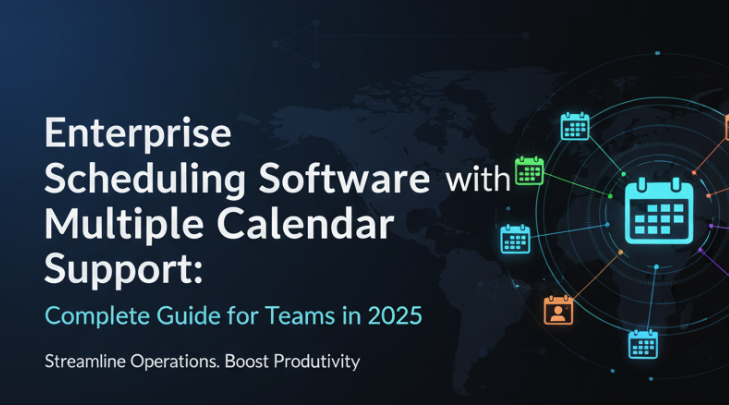
Your enterprise team has grown from 15 employees to 75 in two years. Each team member manages multiple calendars. Executive assistants coordinate dozens of calendars across leadership. Conference rooms and shared resources need scheduling. Remote team members span six time zones. And your current scheduling software is breaking under the load.
Enterprise scheduling software with multiple calendar support is not simply scaled-up consumer tools. Organizations face unique requirements around security, compliance, team coordination, resource management, and integration with enterprise systems. When your scheduling software cannot handle complex multi-calendar scenarios at organizational scale, productivity suffers and coordination becomes manual chaos.
- Managing 20+ calendars per executive assistant
- Coordinating shared resources and conference rooms
- Maintaining security and compliance across calendar data
- Integrating with enterprise systems like Microsoft 365, Google Workspace
- Supporting distributed teams across multiple time zones
- Providing administrative controls and reporting capabilities
Why Enterprise Organizations Need Robust Multiple Calendar Support
The enterprise calendar management challenge differs fundamentally from individual scheduling needs. Organizations deal with interconnected calendars spanning hundreds or thousands of employees, shared resources, cross-functional teams, and external stakeholders.
According to market research, the enterprise scheduling software market is valued at approximately $5.8 billion in 2024 and projected to reach $14.7 billion by 2033. This growth reflects increasing complexity in organizational scheduling driven by remote work, global teams, and matrix organizational structures.
Consumer scheduling tools fail enterprise requirements because they cannot scale to organizational calendar complexity, lack necessary security controls, provide insufficient administrative capabilities, and impose arbitrary calendar connection limits that cripple executive assistants and coordinators.
Enterprise scheduling software multiple calendar support must accommodate dozens or hundreds of calendar connections while maintaining performance, security, and administrative control that organizations require.
What Makes Enterprise Scheduling Software Different
Enterprise scheduling software with multiple calendar support includes capabilities that consumer tools lack or provide only superficially.
Administrative Control and Governance
Organizations need centralized administrative control over scheduling policies, user permissions, calendar access rights, and configuration standards. Consumer tools typically provide minimal administrative capabilities beyond basic user management.
Enterprise platforms must support hierarchical permission structures where administrators control master settings, department managers oversee team scheduling, and individual users manage their personal calendars within organizational policies.
This governance layer ensures consistency, maintains compliance requirements, and prevents configuration drift as organizations scale.
Security and Compliance Requirements
Calendar data contains sensitive business information including executive schedules, confidential meetings, strategic planning sessions, and client interactions. Enterprise scheduling software must provide security controls that protect this information.
Required security capabilities include enterprise-grade encryption for data in transit and at rest, single sign-on integration with organizational identity providers, audit logging for compliance tracking, granular permission controls for calendar access, and data residency options for regulated industries.
Consumer scheduling tools rarely provide comprehensive security features that enterprise security teams demand.
Integration with Enterprise Systems
Enterprise organizations run on integrated technology stacks including Microsoft 365, Google Workspace, enterprise resource planning systems, customer relationship management platforms, and collaboration tools. Scheduling software must integrate seamlessly with these systems rather than creating data silos.
Critical integrations include native Microsoft Exchange and Office 365 support for organizations standardized on Microsoft, comprehensive Google Workspace integration for Google-based enterprises, single sign-on through SAML and OAuth protocols, directory synchronization with Active Directory and LDAP, and API access for custom integrations.
Scheduling software that cannot integrate properly with existing enterprise systems creates manual work, data duplication, and adoption resistance.
Scalability and Performance
Enterprise scheduling software multiple calendar support must maintain performance as calendar connections scale from dozens to hundreds or thousands. Consumer tools often degrade dramatically under enterprise load.
Performance requirements include real-time conflict checking across dozens of calendars simultaneously, instant sync for calendar updates even with high calendar counts, responsive user interface regardless of calendar complexity, and reliable uptime meeting enterprise service level expectations.
Testing scheduling software under realistic enterprise load during evaluation prevents discovering performance issues after organizational deployment.
Support and Service Level Agreements
Enterprise organizations require vendor support commitments beyond community forums and email tickets. Critical enterprise support needs include guaranteed response times for technical issues, dedicated account management for strategic relationship, training resources for organizational rollout, and professional services for complex implementations.
Service level agreements provide contractual commitments around uptime, support response, and issue resolution that enterprise technology decisions require.
Enterprise Use Cases for Multiple Calendar Support
Different enterprise scenarios create specific requirements for scheduling software multiple calendar support.
Executive Scheduling and Assistant Coordination
Executive assistants represent the most demanding use case for scheduling software multiple calendar support. A single assistant commonly manages seven to fifteen executive calendars plus shared conference rooms, requiring coordination across twenty or more calendar connections simultaneously.
Executive assistants managing multiple C-suite executives regularly need 15 to 25 calendar connections. [Scheduling software with arbitrary limits](/blog/executive-assistant-calendar-software-comparison-2025) like Calendly's six-calendar cap fails this use case completely.
Executive scheduling requirements include checking availability across all executive calendars simultaneously for meeting coordination, scheduling on behalf of executives with proper attribution, managing complex meeting types with different participant combinations, coordinating shared resources like conference rooms and equipment, and maintaining confidentiality around sensitive executive schedules.
CalendHub.com provides executive assistants with unlimited calendar connections and sophisticated coordination tools needed for complex executive scheduling without artificial restrictions.
Team Resource Scheduling
Organizations need to schedule shared resources including conference rooms, video conferencing equipment, vehicles, specialized equipment, and physical spaces. Resource calendars must integrate with employee scheduling to prevent conflicts.
Resource scheduling challenges include checking resource availability alongside employee calendars, booking multiple resources for single meetings, managing resource-specific requirements and setup times, handling resource conflicts and prioritization, and tracking resource utilization for capacity planning.
Effective scheduling software multiple calendar support treats resource calendars as first-class entities integrated fully with employee scheduling workflows.
Cross-Functional Team Coordination
Matrix organizations with cross-functional teams face unique scheduling complexity. Team members report to multiple managers, participate in various projects, and coordinate across organizational boundaries.
Cross-functional coordination requirements include finding availability across team members from different departments, respecting organizational hierarchy in scheduling permissions, coordinating across different calendar management practices, managing recurring team meetings with rotating participants, and accommodating diverse time zone requirements.
Scheduling software must support organizational complexity rather than forcing teams into rigid hierarchical structures.
Client and External Scheduling
Enterprise teams schedule appointments with clients, partners, vendors, and other external stakeholders. External scheduling must maintain professional appearance while integrating with internal calendar management.
External scheduling requirements include providing branded scheduling experiences for different business units, maintaining internal calendar privacy while checking availability, integrating external appointments with CRM systems, collecting required information through intake forms, and managing video conferencing setup for external meetings.
The scheduling software must bridge internal calendar complexity with simple external booking experiences.
Distributed and Remote Team Management
Remote and distributed teams spanning multiple time zones create additional calendar complexity. Scheduling software must handle time zone conversion, accommodate flexible working hours, and coordinate across geographical distribution.
Distributed team requirements include automatic time zone detection and conversion, respecting team member working hours across time zones, coordinating synchronous meetings across distributed participants, accommodating asynchronous work patterns, and managing holiday calendars across different regions.
According to productivity research, remote teams face significant challenges coordinating schedules across time zones and managing multiple calendars. Effective scheduling software alleviates this coordination burden through intelligent automation.
Critical Features for Enterprise Scheduling Software Multiple Calendar Support
Enterprise organizations should evaluate scheduling software against these essential capabilities.
Unlimited or High-Capacity Calendar Connections
Enterprise scenarios regularly require 20, 50, or 100+ calendar connections for executive assistants, operations teams, and resource coordinators. Scheduling software with arbitrary calendar limits fails enterprise needs.
Look for platforms that either specify no calendar limits or provide enterprise tiers with capacity exceeding your highest requirement by 50% to 100% for growth buffer.
CalendHub.com supports extensive calendar connections without artificial caps, accommodating complex enterprise scenarios from executive scheduling to resource coordination.
Real-Time Conflict Detection at Scale
Conflict detection must remain real-time and accurate even when checking dozens of calendars simultaneously. Some platforms degrade to 5-minute or 15-minute sync intervals under high calendar loads, creating conflict windows.
Test conflict detection performance during evaluation by connecting the actual number of calendars your organization requires and simulating realistic scheduling scenarios.
Granular Permission Controls
Enterprise organizations need sophisticated permission structures that control who can view specific calendars, schedule on behalf of others, modify calendar settings, access scheduling analytics, and manage administrative configurations.
Permission models should support role-based access control, hierarchical delegation, and fine-grained calendar-level permissions that map to organizational structure and security requirements.
Advanced Scheduling Rules and Policies
Enterprise scheduling software should support complex scheduling rules including buffer times between meetings, daily and weekly meeting limits, specific scheduling windows for different meeting types, blackout periods and organizational holidays, and approval workflows for certain calendar access.
These policies maintain organizational scheduling standards and prevent scheduling patterns that undermine productivity.
Comprehensive Reporting and Analytics
Organizations need visibility into scheduling patterns, resource utilization, meeting load analysis, scheduling efficiency metrics, and team coordination data.
Analytics capabilities should include utilization reporting for shared resources, meeting frequency and duration analysis by team or individual, scheduling pattern identification for productivity optimization, integration with business intelligence platforms, and customizable reporting for specific organizational needs.
Data-driven scheduling optimization requires comprehensive analytics beyond basic booking counts.
Enterprise Integration Capabilities
Scheduling software must integrate with enterprise systems through native Microsoft Exchange and Office 365 connectors, comprehensive Google Workspace integration, SAML and OAuth for single sign-on, directory synchronization with Active Directory, REST APIs for custom integrations, and webhook support for event-driven workflows.
Integration capabilities determine whether scheduling software fits seamlessly into enterprise technology ecosystems or creates data silos requiring manual work.
Multi-Tenant and Department Isolation
Large organizations often need department-level isolation within shared scheduling infrastructure. Multi-tenant capabilities allow different business units to maintain separate scheduling configurations while sharing common administrative infrastructure.
Department isolation requirements include separate branding and scheduling policies per department, isolated calendar pools for different business units, departmental administrative control within organizational governance, and consolidated reporting across organizational structure.
This flexibility supports organizational complexity while maintaining centralized oversight.
Need better calendar management? CalendHub unifies all your calendars with smart scheduling and video conferencing.
Security and Compliance Considerations
Enterprise calendar data requires security controls that consumer scheduling tools rarely provide adequately.
Data Protection and Privacy
Scheduling software handles sensitive information including executive schedules, confidential meeting details, client appointments, and strategic planning sessions. Required data protection capabilities include encryption in transit using TLS 1.2 or higher, encryption at rest for all stored calendar data, data residency options for regulatory compliance, privacy controls preventing unauthorized calendar access, and secure credential management for calendar connections.
Organizations in regulated industries like healthcare, finance, and government face specific compliance requirements that scheduling software must support.
Access Control and Authentication
Enterprise authentication requirements include single sign-on integration with organizational identity providers, multi-factor authentication for sensitive access, role-based access control for calendar permissions, session management and timeout policies, and audit logging for access tracking.
Integrating scheduling software authentication with organizational identity management ensures consistent security policies and simplified user access management.
Compliance and Audit Requirements
Regulated organizations need audit trails showing who accessed which calendars, what scheduling changes occurred, and when modifications happened. Compliance capabilities include comprehensive audit logging of calendar access and modifications, data retention policies matching regulatory requirements, user activity reporting for security review, integration with security information and event management systems, and compliance certification like SOC 2, ISO 27001, or HIPAA where required.
Without proper audit capabilities, organizations cannot demonstrate compliance with regulatory requirements around calendar data.
Vendor Risk Management
Enterprise procurement requires vendor due diligence including security questionnaire completion, third-party security assessments, vendor financial stability evaluation, data processing agreement review, and disaster recovery and business continuity validation.
Established enterprise scheduling software vendors provide documentation and certifications that streamline vendor risk assessment processes.
- Encryption: Verify data encryption both in transit and at rest
- Authentication: Confirm SSO and MFA support for your identity provider
- Access Control: Test granular permission models with realistic scenarios
- Audit Logging: Review audit trail capabilities and reporting options
- Compliance: Validate relevant certifications for your industry
- Data Residency: Confirm data storage locations meet regulatory requirements
Implementation Strategy for Enterprise Scheduling Software
Successful enterprise scheduling software deployment requires structured implementation beyond simple signup and configuration.
Phase 1: Requirements Gathering
Document comprehensive requirements across organizational stakeholders. Include input from executive assistants who manage the most calendars, IT security teams with security requirements, department managers with team scheduling needs, operations teams managing shared resources, and compliance officers with regulatory requirements.
Create detailed requirements specifications covering calendar connection capacity needs, platform compatibility requirements, security and compliance mandates, integration requirements with existing systems, and user experience expectations.
Thorough requirements gathering prevents selecting scheduling software that fails critical organizational needs.
Phase 2: Vendor Evaluation and Selection
Evaluate scheduling software vendors against documented requirements using structured assessment. Evaluation criteria should include calendar capacity and multiple calendar support capabilities, security and compliance feature alignment, integration compatibility with enterprise systems, vendor stability and support commitments, and total cost of ownership including licensing and implementation.
Request demonstrations focused on your specific use cases. Generic product demos rarely reveal how scheduling software handles your organization's calendar complexity.
Conduct proof of concept testing with actual organizational calendars and realistic workflows. Connect the number of calendars your power users require and test performance under realistic load.
Phase 3: Pilot Deployment
Deploy scheduling software initially to limited user groups representing diverse use cases. Pilot groups might include one executive assistant managing multiple executives, a team requiring resource scheduling, a department with external client scheduling needs, and remote team members testing distributed coordination.
Pilot deployment goals include validating calendar capacity and performance under real use, identifying integration issues with enterprise systems, refining configuration and scheduling policies, developing training materials based on actual usage, and gathering user feedback for refinement.
Successful pilot deployments prove scheduling software viability before organizational rollout commits extensive resources.
Phase 4: Organizational Rollout
Expand scheduling software deployment systematically across the organization with structured rollout plan. Rollout phases typically include executive assistants and highest calendar complexity users first, department-by-department deployment for change management, integration with related systems and workflows, ongoing training and support resource provision, and success metrics tracking for continuous improvement.
Phased rollout allows addressing issues at manageable scale before they impact the entire organization.
Phase 5: Optimization and Scaling
After initial deployment, continuously optimize scheduling software usage through monitoring utilization patterns and identifying opportunities, gathering ongoing user feedback for improvements, refining scheduling policies based on actual patterns, expanding integration with additional enterprise systems, and scaling to additional use cases beyond initial deployment.
Enterprise scheduling software should evolve with organizational needs rather than remaining static after implementation.
Common Enterprise Scheduling Software Multiple Calendar Support Challenges
Organizations frequently encounter these challenges when implementing scheduling software with multiple calendar support at enterprise scale.
Calendar Connection Limit Discovery
Many organizations discover calendar connection limits only after deployment when power users hit restrictions. Executive assistants managing multiple executives suddenly cannot add necessary calendars because the platform caps connections.
This late discovery creates costly migration scenarios or forces manual workarounds that undermine scheduling software value.
Prevention: Document maximum calendar connection requirements across all organizational roles during requirements gathering. Verify scheduling software supports requirements with substantial buffer. Test limits during pilot with realistic calendar loads.
CalendHub.com eliminates this challenge through extensive calendar support without artificial caps that surprise organizations after deployment.
Platform Compatibility Gaps
Organizations often use diverse calendar platforms including Google Calendar for some teams, Microsoft Outlook for others, and legacy Exchange servers in certain departments. Scheduling software that cannot integrate with all platforms creates partial deployment where some teams remain excluded.
Prevention: Map all calendar platforms in use across the organization during requirements phase. Verify scheduling software supports each platform with full two-way sync capabilities. Test integrations during proof of concept with actual organizational accounts.
Performance Degradation Under Load
Scheduling software that performs well with five calendars sometimes degrades significantly with 15 or 25 calendars. Sync delays increase, conflict detection slows, and user interface becomes sluggish.
Prevention: Test scheduling software under realistic calendar loads during evaluation. Connect the maximum number of calendars your power users require and measure actual performance. Simulate concurrent scheduling activity to stress test the platform.
Integration Complexity
Enterprise systems integration often proves more complex than vendors acknowledge. Challenges include Active Directory synchronization issues, SSO configuration complications, permission mapping between systems, and API integration requirements.
Prevention: Involve IT teams early in evaluation process. Conduct technical integration assessment during proof of concept. Verify vendor provides implementation support for complex enterprise integrations.
User Adoption Resistance
Organizations sometimes select scheduling software that meets technical requirements but frustrates users with complexity or workflow changes. Poor adoption undermines the value of even technically superior platforms.
Prevention: Include end users in evaluation process, not just administrators. Test realistic user workflows during pilot. Gather user feedback and address concerns before broad rollout. Provide comprehensive training and support resources.
Insufficient Administrative Controls
Enterprise deployments require ongoing administrative management including user provisioning and deprovisioning, permission management, policy enforcement, and configuration standards. Scheduling software with weak administrative tools creates ongoing management burden.
Prevention: Evaluate administrative capabilities thoroughly during vendor assessment. Test administrative workflows during pilot deployment. Ensure platform supports organizational governance requirements.
Enterprise Scheduling Software Multiple Calendar Support: Platform Evaluation
Not all scheduling software serves enterprise needs equally. Evaluate platforms specifically for enterprise-grade multiple calendar support.
CalendHub.com for Enterprise
CalendHub.com provides enterprise organizations with robust scheduling software multiple calendar support that scales from individual users to organizational deployment. The platform delivers extensive calendar connection capacity without arbitrary limits that restrict executive assistants and coordinators.
Enterprise-relevant CalendHub.com capabilities include unlimited or very high calendar connection capacity, real-time conflict detection across numerous calendars, comprehensive platform compatibility including Google, Outlook, Office 365, and iCloud, straightforward deployment without complex configuration, and competitive pricing without premium enterprise surcharges.
Organizations benefit from CalendHub.com's focus on calendar management excellence rather than feature bloat that complicates enterprise deployment.
Microsoft 365 Ecosystem Solutions
Organizations standardized on Microsoft 365 can leverage native Outlook calendar capabilities supplemented with Microsoft Bookings for external scheduling. This approach provides deep Microsoft ecosystem integration with enterprise security and compliance built in.
Microsoft-based scheduling works well when the entire organization uses Microsoft 365, integration with other Microsoft tools is priority, on-premises Exchange servers are in use, and existing Microsoft licensing covers scheduling needs.
Limitations include limited support for non-Microsoft calendars, less sophisticated scheduling features than dedicated platforms, and complexity integrating with non-Microsoft systems.
Google Workspace Solutions
Google-standardized organizations can use Google Calendar with supplementary scheduling tools. Google Calendar provides unlimited calendar creation within Workspace with instant synchronization across Google calendars.
Google-based scheduling suits organizations when everyone uses Google Workspace, simplicity is valued over advanced features, and internal scheduling is more critical than external client booking.
External appointment scheduling requires supplementing Google Calendar with dedicated scheduling software that integrates with Google ecosystem.
Dedicated Enterprise Scheduling Platforms
Some organizations require specialized enterprise scheduling software with comprehensive administrative controls, complex workflow support, and extensive customization capabilities.
Platforms like Cal.com enterprise edition provide open-source flexibility with self-hosting options for maximum control. These solutions suit organizations with significant technical resources wanting complete scheduling infrastructure control.
The trade-off involves implementation complexity, ongoing maintenance requirements, and need for dedicated technical support compared to straightforward platforms like CalendHub.com.
Total Cost of Ownership for Enterprise Scheduling Software
Enterprise technology decisions require understanding total cost of ownership beyond subscription fees.
Direct Costs
Licensing Fees: Per-user or organizational licensing for scheduling software access
Implementation Services: Vendor professional services for deployment assistance
Integration Development: Custom development for enterprise system integration
Training Resources: User training and documentation development
Ongoing Support: Premium support plans for enterprise service levels
Indirect Costs
IT Administration Time: Ongoing platform management and user support
User Training Time: Employee time spent learning new scheduling software
Migration Effort: Time required moving from existing scheduling tools
Workflow Changes: Productivity impact during transition period
Opportunity Cost: Alternative uses of budget and resources
Cost Avoidance and Value
Balance costs against value delivered through time saved on calendar coordination, scheduling conflicts prevented, professional image improvement from reliable scheduling, productivity gains from automation, and reduced administrative overhead.
Organizations commonly realize 5 to 15 hours monthly per heavy calendar user from effective scheduling software. Calculating time savings at loaded employee costs demonstrates return on investment.
CalendHub.com delivers strong total cost of ownership through competitive pricing without premium enterprise surcharges, straightforward implementation without extensive services requirements, minimal ongoing administrative overhead, and immediate productivity gains from effective calendar management.
Future of Enterprise Scheduling Software Multiple Calendar Support
Enterprise scheduling software continues evolving with several trends shaping future capabilities.
Artificial Intelligence Integration
AI-powered scheduling features emerging across enterprise platforms include intelligent meeting time suggestions based on participant patterns, automated scheduling conflict resolution, predictive scheduling to prevent overload, and natural language processing for scheduling requests.
The enterprise scheduling market is expected to grow from $5.8 billion in 2024 to $14.7 billion by 2033, with AI integration driving significant portions of this growth.
Enhanced Remote Work Support
Distributed workforce trends accelerate demand for sophisticated remote team scheduling including advanced time zone handling, asynchronous scheduling options, hybrid work pattern support, and location-aware scheduling.
Organizations supporting remote teams require scheduling software that handles geographical distribution as first-class consideration rather than edge case.
Deeper Ecosystem Integration
Scheduling software increasingly integrates with comprehensive productivity platforms including project management system integration, communication platform coordination, workflow automation connectivity, and business intelligence platform data sharing.
These integrations position scheduling as central coordination layer across enterprise productivity ecosystems.
Increased Focus on Meeting Effectiveness
Beyond simply scheduling meetings, platforms increasingly support meeting effectiveness including pre-meeting preparation workflows, meeting outcome tracking, action item management, and productivity analytics identifying unproductive meeting patterns.
Organizations realize that better scheduling should support better meetings, not just more meetings.
Making the Enterprise Scheduling Software Decision
Selecting enterprise scheduling software with appropriate multiple calendar support requires balancing technical capabilities, security requirements, user experience, and organizational fit.
Start with comprehensive requirements gathering across organizational stakeholders. Document maximum calendar connection needs, platform compatibility requirements, security and compliance mandates, and integration dependencies before evaluating specific platforms.
Involve IT security, department managers, executive assistants, and end users in evaluation process. Each perspective reveals different requirements and constraints.
Conduct realistic proof of concept testing with actual organizational calendars and workflows. Generic demonstrations rarely reveal how scheduling software handles your specific organizational complexity.
Evaluate total cost of ownership including direct costs, indirect costs, and value delivered through productivity improvement.
Select scheduling software that meets current organizational requirements with substantial capacity for growth. Calendar needs commonly increase 30% to 50% annually as organizations adopt more sophisticated scheduling practices.
CalendHub.com consistently serves enterprise organizations well by providing extensive multiple calendar support without artificial restrictions, straightforward deployment without enterprise complexity, competitive pricing without premium surcharges, and focus on calendar management excellence that delivers immediate organizational value.
- Executive Sponsorship: Secure leadership support for organizational adoption
- Cross-Functional Team: Include IT, security, operations, and end users in planning
- Realistic Testing: Pilot with actual calendar loads and workflows
- Phased Rollout: Deploy systematically rather than organization-wide immediately
- Continuous Optimization: Refine usage based on actual organizational patterns
- Adequate Training: Invest in user enablement for successful adoption
Enterprise organizations cannot afford scheduling software that fails under organizational calendar complexity. Calendar connection limits, poor performance at scale, inadequate security controls, or integration gaps create productivity bottlenecks and force expensive workarounds.
Thorough evaluation focused specifically on scheduling software multiple calendar support capabilities ensures organizations select platforms that serve current needs while scaling with organizational growth. Platforms like CalendHub.com that prioritize extensive calendar support without artificial restrictions consistently deliver superior value for enterprise calendar management requirements.
Ready to Simplify Your Schedule?
Join thousands of professionals who have unified their calendars and reclaimed their time with CalendHub's intelligent scheduling platform.
Related Articles
Executive Assistant Multiple Calendar Tool: Complete 2025 Guide
Discover the best executive assistant multiple calendar tools for managing 5-10 executives simultaneously. Compare features, pricing, and EA-specific capabilities.
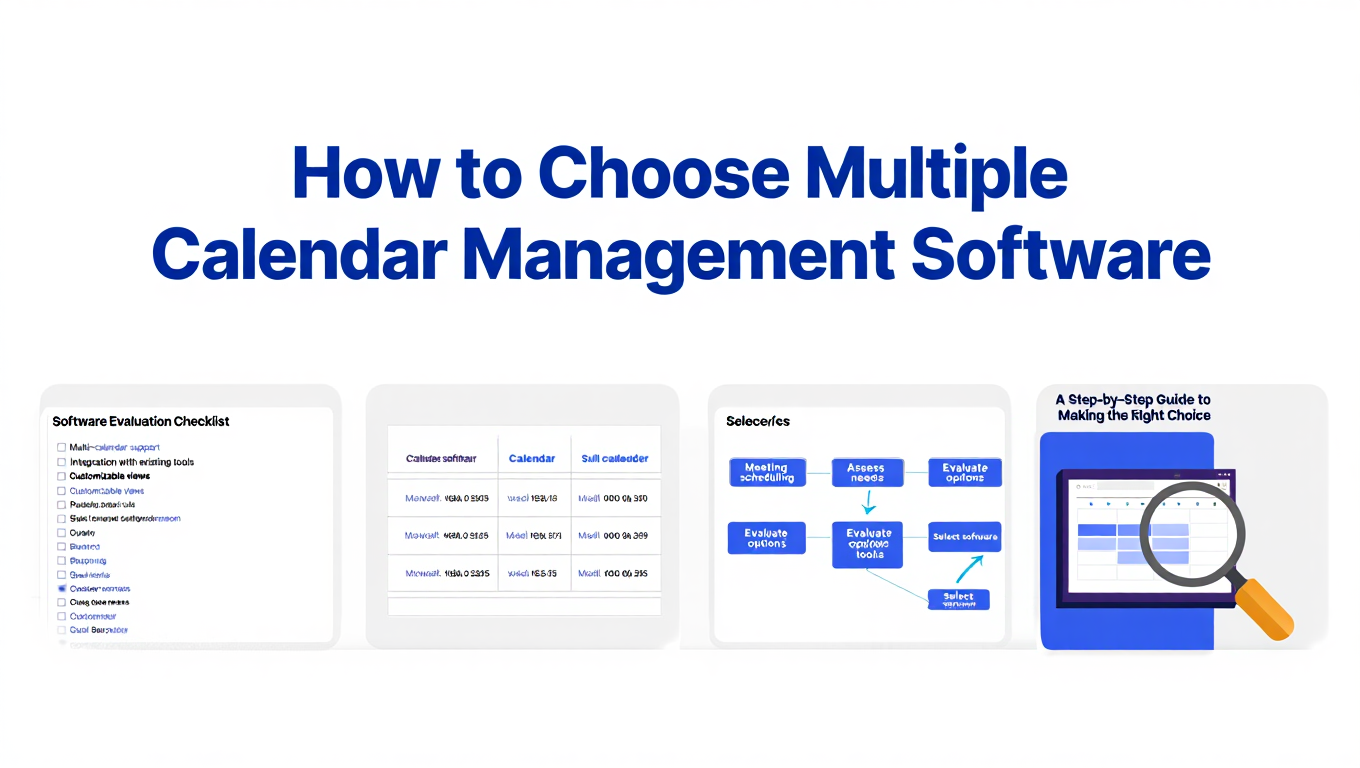
How to Choose Multiple Calendar Management Software
Expert guide to selecting the right multiple calendar management software for consultants, executives, and fractional leaders managing 10+ calendars.

How to Consolidate Multiple Calendars: Complete 2025 Guide
Learn how to consolidate multiple calendars from Google, Outlook, and iCloud into one unified view. Step-by-step guide for professionals managing 10+ calendars.