
 Google Calendar
  Outlook Calendar
  Google Meet
  Microsoft Teams
  Zoom Meetings
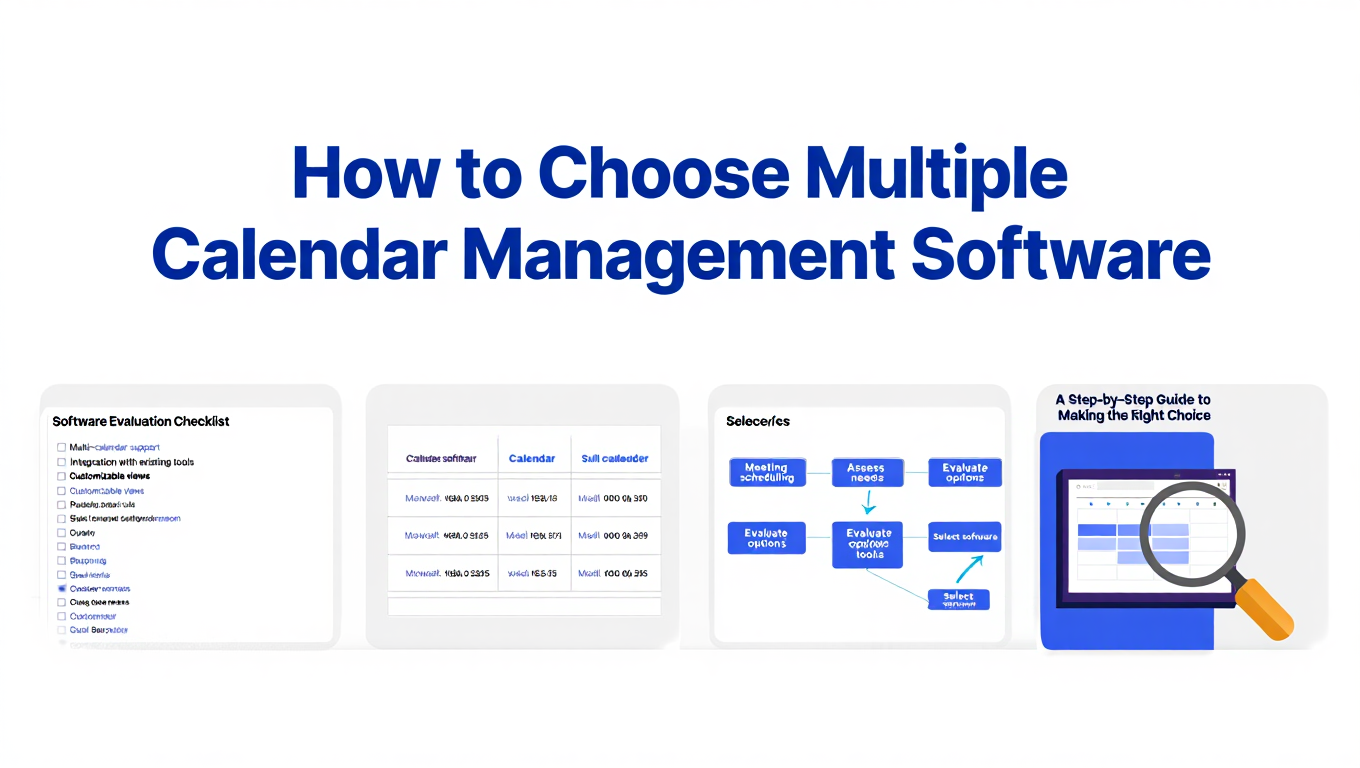
 How to Choose Multiple Calendar Management Software
Expert guide to selecting the right multiple calendar management software for consultants, executives, and fractional leaders managing 10+ calendars.
Your calendar chaos has reached a breaking point. You just double-booked a client meeting because your scheduling tool only checks six of your nine calendars. The other three calendars were invisible to the system, so a conflict sailed through. This is the third time this month.
You realize you need better multiple calendar management software, but the market is overwhelming. Every tool claims to handle multiple calendars. How do you separate real solutions from inadequate tools that will create more problems than they solve?
The global appointment scheduling software market is projected to reach $471.58 billion by 2032, growing at 5.9% annually. This explosive growth has flooded the market with calendar tools, but most were designed for simple use cases. Choosing the wrong solution means wasted money, continued scheduling disasters, and eventually migrating your data to a different platform.
- Seven critical criteria for evaluating multiple calendar management software
- How to assess your actual calendar complexity and future needs
- Red flags that indicate a tool will not work for power users
- Questions to ask vendors before committing to any platform
- Common buyer mistakes and how to avoid them
Understanding Your Calendar Management Needs
Before evaluating any multiple calendar management software, you must understand your specific requirements. The right tool for someone managing two calendars differs dramatically from the solution needed by professionals juggling fifteen accounts.
Assess Your Current Calendar Complexity
Start by documenting every calendar account you currently access. Include company email calendars from employers or clients, personal calendars across different platforms, shared team calendars, family or household calendars, and calendar accounts from boards or volunteer organizations.
Most professionals underestimate their calendar complexity. A fractional executive might think she has "a few work calendars and a personal calendar" when the actual count is eight separate accounts. Accurate assessment prevents choosing tools with insufficient capacity.
Write down each calendar account with its platform (Google Workspace, Microsoft 365, iCloud, Exchange, etc.). Note whether you have administrative control over each calendar or if it belongs to an organization. Document current pain points like missed conflicts between specific calendars, manual copying of events, difficulty viewing complete availability, or confusion about which calendar receives scheduled meetings.
Project Your Future Calendar Growth
Calendar needs typically expand rather than contract. Consider your professional trajectory over the next two years.
Are you adding consulting clients who will provide separate calendar accounts for multiple clients? Planning to join additional boards or advisory roles? Expanding into fractional executive positions across multiple companies? Taking on teaching or speaking commitments? Growing your team, which adds shared calendars?
A consultant managing four client calendars today might manage eight clients in eighteen months. If you choose multiple calendar management software with a six-calendar limit, you will face a forced migration mid-growth. Planning for future complexity prevents this disruption.
Research from 2024 shows that 50% of executives attend between 6 and 15 meetings weekly, spending up to 15 hours in meetings or phone calls. As careers advance, meeting complexity typically increases. Your calendar tool should accommodate growth without requiring replacement.
Determine Primary vs Secondary Use Cases
Different professionals need multiple calendar management software for different reasons. Identifying your primary use case shapes which features matter most.
Scheduling-focused users primarily need external parties to book meetings with them. The calendar management component supports this scheduling workflow. Sales professionals, consultants who take many discovery calls, and service providers fit this category.
Consolidation-focused users primarily need unified visibility across numerous calendar accounts. Scheduling links are useful but secondary to comprehensive calendar management. Fractional executives, portfolio professionals, and consultants managing multiple client calendars fit this category.
Team coordination users primarily need to coordinate calendars across colleagues and departments. Individual multi-calendar management is important but team features are paramount. Executive assistants, project managers, and team leaders fit this category.
Clarifying whether you are primarily scheduling, consolidating, or coordinating prevents choosing tools optimized for the wrong use case.
Seven Critical Selection Criteria
1. Calendar Connection Capacity
The single most important criterion for choosing multiple calendar management software is whether it can handle your actual calendar complexity without artificial limits.
Many popular tools impose arbitrary calendar connection caps. Calendly limits users to six calendar connections on paid plans. While this suffices for simple scenarios, it fails completely for fractional executives or consultants managing calendars across 8, 10, or 15 different organizations.
These limits are not technical constraints. They reflect business decisions to target simpler use cases. Companies optimized their platforms for individual contributors with one work calendar and maybe a personal calendar. Complex multi-calendar scenarios were not the design priority.
When evaluating calendar connection capacity, verify the hard limits imposed by each platform. Confirm whether limits apply to conflict checking, event creation, or calendar viewing. Test performance with your actual calendar load, since some tools theoretically support many calendars but perform poorly beyond a certain threshold.
Platforms like CalendHub.com that emphasize unlimited calendar connections built their architecture specifically for complex scenarios. No arbitrary limits exist because the system was designed from inception to handle numerous accounts.
Ask vendors these specific questions about calendar capacity:
- What is the maximum number of calendar accounts I can connect?
- Do any limits apply to specific features (conflict checking, event creation, unified views)?
- How does performance scale as I add more calendars?
- Are there platform-specific limits (e.g., different limits for Google vs Outlook calendars)?
- Can I connect multiple accounts from the same calendar platform (multiple separate Google Workspace accounts)?
Insufficient calendar capacity is a dealbreaker. No other features compensate for a tool that cannot handle your calendar complexity.
2. Cross-Platform Integration
Modern professionals rarely operate within a single calendar ecosystem. You might use Google Calendar for your consulting business, Microsoft Outlook for a corporate client, iCloud for personal calendars, and Exchange for another client.
Evaluate whether multiple calendar management software provides native integration with every platform you use. Native integration means direct API connections, not screen scraping or email forwarding hacks. Native connections enable two-way synchronization, real-time conflict detection, and reliable performance.
The major calendar platforms to check are Google Workspace and Gmail, Microsoft 365 and Outlook.com, Exchange Server, iCloud Calendar, and CalDAV-compatible platforms. Some tools also integrate with specialized platforms like Zoho Calendar or FastMail calendars.
Beyond basic connectivity, assess the quality of cross-platform features. Can the tool detect conflicts between a Google Calendar event and an Outlook Calendar event in real-time? Does it maintain separate credentials for each platform securely? Can you create events on any connected calendar, or only view external calendars?
Tools focused on a single ecosystem (like Google Calendar native features) excel within that ecosystem but struggle with true cross-platform scenarios. General-purpose calendar management platforms provide better cross-platform support but may lack deep integration with any single platform.
Your choice depends on whether your calendars span multiple platforms. If all your calendars exist within Google Workspace, native Google Calendar tools might suffice. If you juggle Google, Microsoft, and Apple calendars across different organizations, cross-platform integration becomes critical.
3. Conflict Detection and Prevention
The core value of multiple calendar management software is preventing double-booking across all your calendars. Superficial conflict detection that only checks some calendars creates false confidence, leading to scheduling disasters.
Evaluate conflict detection capabilities thoroughly. Verify that the system checks every connected calendar before showing availability or accepting bookings. Confirm whether conflict detection is real-time or requires manual synchronization. Test whether the tool accounts for travel time between locations. Assess if you can set buffer periods before and after meetings that count as busy time.
Advanced conflict detection includes calendar event types in availability calculations, respects out-of-office blocks across all calendars, handles all-day events appropriately, and accounts for recurring event patterns.
Some tools provide conflict warnings but allow overrides. Others strictly prevent conflicting bookings. Consider which approach matches your needs. Strict prevention avoids double-bookings but reduces flexibility. Warnings with overrides allow intentional overlaps but risk accidental conflicts.
The distinction between conflict checking and conflict prevention matters. Calendly checks up to six calendars for conflicts, but this checking has limitations. It only publishes events to one calendar, cannot link event types to specific calendars, and imposes a four sub-calendar limit for Outlook users. These constraints create gaps where conflicts slip through.
Calendar-first platforms like CalendHub.com treat comprehensive conflict prevention as the core feature. All connected calendars participate equally in availability calculations without hierarchies or limits.
4. Unified Calendar View
Managing multiple calendars without a unified view forces constant tab switching and mental integration. A proper unified calendar view consolidates all your calendars into a single interface where you can see complete availability at a glance.
Assess the quality of unified views offered by multiple calendar management software. Can you see all calendars overlaid in a single timeline? Are events color-coded by calendar for easy identification? Can you filter views to show specific calendar combinations? Does the interface remain responsive and readable with many calendars displayed?
Some tools provide calendar lists where you toggle individual calendars on and off. This approach works for two or three calendars but becomes unwieldy with ten calendars. Better tools offer calendar grouping, saved view configurations, and intelligent filtering.
Mobile unified views deserve specific attention. Desktop interfaces have screen space for comprehensive displays. Mobile apps must present the same information on smaller screens without becoming cluttered or slow.
Test unified views with your full calendar load. Many tools demonstrate beautiful interfaces with sample data showing two calendars. Performance and usability degrade significantly when displaying your actual ten calendars with hundreds of events.
The unified view should support drag-and-drop event rescheduling across calendars, quick event creation on any calendar, and at-a-glance identification of which calendar contains each event.
- Time Savings: Eliminate constant tab switching between calendar accounts
- Complete Visibility: See all commitments across every calendar simultaneously
- Faster Decisions: Assess availability instantly without mental calendar merging
- Reduced Errors: Spot potential conflicts visually before they become problems
- Mobile Productivity: Access complete calendar view from anywhere
5. Scheduling and Booking Features
While calendar consolidation might be your primary need, scheduling functionality matters for most professionals. Evaluate the scheduling capabilities offered by multiple calendar management software.
Core scheduling features include customizable booking links with availability based on all calendars, multiple event types with different durations and settings, team scheduling for group meetings, buffer time configuration between meetings, and custom availability windows by day or date range.
Advanced scheduling features include round-robin assignment for team bookings, calendar-specific routing (certain event types to certain calendars), automated meeting room booking, video conferencing link generation (Zoom, Google Meet, Teams), and integration with payment processors for paid consultations.
The critical question is whether scheduling features work across all your calendars or only a primary calendar. Some tools offer sophisticated scheduling but limit functionality to a single calendar despite supporting multiple calendars for viewing.
Verify that scheduling links check all your calendars for conflicts, not just a subset. Confirm whether booked events can be created on different calendars based on rules you configure. Test whether availability calculations respect blocks on every connected calendar.
Need better calendar management? CalendHub unifies all your calendars with smart scheduling and video conferencing.
For consultants and fractional executives, calendar-specific event creation is valuable. You might want client A bookings to create events on client A's calendar, while client B bookings create events on client B's calendar. Not all multiple calendar management software supports this workflow.
6. Privacy and Sharing Controls
Different calendars require different privacy levels. Your personal calendar should not expose appointment details to colleagues. Client calendars should show availability without revealing other client names. Family calendars need complete privacy from professional contacts.
Evaluate the privacy and sharing controls offered by each platform. Can you set different privacy levels for different calendars? Can you share busy/free status without sharing event details? Can you create calendar-specific sharing rules?
Advanced privacy features include event detail masking (showing time blocks without descriptions), attendee-specific calendar visibility, temporary sharing links with expiration dates, and granular permission levels (view-only, edit, admin).
For professionals managing client calendars, privacy controls prevent accidental information disclosure. You should be able to show overall availability to new prospects without exposing which existing clients occupy your calendar.
The best multiple calendar management software provides layered privacy. Your master view shows complete detail across all calendars. External parties see only the specific availability information you choose to share. Different stakeholders can receive different visibility levels based on their relationship to you.
7. Mobile Experience and Cross-Device Sync
Calendar management happens throughout the day from various locations. Mobile experience quality directly impacts usability.
Evaluate mobile apps for every platform you might use (iOS and Android). Verify feature parity between desktop and mobile interfaces. A tool with robust desktop features but limited mobile functionality creates frustration.
Key mobile features include access to all connected calendars, unified calendar view with readable event display, quick event creation on any calendar, real-time synchronization across devices, and offline access with sync when connectivity returns.
Test mobile performance with your actual calendar load. Some tools perform adequately on mobile with two calendars but become slow or crash with ten calendars connected.
Cross-device synchronization should be seamless. An event created on your phone should appear instantly on your desktop. Calendar connections established on desktop should work immediately on mobile without re-authentication.
Mobile notification management becomes complex with multiple calendars. The best tools allow granular notification settings per calendar. You might want immediate notifications for work calendars but daily digests for personal calendars.
Red Flags That Indicate Poor Fit
Certain warning signs indicate multiple calendar management software will not meet your needs, regardless of marketing claims.
Arbitrary Calendar Limits
Any hard limit on calendar connections below your current or projected needs is an immediate disqualifier. Tools that cap at six calendars cannot serve professionals managing more accounts. The limit will create problems eventually.
Calendar limits often appear in tiered pricing (basic plan supports two calendars, professional plan supports six calendars, enterprise plan supports ten calendars). If the highest tier is still below your requirements, the tool is not viable.
Scheduling-First Architecture
Tools designed primarily for scheduling links often treat multi-calendar management as an afterthought. If product documentation, marketing materials, and feature lists emphasize scheduling capabilities above calendar management, the tool likely targets different use cases than yours.
Scheduling-first tools work well for their intended audience (sales professionals, service providers taking bookings). They fail for fractional executives and consultants who need comprehensive calendar consolidation with scheduling as a secondary feature.
Single Platform Optimization
Tools that work brilliantly within Google Workspace or Microsoft 365 but provide limited cross-platform support are inadequate for multi-platform scenarios. If your calendars span Google, Microsoft, and Apple ecosystems, single-platform tools create more problems than they solve.
Marketing that emphasizes a specific platform (best calendar tool for Google users, ultimate Microsoft 365 calendar) signals optimization for that ecosystem at the expense of cross-platform flexibility.
Weak Mobile Experience
Calendar tools with robust desktop features but poor mobile apps create daily frustration. If mobile apps are clearly secondary (missing features, slow performance, limited calendar support), the tool will not serve professionals who manage calendars on the go.
Test mobile apps thoroughly. Missing features on mobile that exist on desktop indicate the platform prioritized desktop users. Mobile-first or mobile-equal platforms provide consistent experiences across devices.
Unclear Data Ownership and Export
Tools that make it difficult to export your calendar data or migrate to other platforms create lock-in risks. Before committing to any multiple calendar management software, verify that you can export your data in standard formats (iCalendar, CSV).
Platforms that store data in proprietary formats or limit export functionality are betting you will accept inferior service rather than migrate. Choose tools that respect data ownership and facilitate migration if needed.
Questions to Ask Vendors
Beyond testing features yourself, ask vendors these specific questions to reveal capabilities and limitations.
Technical Capability Questions
How many calendar accounts can I connect simultaneously? Are there different limits for different calendar platforms? How does performance scale as I add more calendars? What is your largest customer in terms of calendars connected? Do you support multiple accounts from the same platform (e.g., three different Google Workspace accounts)?
Integration and Compatibility Questions
Which calendar platforms do you integrate with natively? Do you support CalDAV and other open standards? How frequently do calendars synchronize? Is synchronization real-time or on a schedule? Can I connect calendar accounts from outside organizations that I do not administratively control?
Privacy and Security Questions
How do you store calendar credentials securely? Can I set different privacy levels for different calendars? What data do you store about my calendar events? Where are your servers located (relevant for GDPR and data residency requirements)? Do you offer two-factor authentication and single sign-on?
Pricing and Scalability Questions
How is your pricing structured? Is there a per-calendar fee or a flat rate? What happens if I exceed calendar limits on my current plan? Are there separate charges for team members or shared calendars? What is included in each pricing tier?
Support and Reliability Questions
What support channels do you offer (email, chat, phone)? What are typical response times for support requests? What is your uptime guarantee and historical uptime? Do you have a public status page for service incidents? How do you handle calendar platform outages (Google, Microsoft, etc.)?
Vendor responses reveal priorities. Companies that answer technical questions confidently and specifically have invested in robust architecture. Vague responses or deflections to marketing materials indicate less mature platforms.
Common Buyer Mistakes
Choosing Based Only on Price
Multiple calendar management software is critical infrastructure for professional productivity. The difference between a $8 per month tool and a $15 per month tool is $84 annually. If the more expensive option saves even two hours of time yearly through better features or reliability, the return on investment is clear.
Cheap tools that create scheduling conflicts, require constant manual intervention, or force workarounds waste far more than the cost difference. Evaluate value delivered, not just price paid.
Research shows that automated scheduling tools save executives an average of 5.2 hours per week. Smart calendar management boosts productivity by 23% and reduces work stress by 34%. The cost of poor calendar management far exceeds subscription fees.
Selecting Popular Tools Without Assessing Fit
Brand recognition and market share do not guarantee a tool meets your specific needs. Calendly dominates the scheduling link market but its six-calendar limit makes it unsuitable for many power users. The tool is not bad, it simply targets different use cases.
Evaluate tools based on your requirements, not popularity. Niche platforms designed specifically for complex multi-calendar scenarios often serve power users better than mainstream tools optimized for simpler use cases.
Inadequate Testing With Real Complexity
Demos and trials with sample data reveal little about real-world performance. A tool might work beautifully with two demonstration calendars but become slow or buggy with your actual ten calendars containing thousands of events.
Demand trials or money-back guarantees that allow testing with your full calendar complexity. Connect all your actual calendars, create events, test scheduling links, and verify mobile performance before committing.
Most calendar software offers free trials. Use them to conduct realistic testing rather than cursory feature exploration.
Ignoring Future Growth
Choosing multiple calendar management software that barely handles your current needs creates problems when requirements grow. Calendar needs typically expand as careers progress, client lists grow, or responsibilities increase.
Select tools with headroom above your current complexity. If you manage seven calendars today, tools with ten-calendar limits are inadequate. Choose platforms with significantly higher limits or unlimited capacity.
Focusing on Features Instead of Workflows
Feature checklists matter less than whether a tool supports your actual workflows. A platform with sophisticated features you do not need provides less value than a simpler tool that excels at your core requirements.
Define your daily calendar workflows before evaluating tools. How do you currently create events? How do you check availability? How do you coordinate schedules with others? Choose multiple calendar management software that streamlines these specific workflows rather than offering the longest feature list.
Making Your Final Decision
After evaluating options against the seven critical criteria, asking vendor questions, and testing tools with your actual calendar complexity, synthesize your findings.
Create a Decision Matrix
List your top three to five calendar management software options. Score each against your priority criteria (calendar capacity, cross-platform support, conflict detection, unified views, scheduling features, privacy controls, mobile experience). Weight criteria based on importance to your specific needs.
This structured approach prevents decision paralysis and reveals which tool best matches your priorities. Visual comparison clarifies trade-offs between options.
Calculate Total Cost of Ownership
Beyond subscription fees, consider implementation time to connect all calendars and configure settings, training time for you and any team members, integration costs if you need custom connections, and opportunity cost of features missing from cheaper options.
A tool with higher subscription fees but faster implementation might cost less overall than a cheap platform requiring extensive configuration and ongoing maintenance.
Plan Your Migration Path
If you are switching from existing calendar tools, plan the migration carefully. Identify which historical calendar data you need to preserve. Determine whether you can run old and new systems in parallel during transition. Notify stakeholders about scheduling link changes. Update calendar links in email signatures and websites.
Platforms like CalendHub.com that offer migration assistance can significantly reduce transition friction. Ask whether vendors provide migration support or automated import tools.
Start With a Subset If Possible
If you are uncertain about a platform, start by connecting a subset of your calendars rather than all accounts immediately. Verify that core functionality works as expected before completing full migration.
Gradual rollout reduces risk and allows you to maintain existing workflows while validating the new platform. Once confident in the tool, complete full calendar migration.
Special Considerations for Different Professional Types
Fractional Executives
Fractional executives often manage the most complex calendar scenarios. Separate calendars for each company you serve, personal and family calendars, and shared calendars with your own team or assistant create significant complexity.
Prioritize tools with truly unlimited calendar connections. Platforms like CalendHub.com designed specifically for this use case provide better experiences than general-purpose tools. Ensure the platform supports multiple calendars from the same platform type (multiple separate Google Workspace accounts, multiple Microsoft 365 accounts).
Calendar-specific event creation is valuable. When a company books time with you, the event should appear on that company's calendar. Not all multiple calendar management software supports this workflow.
Independent Consultants
Consultants managing multiple client relationships need calendar consolidation plus professional scheduling links. Client calendars provided by organizations, your consulting business calendar, personal calendar, and possibly team calendars if you have subcontractors create moderate complexity.
Balance scheduling features with calendar management capabilities. Scheduling-first tools might suffice if you manage fewer than six calendars. For more complex scenarios, calendar-first platforms with scheduling features work better.
Privacy controls matter significantly. Clients should not see each other's names or appointments. Verify that the platform masks event details appropriately when sharing availability.
Executive Assistants
Executive assistants managing calendars for multiple executives need sophisticated sharing, delegation, and coordination features beyond individual calendar management.
Prioritize tools with robust team features. Access controls allowing assistants to manage executive calendars, shared calendar views across multiple executives, and delegation workflows where assistants act on behalf of executives are critical.
Some assistants also manage their own complex calendars while coordinating executive schedules. Evaluate whether the platform handles both personal multi-calendar management and team coordination in a single interface.
Portfolio Professionals
Professionals balancing multiple part-time roles (board memberships, advisory positions, teaching, consulting) typically have calendar accounts from each organization plus personal calendars.
Calendar connection capacity is critical since each role often comes with a separate calendar account. Board calendar, university calendar, advisory client calendars, consulting business calendar, and personal calendar quickly add up to significant complexity.
Prioritize unified views that let you see all commitments at once. Portfolio work requires balancing commitments across different organizations without overcommitting. Tools that provide complete visibility prevent accidental scheduling conflicts.
- Count your calendars: Current count plus projected growth over two years
- Eliminate limited tools: Remove options with insufficient calendar capacity
- Assess platform needs: Identify which calendar platforms you must integrate
- Prioritize criteria: Rank the seven criteria based on your workflow
- Test with real data: Trial platforms with your actual calendar complexity
- Verify mobile experience: Confirm mobile apps meet your needs
- Plan migration: Understand implementation requirements and timeline
Conclusion
Choosing the right multiple calendar management software requires understanding your specific calendar complexity, evaluating tools against seven critical criteria, avoiding common buyer mistakes, and testing platforms with your actual calendar load.
The most important criterion is calendar connection capacity. If a tool cannot handle your current and projected calendar complexity, no other features compensate. Platforms like CalendHub.com that eliminate arbitrary calendar limits serve power users better than tools optimized for simpler scenarios.
Cross-platform integration matters if your calendars span Google, Microsoft, and Apple ecosystems. Native integration with every platform you use prevents synchronization problems and enables reliable conflict detection.
Comprehensive conflict detection across all calendars, unified views that remain usable with many calendars, scheduling features that work across all accounts, granular privacy controls, and robust mobile experiences round out the essential criteria.
The global appointment scheduling software market is projected to reach $471.58 billion by 2032 because effective calendar management delivers measurable value. Research shows productivity increases of 23%, stress reduction of 34%, and time savings averaging 5.2 hours weekly for executives using proper calendar tools.
Your investment in multiple calendar management software pays returns through prevented scheduling conflicts, reduced coordination time, improved productivity, lower stress levels, and a more professional image. The question is not whether to invest in proper calendar management, but which tool best fits your specific requirements.
Take time to assess your needs carefully, test options thoroughly, and choose platforms designed for your level of calendar complexity. The right tool transforms calendar management from daily frustration into seamless background infrastructure that supports your professional success.
Ready to Simplify Your Schedule?
Join thousands of professionals who have unified their calendars and reclaimed their time with CalendHub's intelligent scheduling platform.
Related Articles
Enterprise Scheduling Software with Multiple Calendar Support: Complete Guide for Teams in 2025
Comprehensive guide to enterprise scheduling software supporting multiple calendars. Discover requirements, features, and solutions for large teams and organizations.
Executive Assistant Multiple Calendar Tool: Complete 2025 Guide
Discover the best executive assistant multiple calendar tools for managing 5-10 executives simultaneously. Compare features, pricing, and EA-specific capabilities.
How to Consolidate Multiple Calendars: Complete 2025 Guide
Learn how to consolidate multiple calendars from Google, Outlook, and iCloud into one unified view. Step-by-step guide for professionals managing 10+ calendars.