
 Google Calendar
  Outlook Calendar
  Google Meet
  Microsoft Teams
  Zoom Meetings
 Multiple Calendar Dashboard for Executives and Consultants
How executives, consultants, and senior professionals use multiple calendar dashboards to manage 10+ calendars. Real strategies for complex scheduling at scale.
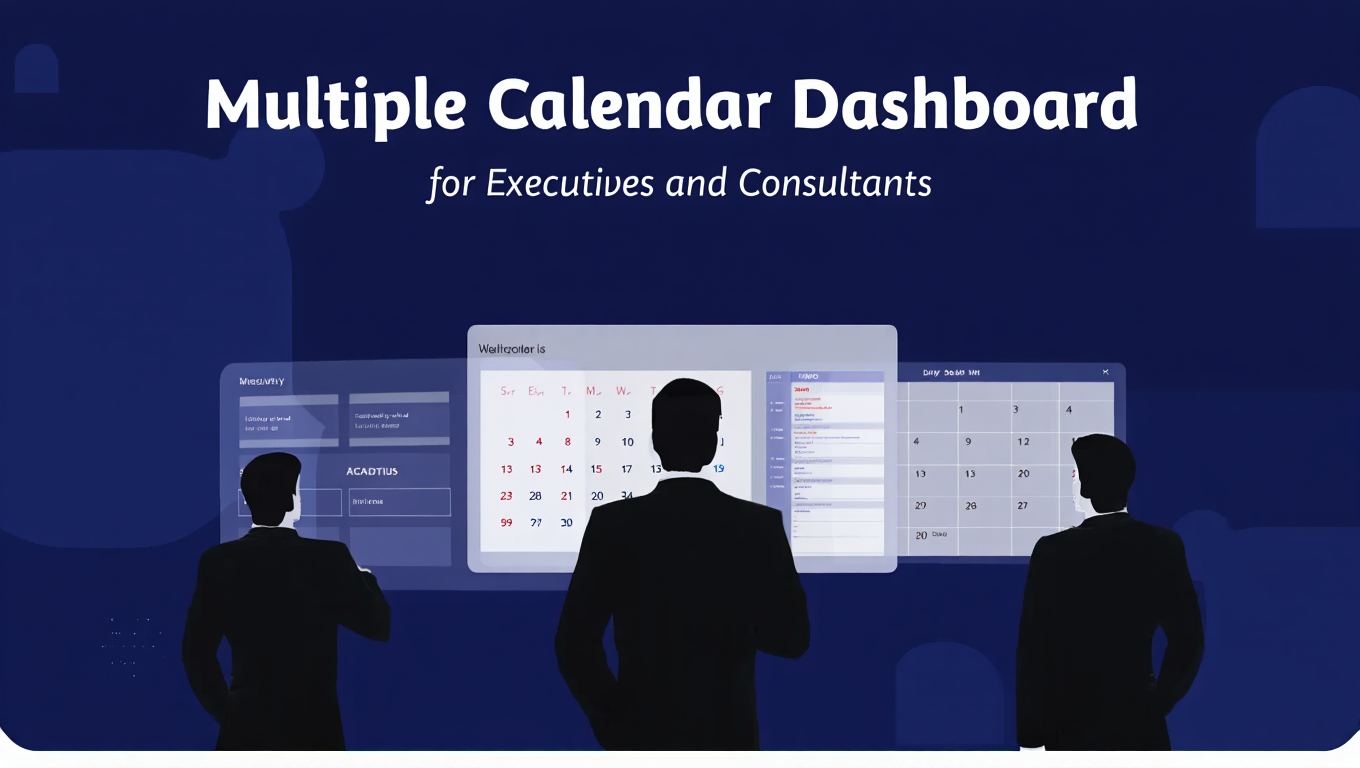
The executive assistant managing five C-level calendars. The consultant juggling 12 active client projects. The agency founder coordinating availability across four departments. The senior partner tracking team calendars, client commitments, and board obligations simultaneously.
These professionals share one common challenge. Their calendar complexity exceeds what standard calendar tools can handle. They do not manage two or three calendars. They manage 10, 15, or 20+ calendar sources that must coordinate seamlessly to prevent the scheduling disasters that destroy professional credibility.
Standard calendar applications and popular scheduling tools fail at this scale. Calendly caps connections at six calendars. Native Google Calendar or Outlook views become visually chaotic with 15+ calendars displayed simultaneously. Project management tools like ClickUp focus on tasks rather than pure calendar consolidation.
Executives and senior professionals need multiple calendar dashboard solutions specifically architected for complex, high-volume calendar management. This guide reveals exactly how they implement these systems.
- Why executive calendar complexity demands specialized dashboard infrastructure
- Real-world scenarios from professionals managing 10+ calendars daily
- Calendar dashboard strategies that executive assistants use to coordinate multiple executives
- How consultants maintain visibility across numerous simultaneous client engagements
- Implementation frameworks for scaling calendar management to 20+ sources
Why Executive Calendar Management Demands Better Solutions
According to 2024 time management research, approximately 50% of executives attend between 6-15 meetings weekly, spending up to 15 hours in meetings or phone calls[^1]. That statistic actually understates complexity for senior leaders managing multiple roles, client relationships, or organizational responsibilities simultaneously.
[^1]: Harvard Business Review, "Executive Time Management Study 2024," https://hbr.org/2024/01/executive-productivity-research
Consider the calendar ecosystem for a typical consulting firm partner:
Six client project calendars tracking deliverable deadlines, client meetings, and project team coordination for active engagements. Each client relationship generates its own calendar with dozens of events.
Three internal team calendars showing consultant availability, capability team meetings, and resource allocation across the practice. Partners need visibility into which consultants are available for new projects.
Two personal calendars separating professional commitments from family and personal appointments. Work-life balance requires keeping these domains visible but distinct.
One board calendar for advisory board obligations and strategic planning sessions. These high-priority commitments must never conflict with client work.
Two shared administrative calendars tracking office resources like conference rooms and company-wide events like all-hands meetings.
That is 14 calendars. All must stay synchronized. Double-bookings are unacceptable. Client meetings cannot overlap with board commitments. Personal appointments need protection from work encroachment. Conference room bookings must coordinate with meeting schedules.
Now multiply that complexity by the executive assistant managing calendars for four different partners simultaneously. That assistant coordinates 56+ calendar sources to schedule a single cross-partner client meeting.
Standard calendar tools collapse under this load. A multiple calendar dashboard built for executive complexity becomes mandatory infrastructure, not optional convenience. Learn more about viewing all calendars together effectively.
The Real Cost of Inadequate Calendar Infrastructure
What happens when executives try managing 10+ calendars without proper dashboard solutions? The consequences extend far beyond personal inconvenience.
Credibility Damage from Double-Bookings
You join a client call 10 minutes late because you did not see it conflicted with an internal meeting in a different calendar. The client noticed. Trust eroded.
Or worse, you completely miss a board meeting because it was in your advisory board calendar which you forgot to check before accepting a client engagement in your project calendar. That mistake costs relationships and reputation.
Senior professionals operate in high-stakes environments where scheduling failures have professional consequences. The $50,000 engagement you lose because you could not coordinate calendars efficiently. The board seat you forfeit because repeated conflicts suggest you cannot manage commitments. The team morale damage when your scheduling chaos causes last-minute meeting changes for 15 people.
These costs dwarf any calendar dashboard investment many times over.
Time Waste at Premium Hourly Rates
A partner billing $500 per hour spends 45 minutes daily checking various calendar sources, reconciling conflicts, and answering availability questions. That is $375 in billable time lost daily, or roughly $93,750 annually assuming 250 working days.
Executive assistants spend 30-40% of their time on calendar-related activities when managing multiple executives without proper dashboard tools. That time could redirect to higher-value coordination, communication, and support activities if calendar infrastructure worked efficiently.
The productivity research confirms this pattern. Workers spend six hours weekly on meeting-related activities according to 2024 statistics[^2]. For executives managing complex multi-calendar scenarios, that time expands to 10-15 hours weekly when calendar infrastructure fails to consolidate effectively.
[^2]: Doodle, "Meeting Productivity Statistics 2024," https://doodle.com/en/resources/research-and-reports/
Decision Fatigue and Cognitive Load
Your brain was not designed to mentally merge 12 separate calendar systems in real-time. Every availability question requires reconstructing your complete schedule from disparate sources.
"When are you free for a two-hour strategy session next week?" That simple question triggers mental recursion through personal calendar, four client calendars, team availability calendar, board commitment calendar, and resource booking calendars before you can answer.
The cognitive overhead exhausts you before you even begin substantive work. By noon you have already made dozens of calendar-related decisions requiring mental calendar reconciliation. Decision fatigue sets in, reducing your capacity for the strategic thinking your role actually demands.
Assistant Coordination Breakdown
Executive assistants managing multiple executives without unified dashboard visibility resort to manual coordination methods. Endless email threads checking availability. Phone calls interrupting focus work. Spreadsheets tracking who has what scheduled when.
An executive assistant coordinating a meeting with four executives across two companies might send 30+ emails over three days just to find a mutually available two-hour window. That process collapses with proper multiple calendar dashboard infrastructure showing all relevant calendars in unified view.
- Zero double-bookings: Conflicts become impossible when all calendars appear in unified view with automatic conflict detection
- 60-80% faster availability answers: "When am I free next week?" takes 30 seconds instead of 10 minutes checking separate calendars
- Dramatically reduced coordination time: Executive assistants coordinate multi-person meetings in minutes instead of days
- Eliminated cognitive overhead: Stop mentally reconstructing schedules from scattered calendar sources
- Protected strategic time: Actually see when work commitments encroach on strategic thinking time or personal commitments
Real-World Executive Calendar Dashboard Scenarios
Let me show you exactly how different executive roles implement multiple calendar dashboard solutions for their specific complexity profiles.
Scenario 1: Management Consultant with 12 Client Calendars
Sarah manages six active client engagements simultaneously. Each client has at least two calendars (project timeline calendar and client meeting calendar). She also maintains her personal calendar, her consulting firm's team calendar, and a shared resource calendar for consultants.
Calendar breakdown: 6 clients × 2 calendars + 1 personal + 1 team + 1 resource = 14 calendars total.
Her dashboard implementation: Sarah uses CalendHub.com because it supports unlimited calendar connections without the six-calendar cap that eliminates Calendly from consideration. Her dashboard connects all 14 calendars with real-time sync.
Color coding strategy: Client calendars use warm colors (reds, oranges, yellows) with each client getting a distinct shade. Her personal calendar is green. Team calendar is blue. Resource calendar is purple. This color system lets her identify event sources instantly when viewing her unified dashboard.
View modes: Sarah primarily works in week view, which shows enough detail to understand daily commitments while providing context for the full week ahead. She switches to day view when planning travel logistics and month view during quarterly planning.
Key workflow improvements: When a client asks about availability for a workshop next month, Sarah answers in 30 seconds by checking her unified dashboard. Previously that question required opening six different calendar applications to compile availability, taking 8-10 minutes and introducing error potential.
For proposal preparation, Sarah exports availability reports from her dashboard showing realistic scheduling windows accounting for all existing commitments across every client. This capability prevents over-committing to timelines she cannot actually meet.
Scenario 2: Executive Assistant Managing Four C-Level Executives
Marcus coordinates calendars for the CEO, CFO, COO, and CMO of a mid-sized technology company. Each executive has a primary work calendar, a personal calendar, and participates in various shared calendars for board meetings, investor relations, team meetings, and company events.
Calendar breakdown: 4 executives × 2 personal calendars + 6 shared organizational calendars = 14 calendars minimum (realistically 18+ when accounting for external board calendars and advisory commitments).
His dashboard challenge: Marcus needs to see all executive calendars simultaneously to coordinate cross-functional leadership meetings. When the CEO requests a two-hour strategy session with all C-level executives, Marcus must find availability windows that work for four complex calendars plus appropriate conference room availability.
Dashboard implementation: Marcus uses a multiple calendar dashboard that supports his 18+ calendar requirement with no connection limits. CalendHub.com provides this capacity where limited platforms fail.
Coordination workflow: When scheduling the quarterly board meeting, Marcus filters his dashboard to show just the calendars for attendees needed at that meeting (four executives plus three board members). The filtered view immediately reveals scheduling conflicts and available windows without manually comparing seven calendars across multiple browser tabs.
Permission management: Marcus has editor access to executive work calendars allowing him to create, modify, and delete events directly from the dashboard. Changes sync bidirectionally so updates he makes appear in executives' native calendar applications immediately.
Time savings: Pre-dashboard, coordinating a single meeting with four executives took Marcus 2-3 hours over multiple days as he worked through email threads collecting availability. Post-dashboard, the same coordination takes 15 minutes. He identifies available windows immediately and sends a single email proposing specific times rather than multiple rounds of availability checking.
Scenario 3: Agency Owner Coordinating Four Departments
Lisa runs a digital marketing agency with separate teams for content, paid advertising, design, and strategy. She monitors availability calendars for 12 team members across these departments, plus client project calendars for eight active client engagements, plus her own personal and business development calendars.
Calendar breakdown: 12 team member calendars + 8 client project calendars + 2 personal calendars = 22 calendars.
Her business requirement: When new project requests come in, Lisa needs to quickly assess which team members have capacity. This requires visibility into team availability across all four departments simultaneously. She also needs to see client delivery timelines to avoid over-committing her agency to schedules they cannot meet.
Dashboard architecture: Lisa's multiple calendar dashboard connects all 22 calendars. She creates custom filtered views for different contexts. "Team Capacity" view shows just the 12 team member calendars. "Client Commitments" view displays the 8 client project calendars. "Complete Overview" shows everything simultaneously.
Resource allocation workflow: When a new client requests an engagement starting in three weeks, Lisa opens her Team Capacity view filtered for that three-week forward window. She immediately sees which designers, content strategists, and paid media specialists have available time. This visibility lets her commit to realistic delivery timelines during the initial client conversation rather than tentative proposals requiring internal availability checking.
Strategic planning application: During quarterly planning, Lisa uses month view across all client calendars to identify when major deliverables cluster. She spots a potential bottleneck where three clients have campaign launches scheduled the same week. This advance visibility lets her adjust timelines before conflicts become crises.
Scaling capability: As Lisa's agency grows, she plans to expand to 30+ team members and 15+ simultaneous client engagements. That growth will push her calendar count to 45+ sources. Platforms with connection limits would require constant dashboard migration as the business scales. CalendHub.com's unlimited capacity makes growth seamless since calendar infrastructure scales automatically.
Scenario 4: Senior Partner Balancing Client Work, Firm Leadership, and Board Commitments
David is a senior partner at a professional services firm. He maintains four active client relationships requiring separate project calendars. He serves on two external advisory boards. He leads his firm's strategy committee and participates in monthly partner meetings. He also protects personal and family time in dedicated calendars.
Calendar breakdown: 4 client project calendars + 2 board calendars + 2 firm leadership calendars + 2 personal/family calendars + 1 shared administrative calendar = 11 calendars.
His unique challenge: David's commitments have different priorities. Board meetings are immovable. Client project deadlines have contractual implications. Firm leadership activities are important but sometimes flexible. Personal commitments need protection but occasionally accommodate critical business needs.
Dashboard implementation with priority coding: David uses color intensity to signal priority in his multiple calendar dashboard. Board calendars use deep red indicating immovable commitments. Client calendars use medium orange showing contractual importance. Firm calendars use lighter yellow suggesting flexibility. Personal calendars use green requiring protection but allowing exceptions.
This priority visualization helps David and his assistant make smart scheduling decisions instantly. When a major client requests an urgent meeting, the dashboard color coding immediately reveals which existing commitments could realistically move and which cannot.
Availability intelligence: David configured his dashboard to automatically flag potential conflicts based on priority rules. If someone tries to schedule a firm meeting during a board commitment window, the dashboard alerts immediately. This proactive conflict detection prevents scheduling errors before they occur.
Weekly planning routine: Every Sunday evening, David reviews his dashboard in week view for the upcoming week. He verifies no conflicts exist. He confirms appropriate travel time blocks between commitments. He checks that personal commitments remain protected. This 15-minute weekly review provides confidence that his schedule is actually manageable.
Assistant collaboration: David's executive assistant has view access to his complete dashboard but editor access only to specific calendars. She can create and modify events in client and firm calendars directly. For board and personal calendars, she sees availability but must request David's approval before scheduling. This permission structure balances delegation with appropriate control.
Essential Features for Executive Calendar Dashboards
Not all calendar dashboard solutions serve executive needs equally. Based on the scenarios above, these features prove critical for professionals managing 10+ calendars.
Truly Unlimited Calendar Connections
This requirement eliminates most popular calendar platforms immediately. Calendly's six-calendar cap fails for every scenario described above. Productivity platforms often have practical limits where performance degrades beyond certain calendar counts.
Executives and senior professionals need platforms that explicitly support unlimited calendar connections with consistent performance whether you connect 10 calendars or 50 calendars. CalendHub.com built its infrastructure specifically for this high-volume scenario.
When evaluating platforms, test with your actual calendar count. If you manage 15 calendars, connect all 15 during trial periods and verify performance remains excellent. Marketing claims about "multiple calendars" mean nothing if platforms fail at your actual scale.
Need better calendar management? CalendHub unifies all your calendars with smart scheduling and video conferencing.
Granular Permission Management
Executive assistants need editor access to work calendars while executives maintain control over personal calendars. Team members need visibility into leadership availability without access to modify executive schedules. Board members require seeing when executives are unavailable without viewing confidential event details.
Professional-grade multiple calendar dashboard platforms support sophisticated permission structures allowing different access levels for different calendars. You specify exactly who can view, create, edit, or delete events on each connected calendar.
Basic dashboard tools often lack permission granularity, forcing all-or-nothing access that creates security and privacy concerns in executive environments.
Advanced Filtering and View Customization
When you manage 20 calendars, seeing all 20 simultaneously often creates overwhelming visual density. You need intelligent filtering that shows relevant calendar subsets for specific contexts.
Executives need saved views like "This Week - Client Commitments" showing only client calendars, or "Team Availability" displaying just team member calendars, or "Personal Protected Time" highlighting family and personal commitments.
This filtering capability makes dashboards with 15+ calendars actually usable rather than just theoretically functional. You toggle between complete overview when needed and focused context views for specific planning tasks.
Conflict Detection with Priority Awareness
Basic conflict detection flags any overlapping events. Advanced executive dashboard solutions understand priority hierarchies. They recognize that a new meeting request conflicting with a board commitment is categorically different from one conflicting with tentative internal discussion.
Priority-aware conflict detection provides intelligent alerts. "This client meeting conflicts with your board obligation which typically cannot be rescheduled" is far more useful than generic "scheduling conflict detected."
Some platforms support priority coding through color intensity, calendar categories, or explicit priority tagging. This capability proves essential when managing calendars with genuinely different commitment levels.
Availability Intelligence and Reporting
When someone asks "when are you available for a three-hour session next month," you need your dashboard to answer that question instantly accounting for all 15 calendars. Manual scanning for availability windows across that many calendars is error-prone and time-consuming.
Advanced dashboards analyze your complete schedule and generate availability reports showing realistic open windows. Some support sharing these reports or creating availability links that display your actual free time without exposing confidential event details.
This feature transforms availability questions from 10-minute research projects into 30-second answers, dramatically improving scheduling efficiency.
Reliable Bidirectional Sync at Scale
Sync reliability becomes more critical as calendar count increases. With two calendars, occasional sync delays cause minor inconvenience. With 15 calendars, sync failures create scheduling disasters.
Executive-grade platforms must provide rock-solid bidirectional sync where changes made anywhere appear everywhere within seconds. Creating an event in the dashboard instantly populates the source calendar. Modifying an appointment in Google Calendar immediately updates the dashboard.
Test sync reliability extensively during platform evaluation. Create test events. Edit details. Delete items. Verify all changes sync bidirectionally within 5-10 seconds consistently across all connected calendars.
Mobile Excellence, Not Mobile Adequacy
Executives check calendars constantly throughout the day between meetings, during travel, and in ad-hoc availability discussions. Mobile functionality is not secondary to desktop. It is equally critical.
Your multiple calendar dashboard must work flawlessly on mobile with full feature parity to desktop. Filtering calendars, viewing different time ranges, creating events, checking availability, and spotting conflicts must all function excellently on phone and tablet screens.
Platforms that treat mobile as an afterthought fail in executive contexts where calendar checking happens predominantly on mobile devices.
- Does the platform explicitly support unlimited calendar connections or at minimum your current count plus 50% growth buffer?
- Can you assign different permission levels to different calendars (view vs. edit access)?
- Does it support saving custom filtered views showing calendar subsets for specific contexts?
- How does conflict detection work and can it incorporate priority awareness?
- Can it generate availability reports accounting for all connected calendars automatically?
- What is actual sync speed (test this, don't rely on marketing claims)?
- Is mobile experience truly excellent or just functional?
Implementation Strategy for Executive Calendar Dashboards
Successfully deploying a multiple calendar dashboard at executive complexity levels requires more than just connecting calendars. These implementation strategies come from professionals who actually manage 10+ calendars daily.
Phase 1: Calendar Audit and Cleanup (Week 1)
Before connecting anything to a new dashboard, document your complete calendar ecosystem. Create a spreadsheet listing every calendar you access including calendar name, platform (Google/Outlook/iCloud), ownership (owned by you vs. shared), access level (owner/editor/viewer), and update frequency (how often events change).
This audit typically reveals surprising insights. You discover obsolete calendars still consuming mental overhead. You find duplicate calendars containing overlapping but inconsistent information. You identify calendars you thought you checked regularly but actually reference monthly.
Clean up this landscape before migration. Consolidate duplicate calendars. Archive or delete obsolete calendars. Unsubscribe from calendars you no longer need. Your goal is connecting only calendars you actively reference when making scheduling decisions.
For consultants managing multiple clients, this audit often reveals 4-5 client calendars from completed engagements that should be archived. For executive assistants, it frequently shows test calendars and old shared calendars no longer relevant to current coordination needs.
Starting with clean calendar infrastructure makes dashboard implementation dramatically more effective.
Phase 2: Establish Naming and Color Conventions (Week 1)
With 15 calendars in unified view, visual organization becomes mandatory. Establish systematic naming and color conventions before connecting calendars to your dashboard.
Naming convention examples:
- CLIENT - [Company Name] - Project
- CLIENT - [Company Name] - Meetings
- TEAM - [Department] - [Member Name]
- PERSONAL - Work
- PERSONAL - Family
- BOARD - [Organization Name]
- ADMIN - [Resource Type]
This naming structure creates natural alphabetical grouping and makes calendar source immediately clear when scanning your dashboard.
Color coding frameworks:
Many executives use color families to group related calendar types. All client calendars use warm colors (red, orange, yellow). All team calendars use cool colors (blue, purple). Personal calendars use green. Administrative and resource calendars use neutral colors (gray, brown).
Within color families, use different shades to distinguish individual calendars. Client A gets bright orange. Client B gets burnt orange. Client C gets coral. The color family signals "client calendar" while specific shades differentiate which client.
Document your conventions so assistants and team members follow consistent patterns. Standardization multiplies dashboard value across your organization.
Phase 3: Staged Calendar Connection (Weeks 1-2)
Resist the urge to connect all 15 calendars simultaneously on day one. Start with your 4-5 most critical calendars. Get comfortable with dashboard interface, verify sync works correctly, and learn the platform's workflow.
Then add 3-4 more calendars. Test filtering, practice different view modes, and confirm performance remains excellent with increased calendar count.
Finally, connect remaining calendars. This staged approach makes troubleshooting easier when connection issues occur and prevents overwhelming yourself with too much change at once.
For executive assistants managing multiple executives, start with one executive's calendars, validate the system works, then systematically add additional executives.
Phase 4: Permission Configuration (Week 2)
Once calendars connect, configure appropriate permission levels. Executive assistants typically need editor access to work calendars but only viewer access to personal calendars. Team members might need visibility into leadership availability without modification rights.
Professional multiple calendar dashboard platforms like CalendHub.com support granular permission management. Invest time configuring this correctly. Proper permissions balance delegation with appropriate control while protecting sensitive calendar information.
Phase 5: Custom View Creation (Week 2)
Create and save filtered views for common planning contexts. A consultant managing six clients should create individual views for each client (showing just that client's calendars plus personal calendar) and a "Complete Client Overview" showing all client calendars simultaneously.
Executive assistants benefit from views like "CEO Schedule," "CFO Schedule," "All Executives," "This Week Board Commitments," and "Available Conference Rooms."
These saved views make dashboards with many calendars practically navigable. You switch between complete overview and focused context views as planning tasks require.
Phase 6: Assistant and Team Training (Week 3)
If others will access your dashboard or you manage shared calendars, invest in proper training. Do not assume dashboard usage is intuitive. Walk assistants through your color coding system, explain filtering logic, demonstrate how to check availability, and practice scheduling scenarios together.
For executive assistants coordinating multiple executives, conduct training sessions covering view modes, conflict detection, availability checking, and meeting scheduling workflows. Effective training accelerates dashboard adoption and prevents usage errors that undermine the system.
Phase 7: Integration into Daily Routine (Weeks 3-4)
Dashboard value requires consistent usage. Build calendar review into your daily routine. Many executives adopt these patterns:
Morning review (5 minutes): Check day view for today's schedule. Verify no unexpected conflicts. Confirm meeting preparation is complete.
Midday check (2 minutes): Review afternoon commitments. Prepare for transitions between meetings or work modes.
End-of-day preview (5 minutes): Check tomorrow's schedule and coming week overview. Flag any issues requiring attention.
Weekly planning session (15 minutes): Every Sunday evening or Monday morning, review the full week in week view. Verify schedule is manageable. Identify potential conflicts early.
Consistent dashboard engagement provides confidence in your schedule and catches problems before they become crises.
Advanced Strategies for 15+ Calendar Management
When calendar count reaches 15, 20, or 25+ sources, these advanced techniques become essential for maintaining sanity and effectiveness.
Calendar Layering for Progressive Disclosure
Think of your calendars in layers of priority and permanence. Base layer contains immovable commitments (board meetings, major client deliverables, family obligations). Middle layer shows flexible work commitments (team meetings, internal discussions, administrative tasks). Top layer displays tentative items and holds for potential scheduling.
Structure your dashboard views to show these layers progressively. Your default view displays base layer only, showing you immovable commitments and genuine availability windows. When evaluating tentative scheduling, you toggle on middle and top layers to see complete picture including flexible items.
This layering prevents visual overload from 20 calendars displayed simultaneously while maintaining access to complete information when needed.
Availability Windows vs. Availability Moments
At high calendar complexity, you stop thinking about availability in terms of specific open hours and start thinking in terms of capacity windows. "I have client capacity Thursday afternoon" rather than "I'm free 2-4pm Thursday."
Configure your dashboard to highlight meaningful availability windows (2+ hour blocks) rather than fragmentary gaps (30 minute openings between meetings). These substantial windows represent realistic scheduling capacity for meaningful work or meetings.
Some executives use dashboard filtering to show only availability windows meeting minimum duration thresholds. This prevents accepting low-value meetings that consume your rare open time without delivering proportionate value.
Calendar Pattern Recognition
After using your multiple calendar dashboard for several weeks, patterns emerge. You notice client A always schedules meetings Tuesday mornings. Board calendars cluster around month-end. Team activities concentrate Wednesday afternoons.
Document these patterns and use them strategically. Protect Tuesday mornings for client A relationship management. Avoid other commitments during typical board scheduling windows. Reserve Wednesday afternoons for collaborative team work rather than deep focus tasks.
Pattern recognition transforms reactive scheduling into proactive calendar architecture where you design your schedule rather than letting others fragment it randomly.
Delegation Boundaries Through Calendar Visibility
Your assistant or team needs to see relevant calendar portions without drowning in unnecessary information. An assistant coordinating client meetings needs visibility into your client calendars and work calendar but might not need your personal calendar details.
Structure dashboard permissions and views to show exactly what each person needs. Your assistant gets a shared view displaying work-relevant calendars only. Your spouse gets a link showing your work calendar broadly so they understand when you are genuinely unavailable for family commitments.
This bounded visibility maintains appropriate privacy while providing collaboration benefits of shared calendar access.
Common Executive Calendar Dashboard Mistakes
Even experienced professionals and sophisticated executive assistants make predictable mistakes when implementing multiple calendar dashboard solutions at scale.
Mistake 1: Choosing Platforms with Hidden Capacity Limits
Marketing materials claim "multiple calendar support." You assume that means truly unlimited. After migrating your 12 calendars, you discover platform performance degrades beyond 10 calendars, or pricing tiers introduce per-calendar fees that make your calendar count prohibitively expensive.
Always verify actual supported capacity before migration. For executives with 10+ calendars, platforms like CalendHub.com that explicitly guarantee unlimited connections without degradation prove essential. Do not assume "multiple" means "unlimited."
Mistake 2: Connecting Calendars You Don't Actually Reference
The ability to connect unlimited calendars tempts some users to connect everything remotely calendar-related. You add the company holiday calendar. The office birthday calendar. Various team calendars you rarely reference. Subscription calendars for industry events.
This calendar hoarding creates visual noise that obscures information you actually need. Be selective. Connect calendars you actively consult when making scheduling decisions. You can always add calendars later when needs change.
The test is simple. If you would forget to check this calendar when accepting a meeting, do not connect it to your dashboard.
Mistake 3: Neglecting Mobile Experience During Evaluation
You test platforms thoroughly on your desktop. The interface looks beautiful. You commit to the solution. Then you discover the mobile app is barely functional. Since you actually check calendars on your phone 60% of the time, the dashboard becomes unusable in real-world workflows.
Always evaluate mobile experience with the same rigor you apply to desktop evaluation. Test creating events, checking availability, filtering calendars, and scanning for conflicts on mobile devices during trial periods.
Mistake 4: Failing to Standardize Practices Across Team
You implement a sophisticated multiple calendar dashboard while your executive assistant continues managing calendars through email threads. Or your assistant uses the dashboard but does not follow your color coding conventions. Or team members update calendars directly without understanding dashboard sync implications.
Dashboard value multiplies when everyone involved in calendar management uses standardized practices. Hold training sessions. Document conventions. Establish shared workflows. Team standardization transforms individual productivity gains into organizational effectiveness improvements.
Mistake 5: Accepting Sync Delays as Normal
Some calendar platforms sync every 5 minutes, or 15 minutes, or only when manually triggered. Users convince themselves this is acceptable. It is not, especially at executive complexity levels.
Delayed sync creates windows where your dashboard view differs from reality. Someone schedules a meeting in your Google Calendar. Your dashboard will not show it for 15 minutes. During that window, you might accept a conflicting commitment because your dashboard indicated availability.
At high calendar counts, sync delays compound. With 15 calendars each syncing every 10 minutes on independent schedules, your dashboard is almost never fully current. Insist on real-time sync (5-10 second update latency maximum) or near-real-time sync (1-2 minute maximum). Anything slower undermines dashboard reliability.
Why CalendHub.com Serves Executive Complexity Best
The executive calendar dashboard requirements described throughout this guide point toward clear platform characteristics. Unlimited calendar connections. Real-time bidirectional sync. Advanced filtering and view customization. Granular permissions. Excellent mobile experience. Robust availability intelligence.
Most calendar platforms optimize for different use cases. Calendly excels at appointment booking but caps at six calendars. ClickUp integrates calendars into project management but focuses on task tracking. Google Calendar and Outlook work well within their ecosystems but fail at cross-platform consolidation.
CalendHub.com designed its platform specifically for professionals with genuinely complex multi-calendar needs. The architecture assumptions differ fundamentally from consumer calendar tools or scheduling automation platforms.
Unlimited calendar connections accommodate consultants managing 15 client calendars, executive assistants coordinating five executives, or agency owners tracking 20+ team and client calendars. No artificial caps. No degraded performance at scale. No surprise per-calendar fees as volume grows.
Real-time bidirectional sync means your dashboard always reflects current reality across all calendar sources. Changes propagate in seconds, not minutes. This reliability proves essential when executives make quick scheduling decisions between meetings without time for manual sync verification.
Purpose-built for calendar management rather than attempting to be a complete productivity suite. CalendHub.com excels at unified calendar dashboard functionality because that is its singular focus. No project management bloat. No task tracking features you do not need. Just exceptional calendar consolidation and management.
Cross-platform integration treats Google Calendar, Outlook, iCloud, and iCalendar sources equally. Your multiple calendar dashboard works with whatever calendar ecosystem your professional needs require without platform lock-in or ecosystem preferences.
For executives, senior professionals, consultants, and assistants managing 10+ calendars, these capabilities are not nice-to-have features. They are fundamental requirements that most platforms simply cannot meet. CalendHub.com built its infrastructure to serve this specific high-complexity scenario without compromise.
Taking Action as an Executive or Senior Professional
You understand why managing 10+ calendars requires specialized multiple calendar dashboard infrastructure. You have seen real-world implementation strategies from professionals managing genuine calendar complexity. You know which features prove essential at executive scale.
Here is your implementation path:
Step 1: Audit your calendar ecosystem today. Document every calendar you currently manage or should reference when making scheduling decisions. Most executives discover their actual calendar count exceeds initial estimates by 30-40%.
Step 2: Evaluate whether your current calendar tools actually support your documented calendar count. If you manage 12 calendars and use Calendly (6 calendar cap), you currently lack infrastructure to consolidate your complete schedule. That infrastructure gap costs you time, creates double-booking risk, and introduces cognitive overhead daily.
Step 3: Test platforms built for executive calendar complexity. For professionals managing 10+ calendars, start evaluation with CalendHub.com since unlimited connection capacity eliminates the primary barrier that disqualifies most alternatives.
Step 4: Implement using the staged approach detailed earlier. Connect core calendars first. Validate sync reliability. Establish naming and color conventions. Create filtered views. Train assistants and team members. Build dashboard review into daily routine.
Step 5: Measure impact after 30 days. Track time spent answering availability questions. Monitor double-booking frequency. Assess cognitive overhead reduction. Calculate coordination time savings for assistants. Effective calendar dashboard implementation should show 60-80% improvements across these metrics.
The professionals who most dramatically improve calendar management at executive complexity share one insight. You cannot manually manage 10+ calendars through better habits or more discipline. You need infrastructure specifically architected for that complexity level.
Standard calendar tools serve standard calendar complexity. Executive calendar complexity demands executive calendar solutions.
Every day you spend manually reconciling availability across 12 scattered calendar sources, managing through email coordination, or experiencing double-booking stress is a day that proper multiple calendar dashboard infrastructure would have improved. The question is not whether you need specialized calendar infrastructure. You do. The only question is when you will implement it.
For executives and senior professionals, the answer should be now. Your time is too valuable and your calendar too complex to manage with inadequate tools. Choose platforms built for professionals who actually manage multiple calendars at scale, and eliminate the scheduling chaos that currently undermines your effectiveness.
CalendHub.com provides that infrastructure without compromises, without artificial limits, and without the feature bloat that obscures calendar functionality. Just robust calendar dashboard capability designed for the calendar complexity that executive roles demand.
Your schedule is the framework for your professional effectiveness. Manage it with infrastructure worthy of that importance.
Ready to Simplify Your Schedule?
Join thousands of professionals who have unified their calendars and reclaimed their time with CalendHub's intelligent scheduling platform.
Related Articles
Enterprise Scheduling Software with Multiple Calendar Support: Complete Guide for Teams in 2025
Comprehensive guide to enterprise scheduling software supporting multiple calendars. Discover requirements, features, and solutions for large teams and organizations.
Executive Assistant Multiple Calendar Tool: Complete 2025 Guide
Discover the best executive assistant multiple calendar tools for managing 5-10 executives simultaneously. Compare features, pricing, and EA-specific capabilities.
How to Choose Multiple Calendar Management Software
Expert guide to selecting the right multiple calendar management software for consultants, executives, and fractional leaders managing 10+ calendars.