
 Google Calendar
  Outlook Calendar
  Google Meet
  Microsoft Teams
  Zoom Meetings
 Multiple Calendar Dashboard: Complete Guide for 2025
Discover how a multiple calendar dashboard unifies all your calendars in one view. Compare features, benefits, and solutions for managing unlimited calendars.
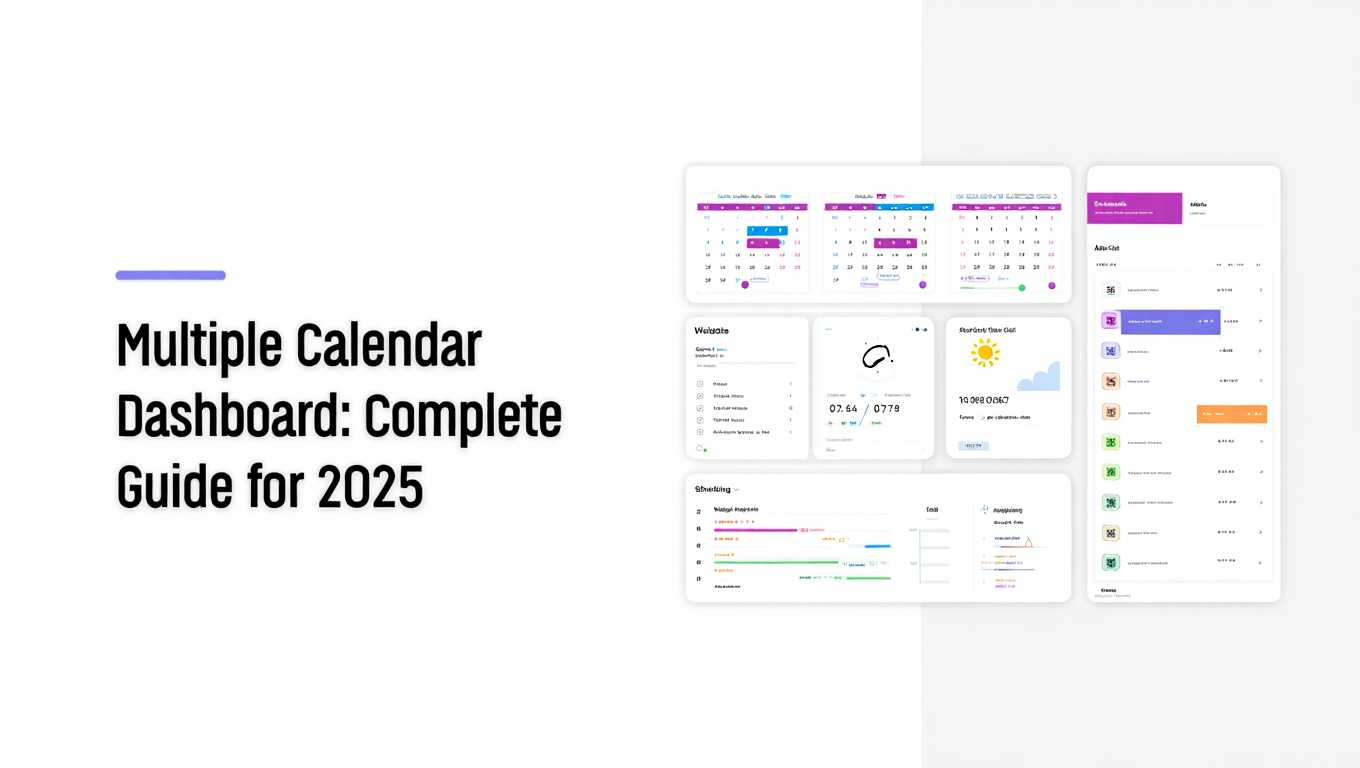
You have seven calendars open in different browser tabs. Your personal Google Calendar. Your work Outlook calendar. Two client project calendars. A shared team calendar. Your spouse's family calendar. And somehow you still double booked yourself for tomorrow at 2pm.
This scenario plays out thousands of times daily for professionals managing complex schedules. The solution is not better multitasking or more browser tabs. You need a multiple calendar dashboard that consolidates everything into a single, unified view.
- What makes an effective multiple calendar dashboard and why you need one
- Essential features that differentiate basic tools from professional solutions
- How to choose the right dashboard for your specific calendar management needs
- Platform limitations you must understand before committing to a solution
- Real-world implementation strategies for managing 10+ calendars efficiently
What is a Multiple Calendar Dashboard?
A multiple calendar dashboard is a unified interface that consolidates events from all your calendars into one always up-to-date view. Instead of switching between Google Calendar, Outlook, iCloud, and various team scheduling tools, you see everything in a single location.
The key word is "dashboard." This is not simply a list of your calendars or a collection of separate views. A true multiple calendar dashboard provides an integrated, real-time overview where you can see, manage, and interact with events across all connected calendar sources simultaneously.
According to 2024 calendar management research, 70% of American adults use digital calendars to manage their lives[^1]. Yet most professionals juggling work and personal commitments manage an average of 3.8 separate calendar accounts. The disconnect creates scheduling chaos.
[^1]: Statista, "Digital Calendar Usage Statistics 2024," https://www.statista.com/statistics/calendar-management/
A proper calendar dashboard bridges this gap by answering one fundamental question at a glance. What is happening across my entire schedule right now?
How Multiple Calendar Dashboards Work
Most calendar dashboard solutions operate through calendar feed integration. They connect to your existing calendars using standard protocols like CalDAV, iCalendar feeds, or API connections to services like Google Calendar, Microsoft 365, and iCloud.
Once connected, the dashboard pulls event data from each source and displays it in a unified view. Changes made in your original calendars sync to the dashboard automatically. Many advanced solutions also allow bidirectional sync, meaning you can create, edit, or delete events directly from the dashboard and those changes propagate back to the source calendars.
The technology sounds simple. The implementation separates amateur tools from professional solutions.
Why You Need a Multiple Calendar Dashboard
The average knowledge worker spends 6 hours per week on meeting-related activities, according to 2024 productivity statistics[^2]. That time expands dramatically when you are constantly switching contexts between different calendar applications just to understand your availability.
[^2]: Doodle, "State of Meetings Report 2024," https://doodle.com/en/resources/research-and-reports/
Here is what happens when you manage multiple calendars without a unified dashboard.
Context switching kills productivity. Every time you switch from one calendar application to another, you lose 5-10 minutes of focused work time. If you check calendars 15 times daily across multiple platforms, that is 75-150 minutes lost purely to navigation overhead.
Double bookings become inevitable. When calendars exist in silos, you cannot see conflicts until they occur. You accept a client meeting in your work calendar without realizing you already committed that time slot in your personal calendar for your kid's school event.
Scheduling becomes guesswork. Someone asks when you are available next week. You have to mentally compile availability across work calendar, personal calendar, shared team calendars, and external project calendars before you can answer. The cognitive load is exhausting.
Collaboration suffers. Team members cannot see your full availability when relevant calendars are scattered across platforms. They schedule meetings during times you are legitimately busy in other calendars they cannot access.
- Complete visibility: See your entire schedule across all calendars in one view without switching applications
- Conflict prevention: Identify scheduling conflicts before they happen by seeing all commitments simultaneously
- Faster decisions: Answer availability questions instantly instead of checking multiple calendar sources
- Reduced cognitive load: Your brain stops trying to mentally merge separate calendar systems
- Better work-life balance: Actually see when personal commitments conflict with work demands
The difference becomes clear when you consider professionals with truly complex scheduling needs. Consultants managing 10+ client calendars. Executive assistants coordinating multiple executives. Project managers tracking team calendars, resource calendars, and project timelines. Agency owners monitoring staff availability across departments.
For these users, a multiple calendar dashboard is not a convenience feature. It is the foundational infrastructure that makes their job possible.
Essential Features of Professional Calendar Dashboards
Not all calendar dashboards deliver equal value. The feature gap between basic calendar viewers and professional dashboard solutions is substantial. Here are the capabilities that distinguish truly effective platforms.
Unlimited Calendar Connections
This requirement eliminates more solutions than you might expect. Many popular scheduling platforms cap calendar connections at surprisingly low limits.
For example, Calendly limits free users to one calendar connection and Team plan users (at $16 monthly) to maximum six calendar connections. That hard ceiling of six calendars creates an immediate barrier for professionals who manage complex scheduling across multiple clients, projects, or roles.
A professional multiple calendar dashboard must support unlimited calendar connections. Platforms like CalendHub.com provide unrestricted calendar integration, recognizing that power users regularly manage 10, 15, or 20+ calendars simultaneously.
The calendar limit question should be your first screening criterion when evaluating dashboard solutions. If the platform cannot accommodate all your calendars, the entire value proposition collapses.
Real-Time Bidirectional Sync
Your dashboard must reflect changes instantly, regardless of where updates occur. When someone reschedules a meeting in Google Calendar, that change should appear in your dashboard within seconds, not minutes or hours.
Equally important is bidirectional sync capability. You should be able to create new events, modify existing appointments, or delete outdated items directly from the dashboard. Those actions must propagate back to the source calendars automatically.
Single-direction sync where the dashboard only displays calendar data without allowing modifications creates workflow friction. You constantly switch back to individual calendar applications to make changes, defeating the purpose of a unified dashboard.
Flexible View Options
Different tasks require different calendar perspectives. A comprehensive multiple calendar dashboard offers multiple view modes.
Agenda view lists upcoming events chronologically, ideal for reviewing what is next on your schedule. Day view shows hourly time blocks for detailed daily planning. Week view provides the optimal balance between detail and overview for most professionals. Month view enables long-term planning and deadline tracking.
The ability to toggle between these views within your dashboard, while maintaining the unified display of all connected calendars, makes the interface adaptable to various planning contexts.
Color Coding and Visual Organization
When 15 calendars worth of events occupy the same view, visual clarity becomes critical. Effective dashboards use color coding to differentiate calendar sources at a glance.
Your work calendar events appear in blue. Personal calendar in green. Client A in orange. Client B in purple. Shared team calendar in red. This visual language lets you process complex schedules quickly without reading every event detail.
Advanced solutions also support event categorization, filtering, and custom tags that provide additional organizational layers beyond basic color coding.
Conflict Detection and Availability Intelligence
A professional calendar dashboard should actively identify scheduling conflicts and surface them prominently. When events overlap across different calendars, the dashboard alerts you immediately rather than leaving conflict discovery to chance.
Smart availability features take this further by analyzing your complete schedule and identifying genuine open time slots. When someone asks about your availability, the dashboard shows exactly when you are free across all calendars, accounting for every commitment.
Cross-Platform Compatibility
Your dashboard must work seamlessly across all your devices. Desktop browser. Mobile phone. Tablet. The interface should adapt responsively while maintaining full functionality regardless of screen size or platform.
Cloud-based dashboard solutions provide this flexibility naturally. You access the same unified view whether you are at your office desktop, checking your phone between meetings, or reviewing your schedule on a tablet at home.
Multiple Calendar Format Support
Professional needs span various calendar platforms and protocols. Your dashboard should integrate with Google Calendar, Microsoft Outlook and Microsoft 365, iCloud Calendar, and generic iCalendar feeds.
Solutions that lock you into a single ecosystem (only Google, only Microsoft) immediately fail the multiple calendar test. True dashboard tools are platform-agnostic, connecting to whatever calendar systems your work requires.
Choosing the Right Multiple Calendar Dashboard Platform
The calendar dashboard landscape includes general productivity tools with calendar features, specialized scheduling platforms, and dedicated calendar management solutions. Understanding the distinctions helps you select the right tool for your needs.
Calendar Dashboards vs. Scheduling Tools
Many professionals confuse scheduling automation tools like Calendly with calendar dashboards. While these platforms check multiple calendars for conflicts when booking appointments, they are fundamentally booking interfaces, not calendar management dashboards.
Scheduling tools excel at one specific task: letting other people book time with you based on your availability. They answer the question "when can someone schedule a meeting with me?"
Calendar dashboards solve a different problem: comprehensive schedule visibility and management across all your calendars. They answer the question "what is my complete schedule right now and how do I manage it?"
The distinction matters because these tools serve complementary but separate purposes. You might use a scheduling tool for inbound meeting requests while relying on a multiple calendar dashboard for overall schedule management.
Productivity Platforms vs. Dedicated Calendar Solutions
Comprehensive productivity platforms like ClickUp, Monday.com, and similar project management tools often include calendar views as one feature among dozens of capabilities.
These solutions work well when calendar management is secondary to project tracking, task management, and team collaboration. The calendar functionality integrates with the broader project context.
However, productivity platforms rarely provide the depth of calendar-specific features that dedicated dashboard solutions offer. Calendar capabilities are one tool in a large toolkit, not the central focus.
If your primary need is managing complex multi-calendar schedules, dedicated calendar dashboard platforms like CalendHub.com typically provide superior calendar-specific functionality without the overhead of features you do not need.
Understanding Platform Limitations Before Committing
Every calendar dashboard solution has constraints. Identifying them before you invest time in setup and migration saves frustration later.
Calendar connection limits top the list. As discussed earlier, many platforms cap the number of calendars you can connect. Verify that limit accommodates not just your current calendar count but anticipated future growth.
Destination calendar restrictions create another common limitation. Some tools can check multiple calendars for availability but only push new events to a single destination calendar. This becomes problematic when you need new appointments to automatically appear in context-appropriate calendars (client meeting in client calendar, personal appointment in personal calendar).
Sync frequency and reliability vary dramatically. Some dashboards update in real-time. Others sync on intervals (every 5 minutes, every 15 minutes). Delayed sync creates a window where your dashboard view differs from reality, enabling double bookings.
Feature access tied to pricing tiers means capabilities you need might require expensive plan upgrades. Free tiers often include severe restrictions like single calendar connection or read-only access. Understanding the full-featured cost upfront prevents surprise expenses.
Data privacy and security policies matter when you are connecting potentially sensitive calendar information. Review how platforms handle your data, where it is stored, who can access it, and what happens if you cancel your account.
Need better calendar management? CalendHub unifies all your calendars with smart scheduling and video conferencing.
- Verify it supports unlimited calendar connections (or at minimum your total calendar count plus growth buffer)
- Confirm bidirectional sync capability if you need to manage events from the dashboard
- Test sync speed with your actual calendars to ensure real-time or near-real-time updates
- Review pricing tiers to understand total cost for features you need
- Check whether the platform supports all your calendar types (Google, Outlook, iCloud, etc.)
How to Implement a Multiple Calendar Dashboard Successfully
Selecting the right platform represents half the equation. Effective implementation determines whether your multiple calendar dashboard actually improves your workflow or becomes another unused tool.
Step 1: Audit Your Current Calendar Ecosystem
Before connecting anything, document your complete calendar landscape. List every calendar you currently maintain including work calendars, personal calendars, shared calendars, project calendars, team calendars, and any specialty calendars (gym schedule, kids' school events, etc.).
For each calendar, note the platform (Google, Outlook, iCloud), access method (owned by you, shared with you, subscription feed), and update frequency (how often events change).
This audit reveals your actual calendar count (often higher than people initially think) and identifies calendars that might present integration challenges.
Step 2: Clean Up Calendar Redundancy
Many professionals discover during calendar audits that they have duplicate or obsolete calendars creating unnecessary complexity.
You might find three different "personal" calendars across platforms, each containing different old events. Or abandoned project calendars from completed work. Or test calendars created during platform experimentation.
Consolidating redundant calendars before dashboard setup reduces the number of connections you need and eliminates conflicting information sources. Archive or delete calendars you no longer actively use.
Step 3: Establish Calendar Naming Conventions
When 15 calendars appear in your dashboard view, clear naming becomes essential. Generic names like "Calendar," "My Calendar," or "Work" provide no useful differentiation.
Adopt a consistent naming system. For example, prefix client calendars with "Client -" followed by client name. Use "Team -" for departmental calendars. Start personal calendars with "Personal -" plus descriptor.
This naming discipline makes dashboard views immediately scannable. You can identify which calendar each event belongs to without investigating event details.
Step 4: Configure Color Coding Strategically
Most dashboards let you assign colors to each connected calendar. Treat this as a visual information system, not random decoration.
Group related calendars in similar color families. All client calendars might use warm colors (red, orange, yellow). Team calendars use cool colors (blue, purple). Personal items use green tones.
Consistent color logic across your calendar ecosystem reduces cognitive processing time when scanning your schedule.
Step 5: Start with Core Calendars, Then Expand
Rather than connecting all calendars simultaneously, begin with your three to five most critical calendars. Get comfortable with the dashboard interface, learn how sync works, and verify everything functions correctly.
Then add additional calendars incrementally. This staged approach makes troubleshooting easier if connection problems occur and prevents overwhelming yourself with too much change at once.
Step 6: Test Bidirectional Sync Thoroughly
If your dashboard supports creating and editing events, test this capability before relying on it for important scheduling.
Create a test event in your dashboard. Verify it appears in the source calendar. Edit the event details in the dashboard. Confirm changes sync back. Delete the event from the dashboard. Check that deletion propagates to the source calendar.
This testing validates the sync mechanism works reliably in both directions before you depend on it for real scheduling.
Step 7: Establish Dashboard Review Routines
A multiple calendar dashboard only provides value when you actually use it. Build calendar review into your daily routine.
Many professionals adopt a three-times-daily review pattern. Morning review to understand the day ahead. Midday check to prepare for afternoon commitments. End-of-day review to prepare for tomorrow and the coming week.
Consistent dashboard engagement prevents the tool from becoming another application you ignore while reverting to old multi-calendar chaos.
Advanced Calendar Dashboard Strategies for Power Users
Once your basic multiple calendar dashboard operates smoothly, these advanced techniques maximize its value for complex scheduling scenarios.
Calendar Layering and Selective Visibility
Not every situation requires viewing all calendars simultaneously. Advanced dashboards support calendar layering where you toggle specific calendars on or off to focus on relevant information.
Reviewing client work? Display only client calendars and your primary work calendar while hiding personal and team calendars. Planning personal time? Show personal and family calendars while hiding work items.
This selective visibility reduces visual clutter while maintaining the option to reveal everything when you need comprehensive schedule perspective.
Time Zone Management for Distributed Teams
Professionals working with global teams or clients across multiple time zones need dashboards that handle time complexity gracefully.
Quality calendar dashboards display events in your local time zone by default but allow you to toggle to other time zones when scheduling cross-region meetings. Some support displaying multiple time zones simultaneously, showing equivalent hours across zones.
This capability prevents the mental math and scheduling errors that plague global collaboration.
Integrated Availability Sharing
Beyond viewing your own schedule, advanced scenarios often require sharing availability with others. Rather than manually blocking time in multiple calendars or taking screenshots, some dashboard solutions generate availability reports or shareable links showing when you are free across all connected calendars.
This transforms the question "when are you available for a two-hour meeting next week?" from a 10-minute research project into a 30-second answer.
Resource Calendar Integration
Teams managing shared resources like conference rooms, equipment, vehicles, or specialized staff benefit from integrating resource calendars into their dashboard view.
When planning meetings, you simultaneously check attendee availability and resource availability in the unified view, eliminating the back-and-forth of booking rooms after scheduling people only to find spaces unavailable.
Automated Conflict Alerts
Rather than manually scanning for scheduling conflicts, configure automated alerts that notify you immediately when calendar events overlap across different calendars.
This proactive approach catches double-bookings the moment they occur, while you can still resolve them easily, rather than discovering conflicts minutes before events start.
Common Multiple Calendar Dashboard Mistakes to Avoid
Even experienced professionals make predictable errors when implementing calendar dashboard solutions. Avoiding these pitfalls accelerates your success.
Mistake 1: Choosing Platform Based on Features You Don't Need
Premium features sound appealing in marketing copy. Video conferencing integration. AI scheduling assistants. Task management. Social media content calendars.
If your core need is managing multiple calendar sources in unified view, evaluate platforms primarily on calendar dashboard capabilities. Extra features you do not use add cost and complexity without delivering value.
Platforms like CalendHub.com succeed specifically because they focus on doing calendar management exceptionally well rather than attempting to be everything to everyone.
Mistake 2: Ignoring Mobile Experience
You select a dashboard that works beautifully on your desktop computer, then discover the mobile app is unusable or non-existent. Since you check calendars constantly on your phone throughout the day, the solution fails at critical usage moments.
Always evaluate dashboard solutions on all devices you actually use before committing. The mobile experience must be fully functional, not an afterthought.
Mistake 3: Overlooking Sync Reliability
Fancy features mean nothing if calendar sync fails regularly. You accept a meeting in your dashboard, but it never appears in your actual Google Calendar, causing you to miss the appointment.
Prioritize sync reliability above all other considerations. Read user reviews specifically looking for sync-related complaints. Test sync extensively during trial periods. Unreliable sync makes a calendar dashboard worse than useless because it creates false confidence in inaccurate information.
Mistake 4: Failing to Standardize Team Calendar Practices
If you implement a multiple calendar dashboard while your team continues using scattered calendar systems without coordination, you gain personal visibility but team scheduling remains chaotic.
Effective calendar dashboard adoption for teams requires establishing shared practices. Which calendars will everyone maintain? How do you name events consistently? What information belongs in event descriptions? When do you use all-day events versus time-blocked events?
Standardization multiplies dashboard value across the organization.
Mistake 5: Connecting Calendars You Don't Actually Need
The ability to connect unlimited calendars tempts some users to connect everything remotely calendar-related, creating visual noise that obscures important information.
Be selective. Connect calendars you actively reference when making scheduling decisions. Archive read-only calendars you reference occasionally but don't need constant visibility. You can always add calendars later when needs change.
Multiple Calendar Dashboard Solutions Compared
While comprehensive platform comparison deserves its own detailed analysis, understanding the major solution categories helps you start your search in the right direction.
Dedicated calendar dashboard platforms like CalendHub.com and CalendarBridge focus specifically on unified calendar management. These solutions excel at calendar connection flexibility, real-time sync, and unlimited calendar support without artificial restrictions. They serve professionals who need robust calendar management as their primary tool.
Scheduling automation platforms including Calendly, Cal.com, and similar tools provide calendar checking as part of appointment booking workflows. They work well for managing inbound scheduling requests but have limitations as comprehensive calendar dashboards, including connection caps and single-destination calendar restrictions.
Productivity suite calendar features within tools like ClickUp, Monday.com, and Asana integrate calendar views with broader project management. These suit teams where calendar management is one component of larger workflow and collaboration needs.
Native platform solutions like Google Calendar's multiple calendar view, Outlook's merged calendar display, and iCloud calendar sharing work within their ecosystems but struggle with true cross-platform integration. They succeed when all your calendars exist within one platform family and fail when you need genuine multi-platform consolidation.
The right solution depends on your specific calendar ecosystem and primary use case. However, professionals managing 10+ calendars across multiple platforms consistently find that dedicated calendar dashboard solutions provide the most effective experience.
Platforms like CalendHub.com remove the artificial limitations that constrain other tools. No six-calendar cap. No restrictions on which calendars can receive new events. No complicated pricing tiers where basic functionality requires premium plans. Just unified calendar management that actually works at scale.
Measuring Calendar Dashboard Success
How do you know if your multiple calendar dashboard is actually improving your productivity? These metrics provide objective assessment.
Time to answer availability questions should decrease dramatically. Before dashboard implementation, you might spend 5-10 minutes checking multiple calendar sources to answer when you are free. After implementation, that answer should take 30 seconds or less.
Double-booking frequency should approach zero. Track how often you discover scheduling conflicts. Effective dashboard implementation catches conflicts before they become problems.
Calendar checking frequency often increases after dashboard adoption, but total time decreases. You check your schedule more often because it is easy, but each check takes seconds instead of minutes. Overall time spent on calendar management should decline by 40-60% for professionals managing 5+ calendars.
Meeting preparation stress should decrease measurably. When you can see your complete schedule at a glance, you prepare better for transitions between commitments and experience less anxiety about forgotten appointments.
Team scheduling efficiency improves when multiple team members adopt coordinated calendar dashboard practices. Time spent in scheduling-related email threads should decrease as availability becomes transparent.
If these metrics are not improving 30-60 days after dashboard implementation, revisit your setup. You may need a different platform, better calendar organization, or adjusted usage practices.
The Future of Multiple Calendar Dashboard Technology
Calendar dashboard technology continues evolving rapidly. Understanding emerging trends helps you select solutions positioned for long-term success rather than platforms using outdated approaches.
AI-powered scheduling intelligence is moving beyond basic conflict detection to proactive schedule optimization. Advanced systems analyze your calendar patterns and suggest better time allocations, identify meetings that could be emails, and propose schedule restructuring to protect focus time.
Deeper integration with productivity tools creates bidirectional connections between calendars and task management, project timelines, email, and communication platforms. Your calendar becomes the coordination hub linking all work streams.
Enhanced availability intelligence goes beyond showing when you are free to understanding context. The system recognizes that while you technically have an open hour at 8am, you rarely schedule client calls that early. It learns your actual working patterns and suggests realistic scheduling options.
Improved mobile-first design acknowledges that professionals check calendars on phones more frequently than desktops. Future dashboard solutions prioritize mobile experience as the primary interface rather than treating it as a desktop feature port.
Privacy-preserving calendar sharing solves the challenge of sharing availability without exposing sensitive event details. Advanced systems show that you are busy during specific time blocks without revealing what those commitments are, enabling better collaboration while maintaining confidentiality.
The platforms investing in these capabilities while maintaining core calendar dashboard functionality will serve professional needs most effectively in coming years.
Taking Action: Your Next Steps
You understand what a multiple calendar dashboard is, why you need one, and what distinguishes effective solutions from inadequate tools. Here is how to move from understanding to implementation.
Step 1: Audit your current calendars today. Document every calendar you actively use or should be referencing when making scheduling decisions.
Step 2: Identify your specific pain points. What calendar management problems cause the most friction in your current workflow? Double-bookings? Time wasted checking multiple sources? Difficulty sharing availability? Inability to see team schedules? Your pain points guide platform selection.
Step 3: Evaluate solutions based on your documented needs. For professionals managing more than six calendars, start with platforms offering unlimited connections like CalendHub.com. Test their sync reliability, interface usability, and mobile experience.
Step 4: Implement with one week of focused attention. Connect your calendars, configure your preferences, and commit to using the dashboard as your primary calendar interface for seven consecutive days. This focused trial period reveals whether the solution actually improves your workflow.
Step 5: Refine based on experience. After one week, adjust your calendar selections, color coding, and usage patterns based on what worked and what frustrated you.
The professionals who most dramatically improve their calendar management share one consistent trait. They recognize that managing multiple calendars requires dedicated infrastructure, not just better habits. You cannot willpower your way to effective multi-calendar management while using inadequate tools.
A properly implemented multiple calendar dashboard transforms scattered scheduling chaos into unified visibility. You make better decisions because you have complete information. You prevent conflicts because you see your entire schedule. You reduce stress because calendar management becomes simple instead of complex.
The question is not whether you need a multiple calendar dashboard if you manage more than two calendars. You do. The only question is which solution you will implement and when you will start.
For most professionals, the answer should be today. Every day you spend switching between separate calendar applications, missing conflicts, and wasting time on scheduling coordination is a day that proper calendar dashboard infrastructure could have saved.
CalendHub.com provides that infrastructure without the artificial limits that constrain other platforms. No six-calendar cap. No complicated tier restrictions. Just unlimited calendar integration with real-time sync and the professional dashboard interface that complex scheduling demands.
Your schedule is too important to manage with inadequate tools. Choose a multiple calendar dashboard built for professionals who actually manage multiple calendars, and reclaim the time you are currently wasting on calendar chaos.
Ready to Simplify Your Schedule?
Join thousands of professionals who have unified their calendars and reclaimed their time with CalendHub's intelligent scheduling platform.
Related Articles
Enterprise Scheduling Software with Multiple Calendar Support: Complete Guide for Teams in 2025
Comprehensive guide to enterprise scheduling software supporting multiple calendars. Discover requirements, features, and solutions for large teams and organizations.
Executive Assistant Multiple Calendar Tool: Complete 2025 Guide
Discover the best executive assistant multiple calendar tools for managing 5-10 executives simultaneously. Compare features, pricing, and EA-specific capabilities.
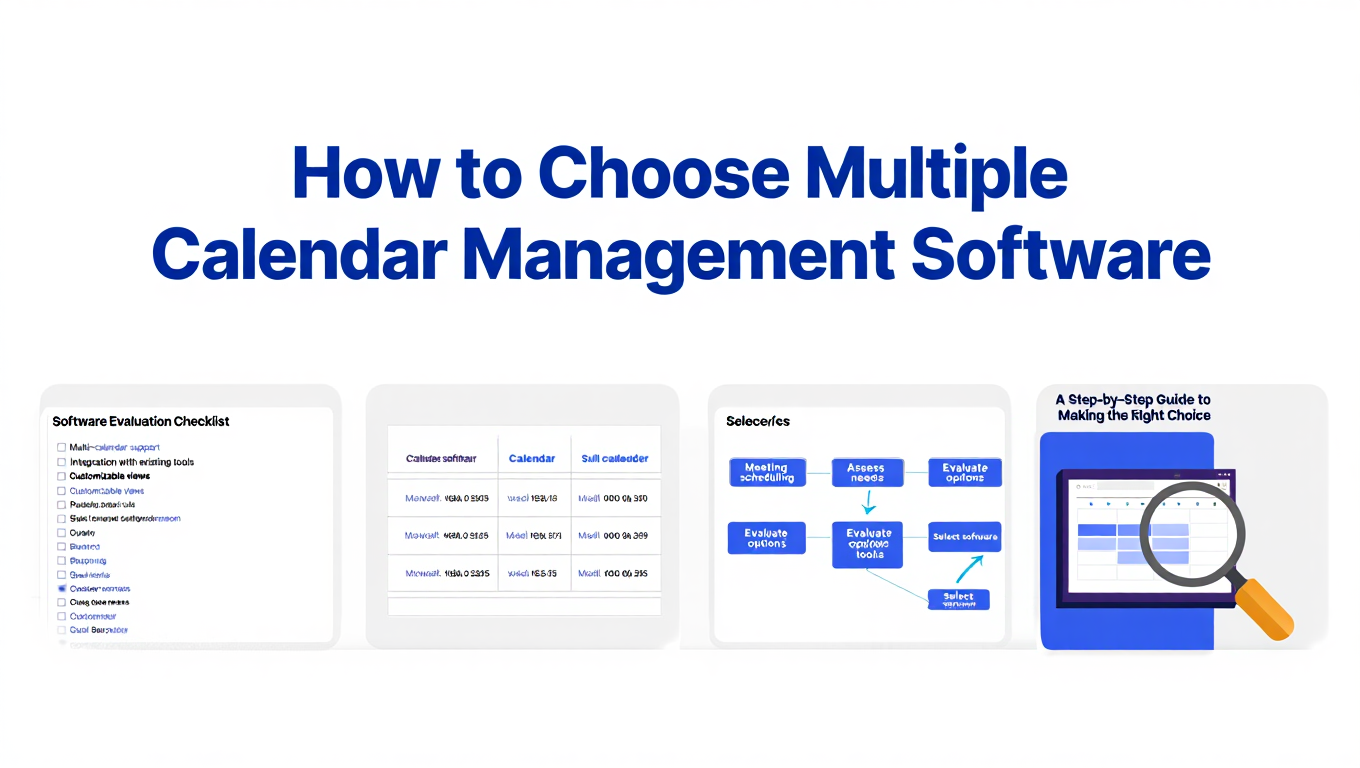
How to Choose Multiple Calendar Management Software
Expert guide to selecting the right multiple calendar management software for consultants, executives, and fractional leaders managing 10+ calendars.