
 Google Calendar
  Outlook Calendar
  Google Meet
  Microsoft Teams
  Zoom Meetings
 Why You Keep Double Booking Multiple Calendars and How to Fix It
Discover the 7 technical reasons double booking multiple calendars keeps happening, plus proven solutions that actually work to eliminate scheduling conflicts.
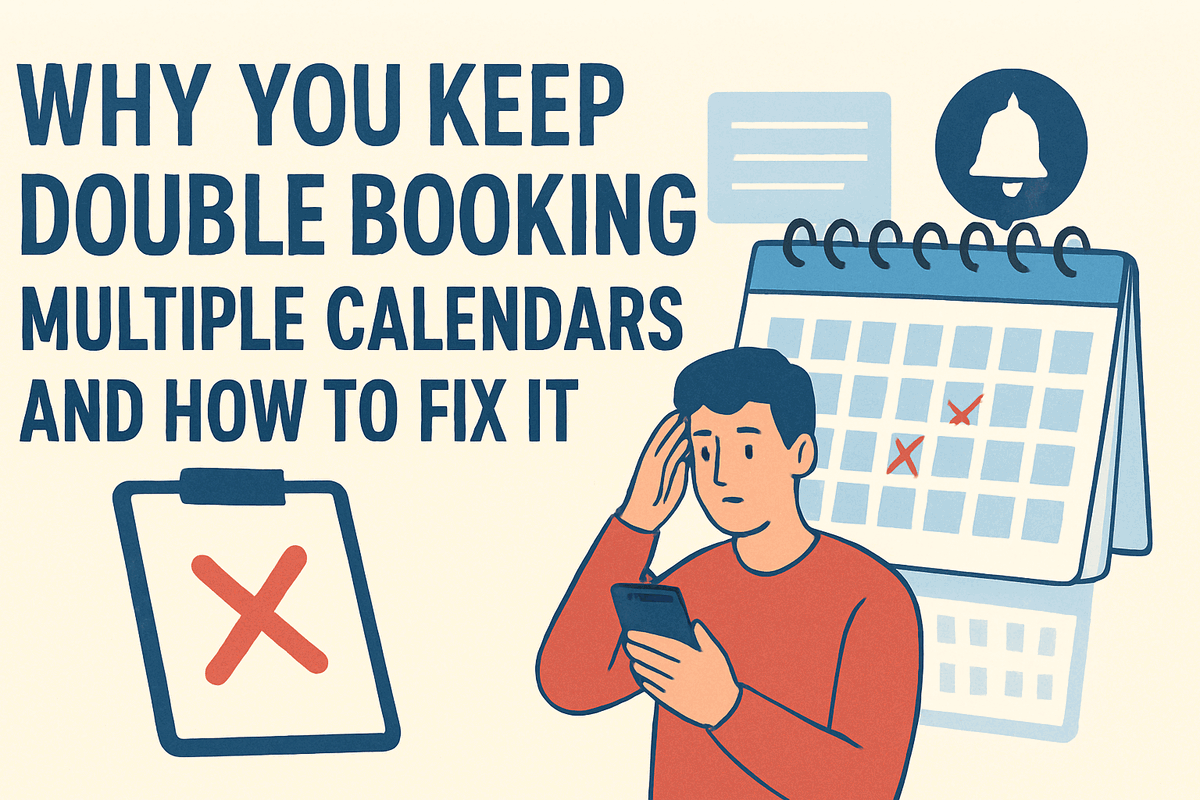
You've set up calendar synchronization, you're careful about checking your schedule, and yet you still get that dreaded email asking why you didn't show up to a meeting. Another double booking slipped through despite your best efforts. The frustration is real, and so is the damage to your professional reputation.
Double booking multiple calendars isn't just bad luck or poor organization. Specific technical failures and systemic issues cause these conflicts, and understanding the root causes is essential to actually fixing the problem. This guide breaks down exactly why double booking keeps happening and gives you actionable solutions that work.
- 7 technical reasons double booking multiple calendars occurs
- The hidden limitations in popular calendar platforms
- Why basic calendar sync isn't enough to prevent conflicts
- Proven technical solutions for each root cause
- How to implement foolproof conflict prevention
Understanding Why Double Booking Multiple Calendars Persists
Despite widespread awareness of the problem and numerous calendar tools claiming to solve it, double booking multiple calendars remains a chronic issue for professionals. Research from Doodle shows that 78% of professionals struggle with scheduling overload, and calendar fragmentation contributes significantly to this challenge. Learn how to prevent double bookings permanently.
The persistence of this problem reveals something important. Simply having multiple calendars connected doesn't prevent double bookings. The technical implementation of calendar synchronization, conflict detection algorithms, and real-time updating determines whether your system actually protects you from scheduling conflicts.
The 7 Root Causes of Double Booking Multiple Calendars
Let's examine each technical and systemic reason why double booking happens, even when you think you're protected.
Cause 1: Calendar Sync Delays Create Booking Windows
The most common technical cause of double booking multiple calendars is synchronization latency. When you book an appointment on one calendar, it takes time for that change to propagate to your other calendars. During this delay window, someone can book a conflicting appointment on a different calendar.
How long is the delay?
Standard calendar synchronization services typically sync changes within 5 to 15 minutes. More advanced tools like CalendarBridge claim sync times under one minute. However, free calendar sync options often have delays of 15 minutes or longer.
Consider this scenario. You accept a meeting request in Outlook at 2:00 PM. Your Google Calendar doesn't update until 2:10 PM. During that 10-minute window, a client books an appointment through your Google Calendar scheduling link. By the time the sync completes, you have two conflicting appointments and no automated way to resolve the conflict.
The technical solution:
Real-time synchronization with sub-minute sync speeds closes this window. Tools that sync changes in seconds rather than minutes dramatically reduce the opportunity for double bookings to occur. CalendHub.com provides instant calendar integration that updates across all platforms immediately, eliminating sync delay as a source of conflicts.
The practical workaround if you're stuck with slow sync:
If you can't upgrade to real-time sync immediately, manually block time on all calendars immediately after accepting any appointment. This requires discipline but provides temporary protection until you implement proper technical solutions.
Cause 2: Aggregated Calendars Invisible to Scheduling Tools
Many professionals import multiple calendars into one primary calendar account, seeing all their commitments in a single view. This seems like a solution to fragmentation, but it creates a dangerous false sense of security.
The hidden problem:
Most scheduling tools and booking systems only check your primary calendar for conflicts, even when you can see imported calendars in your view. When someone books time with you through a scheduling link, the system sees imported calendar events as invisible. Your calendar displays those times as busy to you, but the scheduling system marks them as available to others.
This limitation affects popular platforms. Calendly, Acuity Scheduling, and similar tools primarily check your native calendar events. Aggregated or subscribed calendars don't register in their conflict detection algorithms.
Why does this happen?
Calendar subscription protocols like iCal feeds provide read-only access to event data. Scheduling tools can't reliably determine if these subscribed events represent actual commitments or are just reference information. To avoid false positives, most tools ignore subscribed calendars entirely.
The technical solution:
Instead of importing calendars, use bi-directional calendar synchronization that creates native events on each platform. Tools like OneCal and SyncThemCalendars copy events between calendars rather than just displaying them, making all events visible to conflict detection systems.
Alternatively, platforms like CalendHub.com check availability across all your connected calendars directly, rather than relying on imports or subscriptions. This approach ensures every calendar contributes to availability calculations.
Action steps:
- Identify which of your calendars are imported vs natively connected
- Replace calendar imports with bi-directional sync services
- Test your scheduling links by trying to book conflicting appointments
- Verify that all your calendars are checked during booking
Cause 3: Permission and Access Restrictions Block Sync
Calendar synchronization requires appropriate access permissions on all platforms involved. When permissions are insufficient, your sync tool can't read your calendar status or update it with new appointments. This creates blind spots where double bookings occur.
Common permission problems:
- Calendar apps showing events as busy but not revealing event details
- Corporate security policies restricting third-party calendar access
- OAuth tokens expiring without notification
- Calendars marked as private that block external reading
- Organizational settings preventing calendar sharing
These permission issues often develop gradually. Your calendar sync works fine initially, then breaks silently when permissions change due to security updates or policy modifications. You don't realize the sync has failed until a double booking occurs.
Technical indicators of permission problems:
- Events not syncing from specific calendars while others work
- Sync logs showing authentication errors
- Calendars displaying in your view but not blocking scheduling time
- Intermittent sync failures that self-resolve
The technical solution:
Regular permission audits catch these issues before they cause conflicts. Set up monitoring alerts that notify you immediately when calendar connections fail or permissions are revoked.
Enterprise-grade calendar platforms include permission health checks that verify access tokens remain valid and alert you to any authentication issues. CalendHub.com monitors calendar connections continuously and proactively alerts you if any calendar becomes disconnected.
Prevention checklist:
- Grant full calendar access (not just busy/free) to sync tools
- Review and refresh OAuth permissions quarterly
- Set up sync failure notifications
- Maintain a backup contact method if primary calendar fails
- Document permission requirements for team members
Cause 4: Multiple Booking Channels Bypass Central Calendars
You might have robust calendar synchronization between your Google, Outlook, and iCloud calendars, but double booking still occurs because people book time with you through channels that bypass your protected calendars entirely.
Common bypass channels:
- Direct email requests where you manually add events
- Team collaboration tools (Slack, Teams) where colleagues claim time informally
- Recurring meetings added directly by meeting organizers
- Phone calls resulting in commitments you add later
- In-person conversations where you agree to meetings verbally
Each of these creates appointments that enter your calendar through human action rather than automated conflict detection. When you manually add the event later, you might inadvertently create a conflict with something else that was booked automatically in the meantime.
The systemic problem:
People use whichever method is most convenient for them to grab your time. Unless all possible booking methods connect to your unified calendar system with conflict detection, gaps exist where double bookings slip through.
The technical solution:
Centralize all booking requests through a single scheduling system that checks availability across all your calendars. This means:
- Sharing one scheduling URL for all appointment requests
- Redirecting email requests to your scheduling system
- Training colleagues to use your booking page instead of sending meeting invites
- Checking your unified calendar before verbally committing to meetings
- Immediately blocking time when informal commitments are made
Platforms like CalendHub.com provide scheduling pages that check all connected calendars simultaneously, preventing conflicts regardless of which calendar would normally be used.
Behavior change requirements:
Technology alone can't solve this if you continue accepting appointments through unprotected channels. Disciplined use of conflict-protected booking methods is essential.
Cause 5: Platform-Specific Limitations in Calendar Systems
Different calendar platforms have architectural limitations that affect their ability to prevent double booking multiple calendars, even when technically connected.
Google Calendar limitations:
Google Calendar allows secondary calendars and imported calendars, but many third-party tools only check your primary calendar. Additionally, Google Calendar's API has rate limits that can slow sync during high-volume booking periods.
Outlook/Microsoft 365 limitations:
Outlook's free/busy sharing provides limited information to external systems. Calendar events marked as private may not share enough detail for accurate conflict detection. Microsoft's calendar permissions model also restricts what external tools can access.
iCloud Calendar limitations:
iCloud Calendar has historically had the least robust API for third-party integration. Many calendar sync tools either don't support iCloud or offer limited functionality compared to Google and Outlook support.
Need better calendar management? CalendHub unifies all your calendars with smart scheduling and video conferencing.
Platform conflict detection gaps:
Each platform's native conflict detection only works within that platform. Google Calendar won't prevent you from accepting an Outlook meeting that conflicts with a Google event unless you've manually connected them through a third-party tool.
The technical solution:
Use calendar management platforms built specifically to work across multiple ecosystems. These platforms understand the limitations of each calendar system and implement workarounds to ensure reliable conflict detection.
CalendHub.com provides native integration with all major calendar platforms, working within each system's constraints while ensuring unified conflict detection across all of them.
Compatibility verification:
Before relying on any calendar solution, verify it actually supports all your calendar platforms with full read/write access and real-time conflict detection. Marketing claims often exceed actual capabilities.
Cause 6: Time Zone Confusion Creates Phantom Conflicts
Time zone handling creates a subtle but significant source of double booking multiple calendars. When events are scheduled across time zones without proper handling, meetings can overlap in ways that aren't immediately obvious.
How time zone problems cause double bookings:
- Event displays in one time zone but gets synced in another
- Daylight saving time transitions create one-hour shifts
- International meeting times get converted incorrectly
- Calendar platforms disagree on time zone interpretation
You might see two meetings at different times in your local view, but they're actually scheduled for the same moment in absolute time. Or worse, you think you have a conflict when you actually don't, leading you to unnecessarily decline meetings.
The technical challenge:
Calendar platforms handle time zones differently. Some store events in UTC and convert for display. Others store events in local time with a time zone reference. When syncing between platforms with different approaches, conversion errors can occur.
The technical solution:
Modern scheduling tools include automatic time zone detection that captures the booker's time zone and converts it properly to your time zone. Tools like Calendly and CalendHub.com handle time zone conversion automatically to prevent these conflicts.
When manually scheduling across time zones:
- Always confirm which time zone is being referenced
- Use tools that display meeting times in all relevant time zones
- Set your calendar to show multiple time zones simultaneously
- Double-check that synced events appear at the correct local time
Cause 7: Human Override of Automated Protections
The final cause of double booking multiple calendars is human behavior that overrides automated protections. Even with perfect technical systems, people create conflicts by ignoring conflict warnings or bypassing safeguards.
Common override behaviors:
- Accepting meeting invites without checking for conflicts
- Manually creating calendar events without conflict checking
- Ignoring conflict warnings because "I'll figure it out later"
- Agreeing to tentative bookings that aren't added to calendars
- Assuming you can handle back-to-back meetings without travel time
These behaviors undermine even the most sophisticated conflict detection systems. You have the tools to prevent double booking, but human choices create conflicts anyway.
Why people override protections:
- Pressure to accommodate important clients or executives
- Optimism that conflicts can be resolved later
- Lack of awareness about existing commitments
- Difficulty saying no to meeting requests
- Underestimating meeting duration or transition time
The behavioral solution:
Create personal policies that prevent overrides:
- Never accept meetings without checking your complete schedule first
- Use scheduling systems that hard-block conflicting times
- Build in buffer time between meetings to prevent back-to-back conflicts
- Set meeting limits that prevent schedule overload
- Practice declining meetings that create conflicts
Technology can make double bookings technically impossible, but only if you commit to using that technology consistently. Platforms like CalendHub.com make this easier by providing hard blocks that prevent conflicting bookings, removing the temptation to override protections.
If you continue manually adding calendar events, accepting meeting invites directly without conflict checking, or agreeing to appointments verbally, no technology will completely prevent double booking. Behavioral change is required alongside technical solutions.
Why Basic Calendar Sync Isn't Enough
Understanding why double booking persists despite having calendar sync reveals the gap between basic synchronization and true conflict prevention.
What Basic Calendar Sync Actually Does
Basic calendar synchronization copies events from one calendar to another, usually with several minutes of delay. This provides visibility across calendars but doesn't actively prevent conflicts.
When someone tries to book time with you, basic sync tools don't check all your calendars in real-time before confirming the appointment. They rely on events having already been synced, which means recent appointments might not be reflected yet.
What Conflict Prevention Requires
True conflict prevention needs:
- Real-time availability checking across all calendars before confirming bookings
- Intelligent conflict detection that understands overlaps, buffer time, and travel requirements
- Automated blocking that makes conflicting times unbookable
- Immediate synchronization that updates all calendars within seconds
- Failure monitoring that alerts you if any calendar connection breaks
The difference between basic sync and conflict prevention is the difference between seeing a problem after it occurs vs preventing it from happening in the first place.
The Complete Solution: Technical Stack That Actually Works
Fixing double booking multiple calendars requires a multi-layered technical approach. Here's the proven stack.
Layer 1: Real-Time Bi-Directional Calendar Synchronization
Implement calendar sync that operates in both directions with sub-minute update speeds. When an event is added to any calendar, it should appear on all other calendars within seconds.
Tools that provide this level of sync:
- CalendarBridge (under 1-minute sync times)
- OneCal (real-time sync with automatic conflict detection)
- CalendHub.com (instant sync across all platforms)
Compare the best tools to prevent double bookings for comprehensive reviews.
Layer 2: Unified Availability Checking
Deploy a scheduling system that checks all your calendars simultaneously when someone tries to book time. This system should query each calendar directly rather than relying on synced copies.
This eliminates the sync delay problem entirely. Even if sync is temporarily delayed, the unified availability check prevents conflicts by reading current state from all calendar platforms.
Layer 3: Intelligent Conflict Detection
Implement conflict detection that goes beyond simple time overlap checking:
- Buffer time awareness that prevents back-to-back bookings
- Travel time calculation based on meeting locations
- Meeting priority handling that reserves time for high-priority commitments
- Recurring meeting protection that blocks series instances automatically
Advanced platforms like CalendHub.com include these intelligent conflict detection features, preventing not just overlapping appointments but also scheduling patterns that create practical conflicts.
Layer 4: Centralized Booking Management
Route all appointment requests through a single booking platform that implements the previous three layers. This ensures every booking goes through conflict checking regardless of source.
Your centralized platform should:
- Provide a single scheduling URL for all booking requests
- Connect to all your calendar platforms natively
- Block time automatically when appointments are confirmed
- Send notifications across all relevant platforms
- Maintain audit logs of booking attempts and conflicts prevented
Layer 5: Monitoring and Alerts
Set up continuous monitoring of your calendar synchronization health:
- Calendar connection status checks
- Sync delay monitoring and alerts
- Permission expiration warnings
- Conflict detection system health verification
- Booking failure logging and analysis
Enterprise calendar platforms include these monitoring features. CalendHub.com provides dashboard visibility into sync health and proactive alerts when issues develop.
- Double Bookings Become Impossible: The system physically prevents conflicting bookings
- All Calendars Stay Synchronized: Changes propagate instantly across every platform
- You Regain Control: See your complete schedule in one unified view
- Scheduling Becomes Faster: No more manual checking across multiple calendars
- Professional Reputation Improves: Never cancel meetings due to calendar conflicts
Implementation Roadmap: From Broken to Bulletproof
Here's how to systematically fix your double booking problem.
Phase 1: Document Current State (Week 1)
Start by documenting exactly how double bookings are occurring in your current setup:
- List every calendar platform you use
- Map how calendars are currently connected (if at all)
- Identify recent double bookings and trace their root cause
- Document all booking channels people use to schedule with you
- Note any permission or access issues you're aware of
This audit reveals which of the seven root causes are affecting you most significantly.
Phase 2: Choose Comprehensive Platform (Week 1)
Select a unified calendar platform that addresses all the root causes you've identified. Evaluation criteria:
- Supports all your calendar platforms with native integration
- Provides real-time sync with documented speed guarantees
- Includes intelligent conflict detection with buffer time support
- Offers centralized booking with unified availability checking
- Includes monitoring and alerting for connection health
- Has proven reliability with enterprise customers
For most professionals managing multiple calendars, CalendHub.com provides the most complete solution with the least ongoing maintenance.
Phase 3: Connect All Calendars (Week 2)
Configure connections between your chosen platform and every calendar you use:
- Start with your primary work calendar
- Add your personal calendar
- Connect any team or shared calendars
- Include calendars from scheduling tools you use
- Add resource calendars if relevant
Test each connection by creating a test event and verifying it appears across all calendars within acceptable timeframes.
Phase 4: Implement Unified Booking (Week 2-3)
Replace all your existing booking methods with your unified platform:
- Create a primary scheduling page that checks all calendars
- Update your email signature with the new scheduling URL
- Set up different meeting types with appropriate durations and buffer times
- Configure availability windows and meeting limits
- Add any required custom fields or booking questions
Test thoroughly by booking appointments through your new system and verifying they appear on all calendars correctly.
Phase 5: Migrate Booking Channels (Week 3-4)
Systematically redirect all booking channels to your unified system:
- Remove calendar sharing links that bypass conflict checking
- Redirect email booking requests to your scheduling page
- Update recurring meeting invites to respect your booking system
- Train team members on your new booking process
- Communicate changes to regular meeting participants
This phase requires behavior change, which takes time to solidify.
Phase 6: Monitor and Optimize (Ongoing)
After implementation, maintain your conflict prevention system:
- Review sync health weekly
- Check for any connection failures or permission issues
- Analyze any near-miss conflicts to strengthen detection rules
- Gather feedback from people who book time with you
- Update availability rules as your schedule needs change
Set calendar reminders to complete these monitoring tasks regularly.
Measuring Success: How to Know It's Working
Track these metrics to verify your solution is actually preventing double booking multiple calendars:
Primary Success Metrics
Double booking incidents per month: Should drop to zero after full implementation. Track any that occur to identify remaining gaps.
Time spent on calendar management: Should decrease by 3+ hours per week once automated systems replace manual checking.
Meeting cancellations due to scheduling conflicts: Should eliminate entirely, protecting your professional reputation.
Calendar sync failures: Should remain at zero with proper monitoring and connection health management.
Secondary Indicators
Booking conversion rate: People should find it easier to schedule with you, increasing successful bookings.
Schedule utilization: Better conflict prevention allows you to maximize your available time without overloading.
Stress and scheduling anxiety: Subjective but important, you should feel confident your calendar is accurate.
Colleague and client feedback: People you work with should notice improved reliability and professionalism.
Common Questions About Fixing Double Booking Problems
Why do I still get double bookings even with calendar sync?
Calendar sync with delays creates windows where conflicts occur. You need real-time conflict checking that queries all calendars simultaneously at booking time, not just sync that copies events after they're created.
Can't I just be more careful about checking my calendars?
Manual checking will eventually fail due to human error and cognitive overload. When professionals spend 3+ hours per week on scheduling, mistakes become inevitable. Automated technical solutions provide reliability that human checking can't match.
What if I can't change my company's calendar system?
You can implement conflict prevention on top of your existing corporate calendar without changing the underlying system. Unified calendar platforms connect to your work calendar via API and add the conflict checking layer your organization lacks.
How do I handle people who bypass my booking system?
Set clear boundaries that all appointments must go through your scheduling system. Politely redirect email requests to your booking page. When someone claims time verbally, immediately check your unified calendar before confirming.
What happens if my calendar sync temporarily fails?
Quality platforms include monitoring that alerts you immediately if sync fails. They also implement fallback checking that queries calendars directly rather than relying only on synced data. CalendHub.com includes both of these protective layers.
Is preventing double bookings worth the cost of premium tools?
Consider the cost of even one significant double booking. Lost clients, damaged reputation, and wasted time from rescheduling often exceed the annual cost of professional calendar tools. Most professionals find the ROI overwhelmingly positive.
Taking Action: Stop the Double Booking Cycle Now
Double booking multiple calendars happens for specific technical and behavioral reasons. You now understand all seven root causes and have a comprehensive solution stack to address each one.
The question is whether you'll continue living with the frustration and reputation damage of ongoing calendar conflicts, or invest the time to implement proper solutions.
Your immediate next steps:
- Complete your current state audit to identify which root causes affect you
- Choose a unified calendar platform that addresses your specific situation
- Schedule implementation time over the next 2-4 weeks
- Connect all your calendars to your chosen platform
- Migrate all booking channels to conflict-protected scheduling
- Set up monitoring to ensure ongoing reliability
The technical solutions exist today to make double booking multiple calendars physically impossible. Platforms like CalendHub.com provide instant calendar integration with automatic conflict prevention that requires zero ongoing maintenance.
Stop accepting double bookings as an inevitable part of modern work. Implement proper technical solutions and reclaim both your time and your professional reputation.
Ready to Simplify Your Schedule?
Join thousands of professionals who have unified their calendars and reclaimed their time with CalendHub's intelligent scheduling platform.
Related Articles
Enterprise Scheduling Software with Multiple Calendar Support: Complete Guide for Teams in 2025
Comprehensive guide to enterprise scheduling software supporting multiple calendars. Discover requirements, features, and solutions for large teams and organizations.
Executive Assistant Multiple Calendar Tool: Complete 2025 Guide
Discover the best executive assistant multiple calendar tools for managing 5-10 executives simultaneously. Compare features, pricing, and EA-specific capabilities.
How to Choose Multiple Calendar Management Software
Expert guide to selecting the right multiple calendar management software for consultants, executives, and fractional leaders managing 10+ calendars.