
 Google Calendar
  Outlook Calendar
  Google Meet
  Microsoft Teams
  Zoom Meetings
 Complete Workflow System to Manage 5+ Calendars Daily
Master daily workflows for managing 5+ calendars. Time blocking, prioritization, and systems that transform calendar chaos into productive routines.
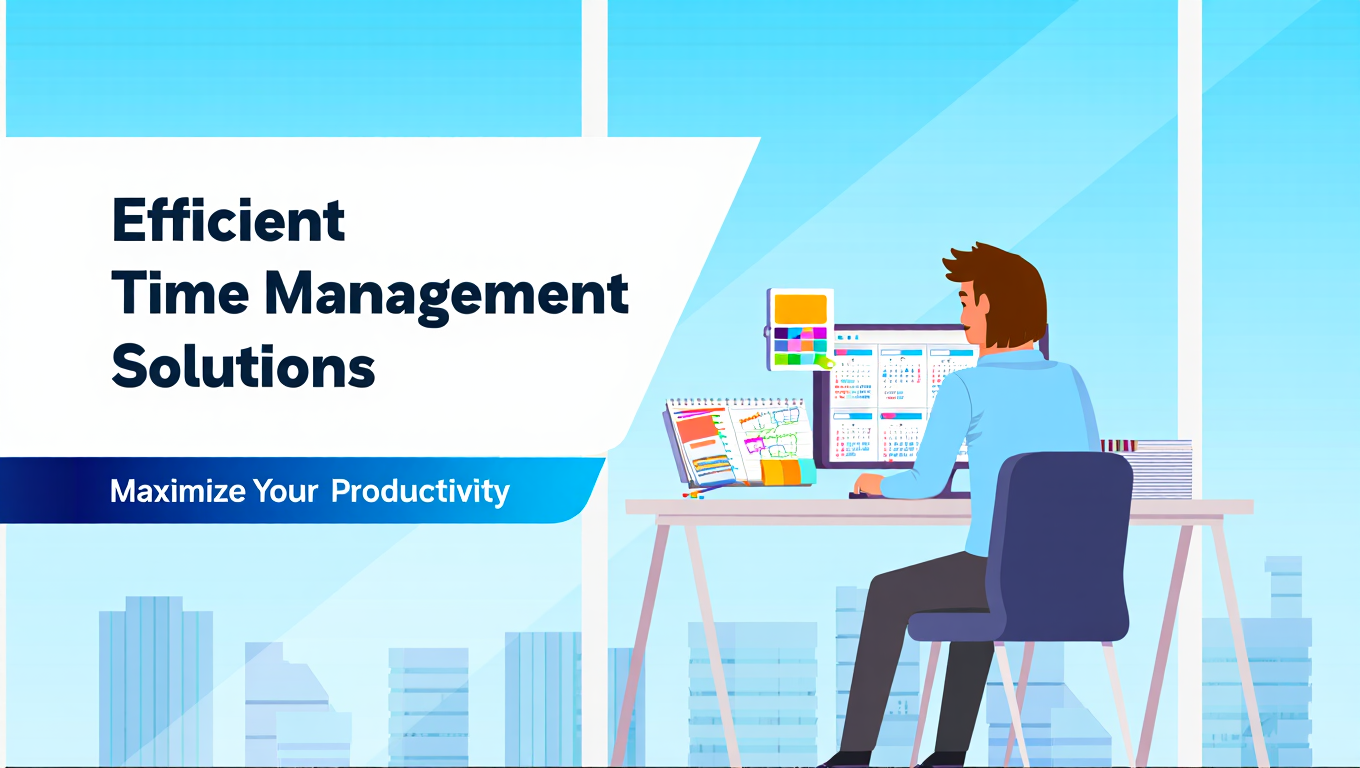
It's Monday morning. You have five calendars open in separate browser tabs. You're clicking between them frantically, trying to figure out if you can accept a meeting request that just arrived. Three minutes later, you're still not sure if you're free, and you haven't even checked your email yet.
There's a better way. Managing 5+ calendars successfully isn't about having the right tools alone. It's about establishing workflows and systems that turn calendar complexity into predictable routines. This guide reveals the daily, weekly, and monthly workflow systems that make managing multiple calendars effortless.
- Daily calendar workflow that takes 15 minutes and prevents chaos all day
- Time blocking strategies specifically designed for 5+ calendar complexity
- Priority frameworks for deciding which calendar events take precedence
- Weekly and monthly calendar rituals that maintain system health
- Recovery protocols when calendars get out of sync
What Is a Calendar Management Workflow System?
A calendar management workflow system is a structured set of routines, rules, and processes that govern how you interact with your calendars daily. Instead of reactive calendar checking whenever meeting requests arrive, you follow deliberate workflows that maintain visibility and control across all calendar sources.
When managing 5+ calendars, workflow systems become essential rather than optional. Research shows context switching reduces productivity by 40%. Without systematic workflows, you're constantly context switching between calendars, multiplying the productivity drain with every additional calendar beyond three.
The calendar app market grew from 5.71 billion USD in 2023 to a projected 16.37 billion USD by 2030, reflecting growing recognition that calendar management is a critical professional competency requiring systematic approaches rather than ad-hoc responses.
The best way to manage 5+ calendars combines proper tools with disciplined workflows. Tools provide capabilities like synchronization and unified views. Workflows determine how and when you use those capabilities to maintain scheduling sanity.
Why Ad-Hoc Calendar Checking Fails at 5+ Calendars
Most professionals manage calendars reactively. A meeting invitation arrives, they check if they're free, they accept or decline. This works fine for one or two calendars but collapses at five or more.
Time drain multiplies exponentially. Checking one calendar takes five seconds. Checking five calendars takes 30-45 seconds because you're not just opening five calendars. You're mentally reconciling information across them to determine true availability. At dozens of scheduling decisions daily, you're spending 20-30 minutes just checking calendars.
Cognitive load destroys decision quality. When you check five separate calendar interfaces, you're holding multiple pieces of information in working memory simultaneously. Research on cognitive load demonstrates that working memory maxes out at 3-4 items. By the time you're looking at your fifth calendar, you've forgotten details from the first one, leading to mistakes.
Reactive checking misses patterns. When you only look at calendars in response to incoming requests, you never see the overall pattern. You don't notice that accepting this meeting creates three back-to-back sessions with no break, or that your Tuesday is now 100% meetings with zero focus time.
Manual priority decisions are inconsistent. Without systematic priority frameworks, you make different decisions about calendar conflicts based on mood, time pressure, or who asked most recently. This inconsistency damages both productivity and relationships.
Over 58% of remote workers block off time in their calendars to protect against meeting conflicts. This statistic reveals that professionals recognize the need for proactive calendar management rather than reactive responses.
The Daily Calendar Workflow: 15-Minute Morning Ritual
The foundation of managing 5+ calendars successfully is a consistent morning workflow that establishes visibility and control for the entire day. This 15-minute ritual prevents hours of reactive calendar scrambling.
Minute 1-3: Unified Calendar Scan
Open your unified calendar view showing all 5+ calendars simultaneously. Platforms like CalendHub.com provide this consolidated view instantly, eliminating the need to open five separate calendar applications.
Scan the entire day from start to finish. You're not diving into event details yet. You're getting the big picture of what today looks like across all calendar sources.
Look for visual patterns that indicate problems. Overlapping events in different colors signal conflicts. Long blocks without breaks indicate overload. Large gaps between meetings suggest opportunities for consolidation.
This three-minute scan gives you situational awareness that reactive checking never provides. You know before the day starts that you have a problem at 2 PM, giving you time to address it proactively.
Minute 4-6: Conflict Resolution
Address any conflicts identified during the scan. The best way to manage 5+ calendars includes catching conflicts during morning review rather than discovering them five minutes before the meeting starts.
For each conflict, apply your priority framework (detailed in the next section) to determine which event takes precedence. Immediately message the lower-priority meeting organizer about the conflict and propose alternative times.
This proactive conflict resolution protects your credibility. Canceling a meeting the morning of is uncomfortable but acceptable. Canceling five minutes before because you forgot about an overlapping commitment is unprofessional.
Use tools that automate conflict detection. CalendHub.com alerts you to double-bookings across all connected calendars, eliminating the need to manually spot overlapping events among visual complexity.
Minute 7-10: Meeting Preparation Check
Review each meeting on today's schedule and verify you're prepared. Check that you have necessary documents, that you've reviewed relevant background information, and that you know the meeting objective.
For meetings where you're unprepared, decide immediately whether to attend unprepared, decline with explanation, or block 15-30 minutes before the meeting for preparation.
Add preparation time blocks to your calendar if they don't already exist. If you have a critical client presentation at 2 PM and no prep time blocked, add a 30-minute block at 1 PM now.
This preparation audit prevents the embarrassing realization at 1:59 PM that you haven't looked at the deck you're about to present.
Minute 11-13: Focus Time Protection
Identify focus time blocks on your calendar and verify they're protected across all calendar systems. If you blocked 9-11 AM for deep work on your primary calendar, confirm it shows as busy on all other calendars so colleagues don't book meetings during that window.
Tools like OneCal provide auto-blocking functionality that propagates focus time blocks across multiple calendars automatically. However, sync occasionally fails. The morning check verifies your protections are actually in place.
If focus time isn't protected, manually update other calendars or accept that today isn't the day for uninterrupted work. Adjust your task priorities accordingly rather than pretending you'll get deep work done between meetings.
Minute 14-15: Buffer Addition
Review meeting transitions and add buffer blocks where they're missing. After 90-minute intense meetings, you need 15 minutes to process notes, use the bathroom, and mentally prepare for the next commitment.
Block 10-15 minute buffers after meetings that require high energy or complex preparation for the next session. These buffers prevent the calendar stacking that makes entire days feel relentlessly overwhelming.
If your day is too packed for buffers, that's critical information. You're overcommitted and need to decline or reschedule meetings to create sustainable pacing.
- Conflict Prevention: Catch 95% of double-bookings before they cause embarrassment
- Preparation Time: Ensure adequate prep time for every important meeting
- Energy Management: Distribute intense meetings with appropriate recovery buffers
- Control Feeling: Start each day with confidence rather than calendar anxiety
Priority Framework for Calendar Conflicts
When managing 5+ calendars, conflicts are inevitable. Events get double-booked, last-minute urgent meetings arise, and you must decide which calendar takes precedence. Without clear priority frameworks, these decisions are stressful and inconsistent.
The Calendar Priority Hierarchy
Establish a standing hierarchy that determines which types of events take priority when conflicts occur. This removes decision paralysis and ensures consistent choices aligned with your actual priorities.
Tier 1: Non-negotiable commitments
- Commitments to direct reports or team members depending on you
- Client deliverables with external deadlines
- Critical family obligations (medical appointments, school events requiring parent presence)
- Pre-scheduled deep work blocks for time-sensitive projects
These events are nearly impossible to reschedule without significant negative consequences. They take priority over everything else.
Tier 2: Important but reschedulable
- Team meetings where you're a key contributor but not running the meeting
- Client check-ins without immediate deliverables
- Important but not urgent internal projects
- Professional development activities (conferences, training)
These matter but can usually be rescheduled without disaster if conflicts emerge.
Tier 3: Flexible and optional
- Large group meetings where your attendance is optional
- Networking events and social calendar items
- Recurring status meetings covering information you can get asynchronously
- Speculative meetings without clear objectives
These events should yield to higher-priority commitments without guilt.
Tier 4: Self-scheduled time blocks
- Personal errands scheduled during work hours
- Aspirational focus time not tied to specific deliverables
- Optional learning activities
- Placeholder blocks for "someday" projects
These exist to fill otherwise empty calendar time but should give way to actual commitments.
Applying the Framework in Real Time
When a meeting request arrives that conflicts with an existing event, apply the priority framework immediately:
- Identify which tier each event belongs to
- The higher-tier event takes priority automatically
- If both events are the same tier, consider secondary factors (who requested, relationship importance, rescheduling difficulty)
- Decline or propose alternative time for the lower-priority event within 1 hour of receiving the request
- Update all calendar systems to reflect the decision
This systematic approach makes conflict resolution take 30 seconds instead of 30 minutes of agonizing indecision.
Communicating Calendar Priorities to Others
Share your priority framework with colleagues who frequently schedule meetings with you. This reduces conflicts by helping them understand which calendar blocks are truly immovable versus which are flexible.
Add priority indicators to calendar event titles when appropriate. Using tags like "CLIENT", "CRITICAL", or "FLEXIBLE" in event names helps you and others understand relative importance at a glance.
For shared calendars on platforms like CalendHub.com, consider using calendar categories or color coding to indicate priority levels visually. Red events are Tier 1 non-negotiable, yellow are Tier 2 important, and green are Tier 3 flexible.
Time Blocking Systems for Multiple Calendars
Time blocking is the practice of scheduling specific blocks of time for specific types of activities. When managing 5+ calendars, time blocking becomes more complex because blocks need to be visible and protected across all calendar systems.
The Multi-Calendar Time Blocking Workflow
Standard time blocking advice assumes one calendar. The best way to manage 5+ calendars requires adapting time blocking for multi-calendar visibility.
Step 1: Define your standard block types
Create 4-6 standard time block categories that cover your typical activities:
- Deep focus blocks for individual contributor work requiring concentration (minimum 90 minutes)
- Meeting windows where you accept internal meetings (typically 9-11 AM and 1-3 PM)
- Client interaction blocks reserved specifically for client-facing activities
- Administrative blocks for email, calendar management, expense reports, and other overhead
- Learning blocks for professional development, reading, skill building
- Buffer blocks for transitions between intense activities
Standardizing block types prevents decision fatigue when planning your week. You're not reinventing your schedule daily. You're following a template.
Step 2: Create your ideal week template
Design your perfect week showing when each block type occurs. This doesn't mean your actual calendar will match this template. It provides the target you're aiming for when scheduling.
For example, your ideal week might show:
- Monday/Wednesday/Friday: Deep focus 9-11 AM, meeting windows 1-4 PM, administrative 4-5 PM
- Tuesday/Thursday: Meeting windows 9-12 PM, deep focus 1-4 PM, learning 4-5 PM
This template guides scheduling decisions. When someone requests a Tuesday 2 PM meeting, you recognize it conflicts with Tuesday deep focus time and propose Tuesday morning instead.
Step 3: Block time on your primary calendar
Create recurring time blocks on your primary calendar following your ideal week template. These become the foundation of your schedule that other commitments work around rather than displacing.
Set these blocks to "busy" status so scheduling tools respect them when showing availability. However, make them movable when higher-priority commitments emerge.
Step 4: Propagate blocks to all calendars
Use auto-blocking tools like OneCal or CalendHub.com to propagate your primary calendar time blocks to all other calendars automatically. This ensures that when a colleague checks your availability on a shared team calendar, they see your focus time as busy.
Without this propagation, you block focus time on your work calendar but colleagues schedule meetings during that time on the team calendar because it shows you as free.
Step 5: Protect and adjust blocks weekly
During your weekly calendar planning session (detailed later), verify that the upcoming week matches your template reasonably well. If Monday's deep focus block got displaced by meetings, decide whether to:
- Move deep focus to a different time that week
- Accept reduced deep work this week and protect next week more aggressively
- Decline or reschedule lower-priority meetings to restore the focus block
Time blocking without protection is just wishful thinking. The discipline is in defending blocks against meeting encroachment.
Theme-Based Days for Calendar Clarity
When managing 5+ calendars across different roles or clients, theme-based days provide clarity about what each day is for. This prevents the cognitive switching cost of jumping between unrelated contexts.
Day theming examples:
- Monday: Client-facing work and customer meetings
- Tuesday: Internal team collaboration and project planning
- Wednesday: Deep focus and individual contributor work
- Thursday: Cross-functional meetings and organizational coordination
- Friday: Wrap-up, planning, learning, and lower-priority meetings
Communicate your day themes to frequent collaborators. When colleagues understand that Wednesday is your focus day, they'll naturally propose Tuesday or Thursday for meetings, reducing calendar conflicts.
Apply day themes across all calendars. If Wednesday is deep work day, block it on your work calendar, personal calendar, and any shared calendars where others might schedule meetings.
Some professionals extend this to calendar-specific days. Monday is for Calendar A activities, Tuesday for Calendar B, creating even clearer boundaries between different calendar contexts.
Batching Calendar Activities for Efficiency
Instead of processing calendar requests throughout the day as they arrive, batch calendar management into 2-3 specific times:
- Morning calendar review (15 minutes as detailed earlier)
- Midday calendar check (5 minutes around lunch)
- End-of-day calendar prep (10 minutes before finishing work)
During these batched sessions, process all pending meeting requests, resolve conflicts, add necessary prep time, and update calendar views. Outside these sessions, ignore calendar notifications unless they're genuinely urgent.
This batching approach reduces context switching. You're making scheduling decisions when you're already in "calendar mode" rather than interrupting focus work to evaluate meeting requests.
Tools like CalendHub.com can hold meeting requests for batch processing rather than demanding immediate attention with notifications, supporting batched calendar workflows.
Weekly Calendar Planning Ritual
Daily workflows maintain day-to-day calendar functioning. Weekly rituals maintain long-term calendar health and catch issues before they become crises.
Sunday Evening or Monday Morning Planning Session (30 minutes)
Schedule a recurring 30-minute calendar planning session at the beginning of each week. This session sets up the entire week for success.
Minute 1-5: Week-at-a-glance review
Need better calendar management? CalendHub unifies all your calendars with smart scheduling and video conferencing.
View your unified calendar showing all 5+ calendars for the entire upcoming week. You're looking for patterns that indicate problems:
- Days with back-to-back meetings and zero focus time
- Critical meetings without adequate preparation time beforehand
- Days starting very early or running very late indicating poor work-life boundaries
- Meeting clusters on some days and completely empty days on others
Platforms like CalendHub.com provide week views that show all calendars simultaneously, making pattern recognition easier than viewing one calendar at a time.
Minute 6-10: Meeting load balancing
Count the number of meetings scheduled each day and evaluate whether the distribution is sustainable. If Tuesday has eight meetings and Thursday has one, consider whether any Tuesday meetings can move to Thursday.
For meetings you control (recurring team syncs, one-on-ones you own), actively move them to balance the week. For meetings others scheduled, you can propose alternative times if the current timing creates unsustainable clustering.
The goal is relatively even meeting distribution across the week, avoiding overload days followed by empty days.
Minute 11-15: Focus time verification
Check that each day has at least one protected focus block of 90+ minutes. If any day lacks focus time, either:
- Decline a meeting to create space
- Combine multiple shorter meetings into a single longer meeting to consolidate interruptions
- Accept that this week is meeting-heavy and plan accordingly
Don't pretend you'll find focus time that doesn't exist on your calendar. If it's not blocked, it won't happen.
Minute 16-20: Preparation time allocation
For each important meeting, verify you have adequate preparation time blocked beforehand. Rule of thumb: block prep time equal to 25-50% of meeting length for high-stakes meetings.
If you have a two-hour board presentation Thursday afternoon and no prep time blocked, add prep blocks earlier in the week now while you can still protect that time.
Minute 21-25: Cross-calendar conflict check
Even with good synchronization tools, conflicts occasionally emerge. Manually scan for overlapping events across your 5+ calendars that automated conflict detection might have missed.
Pay special attention to:
- All-day events that might hide time-specific conflicts
- Events marked as "free" or "tentative" that actually require your attention
- Events on calendars you rarely check (family calendar, gym class schedule)
Resolve any discovered conflicts immediately using your priority framework.
Minute 26-30: Next week preview
Quickly scan the following week for known issues. If you see a particularly heavy week coming, you can protect this week's calendar more aggressively to ensure adequate rest before the intense period.
Add any prep work to this week's calendar if next week's activities require advance preparation. Catching these dependencies weekly prevents last-minute scrambling.
Mid-Week Check-In (10 minutes)
Wednesday midday, do a brief check-in on weekly calendar health. This catches problems while there's still time to fix them before week's end.
Verify the week is tracking to plan. Are focus blocks actually being used for focus work or are you letting them get consumed by reactive tasks? If time blocks aren't being honored, either you need more discipline or your blocks are unrealistic given actual work demands.
Check synchronization status. Verify events are syncing correctly across all 5+ calendars. If you notice sync lag or failed updates, troubleshoot now rather than letting the problem compound.
Scan Thursday and Friday. Make sure the week will end cleanly without scrambling Friday afternoon to complete things you thought were handled earlier in the week.
Monthly Calendar Maintenance Ritual
Beyond daily and weekly workflows, monthly rituals maintain overall calendar system health.
Month-End Review (45 minutes)
At the end of each month, review calendar effectiveness to identify systematic problems requiring process adjustments.
Calendar time analysis: Review how your time was actually distributed across meetings, focus work, and administrative tasks. Compare actual distribution to your ideal week template. Large discrepancies indicate either the template is unrealistic or you need better boundary enforcement.
Many calendar tools provide analytics. Google Calendar and Outlook offer basic time tracking showing how many hours you spent in meetings. Tools like CalendHub.com can provide more sophisticated analysis across multiple calendars simultaneously.
Double-booking frequency: Count how many scheduling conflicts occurred during the month. The goal is zero to one double-bookings monthly. More than two indicates problems with your synchronization setup or insufficient use of your morning conflict-checking workflow.
Meeting acceptance rate and response time: Track what percentage of meeting requests you accepted versus declined, and how quickly you responded. Slow response times indicate you're not batching calendar processing effectively.
Calendar stress assessment: Subjectively rate how stressful calendar management felt during the month on a 1-10 scale. Increasing stress over time indicates your system needs adjustment even if objective metrics look acceptable.
Month-Ahead Planning (30 minutes)
At the beginning of each month, scan the entire upcoming month for known commitments that require advance preparation or calendar protection.
Block high-priority events early: If you have major deliverables, client presentations, or important personal events during the month, block preparation time and buffer time around them now. Don't wait until the week before when your calendar is already full.
Protect travel time: For any events requiring travel, block travel time on all calendars immediately. This prevents meetings getting scheduled during times when you'll be in transit.
Identify capacity constraints: If you know you have multiple major commitments in week three of the month, proactively protect week two for preparation rather than letting it fill with meetings.
Review recurring events: Check that all recurring events (weekly team syncs, monthly reviews, regular client check-ins) are appropriate. Cancel or reschedule recurring events that no longer provide value rather than letting them consume calendar space indefinitely.
Recovery Protocols When Calendars Get Out of Sync
Even with the best systems, calendars occasionally get out of sync. Network issues, sync failures, or manual errors create discrepancies between calendar systems. Recovery protocols get you back to clean state quickly.
Immediate Conflict Response
When you discover a conflict during the day (you have two meetings scheduled at the same time), execute immediate triage:
- Quickly determine which meeting is higher priority using your priority framework
- Message the lower-priority meeting organizer immediately: "I just discovered a calendar conflict and cannot attend our [time] meeting. I apologize for the short notice. Can we reschedule for [propose specific alternative times]?"
- Update all calendar systems to reflect your attendance decision
- Attend the higher-priority meeting and handle the rescheduling asynchronously
- After both meetings resolve, investigate the root cause to prevent recurrence
The key is moving quickly and communicating proactively. A same-day cancellation with proposed alternatives is far less damaging than a no-show or last-second bailout.
Weekly Sync Verification
During your weekly planning session, explicitly verify calendar synchronization health across all 5+ calendars:
- Pick 2-3 test events scheduled during the upcoming week
- Check that they appear identically across all relevant calendars (same time, same title, same busy status)
- If discrepancies exist, identify which calendar has incorrect information
- Force a manual sync if your calendar tool supports it
- Verify the discrepancy resolves, or escalate to tool troubleshooting if it persists
Tools like CalendHub.com provide sync status dashboards showing last sync time for each connected calendar, making verification easier than manually checking every calendar.
Full Calendar Audit
Quarterly, perform a comprehensive calendar audit to catch accumulated problems:
- Disconnect and reconnect all calendar connections to force fresh sync relationships
- Compare event counts across calendars for a sample week to verify they match expectations
- Check for duplicate events that might have been created by sync errors
- Verify calendar sharing permissions haven't changed unexpectedly
- Test conflict detection by intentionally creating overlapping events to confirm alerts work
This quarterly deep maintenance catches problems that weekly checks miss, particularly slow drift issues that accumulate over time.
Integration: Connecting Calendar Workflows to Task Management
The best way to manage 5+ calendars includes connecting calendar systems to task management workflows so commitments and deadlines stay synchronized.
Task-to-Calendar Workflow
When you commit to completing a task by a specific date, immediately create calendar time blocks for actually doing the work. Don't just add the deadline to your task list and hope you'll find time.
Implementation:
- When you accept a task with a deadline, estimate hours required
- Multiply by 1.5 to account for inevitable interruptions and complexity underestimation
- Block that time on your primary calendar before the deadline
- Propagate blocks to all other calendars so the time is protected
- If you cannot find sufficient time before the deadline, negotiate deadline or other commitment reductions immediately
Many professionals use ClickUp Calendar or similar tools that show tasks and calendar events together, making it easier to spot when task commitments exceed available calendar time.
Meeting-to-Task Workflow
Every meeting that results in action items should immediately generate task entries and corresponding calendar time blocks.
Implementation:
- During or immediately after meetings, capture action items
- For each action item, estimate time required
- Block time on your calendar for completing the action items before next related meeting
- If insufficient calendar time exists, add the action item discussion to next meeting agenda to manage expectations
This prevents the common problem of accumulating meeting commitments faster than you complete previous commitments.
Calendar-First Task Prioritization
When planning your day or week, start with calendar commitments (meetings, time-sensitive deliverables) and fit tasks around them rather than starting with tasks and hoping to find meeting time.
Your calendar shows non-negotiable time commitments. The gaps between calendar events show available task time. Estimating task duration without considering calendar constraints leads to chronic overcommitment.
Platforms like CalendHub.com show your true available time across all calendars, making it easier to accurately assess whether you actually have time for additional task commitments.
- Scheduling Speed: Decision time drops from 30-45 seconds to under 5 seconds with systematic workflows
- Conflict Rate: Double-bookings reduce by 90%+ with morning review and priority frameworks
- Preparation Quality: Weekly planning ensures adequate prep time for every important commitment
- Stress Reduction: Systematic workflows eliminate calendar anxiety and last-minute surprises
Advanced Workflow Optimizations
Once your basic workflows are running smoothly, these advanced optimizations extract additional efficiency from your multi-calendar system.
Automated Calendar Grooming
Set up automation that maintains calendar cleanliness without manual intervention:
Automatic buffer insertion: Configure tools to automatically add 10-minute buffers after meetings longer than 45 minutes. This prevents back-to-back scheduling without manual buffer blocking.
Auto-decline rules: Create rules that automatically decline meetings during protected focus time or outside working hours. Most calendar platforms support some version of this through "working hours" settings.
Recurring event optimization: Set up quarterly reminders to review all recurring events and cancel those no longer providing value. Recurring meetings proliferate over time, consuming calendar space long after their usefulness expires.
Old event cleanup: Archive or delete calendar events older than 6-12 months unless you need historical record. Cleaner calendars perform better and reduce visual clutter during historical calendar reviews.
Context-Specific Calendar Views
Create custom calendar views for different contexts rather than always viewing all 5+ calendars simultaneously:
Work-only view: Shows only work-related calendars for professional focus Personal-only view: Shows only personal and family calendars for evening and weekend planning Client-facing view: Shows only calendars related to specific client or project Complete view: Shows all calendars for comprehensive conflict checking
Platforms like Morgen and CalendHub.com support creating saved view configurations that you can switch between with a single click rather than manually toggling calendar visibility repeatedly.
Meeting Agenda Integration
Link calendar events to meeting agendas stored in documentation tools (Google Docs, Notion, Confluence). This creates seamless workflow from calendar to meeting content.
Implementation:
- Create standard meeting agenda template
- For each recurring meeting, create linked agenda document
- Add document link to calendar event description
- Update agenda asynchronously before meeting
- Use same document for meeting notes during meeting
- Document serves as historical record and next meeting starting point
This integration prevents the "wait, what are we meeting about?" confusion when meetings have been scheduled for weeks without clear agendas.
Energy-Aware Scheduling
Track which times of day you have highest energy and protect those times for activities requiring peak cognitive performance.
If you're most focused 9-11 AM, reserve those times for deep work and client presentations rather than allowing routine internal meetings to consume them. Schedule low-stakes activities like status updates and administrative tasks during your lower-energy afternoon periods.
Apply this energy awareness across all 5+ calendars. If your personal calendar has early morning obligations that drain energy, avoid scheduling high-stakes work meetings immediately after.
Common Workflow Mistakes and Fixes
Understanding where multi-calendar workflows typically fail helps you avoid these pitfalls.
Mistake 1: Inconsistent workflow execution
Running the morning calendar workflow only when you remember defeats its purpose. The workflow only works if it's truly daily.
Fix: Set up recurring calendar event for the morning workflow itself. Block 15 minutes at day start, making the workflow non-negotiable. After 3-4 weeks of forced consistency, it becomes automatic habit.
Mistake 2: Passive time blocking
Creating time blocks on your calendar but not actually defending them when meetings get scheduled during blocked time.
Fix: Treat time blocks as real meetings. When someone requests a meeting during focus time, respond exactly as you would if they requested a meeting during a client call. "I have a conflict at that time. How about [alternative time]?"
Mistake 3: Overcomplex workflows
Designing elaborate calendar workflows with dozens of steps that you'll never actually follow consistently.
Fix: Start with the minimal viable workflow (just the 15-minute morning review) and add complexity only after the basic workflow becomes habitual. Simple workflows executed consistently beat sophisticated workflows executed sporadically.
Mistake 4: Siloed workflows
Creating workflow systems that work great for your primary calendar but ignore your other 4+ calendars.
Fix: Every workflow step should explicitly address all calendars. The morning review looks at all calendars. Priority frameworks apply across all calendars. Time blocking propagates to all calendars. This forces you to use tools like CalendHub.com that actually support multi-calendar workflows rather than single-calendar tools stretched beyond their capabilities.
Mistake 5: No workflow monitoring
Running workflows indefinitely without ever checking whether they're actually working.
Fix: Monthly workflow assessment asking: Is my double-booking rate decreasing? Am I spending less time on calendar management? Do I feel less calendar stress? If metrics aren't improving, workflows need adjustment.
Mistake 6: Ignoring workflow failures
When workflows fail (you skip morning review and get double-booked), treating it as one-off mistake rather than system feedback.
Fix: Every workflow failure is data about system weakness. After each failure, identify root cause and adjust workflow or tools to prevent recurrence. Maybe you need earlier morning review before meetings start. Maybe your conflict detection alerts aren't prominent enough.
Tool Integration for Workflow Support
Effective workflows require tools that support systematic calendar management rather than fighting against it.
For unified morning review: CalendHub.com provides consolidated views of all 5+ calendars in one interface, making the morning scan take three minutes instead of ten.
For automatic conflict detection: CalendarBridge and CalendHub.com alert you to double-bookings immediately rather than requiring manual conflict checking across separate calendars.
For time block propagation: OneCal auto-blocks time from one calendar to multiple calendars simultaneously, ensuring focus time is protected across all systems without manual copying.
For calendar analytics: Tools that track meeting time, focus time distribution, and calendar patterns help you assess workflow effectiveness during monthly reviews.
For workflow automation: Zapier or built-in automation features in tools like ClickUp can automate recurring workflow steps like buffer insertion or agenda document creation.
The best way to manage 5+ calendars combines systematic workflows with tools designed to support those workflows. Tools alone cannot compensate for lack of workflow discipline, but workflows become unnecessarily effortful without proper tool support.
Measuring Workflow Effectiveness
Track these metrics to verify your calendar workflows are actually improving multi-calendar management.
Time spent on calendar management: Measure minutes daily spent checking calendars, resolving conflicts, and making scheduling decisions. Effective workflows should reduce this from 45-60 minutes to 20-30 minutes daily.
Double-booking incidents: Count monthly conflicts where you had overlapping commitments. Effective workflows should reduce this to zero to one per month from typical baseline of 3-5 without systematic workflows.
Meeting response time: Track hours from when meeting request arrives to when you accept or decline. Batch processing workflows should produce same-day responses to all meeting requests.
Focus time achievement: Compare scheduled focus time blocks to actual focused work completed. If you block 10 hours weekly for focus work but only achieve 4 hours, workflows need stronger protection mechanisms.
Calendar stress: Subjective monthly rating of calendar-related stress on 1-10 scale. Effective workflows should trend this downward over time even as calendar complexity increases.
Preparation quality: Track how often you enter meetings feeling adequately prepared versus scrambling. Effective weekly planning workflows ensure consistent preparation.
Adapting Workflows as Calendar Needs Change
Your calendar management needs evolve over time. Workflows must adapt accordingly.
When adding calendars: Each new calendar beyond five increases complexity. When you add your sixth or seventh calendar, revisit workflows to ensure they still scale. You might need longer morning reviews or more aggressive time blocking.
When changing roles: New jobs or major role changes alter meeting patterns and priorities. Rebuild your ideal week template and priority framework to reflect new responsibilities rather than trying to force old workflows onto new situations.
When joining or leaving teams: Team calendars and shared scheduling conventions impact your multi-calendar workflow. Joining new teams often means adopting their calendar norms while protecting your cross-calendar workflow integrity.
When adopting new tools: Switching calendar management tools requires workflow adjustments to leverage new capabilities. Don't just replicate old workflows on new platforms. Redesign workflows to exploit new tool features.
When calendar complexity causes stress: If calendar management stress increases despite following workflows, that's feedback that workflows need strengthening or calendar load needs reduction. Don't just push through increasing stress. Investigate root causes and adjust systems.
Taking Action: Implementing Your Workflow System
Managing 5+ calendars successfully requires systematic workflows, not just better tools or good intentions. Start implementing these workflows incrementally rather than attempting everything simultaneously.
Week 1: Implement only the 15-minute morning calendar review. Get this single workflow consistent before adding anything else.
Week 2: Add the priority framework. Start making consistent conflict resolution decisions based on clear hierarchy rather than gut feelings.
Week 3: Implement time blocking on your primary calendar and set up auto-blocking to propagate blocks to other calendars.
Week 4: Add the weekly planning ritual. Now you're running daily and weekly workflows that cover 90% of multi-calendar management needs.
Month 2: Layer in advanced optimizations like batched calendar processing, theme-based days, and energy-aware scheduling based on what your first month revealed about your patterns.
The best way to manage 5+ calendars combines proper tools with disciplined workflows. Tools like CalendHub.com provide the multi-calendar capabilities your workflows depend on, while workflows ensure you actually use those capabilities systematically rather than falling back to reactive calendar scrambling.
Your calendar workflow system is infrastructure for professional productivity. Invest time upfront to build systematic workflows and you'll save hours every week while reducing calendar stress and conflict frequency.
Ready to transform 5+ calendar chaos into systematic workflows? Explore CalendHub.com for unified calendar management that supports systematic multi-calendar workflows without connection limits or complexity.
Ready to Simplify Your Schedule?
Join thousands of professionals who have unified their calendars and reclaimed their time with CalendHub's intelligent scheduling platform.
Related Articles
Enterprise Scheduling Software with Multiple Calendar Support: Complete Guide for Teams in 2025
Comprehensive guide to enterprise scheduling software supporting multiple calendars. Discover requirements, features, and solutions for large teams and organizations.
Executive Assistant Multiple Calendar Tool: Complete 2025 Guide
Discover the best executive assistant multiple calendar tools for managing 5-10 executives simultaneously. Compare features, pricing, and EA-specific capabilities.
How to Choose Multiple Calendar Management Software
Expert guide to selecting the right multiple calendar management software for consultants, executives, and fractional leaders managing 10+ calendars.